Game Is Hard Level 44 Solution Walkthrough & Answer
How to solve Game Is Hard level 44? Get instant solution & answer for Game Is Hard level 44: "enter your password."
Doesn't look like your level?
App updates can sometimes shuffle the order of puzzles. If this level 44 walkthrough doesn't match your screen, don't worry! You can browse our All Levels guide to find your exact puzzle by its picture.
Quick Answer for Game is hard Level 44 (Do This)
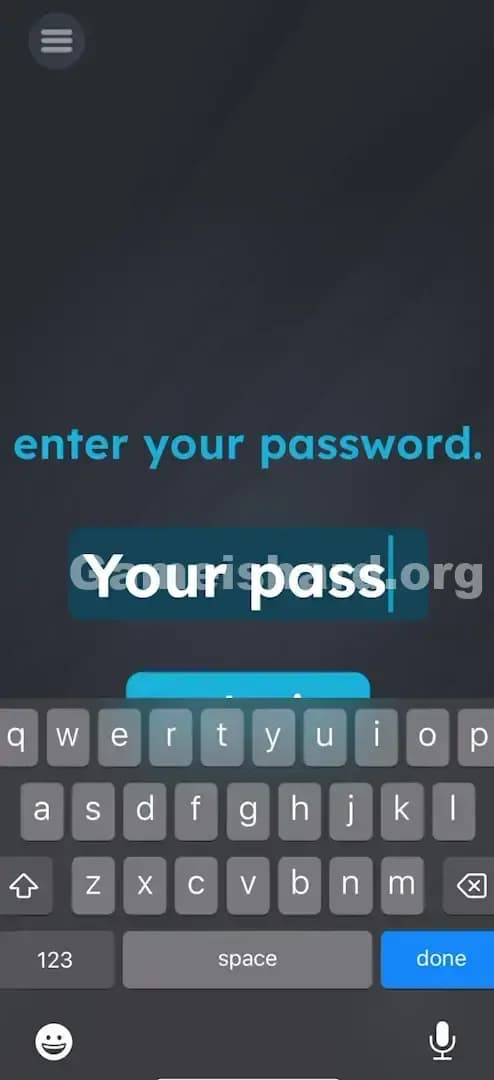
Solution: Tap the input box to open your keyboard and type the literal phrase “your password” inside it, then tap submit.
Target: You are not guessing a secret code; you are typing the two words exactly as requested by the prompt.
Game is Hard Level 44 Overview
The Hook of Game is hard Level 44
You see a password field. Standard internet stuff. You probably instinctively tap the box and wait for your brain to supply a logical answer. "Is it '1234'? Is it 'password'? Is it the game's name?" The frustration sets in when you realize there are no clues. No sticky notes with codes, no numbers hidden in the background. It feels like you're locked out of your own account.
The Objective in Game is hard Level 44
Your goal is to satisfy the prompt's request. But Game is hard doesn't care about security; it cares about syntax. The game is checking if you are reading the instruction metaphorically or literally. In this case, it's extreme literalism.
Mechanics Involved in Game is hard Level 44
- Literal Interpretation: The text is not asking for a password; it is telling you what to type.
- Keyboard Input: Unlike many levels where the keyboard is fake or hidden, here you actually need to use your device's native keyboard.
- Logic Trap: The trap is overthinking. You are looking for a complex puzzle solution when the answer is staring you in the face.
It’s not a security check. It’s a reading comprehension test.
What You See on Screen in Game is hard Level 44
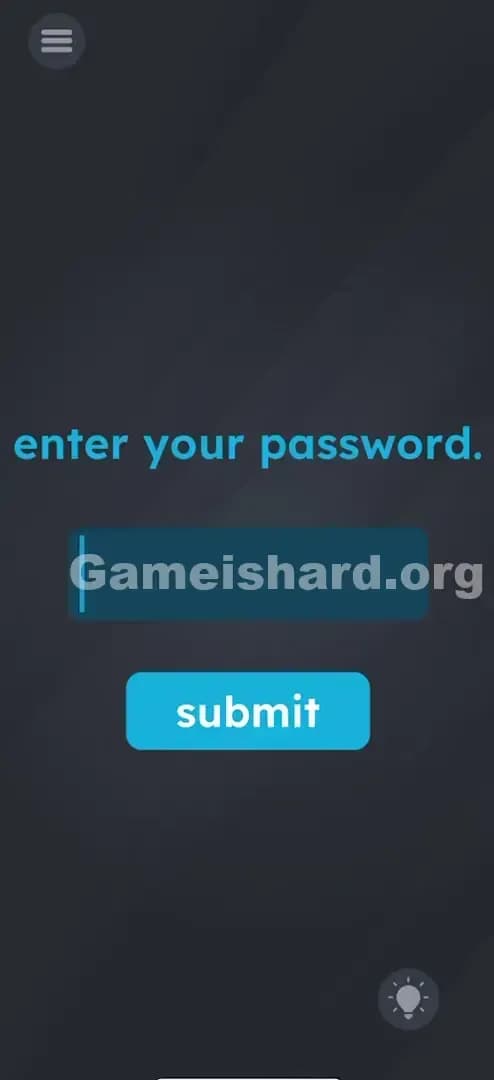
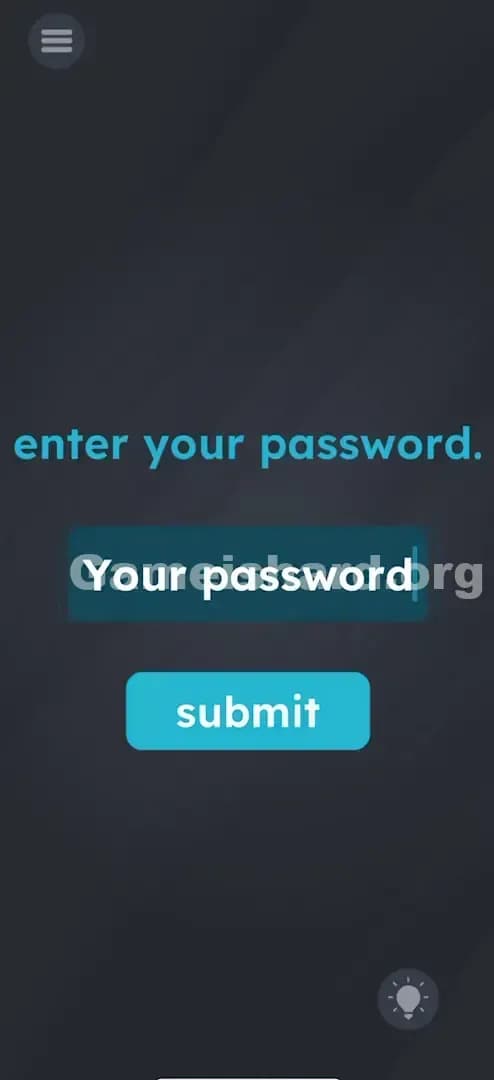
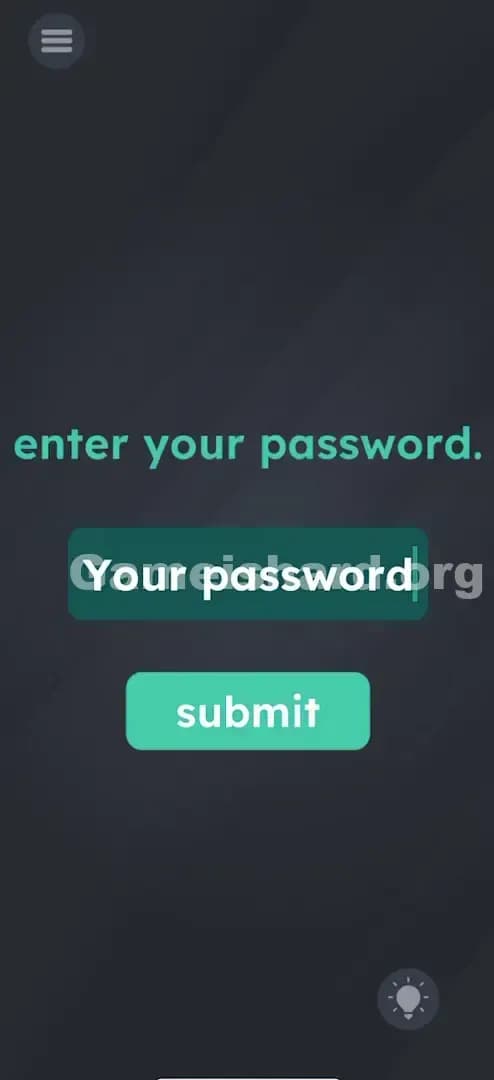
The screen is stark and simple, mimicking a generic login page.
- Top: A blue instruction sentence that says “enter your password.” in all lowercase letters.
- Middle: A dark blue rectangular input field. There is a vertical cursor line blinking on the left side, indicating it is active and ready for text.
- Bottom: A bright blue, rounded rectangular button labeled “submit”.
- Background: The standard dark grey gradient background of the game.
- Interactive Elements: The input field (triggers keyboard) and the submit button.
It looks boringly functional, which is exactly why it's easy to get stuck. You assume there's a trick to the UI, but the UI is standard—the trick is in the words.
What’s Tricking People in Game is hard Level 44
The Trap of Game is hard Level 44
The trap here is Social Conditioning. We have all been trained by thousands of websites and apps to know that "enter your password" means "recall the secret string of characters you created for this specific account." We never, ever type the words "your password" into that box in real life. Doing so usually results in an "Incorrect Password" error. The game exploits this deeply ingrained habit. You are fighting your own muscle memory.
The Wrong Instincts in Game is hard Level 44
- Typing "Game is hard": A logical guess, but wrong.
- Typing "password": Getting warmer, but still technically incorrect based on the phrasing.
- Looking for hidden numbers: Players often scour the corners of the screen for a faint "1234" or specific letter counts. There's nothing there.
- Shaking the phone: A common reflex in this game when stuck, but sensors do nothing here.
My Reaction to Game is hard Level 44
I stared at this for a solid two minutes. I tried "admin." I tried "123456." I even tried dragging the word "password" from the instruction text into the box (a classic mechanic in previous levels). When I finally just did exactly what it said, I felt incredibly silly. It’s the kind of riddle that makes you groan because the answer was right there in the question.
Game is hard Level 44 Step-by-Step Walkthrough
The Setup of Game is hard Level 44
Read the prompt again: “enter your password.” Don't interpret it. Just read the words as data. The game wants those specific characters.
The Action in Game is hard Level 44
- Tap the Input Field: Tap the dark blue box in the center of the screen. Your phone’s native keyboard should pop up.
- Type the Phrase: Type the words your password (with a space in between).
- Note: Capitalization usually doesn't matter, but sticking to lowercase like the prompt is safer.
- Tap Submit: Hit the bright blue submit button below the text box.
Verification
If typed correctly, the level will immediately clear with a "Success" or "Correct" animation. If nothing happens, or the text just sits there, check your spelling.
Troubleshooting in Game is hard Level 44
- Keyboard not showing up? Tap the box multiple times. Sometimes the touch target is finicky.
- Still failing? Ensure you included the space between "your" and "password".
- Auto-correct interference? Watch out for your phone auto-capitalizing "Your" or changing the spacing. It needs to match the prompt.
Micro-Details That Make the Move Register in Game is hard Level 44
Getting the text right is 90% of the battle, but tech issues can happen.
- The Space Bar: You must include the space. "yourpassword" (one word) often fails because the prompt is two distinct words.
- Punctuation: Do not type the period at the end of the sentence. The prompt has a period ("password."), but usually, the solution parser only looks for the words themselves. If your password doesn't work, try your password. (with the dot), but typically the cleaner version works best.
- The "Enter" Key: Hitting "Enter" or "Go" on your actual keyboard might close the keyboard but not submit the answer. You specifically need to tap the in-game submit button to trigger the check.
I fixed a failed attempt by realizing I had a trailing space at the end. Make sure your cursor is right up against the 'd' in password.
The Logic Behind Game is Hard Level 44
This level utilizes the "Literal Genie" trope. It's similar to the old joke:
- Person A: "Call me a taxi."
- Person B: "Okay, you're a taxi."
Game is hard constantly shifts the rules of engagement. Sometimes the text is a physical object you can move. Other times, like in Level 44, the text is a literal instruction manual. It forces you to abandon context. In a real login scenario, the context implies a secret code. In this vacuum, the words mean exactly what they say. The game is testing your ability to switch off your "real world" logic and engage with "puzzle logic" where instructions are absolute.
Pro Tip for Game is Hard Level 44
If you are speed-running or replaying:
- Tap the box.
- Type your password.
- Tap submit.
- Ignore everything else.
Don't waste time on:
- Searching for hidden clues.
- Counting the letters in the prompt.
- Dragging text around.
Alternative Attempts (What Doesn’t Work, and Why)
Here is a graveyard of reasonable guesses that will fail Game is hard Level 44:
- Typing “Gameishard”: The game isn't that narcissistic.
- Typing nothing and clicking Submit: It's not a "blank password" trick.
- Dragging the word “password” into the box: This works in Brain Test sometimes, but here the input field requires actual keyboard characters.
- Typing your actual phone password: Please don't do this. The app doesn't want it, and it's bad security practice!
- Shaking the device: This won't fill the field for you.
- Using voice-to-text: While technically possible via your keyboard, it often adds unwanted punctuation or capitalization that ruins the exact string match.
Common Mistakes for Game is Hard Level 44
- Overthinking the riddle: Looking for a complex answer when the literal one is correct.
- Typographical Errors: Misspelling "password" (it happens more than you think).
- Case Sensitivity: Typing "YOUR PASSWORD" might be rejected depending on the specific version update. Stick to lowercase to match the prompt style.
- Forgetting the space: Typing "yourpassword" as a single string.
- Giving up too soon: Assuming the game is broken because standard passwords don't work.
- Ignoring the prompt's phrasing: Typing just "password" because you skimmed the sentence "enter your password."
Pattern Recognition: How to Spot This Trick in Future Game is Hard Levels
The Tell
Whenever you see a text input field in this game, pause. Ask yourself: "Is the prompt asking a question, or giving a command?" If it's a command, obey it literally first. If it's a question (e.g., "What is the capital of France?"), look for a trick.
The Habit
Always try the Literal Solution first.
- If it says "Click the Red Button," click the words "Red Button," not the red-colored button.
- If it says "Enter your password," enter those exact words.
- Literalism is the default state of this game engine. Complex logic is secondary.
FAQ of Game is hard Level 44
Q: Does capitalization matter in Game is hard Level 44? A: Usually, yes. The prompt is all lowercase, so type your password in lowercase to be safe.
Q: Can I drag the text instead of typing in Game is hard Level 44? A: No. In Level 44, the mechanic is strictly typing via the keyboard. Dragging the text "your password" from the prompt usually doesn't snap into the box.
Q: My keyboard isn't opening when I tap the box in Game is hard Level 44. A: This is likely a glitch. Force close the app and restart Level 44. The hit-box for the text field can sometimes bug out.
Q: Is there a hidden button in Game is hard Level 44? A: No hidden buttons. The solution relies entirely on the text input.
Get more level walkthrough on Gameishard.org
If you found this guide helpful, we have the complete list of solutions for every level. Our guides cut through the noise and give you the direct answer immediately so you can get back to playing. Don't let a trick question ruin your streak. Check out the rest of our walkthroughs and keep gaming!