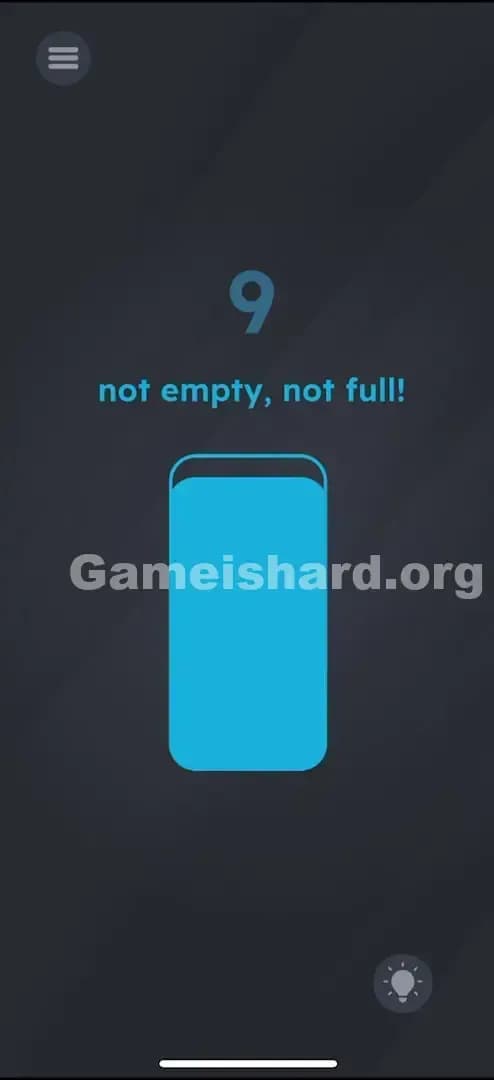
Game Is Hard Level 25 Solution Walkthrough & Answer
How to solve Game Is Hard level 25? Get instant solution & answer for Game Is Hard level 25: "too dark, can't see anything!"
Doesn't look like your level?
App updates can sometimes shuffle the order of puzzles. If this level 25 walkthrough doesn't match your screen, don't worry! You can browse our All Levels guide to find your exact puzzle by its picture.


Quick Answer for Game is hard Level 25 (Do This)
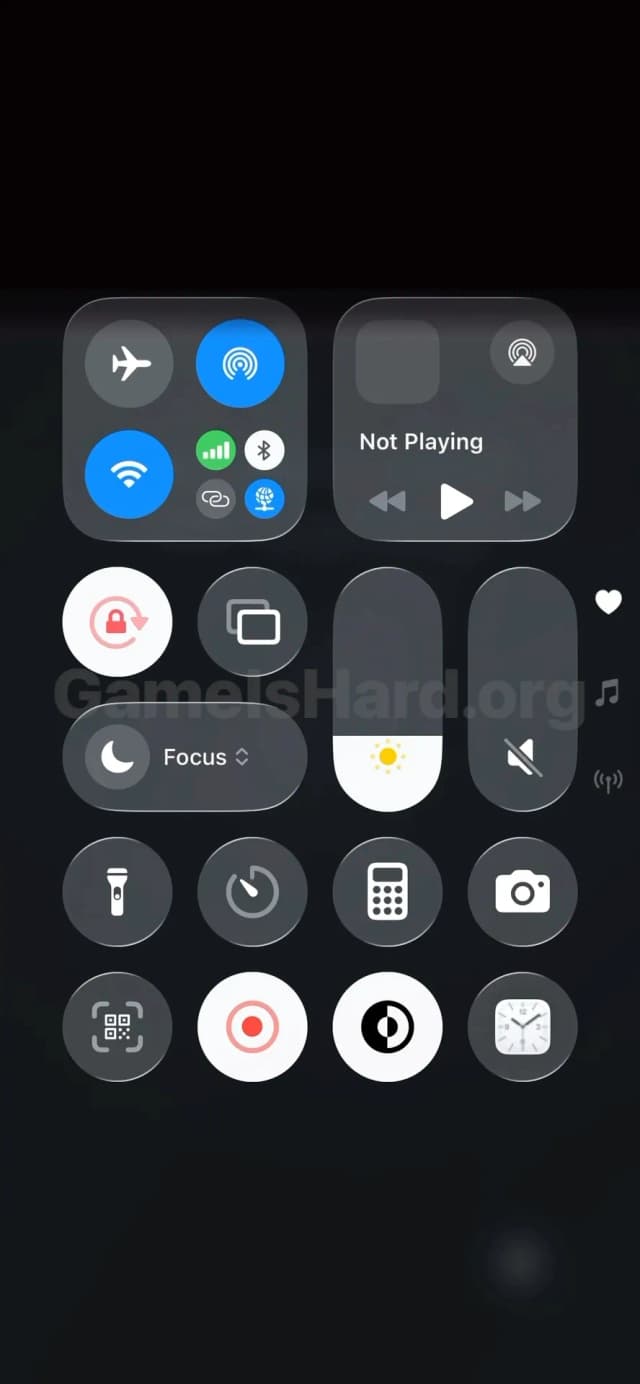
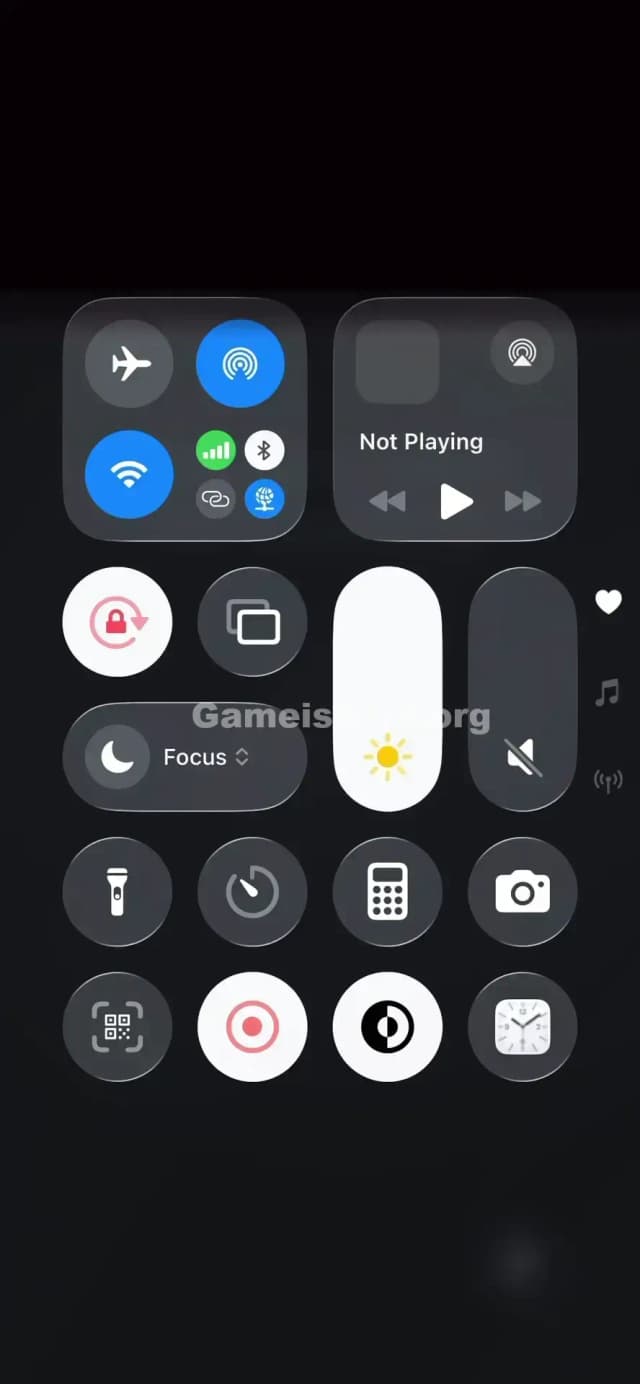
Solution: Open your actual phone settings and drag your Screen Brightness slider all the way to the maximum level.
Open your Control Center (swipe down/up depending on OS) and crank the brightness bar to 100%.
Game is Hard Level 25 Overview
The Hook in Game is hard Level 25
It looks like your phone died. The screen is barely visible, murky, and dark. You might squint and see faint letters, but mostly, it looks like a rendering bug or a mistake. You’re tapping the screen, hoping to hit a light switch. Nothing happens. This isn't a puzzle inside the game window; the game is demanding access to your hardware.
The Objective of Game is hard Level 25
You need to physically illuminate the screen. The text "too dark, can't see anything!" is literal. The game is reading your device's actual sensor data. It won't let you pass until your phone is blindingly bright.
Key Mechanics in Game is hard Level 25
- Sensor Manipulation: The game checks system-level settings.
- Hardware Interface: You have to leave the game screen (overlay) to solve it.
- Real-world Logic: The solution is physical, not digital.
It’s not a riddle. It’s a hardware check.
What You See on Screen in Game is hard Level 25
The visual landscape here is intentionally terrible.
- Background: An almost pitch-black void.
- Faint Text: In the center, barely readable grey text whispers: "too dark, can't see anything!"
- UI Elements: There is a menu button in the top left and a Hint bulb in the bottom right, but they are dimmed almost to invisibility.
- The Trap: There are no levers, sliders, or buttons inside the game view to adjust the lighting. The screen is just... dark.
What’s Tricking People in Game is hard Level 25
The Trap of Game is hard Level 25
We are trained to look for solutions inside the app. If a game is too dark, we usually look for a gamma slider in the options menu or an on-screen flashlight item. Game is hard Level 25 breaks the "magic circle." It ignores the game boundaries and looks at your real life. Players fail because they are searching for a digital torch when they should be adjusting their physical phone.
The Wrong Instincts in Game is hard Level 25
- Tapping the faint text repeatedly.
- Shaking the phone to "wake" a flashlight.
- Dragging the words around to find a hidden switch.
- Turning the in-game volume up (wrong sensor!).
My Reaction to Game is hard Level 25
I spent a solid minute dragging my finger across the black screen, assuming I had to "wipe" away the darkness like a dirty window. I felt pretty silly when I realized the game just wanted me to stop saving battery life.
Game is hard Level 25 Step-by-Step Walkthrough
The Setup of Game is hard Level 25
Stop tapping the game screen. You need to access your phone's system tray or control panel.
The Action in Game is hard Level 25
- Access Control Center: Swipe down from the top-right (iPhone) or top (Android) to open your system quick settings.
- Locate Brightness: Find the sun icon slider that controls your screen brightness.
- Max It Out: Drag that slider all the way to the top. 100%. Full blast.
- Return to Game: As soon as the brightness hits max, the text on the level will light up, and the level will instantly clear.
Troubleshooting at Game is hard Level 25
- Auto-Brightness: Sometimes, if you have "Auto-Brightness" on, the phone fights you. Turn it off temporarily if the level doesn't trigger.
- Not Enough: If 90% brightness doesn't work, push it to the absolute limit. The game trigger is often set to the max value.
The Logic Behind Game is Hard Level 25
This level relies on hardware permissions and sensor polling. Modern mobile games can query the operating system for current device states—battery level, volume, tilt, and yes, screen brightness.
Game is hard often treats the phone itself as the puzzle box.
- In previous levels, you shook the device.
- In this level, you change the display settings.
- The logic is: "The problem is darkness. The solution is light."
It’s a straightforward prompt that feels like a trick because we rarely expect games to care about our system settings.
Pro Tip for Game is Hard Level 25
If you are speedrunning or replaying:
- Swipe down immediately to open settings.
- Blast brightness to max.
- Swipe up to return.
- Important: Turn your brightness back down immediately after the "Level Cleared" screen appears to save your battery and your eyes.
Do NOT: Waste time looking for hidden items in the dark background. There is nothing there.
FAQ of Game is hard Level 25 (Short, Useful)
Q: Do I really have to change my phone settings in Game is hard Level 25? A: Yes. The game is programmed to detect the brightness level variable of your device. It won't trigger otherwise.
Q: My brightness is already high, but it won't work? A: Try lowering it all the way down and then dragging it back up to max quickly. Sometimes the sensor needs a "change" to register the update.
Q: Can I use the volume buttons instead in Game is hard Level 25? A: No. Unlike some other levels, this one is strictly tied to the display brightness sensor. Volume won't help.
Q: Is there a hidden flashlight item in Game is hard Level 25? A: No. The text "can't see anything" is the only clue you get. The solution is entirely external to the app interface.
Get more level walkthrough on Gameishard.org
Stuck on the next puzzle? We write these guides to be fast, accurate, and free of the usual recipe-blog fluff. If this helped you stop squinting at a black screen, share this link with your friends so they don't burn their retinas guessing wrong. Good luck on the next one!