Game Is Hard Level 20 Solution Walkthrough & Answer
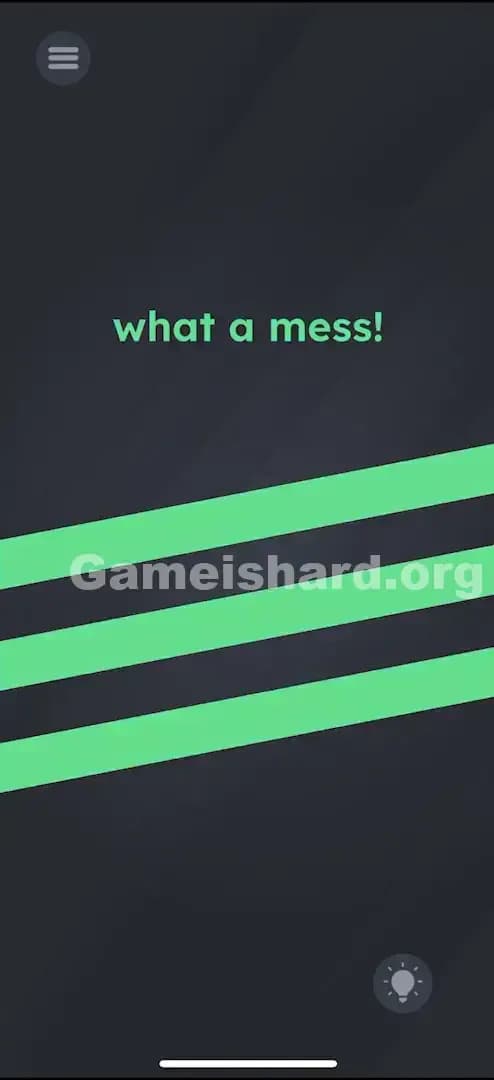
How to solve Game Is Hard level 20? Get instant solution & answer for Game Is Hard level 20: "what a mess!"
Doesn't look like your level?
App updates can sometimes shuffle the order of puzzles. If this level 20 walkthrough doesn't match your screen, don't worry! You can browse our All Levels guide to find your exact puzzle by its picture.
Quick Answer for Game is hard Level 20 (Do This)
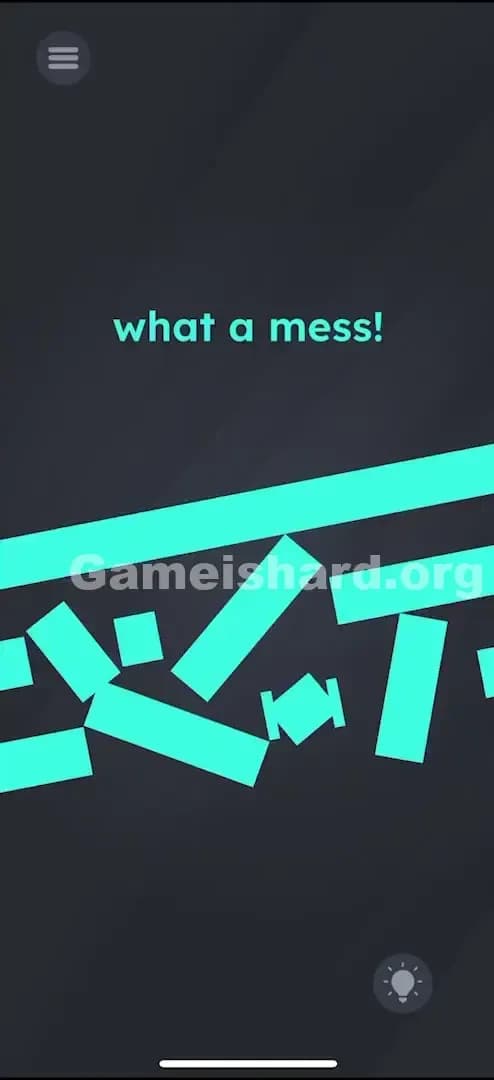
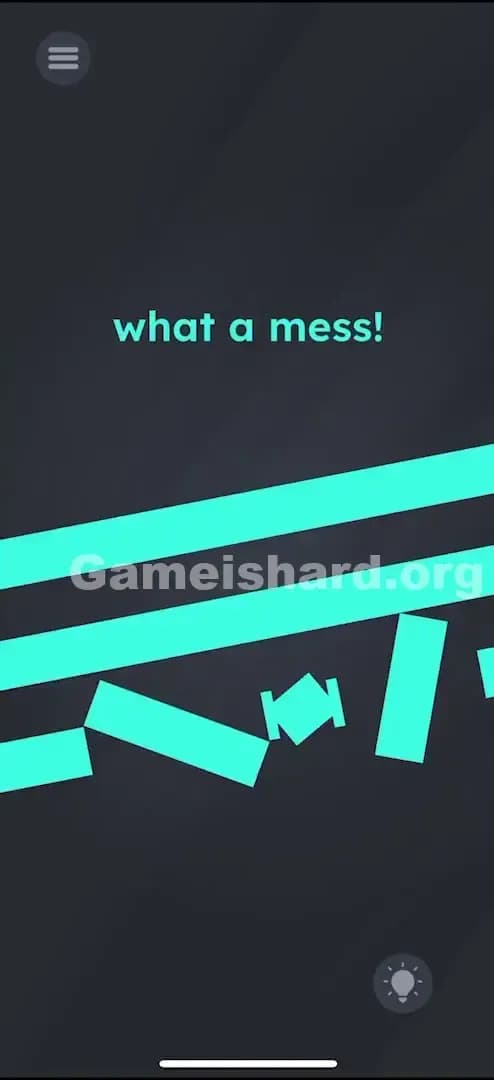
Solution: Drag and rotate the scattered turquoise shapes until they merge together to form three slanted parallel bars (resembling the Adidas logo).
Focus on arranging the blocks into three diagonal stripes that increase in height from left to right.
Game is Hard Level 20 Overview
The Hook of Game is hard Level 20
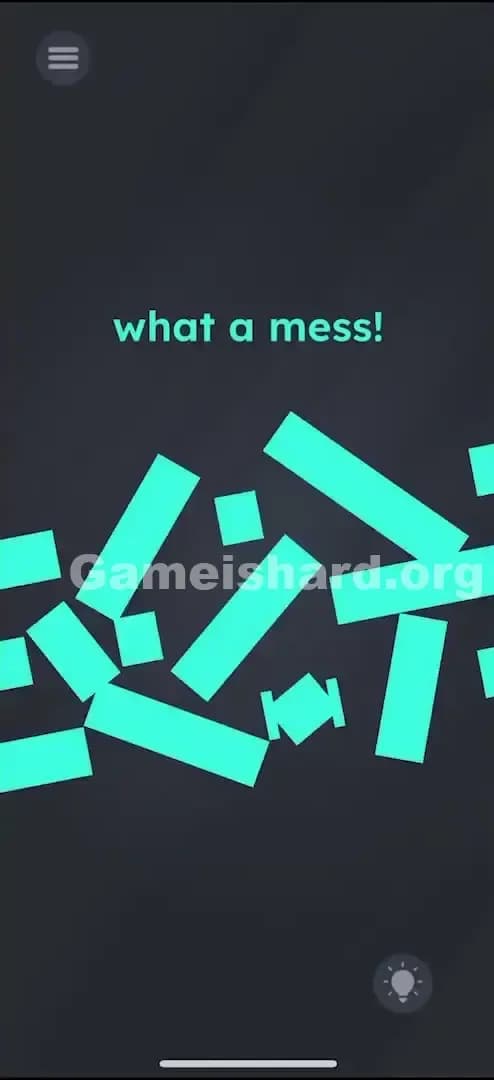
You open Game is hard Level 20 and are greeted with chaos. The screen screams "what a mess!" at you, and for once, the game isn't lying. It looks like a turquoise UI element exploded. There are jagged rectangles, tiny squares, and weird polygons scattered everywhere on the dark background. It’s messy. It’s annoying. It triggers that specific part of a gamer’s brain that just wants to organize inventory slots.
The Objective in Game is hard Level 20
Your job is to play janitor. You need to take this debris field and reconstruct the original object. Unlike previous levels where the text was the puzzle, here the text is just commentary. You are dealing with a pure spatial assembly task. You have to figure out what shape these shards are supposed to be and then physically manipulate them into that configuration.
Mechanics at Play Game is hard Level 20
- Drag & Drop Physics: You have total control over the position of every piece.
- Auto-Rotation/Snap: As you move pieces, they don't just slide; the game logic dictates their orientation. You aren't just placing them; you are twisting them into compliance.
- Hidden Shape Assembly: The end goal isn't shown. You have to infer the shape from the angles of the shards.
- Merge Mechanics: When you get two pieces close enough that belong together, they will fuse. This is your primary feedback loop.
It isn't a typo. It’s a construction site.
What You See on Screen in Game is hard Level 20
Let’s break down the visual noise so you don't miss a piece.
- Top Center: The text "what a mess!" is written in the standard game font. It’s colored turquoise, matching the debris below. This is a subtle hint that the text and the shapes are thematically linked.
- The Debris Field: Occupying the bottom two-thirds of the screen are about 8 to 10 geometric shapes.
- There are long, thick rectangles.
- There are smaller, chunky squares.
- There are odd trapezoidal bits.
- The Color Palette: Every single interactive object is the exact same shade of bright cyan/turquoise. This makes it harder to tell which piece goes where because there are no color gradients to guide your eye.
- The Background: Stark black/dark grey. High contrast. This helps you see the edges, but the lack of grid lines makes alignment tricky.
What’s Tricking People in Game is hard Level 20
The Trap of Game is hard Level 20
The biggest trap in Game is hard Level 20 is UI Blindness coupled with Pareidolia (seeing patterns that aren't there). Because the prompt says "mess," your brain might try to assemble the pieces into letters. Are you supposed to spell "CLEAN"? Are you supposed to fix the words "what a mess"? I spent a solid two minutes trying to form the letter "H" out of the rectangles. It doesn't work. The trap is linguistic; the solution is graphical.
The Wrong Instincts in Game is hard Level 20
- Shaking the phone: We are conditioned by other puzzle games to think that "mess" + "shake" = "clean up." You shake the phone hoping the pieces will settle into place. They won't.
- Tapping furiously: Tapping the pieces doesn't rotate them in 90-degree increments like a Tetris block. This frustrates players who expect standard puzzle controls.
- Looking for hidden items: Players often scour the corners of the screen thinking a "broom" tool is hidden. There is no tool. Your finger is the broom.
My Reaction to Game is hard Level 20
I stared at this for way too long assuming the game was bugged. "Why aren't they snapping?" I muttered, trying to stack them into a perfect square tower. It wasn't until I accidentally dragged two pieces diagonally and saw them fuse that I realized I was building a logo, not a wall.
Game is hard Level 20 Step-by-Step Walkthrough
The Setup of Game is hard Level 20
Stop trying to create letters. Look at the angles on the ends of the rectangles. They are slanted, not 90-degree cuts. This implies the final structure is italicized or diagonal. You are building three separate bars.
The Action in Game is hard Level 20
- Isolate the Pieces: Drag all the pieces apart so you have a clear workspace in the center of the screen. Don't let them overlap yet.
- Identify the Groups: Look at the sizes. You will notice the pieces naturally group into three categories based on the final length they will create:
- Short pieces (for the left bar).
- Medium pieces (for the middle bar).
- Long pieces (for the right bar).
- Construct the Tallest Bar: Find the longest rectangular fragments. Drag them near each other. You are looking to create a long, slanted strip. As you drag a piece close to its neighbor, move it slowly. You might need to circle it around the target spot to get the rotation to trigger.
- Watch for the Merge: When positioned correctly, the seam between the two pieces will disappear, and they will become one solid object.
- Build the Other Two: Once the tall bar is done, build the medium one to its left, and the short one to the far left.
- Final Alignment: Drag your three constructed bars so they sit parallel to each other.
- Left: Shortest.
- Middle: Medium height.
- Right: Tallest.
- Tip: Think of a cell phone signal icon, but slanted. Or the stripes on a certain brand of sneaker.
Troubleshooting at Game is hard Level 20
If the level doesn't end even though you have three bars:
- Make sure the spacing is relatively even.
- Ensure they are actually parallel. If one is slightly crooked, the game won't register the "clean" state.
- Check for tiny leftover fragments. Sometimes a tiny 1x1 pixel shard hides behind a bigger bar. Drag the bars around to reveal any hiders.
Micro-Details That Make the Move Register in Game is hard Level 20
The physics engine in Game is hard Level 20 can be a little sticky. Here is how to handle the finicky controls:
- The "Magnetic" Snap: The snap distance is actually quite generous, but the angle is strict. If you approach a connection from the wrong angle, the piece might just bounce off or slide over. Try approaching the connection point from a few different directions.
- Rotation is Automatic: You do not need to use two fingers to rotate. The pieces orient themselves based on their proximity to their "partner" piece. If a piece looks upside down, just drag it to the other end of the bar you are building; it might flip automatically to fit that specific slot.
- Ordering: The game doesn't care if you build the left, middle, or right bar first. However, I found it easiest to build them in open space and then drag them into the parallel formation. Don't try to build them in their final resting slots immediately; it gets too crowded.
I fixed it by... pulling everything to the edges of the screen first. Treating the center like a clean workbench made it obvious which pieces were "bottoms" and which were "tops" based on their slanted edges.
The Logic Behind Game is Hard Level 20
This level is testing your ability to recognize Gestalt principles—seeing a unified whole from chaotic parts. The game deconstructs a familiar symbol (three slanted stripes) and asks you to reverse-engineer it without a blueprint.
It also plays on the "Instructional Deception" trope common in this game. The text "what a mess!" implies an emotional state or a complaint, but functionally, it's just the premise. The logic is pure geometry: Slanted edges must match slanted edges. It’s closer to a tangram puzzle than the riddle-based levels you played previously.
Pro Tip for Game is Hard Level 20
Don't force the fit. If two pieces aren't merging instantly, they don't belong together.
- Drop the piece you are holding.
- Pick up a different one.
- The correct match will snap together almost magnetically with very little effort. If you are fighting the physics, you have the wrong pieces.
Also, focus on the ends. The top and bottom of each finished bar should be flat and horizontal, even though the sides are slanted. Use pieces with flat horizontal edges as your "caps" for the top and bottom.
Alternative Attempts on Game is hard Level 20 (What Doesn’t Work, and Why)
Here is a graveyard of ideas I tried that failed, so you don't have to waste time on them:
- Dragging the text "what a mess!" into the trash. (The text is static; it’s not part of the debris.)
- Pinching to zoom out. (The camera is fixed; you cannot see more pieces off-screen.)
- Holding the phone upside down. (Gravity sensors are disabled for this level; the pieces won't fall.)
- Waiting for a timer. (There is no time limit, and nothing happens if you wait.)
- Double-tapping the pieces. (This does nothing. Dragging is the only input.)
- Trying to build a single long line. (The pieces are sized specifically for three separate bars; they won't form one giant line.)
Common Mistakes for Game is Hard Level 20
- Mixing up the bars: Players often try to attach a "medium bar" piece to the "tall bar." They look similar, but the widths or angles might be slightly off by a few pixels, preventing the merge.
- Ignoring the debris: Leaving one tiny piece floating in the corner. Every single piece of turquoise on the screen must be used. There are no decoy pieces.
- Perfecting placement too early: Trying to line up the bars before they are fully assembled. Assemble the shapes fully first, then line them up.
- Overlapping: Stacking pieces on top of each other hides them. Keep your workspace spread out.
Pattern Recognition: How to Spot This Trick in Future Game is Hard Levels
The Tell
Whenever you see scattered geometric shards that are all the same color, you are in a "Reconstruction Level." The game has moved away from wordplay and into visual assembly.
The Habit
Immediately separate the pieces. Don't stare at the pile. Spread them out to the four corners of the screen. Look for:
- Corner pieces (smooth edges on two sides).
- End pieces (flat caps).
- Connectors (jagged on both ends). Treat it exactly like a jigsaw puzzle: edges first, middle second.
Game is hard Level 20 FAQ (Short, Useful)
Q: Is there a specific order the bars need to be in? A: Yes. They usually need to be arranged by height. Shortest on the left, tallest on the right (ascending).
Q: Do I need to rotate the pieces with two fingers in Game is hard Level 20? A: No. Just dragging them near their connecting partner will auto-orient them.
Q: My pieces won't stick together in Game is hard Level 20! A: You likely have mismatched pieces. Try connecting that piece to a different shard. The "snap" is very obvious when it's correct.
Q: What is the shape supposed to be in Game is hard Level 20? A: It is three diagonal, parallel stripes. Think of the Adidas logo.
Get more level walkthrough on Gameishard.org
Stuck on the next puzzle? We’ve got straight-to-the-point guides for every single level. No fluff, just the solution you need to stop raging and start winning. Bookmark us and keep your win streak alive!