Game Is Hard Level 139 Solution Walkthrough & Answer
How to solve Game Is Hard level 139? Get instant solution & answer for Game Is Hard level 139: "around 90% maybe..."
Doesn't look like your level?
App updates can sometimes shuffle the order of puzzles. If this level 139 walkthrough doesn't match your screen, don't worry! You can browse our All Levels guide to find your exact puzzle by its picture.
Quick Answer for Game is hard Level 139 (Do This)
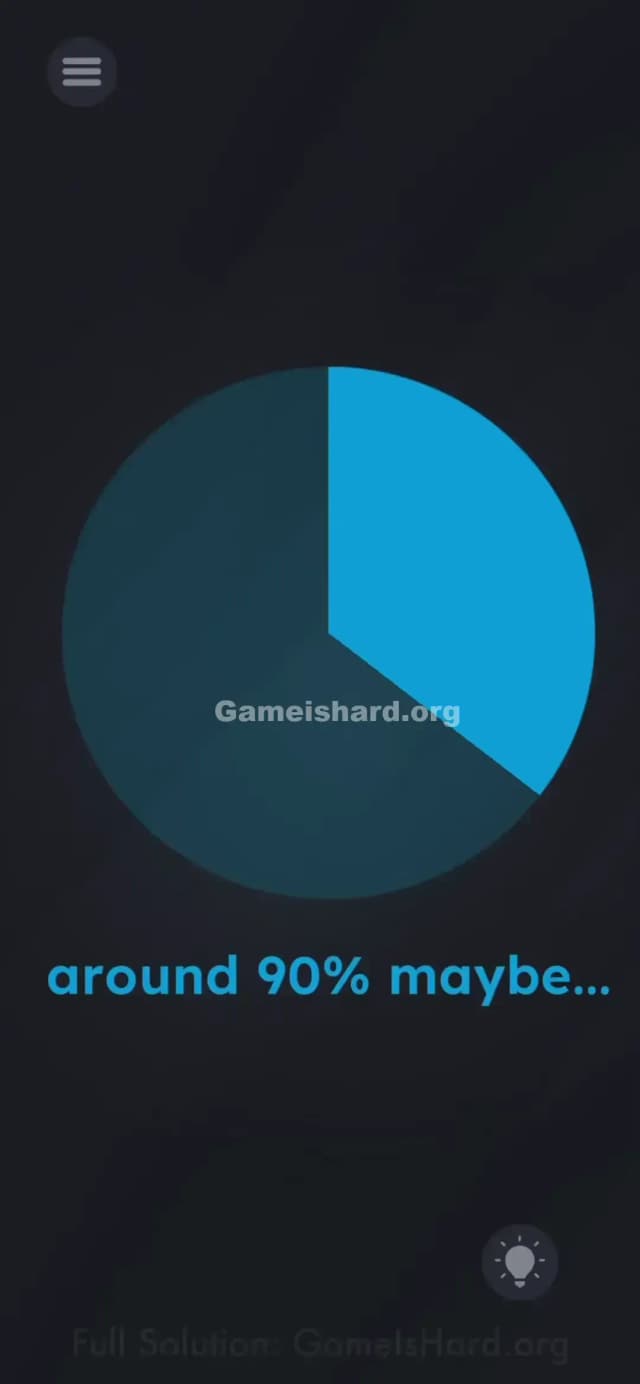
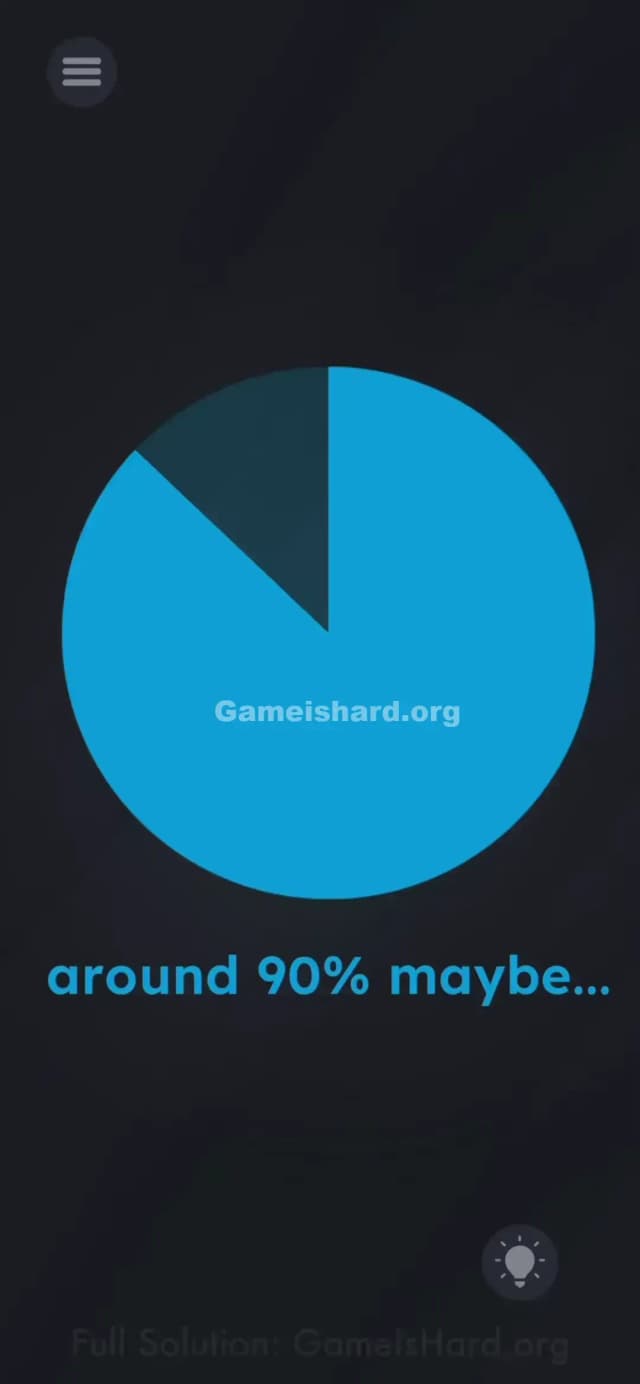
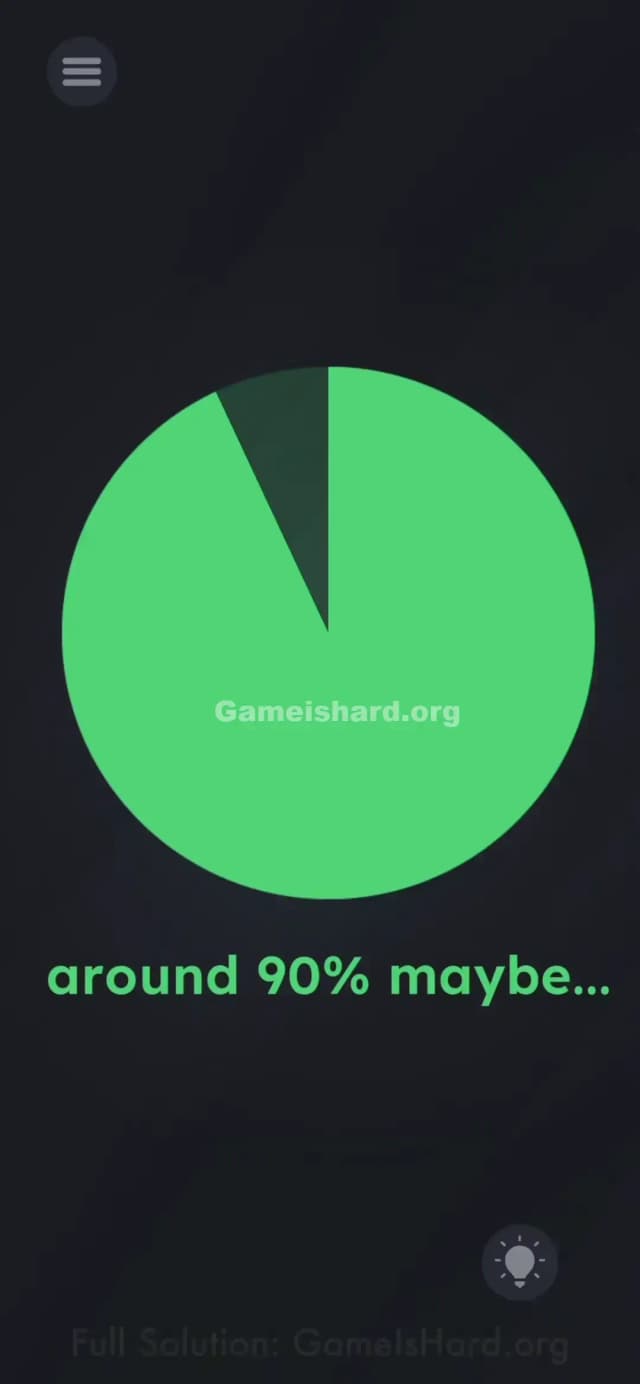
Solution: Tap and hold the edge of the blue slice in the circle, then drag it clockwise until the pie chart is almost full (about 90%).
Stop when there is only a small slice of darkness left at the top left.
Game is Hard Level 139 Overview
The Hook of Game is hard Level 139
You stare at this mostly empty pie chart. The text says "around 90% maybe...", but tapping the screen does nothing. The game gives you zero indication that the chart is interactive. It looks like a static image, a decoration. It is not.
The Objective of Game is hard Level 139
You need to manually edit the pie chart to match the caption. The goal isn't to answer a question; the goal is to physically modify the graphic on the screen until it represents "90%."
Mechanics Involved in Game is hard Level 139
- UI Drag: The colored part of the chart is a slider disguised as a shape.
- Precision: You have to stop at the right spot. Too little or too much, and you fail.
- Visual estimation: There are no grid lines or numbers to guide you. You have to eyeball it.
It’s not a math test. It’s a drawing test.
What You See on Screen in Game is hard Level 139
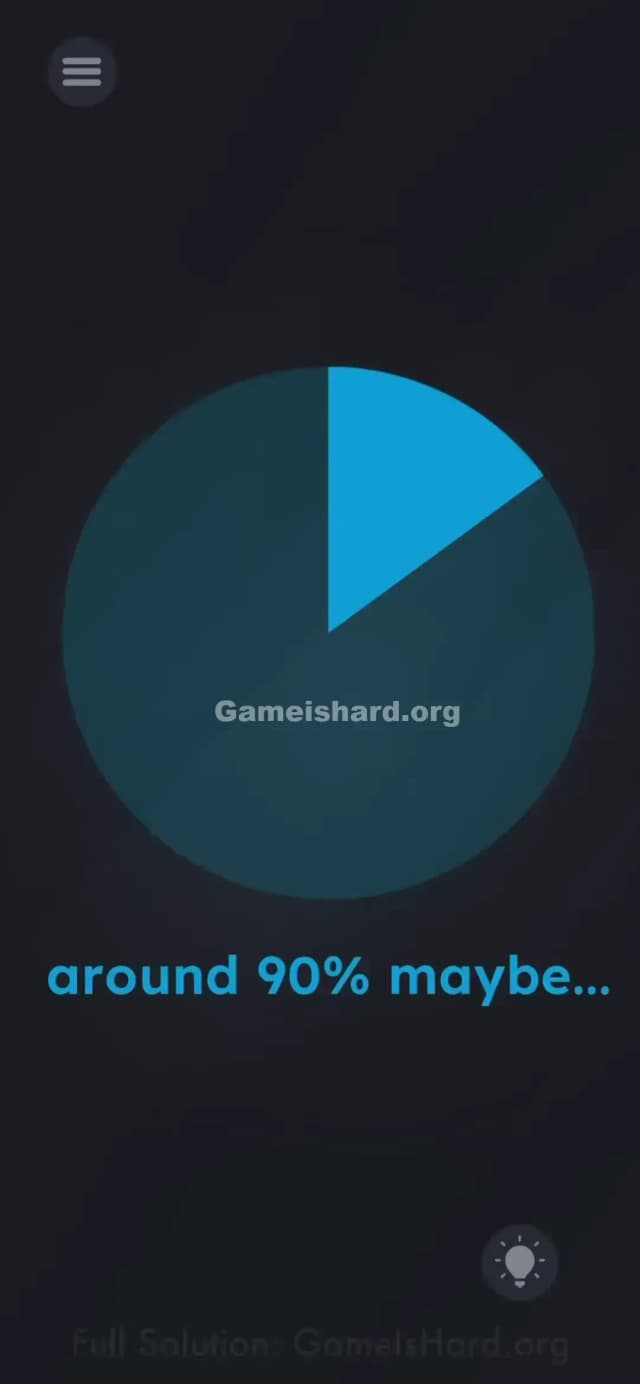
The screen is mostly dark. In the center sits a large, dark blue circle. Inside that circle is a lighter blue "slice," starting from the 12 o'clock position and extending to maybe the 2 o'clock position (roughly 15-20%).
Below the circle, bright blue text reads: "around 90% maybe...". There are no buttons, no sliders, and no other interactive elements visible. Just a pie chart that looks suspiciously incomplete.
What’s Tricking People in Game is hard Level 139
The Trap of Game is hard Level 139
We are trained to treat charts as data, not controls. You see a pie chart, and your brain says "Okay, that's information." You don't think "I should grab that slice and stretch it." This level relies entirely on UI Blindness. You assume the graphic is locked.
The Wrong Instincts in Game is hard Level 139
- I tried shaking the phone to "fill" the circle like a liquid. Nope.
- I tried tapping the text "90%" hoping it would auto-fill. Nothing.
- I waited for it to load, thinking it was a progress bar. It's not loading. It's waiting for you.
My Reaction to Game is hard Level 139
I stared at this for a full minute. I thought maybe I had to tilt my phone to roll the color around. When my finger accidentally slipped on the edge of the blue slice and it moved, I felt incredibly dumb. It was a knob the whole time.
Game is hard Level 139 Step-by-Step Walkthrough
The Setup of Game is hard Level 139
Locate the straight edge of the light blue slice inside the circle. This is currently sitting around the "2 o'clock" position if the circle were a clock face.
The Action in Game is hard Level 139
- Tap and hold your finger right on that edge of the light blue color.
- Drag your finger in a clockwise circle around the center point.
- Watch the blue color expand. Keep dragging until the blue fills almost the entire circle.
- Stop when the chart looks like it represents 90%.
- Visual Guide: Imagine a clock. You want the blue to start at 12 and go all the way around past 3, 6, and 9, ending roughly at the 11 o'clock position.
- Let go. If you are close enough, the level will clear.
Troubleshooting at Game is hard Level 139
- It won't move: You must grab the edge of the color, not the middle of the dark area. Treat it like a physical dial.
- It didn't work: If you release and nothing happens, you were either too low (80%) or too high (98%). 90% leaves a clearly visible "slice" of darkness missing at the top left. Try again and adjust slightly.
The Logic Behind Game is Hard Level 139
This level tests your willingness to touch things that don't look touchable. In standard app design, a pie chart is a readout. In Game is hard, every pixel is potentially a handle, a button, or a slider.
The game is breaking the "display vs. input" barrier. Usually, screens display data and buttons accept input. Here, the display is the input. It forces you to stop reading the interface and start manipulating it physically.
Pro Tip for Game is Hard Level 139
- Don't overthink the math. 90% is "almost full but not quite."
- Drag slowly. The sensor is sensitive.
- If you overshoot (go to 100%), just drag it backward (counter-clockwise) to correct it before letting go.
- Ignore the text. Focus on the shape.
FAQ of Game is hard Level 139 (Short, Useful)
Q: Can I get exactly 90%? A: The game has a generous hitbox. You don't need pixel-perfect accuracy, just "close enough."
Q: Does dragging counter-clockwise work? A: No. The slice starts at 0 and grows clockwise. You have to drag it the long way around.
Q: I filled the whole circle and failed? A: Yes, because 100% is not 90%. You need to leave a gap at the end.
Q: Is there a time limit? A: No. Take your time to line up the edge perfectly before releasing your finger.
Get more level walkthrough on Gameishard.org
Stuck on another puzzle? We have guides for every single level that get straight to the point. No 10-minute videos, just the answers you need. Check the main list if you're pulling your hair out on the next one!