Game Is Hard Level 250 Solution Walkthrough & Answer
How to solve Game Is Hard level 250? Get instant solution & answer for Game Is Hard level 250: "Psst! come closer, I have a secret to tell"
Doesn't look like your level?
App updates can sometimes shuffle the order of puzzles. If this level 250 walkthrough doesn't match your screen, don't worry! You can browse our All Levels guide to find your exact puzzle by its picture.
Quick Answer for Game is hard Level 250 (Do This)
Solution: Bring your phone screen directly up to your ear to trigger the proximity sensor, wait for the text to change, then tap all three boxes once and both balls twice.
You must physically hold the device like you are taking a phone call to expose the real puzzle rules before you start tapping shapes.
Game is Hard Level 250 Overview
The Hook of Game is hard Level 250
You are staring at a pink screen whispering secrets at you. The text literally asks you to come closer. Most players ignore this. They drag the shapes. They furiously tap the words. Nothing happens. The game is straight-up lying to you about the boundaries of the puzzle. The interface isn't just the touch screen in front of you. It is the actual hardware inside your device.
The Objective
Your goal is to force the game to give you the real instructions. You have to abandon the touch screen entirely for step one. Only by interacting with the phone's physical sensors will you get the actual rules required to clear the stage.
Mechanics in play here:
- Hardware sensor / Proximity trigger
- Hidden UI
- Multi-step logic
- Sequential tapping
It’s not a typo. It’s ammo.
What You See on Screen in Game is hard Level 250
The initial screen is incredibly minimal. Almost offensively simple.
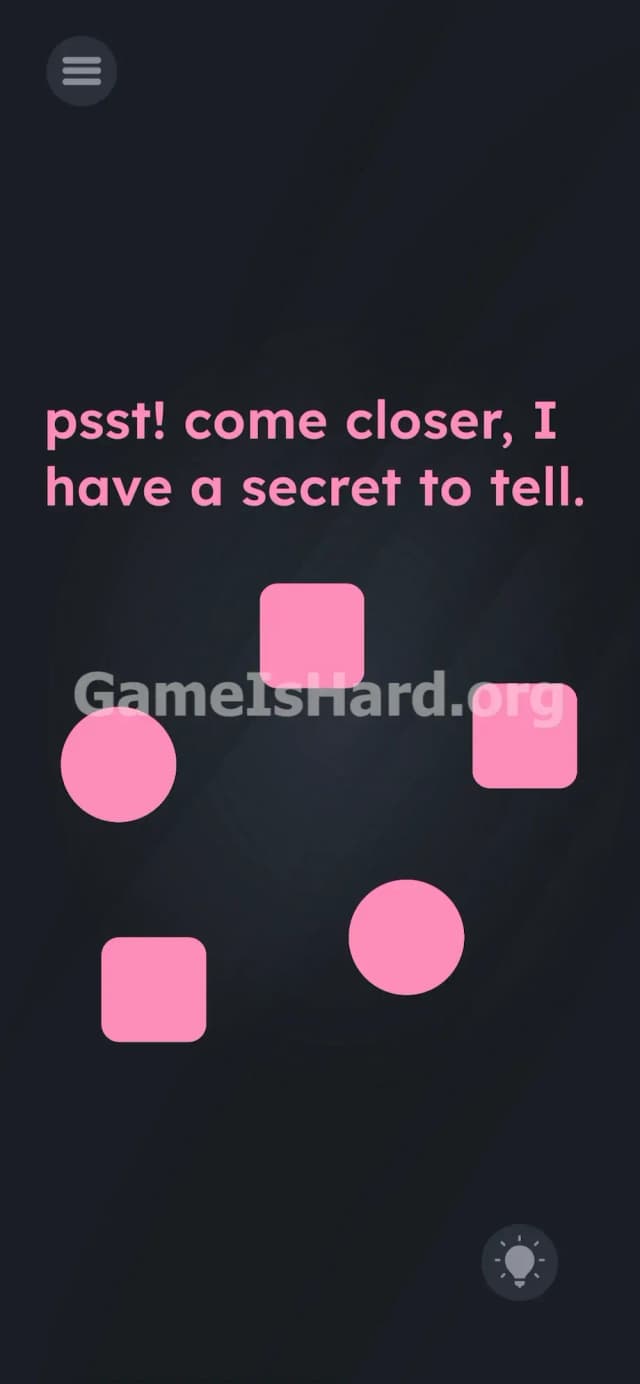
At the top, written in bright pink font, is the prompt: psst! come closer, I have a secret to tell.
Below the text sits a ring of five geometric shapes. Three of these shapes are square boxes. Two of these shapes are circular balls. Everything is identically pink. They sit against a dark gray background. At the very bottom right, you have the standard lightbulb hint icon.
There are no sliders. No hidden blank spaces. No obvious letters to drag around and combine. The scene feels dead. That deadness is the trap.
What’s Tricking People in Game is hard Level 250
The Trap of Game is hard Level 250
Hardware blindness. We are deeply conditioned to believe mobile games exist purely on a flat plane of glass. If a puzzle blocks us, we assume the solution involves swiping, dragging, or long-pressing. When the game says come closer, players try to zoom in with their fingers. Pinching the screen fails. We forget our phones are packed with physical sensors—microphones, gyroscopes, and proximity detectors. The game exploits your refusal to treat the phone as a physical object in the real world.
The Wrong Instincts
I spent five minutes trying to drag the word secret into one of the boxes. Total waste of time. Shouting into the microphone does not work. Cranking the physical volume buttons does not work. Trying to pull the words apart letter by letter gets you nowhere. The game wants a physical action, not a digital one.
My Reaction
Complete facepalm. I figured the microphone was the answer. I actually leaned in and whispered "what is the secret" at my phone like a lunatic. Only when I accidentally brushed the top of my screen against my cheek did the colors flip. The proximity sensor. Obviously.
Game is hard Level 250 Step-by-Step Walkthrough
The Setup
Get a firm grip on your device. Stop looking at the screen for a second. You need to locate your phone's front-facing camera area, because that is where the proximity sensor lives.
The Action
- Pick up your phone and hold the top half of the screen directly against your ear. Exactly like you are answering a real phone call.
- Hold it there for one full second.
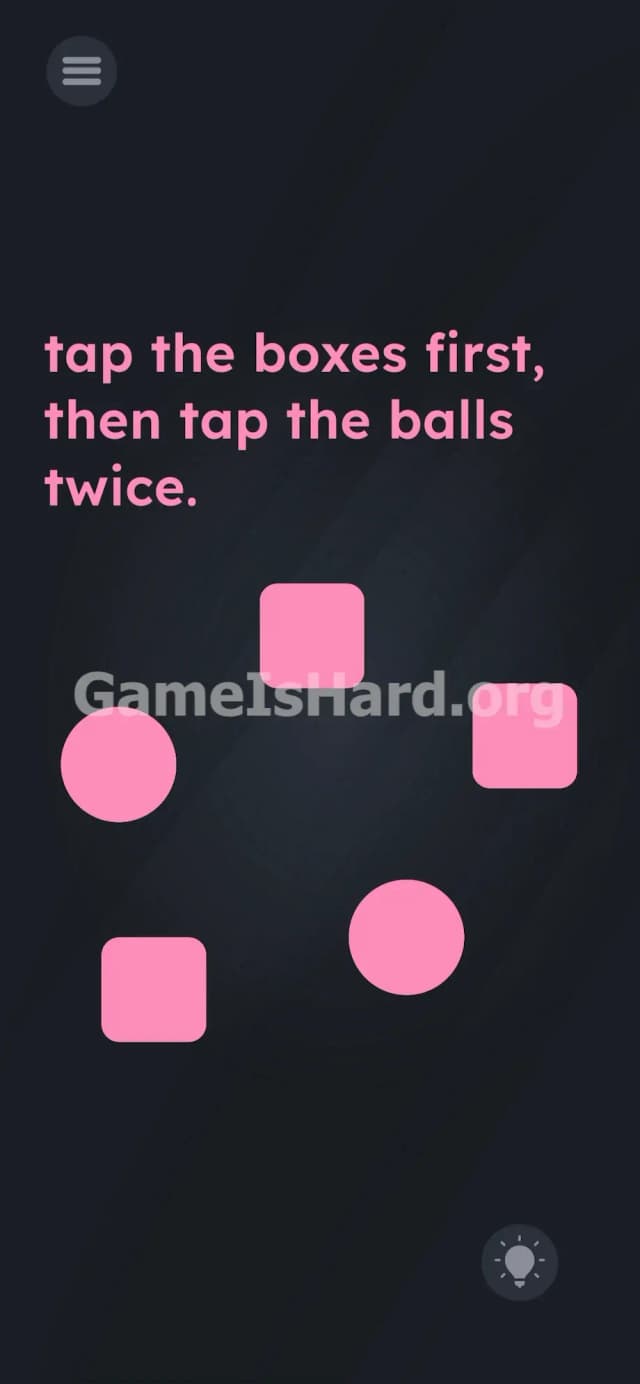
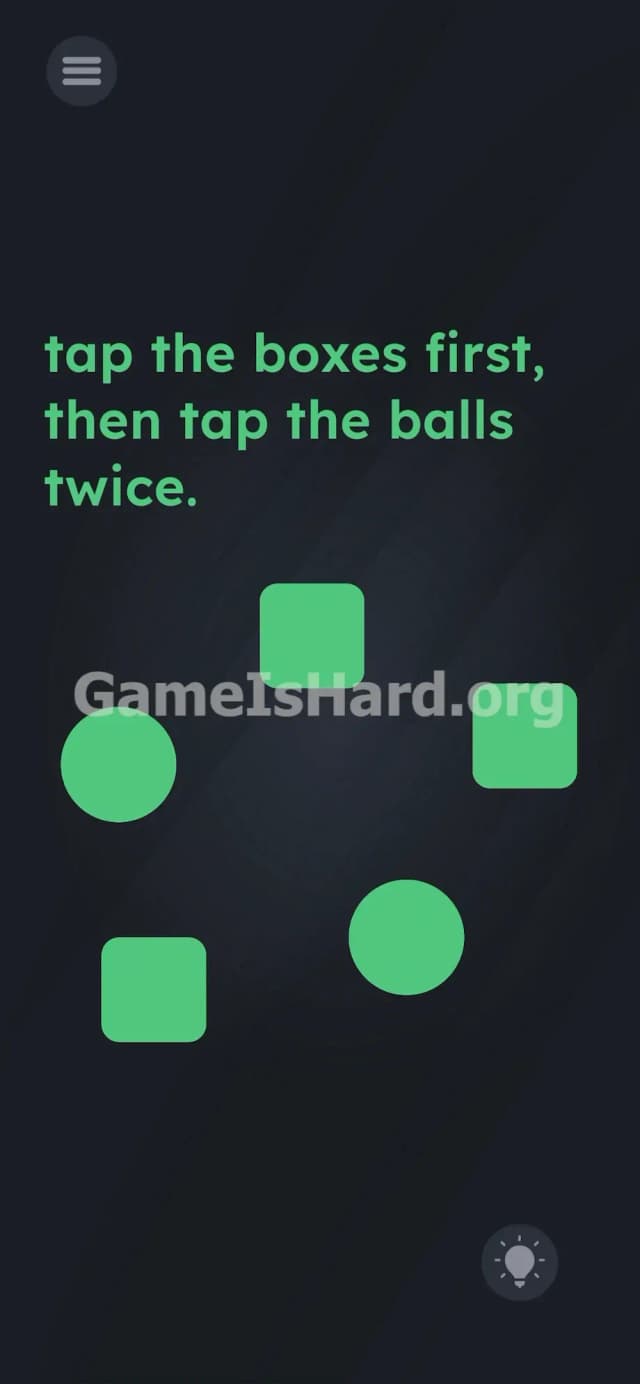
- Pull the phone away and look at the screen. The entire UI has changed from pink to green.
- Read the new text. It now says: tap the boxes first, then tap the balls twice.
- Tap the three green square boxes exactly one time each.
- Tap the two green round balls exactly two times each.
Troubleshooting
- The text won't change: Your proximity sensor is blocked or missing the target. Thick cases or dirty screen protectors cause this. Rub the top bezel of your phone and try again. Alternatively, just cover the front-facing camera completely with your thumb.
- I tapped but failed: You tapped out of order. You must do the boxes first. All three of them. Then move to the balls.
- Nothing registered: Do not mash the screen. Tap deliberately. If you tap the balls three times by accident, the logic breaks. Reset the level and repeat the sequence cleanly.
The Logic Behind Game is Hard Level 250
This level tests your willingness to break the fourth wall.
Mobile operating systems use a proximity sensor to turn off the touch screen when you hold the phone to your face during a call. This prevents your cheek from hanging up on people. The developers hijacked this core OS function and mapped it to a puzzle trigger.
Once you bypass the hardware trick, it reverts to a basic listening test. The game gives you a two-part instruction. It checks your reading comprehension and your restraint. Mashing fails. Speed fails. Precision wins. The instructions are bait; the UI is the real puzzle.
Pro Tip for Game is Hard Level 250
Stop overthinking the sensor mechanics. If you don't want to bring the phone to your face, fake it.
- Smash your thumb entirely over the top edge of your phone screen (near the speaker/camera).
- Wait for the colors to flip to green.
- Tap the squares once.
- Double-tap the circles.
- Move on.
Do not waste time dragging the hint button or trying to spell words with the shapes. The path forward is purely mechanical.
FAQ of Game is hard Level 250
Why isn't the text changing when I zoom in? Because zooming is a touch-screen input. The prompt come closer requires physical proximity. You need to trigger the hardware sensor located near your front camera by covering it up.
Does the order of the boxes matter? No. You can tap the three boxes in any order you want. Left to right, right to left, it doesn't matter. You just have to tap all three before you touch the balls.
I tapped the balls twice but the level didn't clear? You likely over-tapped. If you tap a ball three times instead of two, the game counts it as a failure of instructions. Force a reset on the stage, cover the camera to get the green text again, and tap with distinct, slow presses.
Can I do this level on a tablet? Yes. iPads and Android tablets also have proximity sensors, usually located near the front-facing camera on the top bezel. Just cover that specific area with your hand instead of lifting the whole tablet to your head.
Get more level walkthrough on Gameishard.org
We hate bloated guides as much as you do. Our walkthroughs are built to get you past the frustration and back into the game immediately. Zero fluff. Pure solutions.
If this guide saved your sanity, drop a link to it in your Discord server. Share it with your friends who are stuck mashing the screen. Check out Gameishard.org for the rest of the hardest stages. Keep pushing forward.