Game Is Hard Level 6 Solution Walkthrough & Answer
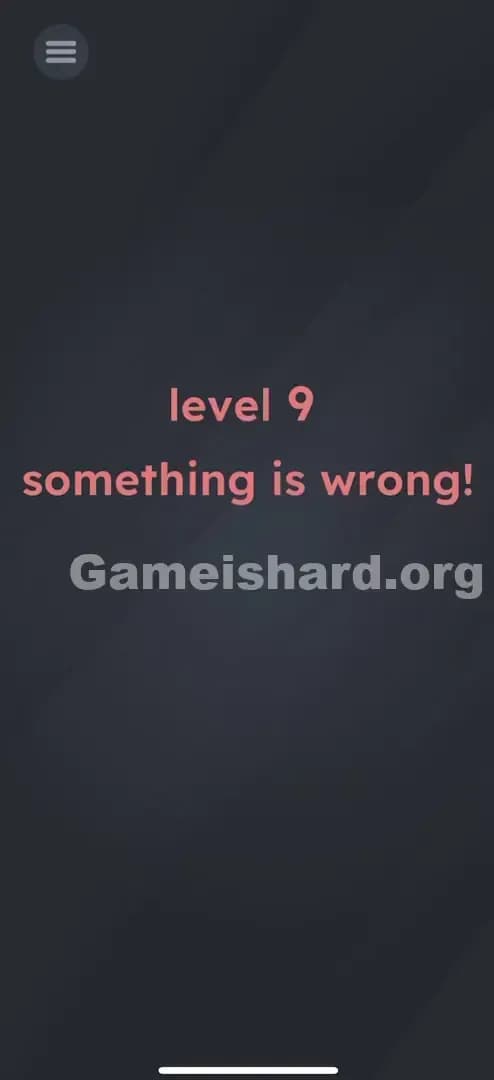
How to solve Game Is Hard level 6? Get instant solution & answer for Game Is Hard level 6: "Is this really level 9?!"
Doesn't look like your level?
App updates can sometimes shuffle the order of puzzles. If this level 6 walkthrough doesn't match your screen, don't worry! You can browse our All Levels guide to find your exact puzzle by its picture.
Quick Answer for Game is hard Level 6 (Do This)
Solution: Physically turn your phone upside down so the text reads "level 6" and tap the inverted Menu/Play button that appears.
(Tip: If you are playing on a PC or emulator, look for a screen rotation button in the settings, as physically flipping a monitor won't trigger the sensor.)
Game is Hard Level 6 Overview
The Hook of Game is hard Level 6
You load into what you think is Game is hard Level 6, but the screen greets you with "Is this really level 9?!" It feels glitchy. Like you skipped a few chapters or the game loaded the wrong asset. The confusion is immediate because your brain registers the number 9, not the 6 you were expecting. Is the game broken? Did you accidentally click "continue" too many times?
The Objective in Game is hard Level 6
The goal here isn't to solve a math problem or find a hidden object in the darkness. The objective is to fix reality itself. The game is presenting you with an incorrect state—Level 9—when you should be on Level 6. You need to manipulate your physical device to correct the digital display.
Mechanics involved in Game is hard Level 6:
- Tilt / Rotation Sensors (Gyroscope): The game is reading the physical orientation of your phone.
- Visual Logic: Recognizing that an upside-down 6 looks like a 9.
- Hidden Buttons: The interaction point only becomes valid once the perspective shifts.
It’s not a typo. It’s gravity.
What You See on Screen in Game is hard Level 6
Let's break down exactly what is confusing your eyeballs right now. The screen is dark gray, minimal as always.
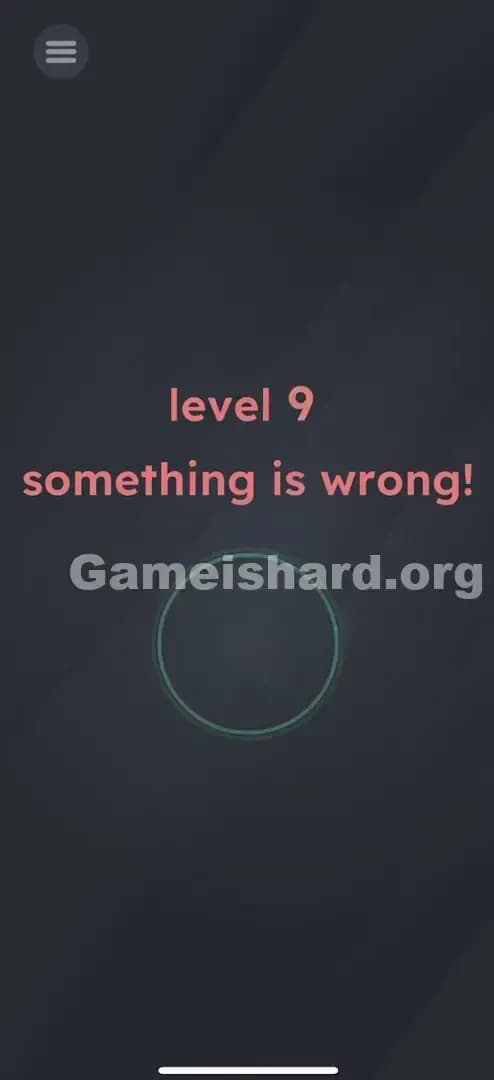
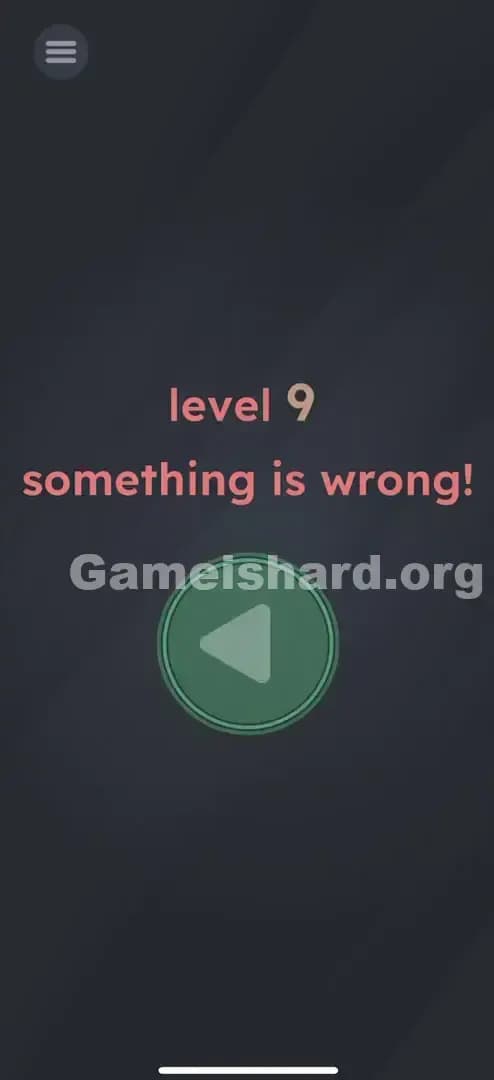
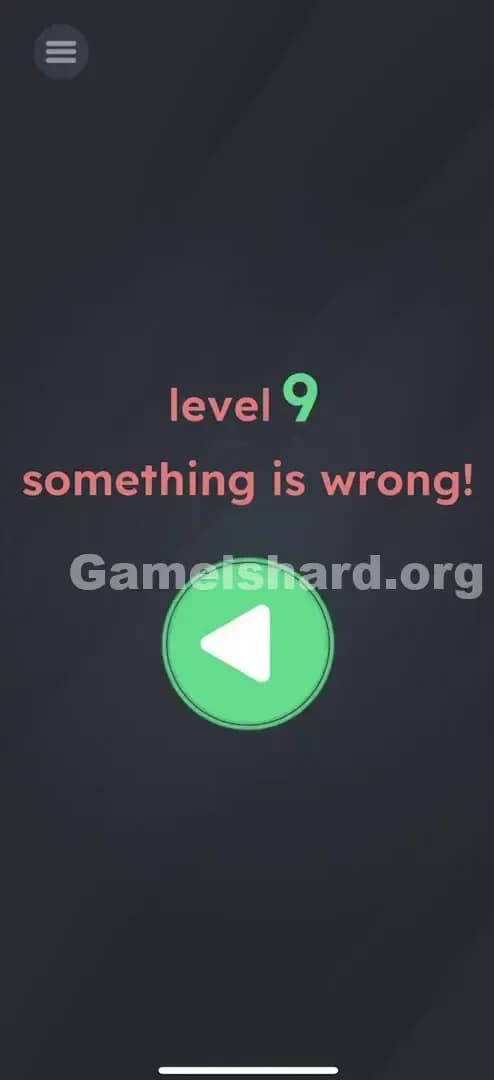
- The Text: Smack in the middle, in a soft reddish-pink font, it says "level 9". Below that, it ominously warns "something is wrong!".
- The Button: In the top-left corner, there is a standard Menu icon (the three horizontal lines, or "hamburger" menu). It looks totally normal. Or does it?
- The Void: The rest of the screen is empty. No obvious keys, no draggable items, no "Next" button. Just that unsettling claim that you are on Level 9.
If you stare at it long enough, you might notice the menu button feels slightly... misplaced? But mostly, it's just that big, bold number 9 mocking you.
What’s Tricking People in Game is hard Level 6
The Trap in Game is hard Level 6
The trap here is trusting the text. We read left to right, top to bottom. We see "level 9" and assume the game has advanced us forward. Most players start looking for a way to "go back" or tap the text to change the number. This is classic UI Blindness. You are looking for a software solution (tapping buttons) to a hardware puzzle (moving the phone).
The Wrong Instincts in Game is hard Level 6
- Tapping the 9: It feels like you should be able to tap the number to cycle it back to 6. Nope.
- Shaking the phone: A common reflex in these games when things look wrong. Shaking does nothing here but make you look silly on the bus.
- Tapping the text "something is wrong!": It’s a hint, not a button. Tapping it yields zero results.
- Going to the Menu: You tap the top-left icon thinking you can restart the level. That just pauses the game.
My Reaction to Game is hard Level 6
I spent a solid minute just poking the number 9. I tried dragging the exclamation mark. I even tried to swipe the text off the screen like tinder. Then I realized the menu button looked like it was hanging from the ceiling rather than sitting on a shelf. I flipped my phone in frustration, and suddenly, the "9" was a "6". I felt like a genius and an idiot simultaneously.
Game is hard Level 6 Step-by-Step Walkthrough
The Setup of Game is hard Level 6
Stop tapping. Put your fingers away for a second. Look at the number 9. Now, visualize the number 6. They are the same shape, just rotated 180 degrees. The game is telling you "something is wrong" because gravity is wrong.
The Action in Game is hard Level 6
- Hold your phone firmly. You are going to rotate it.
- Rotate your phone 180 degrees upside down. The charging port should be facing the ceiling. The top speaker should be facing the floor.
- Watch the text. The "level 9" text doesn't change, but because you are now viewing it upside down, it visually reads as "level 6".
- Tap the Button. With the phone still upside down, look for the button (which was the menu button, or sometimes a hidden Play button reveals itself depending on your version). Tap it to confirm the level completion.
Verification
You know it worked because the screen will likely flash or transition immediately to the "Level Passed" screen. If nothing happens, you might not have flipped it fully vertical.
Troubleshooting in Game is hard Level 6
- Auto-Rotate Lock: Sometimes, if your phone's system-wide "Portrait Orientation Lock" is ON, the game's sensors might get confused or the UI won't respond to the flip. Try turning off your rotation lock in your phone's quick settings.
- Flat Surface: Don't just spin the phone flat on a table. You need to pick it up and flip it vertically. The gyroscope needs to feel the "up" becoming "down".
Micro-Details That Make the Move Register in Game is hard Level 6
Getting the gyroscope to trigger is usually easy, but sometimes it's finicky.
- The Angle: You need to be nearly perfectly upside down. If you tilt it 180 degrees but hold it at a slanted angle (like you're lying in bed), the sensor might not register the "flip." Hold it straight up and down.
- The Delay: Give it a split second. Flip the phone, wait one beat for the accelerometer to settle, then look for the interaction.
- Touch Input: Tapping the screen while flipping often cancels the input. Flip first. Tap second.
I fixed it by... holding the phone strictly vertical, perpendicular to the floor. I was slouching on the couch and the game couldn't tell "up" from "sideways." Sitting up straight fixed it instantly.
The Logic Behind Game is Hard Level 6
This level is a textbook example of hardware-based lateral thinking.
The game is testing your ability to step outside the software. Most puzzles exist entirely within the screen's pixels. This puzzle exists in the physical space between you and the device.
- The "9 vs 6" Trope: This is a classic visual pun. A 6 is just a 9 doing a headstand. The game uses this ambiguity to create a false narrative ("You are on Level 9").
- Sensor Integration: Mobile games have access to hardware sensors that PC games usually don't. This level is a "check" to ensure you are thinking about the device as a tool, not just a screen.
- Rule Breaking: The rule "Level 6 comes after Level 5" is broken visually, forcing you to repair the continuity physically.
Pro Tip for Game is Hard Level 6
If you are speedrunning or just want to get past this instantly next time:
- Grip and Flip: Immediately upon level load, flip the phone. Don't read the text.
- Tap Blindly: If you know where the button is, you can tap it the moment the phone is inverted.
- Don't Overthink: Ignore the "something is wrong" text. It's flavor text designed to slow you down.
Do NOT waste time: attempting to drag the text or rearrange the letters. The text is static. It is painted onto the background layer and cannot be moved.
Alternative Attempts of Game is hard Level 6 (What Doesn’t Work, and Why)
- Dragging the 9 down: You might try to "unroll" it into a 6. Doesn't work; the text is not interactive.
- Typing "6": There is no keyboard. This isn't a text input riddle.
- Shaking the device: This usually resets puzzle pieces in other levels. Here, it does nothing because the solution is static orientation, not agitation.
- Waiting: Some levels require you to wait for a timer. This is not one of them. You can stare at that 9 until your battery dies; it won't change.
- Tapping the Menu button (Right-side up): This just opens the settings. You must be upside down for the button to register as the "Play/Next" trigger.
- Turning your head upside down: While funny, this only fixes the visual for you, not for the phone's sensors. The phone needs to feel the rotation.
Common Mistakes for Game is Hard Level 6
- Mistake: Playing on a flat table.
- Fix: You must pick up the device. The Z-axis matters.
- Mistake: Thinking the game crashed.
- Fix: The "Level 9" text is a deliberate asset, not a bug.
- Mistake: Tapping wildly.
- Fix: Precision beats chaos. One flip, one tap.
- Mistake: Screen Rotation Lock is On.
- Fix: Toggle it off in your phone settings if the game seems unresponsive to the flip.
- Mistake: Reading too much into the "Something is wrong" text.
- Fix: It's just a hint pointing to the number. It contains no hidden links or drag-and-drop mechanics.
Pattern Recognition: How to Spot This Trick in Future Game is Hard Levels
The Tell
Whenever a level number seems skipped (e.g., jumping from 10 to 88) or incorrect, assume orientation is the key. Also, look for numbers that are rotationally symmetrical or ambiguous, like 6, 9, 8, 0, S, Z, M, W. If you see an "M" that should be a "W", flip your phone.
The Habit
When the touch screen stops responding to logic (tapping, dragging), immediately switch to hardware logic. Shake it. Tilt it. Flip it. Cover the camera. Plug in a charger. The solution is often outside the glass.
FAQ of Game is hard Level 6 (Short, Useful)
Q: Can I beat Game is hard Level 6 on an emulator (BlueStacks/Nox) in Game is hard Level 6? A: Yes, but it's annoying. You need to map a key to "Rotate Device" or find the "Shake/Rotate" button in the emulator's toolbar. You cannot physically flip your monitor.
Q: I flipped my phone but nothing happened in Game is hard Level 6? A: Ensure your phone is completely vertical (upside down). Sometimes if you hold it flat like a pancake and spin it, the gyroscope doesn't trigger the "flip" state.
Q: Is the text supposed to change to a 6? A: The pixels don't change. The number "9" stays a "9". But because the device is upside down, the "9" looks like a "6" to your eye, and the game accepts this new reality.
Q: Do I have to hold it upside down for a long time in Game is hard Level 6? A: No, just long enough to tap the button that appears or activates. Usually 1-2 seconds.
Get more level walkthrough on Gameishard.org
If this guide saved you from throwing your phone across the room, we have plenty more. Game is hard doesn't get easier; it just gets weirder. We write these guides to be fast, searchable, and devoid of the usual fluff so you can get back to feeling smart. Bookmark us for when Game is hard Level 10 inevitably breaks your brain.