Game Is Hard Level 58 Solution Walkthrough & Answer
How to solve Game Is Hard level 58? Get instant solution & answer for Game Is Hard level 58: "Prime time"
Doesn't look like your level?
App updates can sometimes shuffle the order of puzzles. If this level 58 walkthrough doesn't match your screen, don't worry! You can browse our All Levels guide to find your exact puzzle by its picture.
Quick Answer for Game is hard Level 58 (Do This)
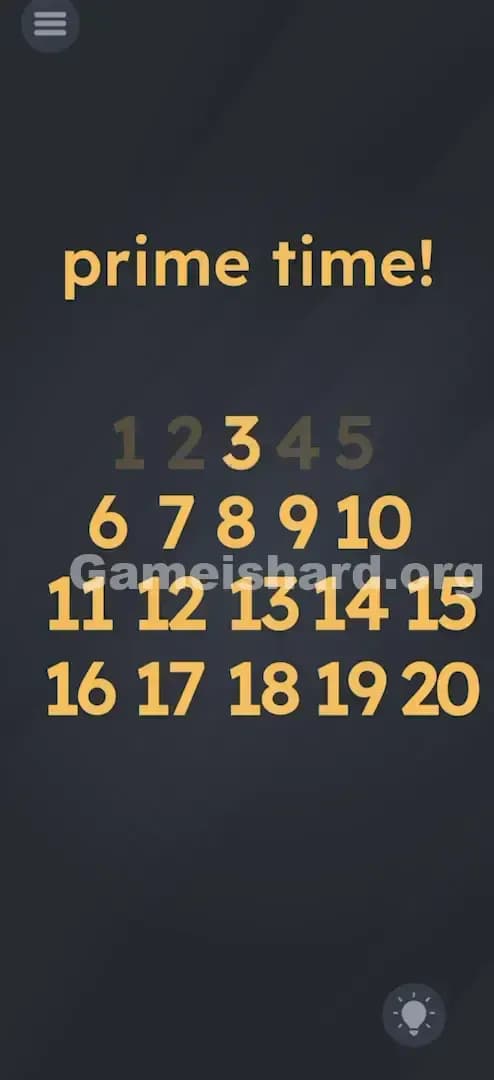
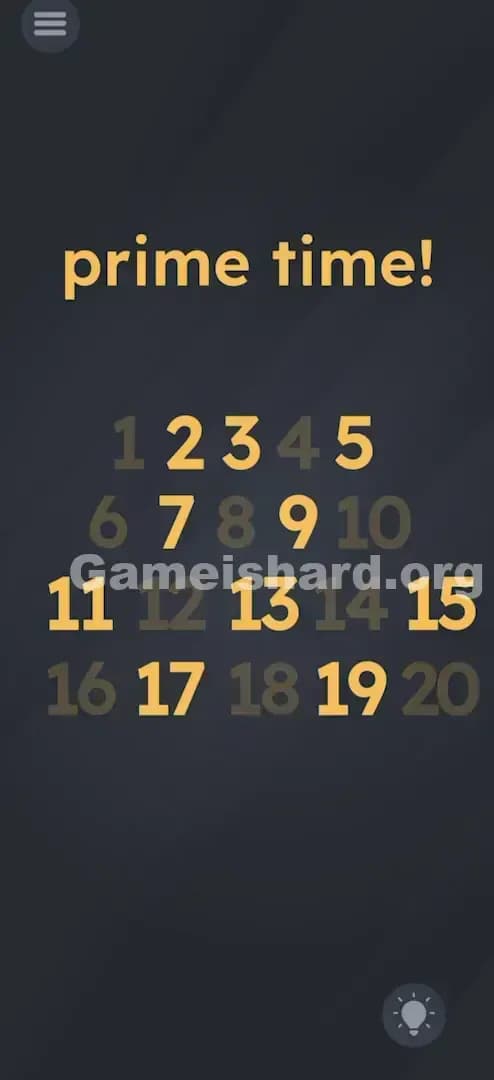
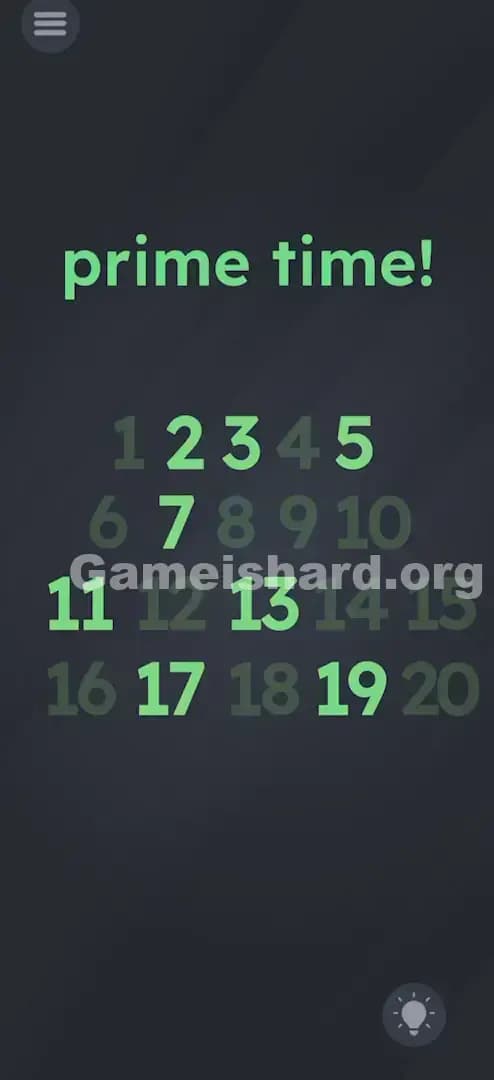
Solution: Tap on 1, 4, 6, 8, 9, 10, 12, 14, 15, 16, 18, and 20 to make them disappear, leaving only the prime numbers visible.
(Clarification: You are removing the non-prime numbers, not selecting the correct ones.)
Game is Hard Level 58 Overview
The Hook of Game is hard Level 58
You stare at the screen. "Prime time!" it shouts. Below it, a nice, neat grid of numbers from 1 to 20. Your first instinct is probably to tap the prime numbers. That's what a normal test would ask you to do. You tap 2. Nothing happens. You tap 3. Nothing happens. You try to drag the numbers. They're stuck. Frustration sets in because you know what a prime number is, but the game is refusing to acknowledge your genius. This is classic "UI Blindness" at work. The game isn't asking you to select the answer; it's asking you to sculpt the answer.
The Objective of Game is hard Level 58
The goal in Game is hard Level 58 isn't to pick the winners. It's to eliminate the losers. The text says "prime time!" which implies that only prime numbers should exist in this space. Your job is to act as a filter. You need to physically remove every number that doesn't fit the criteria of being "prime." You are clearing the board of composite numbers (and the number 1) until only the primes remain standing.
Mechanics Involved in Game is hard Level 58
This level relies on a few key tricks:
- Touch-to-Delete: Instead of touch-to-select, your tap destroys the object.
- Math Logic: You need actual knowledge of what a prime number is (divisible only by 1 and itself).
- The "1" Trap: A common math misconception is that 1 is a prime number. It is not. The game punishes you if you leave it there.
- Inverse Thinking: Solving by removing the wrong answers rather than picking the right ones.
It’s not a math test. It’s a demolition job.
What You See on Screen in Game is hard Level 58
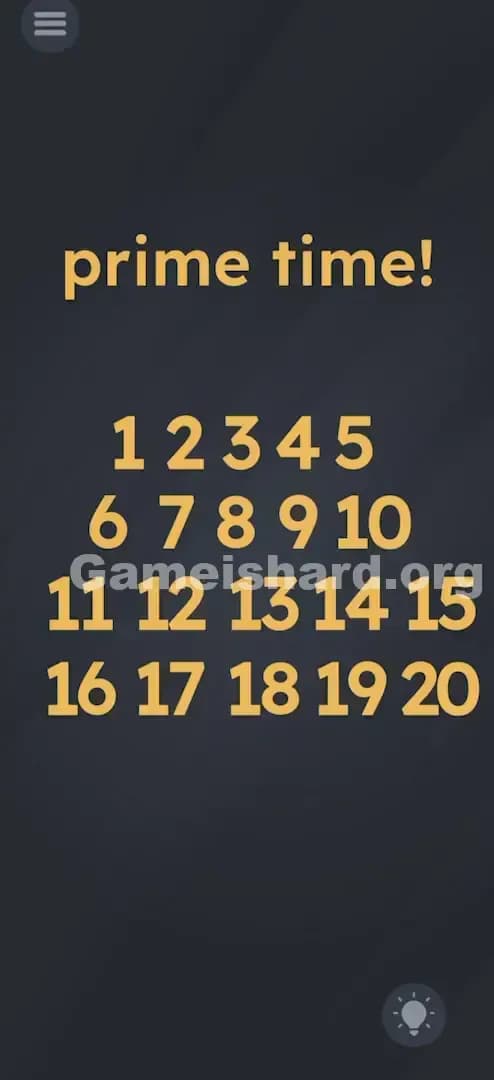
Imagine you just opened the level. The background is the standard dark, slate-grey texture.
At the very top, in bold yellow font, is the phrase prime time!
Below that, taking up the majority of the screen, is a grid of yellow numbers. They are arranged in four rows:
- Top Row: 1, 2, 3, 4, 5
- Second Row: 6, 7, 8, 9, 10
- Third Row: 11, 12, 13, 14, 15
- Bottom Row: 16, 17, 18, 19, 20
There are no visible buttons to submit an answer. No "OK" or "Enter." Just the numbers and the prompt. The numbers look identical; there is no visual clue distinguishing the primes from the non-primes. It’s completely static until you start tapping.
What’s Tricking People in Game is hard Level 58
The Trap of Game is hard Level 58
The biggest trap here is the "Selection Bias." In 99% of mobile games, tapping an object selects it or highlights it green. Here, tapping an object makes it fade away. If you start by tapping the primes (2, 3, 5...), you are actually deleting the correct answers. By the time you realize your mistake, you've erased the solution and have to restart.
The Wrong Instincts in Game is hard Level 58
- Dragging the numbers: Many players try to drag the prime numbers into a specific order or pile. They don't move.
- Shaking the device: Often used in this game to sort items, but here, shaking does absolutely nothing.
- Keeping the number 1: A lot of people forget that 1 is not prime. They clear everything else but leave the 1, and the level refuses to end.
My Reaction to Game is hard Level 58
I spent a solid minute tapping "2, 3, 5, 7..." and watching them vanish. I thought, "Okay, maybe I need to delete the primes to show I know what they are?" I deleted them all. Nothing happened. Then I sat there with a screen full of composite numbers like 4, 6, and 8, wondering why I failed math class. It hit me: I was essentially throwing the diamonds in the trash and keeping the coal.
Game is hard Level 58 Step-by-Step Walkthrough
The Setup of Game is hard Level 58
Look at the grid of numbers 1 through 20. Do not tap the prime numbers (2, 3, 5, 7, 11, 13, 17, 19). If you tap one of those by accident, you have failed the level and need to restart. Your targets are the other numbers.
The Action in Game is hard Level 58
- Identify the Composites (and 1): You are going to tap the numbers that are NOT prime.
- Tap 1: It fades out. (Crucial first step).
- Tap 4, 6, 8, 9, 10: These are the non-primes in the top two rows.
- Tap 12, 14, 15: These are the non-primes in the third row.
- Tap 16, 18, 20: These are the non-primes in the bottom row.
- Verification: Once the last non-prime number is tapped and fades away, the level will automatically complete.
Troubleshooting in Game is hard Level 58
- "I tapped all the non-primes but nothing happened." Double-check the number 9 and the number 15. These are tricky because they look odd, but they are divisible (9 by 3, 15 by 3 and 5). Also, make sure you deleted 1.
- "I accidentally tapped a prime." There is no undo button. You must restart the level.
The Logic Behind Game is Hard Level 58
This level is a test of Sculpting via Subtraction. Most puzzles are additive (put the pieces together). This one is subtractive (remove the excess).
The game is testing two things:
- Academic Knowledge: Do you know your primes under 20?
- Interface Adaptation: Can you recognize that the interaction mechanic has inverted? Tapping usually means "I choose you," but here it means "Go away."
It fits the recurring theme of Game is hard where the instructions are technically true ("prime time!" means show me the primes), but the method to get there is counter-intuitive.
Pro Tip for Game is Hard Level 58
If you are speed-running or just want to get it over with, memorize the "Kill List" rather than calculating primes.
The Kill List (Tap these):
- 1
- Even numbers > 2 (4, 6, 8, 10, 12, 14, 16, 18, 20)
- Multiples of 3 > 3 (9, 15)
Memorizing "Delete evens, delete 1, 9, 15" is faster than doing the math for every single number.
Game is hard Level 58 FAQ (Short, Useful)
Q: Is 1 a prime number in this game in Game is hard Level 58? A: No. In standard math (and this game), 1 is not prime. You must tap it to remove it.
Q: I cleared everything except the primes but the level won't end in Game is hard Level 58? A: You likely missed one sneaky composite number. Check if 9 or 15 is still on the screen. Also verify 1 is gone.
Q: Can I get the numbers back if I tap the wrong one in Game is hard Level 58? A: No. There is no undo function. If you delete a prime number (like 2, 3, or 5), you must restart the level.
Q: Why is 2 a prime number in Game is hard Level 58? A: A prime number has exactly two factors: 1 and itself. 2 fits this rule. It is the only even prime. Keep it on the screen.
Get more level walkthrough on Gameishard.org
If you found this guide for Game is hard Level 58 helpful, we have the solutions for the rest of the game too. Our guides cut out the fluff and tell you exactly where to tap and what to drag. Bookmark us for when the game inevitably tries to trick you again in the next few levels. Good luck!