Game Is Hard Level 1 Solution Walkthrough & Answer
How to solve Game Is Hard level 1? Get instant solution & answer for Game Is Hard level 1: "Welcome! Let's play!"
Doesn't look like your level?
App updates can sometimes shuffle the order of puzzles. If this level 1 walkthrough doesn't match your screen, don't worry! You can browse our All Levels guide to find your exact puzzle by its picture.


Quick Answer for Game is hard Level 1 (Do This)
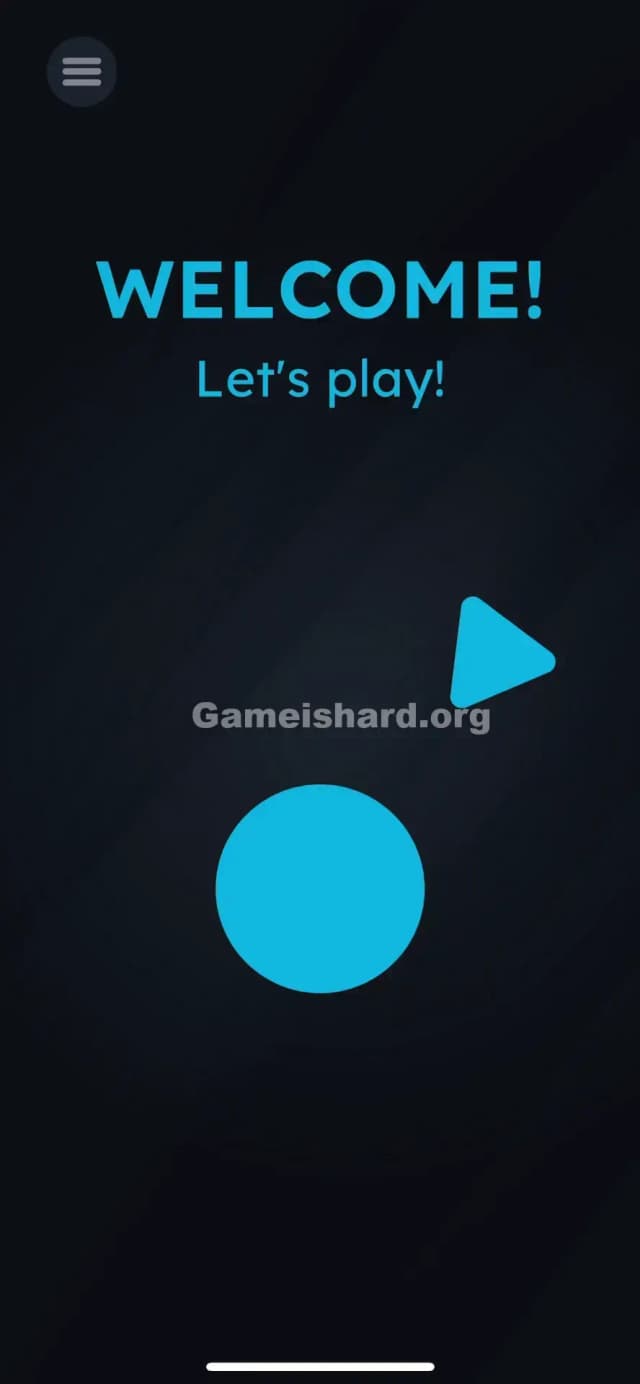
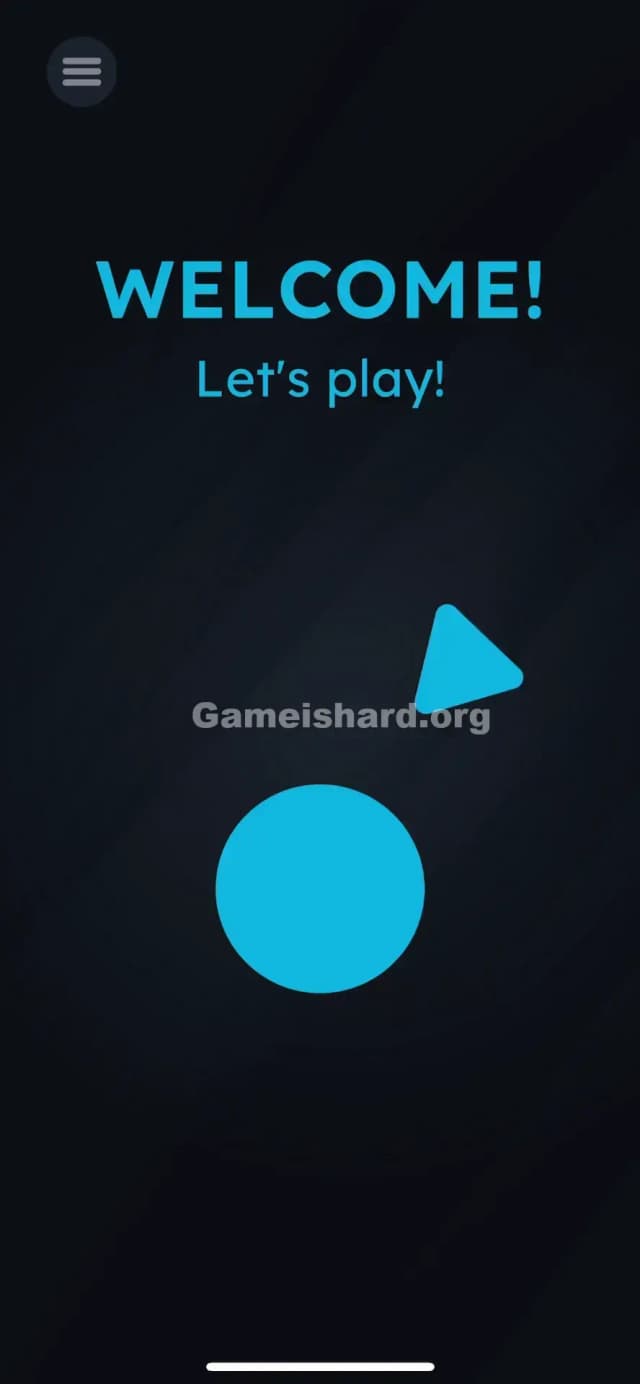
Solution: Drag the blue triangle directly on top of the blue circle to construct a "Play" button. Don't tap them individually; move the triangle into the center of the circle.
Game is Hard Level 1 Overview
The Hook
You open the game, expecting a standard "Press Start" screen. You tap the screen. Nothing happens. You tap the text that says "Let's play!" Nothing. It's frustrating right out of the gate because the Game is hard Level 1 breaks the very first rule of interface design: buttons should look like buttons. Game is hard Level 1 isn't asking you to press a button; it's asking you to build one.
The Objective
The goal here in Game is hard Level 1 is simple: combine two shapes to create the universal symbol for "Play." Most games give you the button ready-made. Game is hard Level 1 throws the parts on the floor and tells you to assemble it yourself. It sets the tone immediately—you have to work for even the simplest interactions.
Mechanics Involved
- Object Drag: The core mechanic here. Things that look static (like shapes or text) are often movable physical objects.
- Shape Combination: You need to recognize that two separate UI elements form a meaningful symbol when put together.
- UI Deconstruction: Game is hard Level 1 is showing you the raw assets of a button rather than the finished product.
It’s not a glitch. It’s a puzzle.
What You See on Screen in Game is hard Level 1
When you load up Game is hard Level 1, the screen is stark.
- Top Center: Big, bold blue text says "WELCOME!"
- Below that: Smaller text says "Let's play!"
- Middle Right: There is a solitary blue triangle pointing to the right. It looks exactly like the arrow part of a play icon.
- Bottom Center: There is a large blue circle. It looks like a button with no label.
- Top Left: A hamburger menu icon (three lines).
Everything sits on a dark, moody background of Game is hard Level 1. The spacing is weird. The triangle is floating off to the side, completely detached from the circle. It looks like the CSS on a website broke and the elements drifted apart.
What’s Tricking People in Game is hard Level 1
The Trap in Game is hard Level 1
The trap is "UI Blindness." We are trained by thousands of apps to see a circle and tap it. Or to see a triangle and tap it. In almost every other context, tapping the circle would trigger an action. Here, tapping does absolutely nothing. You might think the game is frozen or your touchscreen is broken. The Game is hard Level 1 relies on your muscle memory failing you.
The Wrong Instincts
- Tapping the text: "Let's play!" in Game is hard Level 1 looks like a hyperlink or a command. It isn't.
- Tapping the circle repeatedly: It looks like a big button. Tapping it feels right. But it’s just a container waiting for its contents.
- Shaking the phone: Later Game is hard levels might use sensors, but shaking here in Game is hard Level 1 just makes you look silly.
My Reaction of Game is hard Level 1
I honestly tapped the circle about ten times. Then I tapped the "WELCOME!" text. Then I thought the app crashed. It wasn't until I accidentally rested my thumb on the triangle and saw it wiggle that I realized: Oh, these aren't graphics. These are pieces of Game is hard Level 1. It’s a classic facepalm moment that defines the whole experience of Game is hard.
Game is hard Level 1 Step-by-Step Walkthrough
The Setup
Ignore the text at the top in Game is hard Level 1. Focus entirely on the two blue shapes in the lower half of the screen: the triangle and the circle.
The Action
- Touch and Hold the blue triangle on the right side of the screen.
- Drag the triangle to the left and down, aiming for the center of the blue circle.
- Release the triangle once it is inside the circle.
Verification
As soon as you drop the triangle onto the circle, the two shapes will snap together to form a "Play" button icon. The Game is hard Level 1 will instantly clear, and you'll move to the next challenge.
Troubleshooting
If it doesn't work in Game is hard Level 1:
- Make sure you are dragging the triangle, not the circle. The circle is the target; the triangle is the projectile.
- Ensure your finger doesn't slip off the screen edge.
- Drop the triangle reasonably close to the center. If you drop it on the very edge of the circle, it might not register the "snap" in Game is hard Level 1.
Micro-Details That Make the Move Register
Precision in Game is hard Level 1
- Snap Zone: The blue circle has a hidden "gravity" or snap zone in its center. You don't need pixel-perfect placement. As long as the majority of the triangle overlaps with the circle, the game code will recognize the collision and trigger the "Play" state.
- Drag Speed: You can drag fast or slow in Game is hard Level 1. The physics aren't realistic (no momentum), so you won't overshoot.
- I fixed it by: Realizing my thumb was covering the triangle so I couldn't see where I was dropping it. I switched to using my index finger so I could see the overlap clearly.
The Logic Behind Game is Hard Level 1
This level teaches you the primary language of the game: Linguistic Deconstruction. The game treats UI elements as physical objects rather than static images. A "Play button" is usually one image file in Game is hard Level 1. Here, it is deconstructed into its geometric primitives: a circle and a triangle. The puzzle is to reconstruct the familiar symbol from these raw parts.
It also establishes the rule of Interaction over Observation. You can't just look at the puzzle and tap the answer. You have to physically manipulate the screen. The solution requires kinetic energy—dragging—not just a simple tap input.
Pro Tip for Game is Hard Level 1
If you are speedrunning or replaying:
- Put your finger on the triangle immediately as the level fades in.
- Swipe diagonally down-left instantly.
- Lift your finger the moment you hit the circle area.
Don't waste time on Game is hard Level 1:
- Reading the "Welcome" text.
- Checking the menu.
- Waiting for an animation to finish. The objects are live the moment they appear.
Alternative Attempts of Game is hard Level 1 (What Doesn’t Work, and Why)
- Tapping the Blue Circle: It acts like a hole, not a button. It needs the triangle to function.
- Dragging the Circle to the Triangle: The circle is usually "pinned" or static in this level configuration. You must move the smaller object to the larger one.
- Tapping "Let's Play!": This text is purely decorative. It has no hitbox for interaction.
- Swiping the screen: Generic swipes won't move the objects unless you start the gesture precisely on the triangle.
- Pinching the shapes: Multi-touch zoom gestures are not enabled for these 2D sprites.
- Tilting the phone: Gravity is not enabled for these specific shapes in Level 1. They don't slide around when you tilt.
Common Mistakes for Game is Hard Level 1
- Assuming it's a loading screen: Many players wait 10-20 seconds thinking the triangle will animate into place automatically. It won't.
- Trying to drag the text: Players often try to drag the word "Play" into the circle. While clever, the game wants the geometric shape, not the word.
- Missed drop: Dropping the triangle near the circle but not on it. It just sits there awkwardly.
- Ghost Taps: Rapidly tapping all over the screen hoping to hit a hidden trigger. This works in some games, but here it just wastes time.
- Dragging the wrong way: Trying to drag the triangle off-screen to "skip" the intro.
Pattern Recognition: How to Spot This Trick in Future Game is Hard Levels
The Tell of Game is hard Level 1
Whenever you see a UI element that looks "broken," "separated," or "incomplete," assume you need to fix it physically. If you see a shape that usually belongs inside another shape (like a dot in an 'i', or an arrow in a circle), but it's far away, that's your clue.
The Habit
Touch and wiggle. When you start a new level in Game is hard, don't just tap. Tap and hold an object, then wiggle your finger slightly. If the object moves with you, it's a draggable piece. If it stays stuck, it's static background. Test everything: text, numbers, shapes, and icons.
FAQ (Short, Useful)
Q: Can I skip Game is hard Level 1? A: No, Level 1 acts as the tutorial for the drag mechanic. You must complete it to unlock the rest of the game.
Q: Is the triangle the only movable object in Game is hard Level 1? A: In Game is hard Level 1, yes. The text and the circle are locked in place. In later levels, almost everything moves.
Q: Why won't the triangle move when I touch it in Game is hard Level 1? A: Ensure your screen is clean and not registering ghost touches elsewhere. You must press directly on the blue pixels of the triangle to grab it.
Q: Does it matter where inside the circle I drop it? A: Not really. As long as the center of the triangle is roughly within the circle's boundary, it will snap to the center automatically.
Get more level walkthrough on Gameishard.org
Stuck on the next puzzle? We have straight-to-the-point guides for every single stage. I write these so you can stop being frustrated and get back to feeling like a genius. Share this with your friends if they are stuck on the title screen—it happens to the best of us!
Good luck on Game is hard Level 2!