Game Is Hard Level 32 Solution Walkthrough & Answer
How to solve Game Is Hard level 32? Get instant solution & answer for Game Is Hard level 32: "countdown to 0."
Doesn't look like your level?
App updates can sometimes shuffle the order of puzzles. If this level 32 walkthrough doesn't match your screen, don't worry! You can browse our All Levels guide to find your exact puzzle by its picture.
Quick Answer for Game is hard Level 32 (Do This)
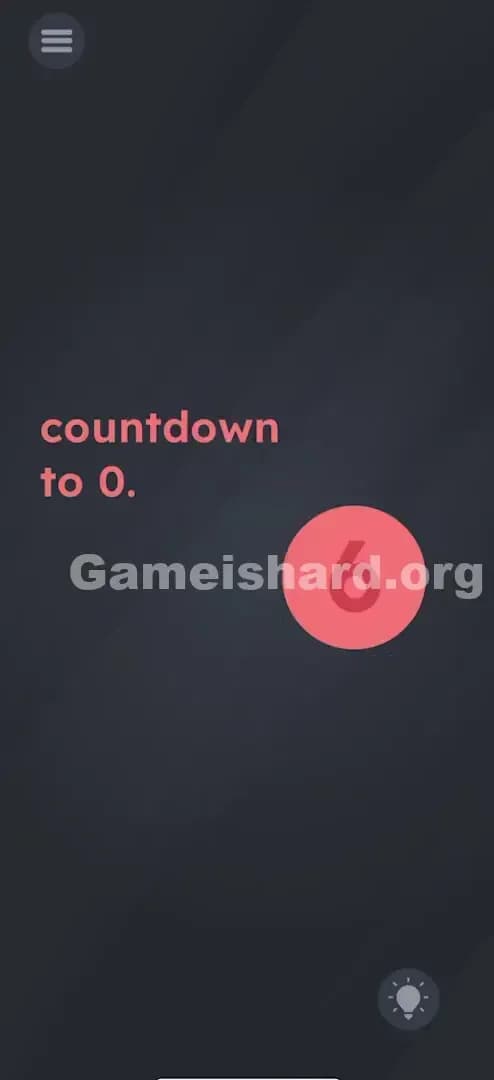
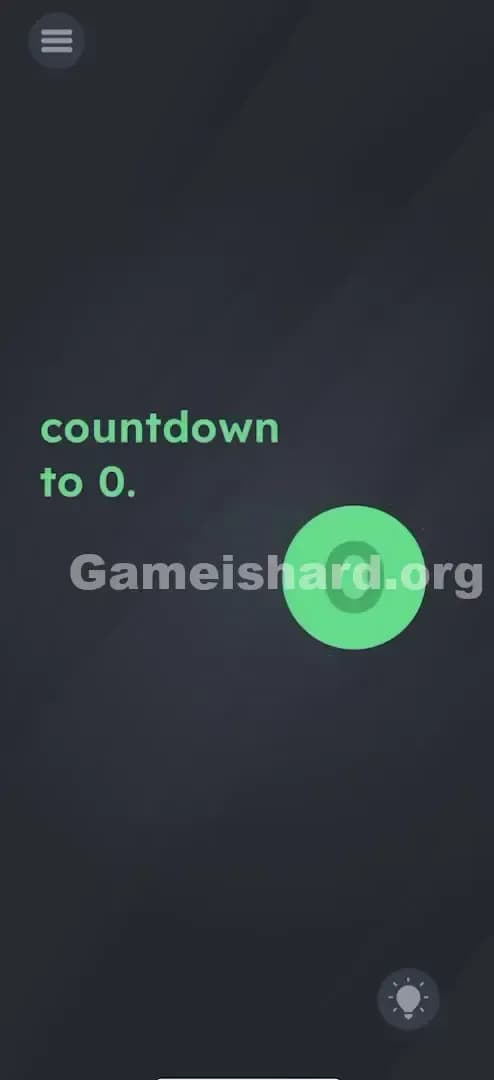
Solution: Wait for the timer to show 10, then drag the digit 1 away from the 10 to make it a 0, and finally tap the remaining 0. You need to be quick to drag the 1 away right when the countdown hits that specific number.
Game is Hard Level 32 Overview
The Hook of Game is hard Level 32
You stare at the screen. A big red circle is counting down. 10. 9. 8... wait, it's just 10. Or maybe it starts moving? It feels like you're supposed to race against time, but the game isn't actually giving you a ticking clock in the traditional sense. You sit there waiting for it to reach zero naturally, but it just sits there, or maybe it loops. It’s annoying because "countdown to 0" implies passivity—like you just have to wait. But in this game, waiting is usually a trap.
The Objective of Game is hard Level 32
Your goal is to fulfill the text command: "countdown to 0." However, the game engine won't do the counting for you. You have to physically manipulate the numbers to force the state of "zero" to exist on the screen. You are the clockmaker here, not the clock watcher.
Key Mechanics in Game is hard Level 32
- UI Deconstruction: The numbers inside the circle aren't just pixels; they are separate draggable objects.
- Timing: You have a specific window to act when the number matches your needs.
- Drag & Drop: The solution requires moving a digit, not just tapping.
- State Change: Tapping the final result is required to confirm the "0".
It’s not a timer. It’s a dismantling job.
What You See on Screen in Game is hard Level 32
When you load up Game is hard Level 32, the layout is stark and simple, designed to focus your attention on the wrong thing.
- Top Left: The standard three-line menu hamburger button.
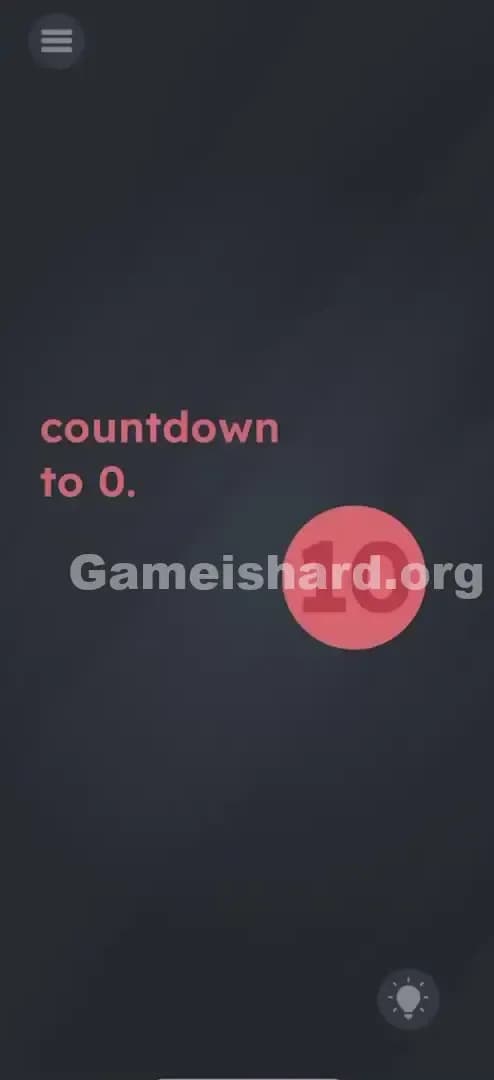
- Center-Left: The instruction text simply reads "countdown to 0." in a pinkish font.
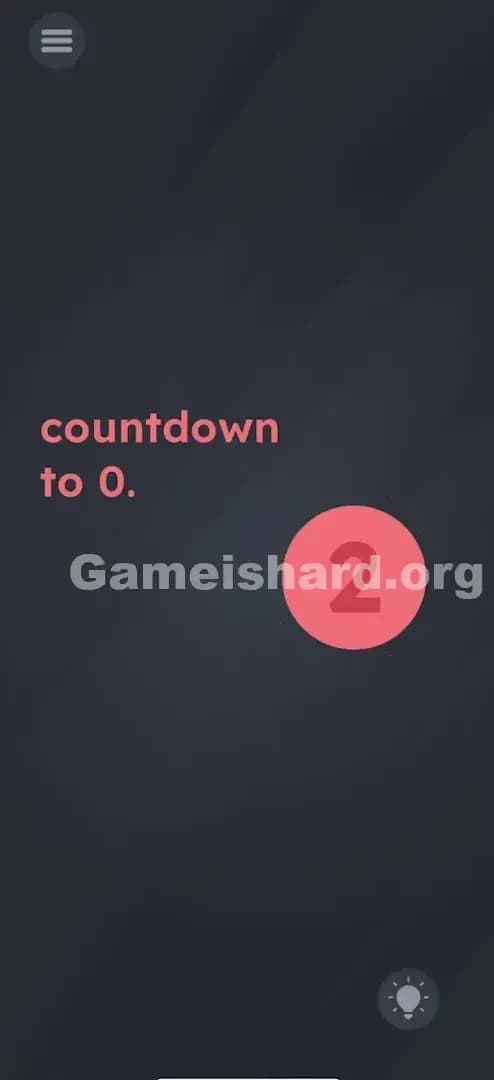
- Center-Right: A large, prominent Red Circle. Inside this circle is the number 10 in a lighter pink/white shade.
- Bottom Right: The lightbulb hint icon.
- The Vibe: It looks like a standard "wait for it" puzzle. The font is static. The background is a dark, slate grey. There are no obvious buttons, levers, or keypads. Just that big, menacing number 10.
What’s Tricking People in Game is hard Level 32
The Trap of Game is hard Level 32
The biggest trap here is the concept of a "countdown." We are conditioned by real life and other games to believe that countdowns happen automatically. We expect 10 to become 9, then 8, then 7. Players stare at the screen for thirty seconds, waiting for the animation to start. It never does. Or, if it does count, it moves too fast or resets. The game exploits your passivity. It relies on "UI Blindness"—the assumption that the score or timer is immutable data, not an interactive toy.
The Wrong Instincts in Game is hard Level 32
- Waiting it out: I sat there for a full minute, thinking maybe it was a test of patience. Nope.
- Tapping furiously: I tried tapping the 10 repeatedly to "lower" the number, like decreasing volume. Nothing.
- Shaking the phone: I thought maybe gravity would make the numbers fall out. The phone flew out of my hand onto the couch. The number 10 stayed put.
My Reaction to Game is hard Level 32
I felt pretty silly once I figured it out. I spent so much time trying to be clever with the gyroscope or looking for a hidden "minus" button. The moment I accidentally dragged the number and realized it wasn't glued to the red circle, I literally said, "Oh, come on," out loud. It’s so obvious in hindsight.
Game is hard Level 32 Step-by-Step Walkthrough
The Setup of Game is hard Level 32
Ignore the timer logic. Focus entirely on the visual representation of the number 10 inside that red circle. Your goal is to turn that visual 10 into a visual 0.
The Action in Game is hard Level 32
- Wait (briefly): Watch the red circle. If the number is changing or cycling, wait until it displays 10. (In some versions, it starts at 10 and stays there; in others, it might count. The key is the number 10).
- The Grab: Place your finger precisely on the digit 1 of the number 10.
- The Drag: Swipe or drag the 1 completely outside of the red circle. Throw it into the dark grey void on the left.
- The Result: You should now see just the digit 0 sitting alone inside the circle.
- The Confirmation: Tap the 0 immediately. It usually turns green or triggers the "Level Cleared" animation.
Troubleshooting in Game is hard Level 32
- "I can't grab the 1": Your finger might be too fat (happens to me all the time) or you are tapping the center of the "10". Aim specifically for the vertical stick of the 1.
- "The number changed before I could move it": If the counter is active, you have to be fast. Anticipate the 10. As soon as you see it, swipe.
- "I dragged the 1 but nothing happened": You probably forgot the final step. Just creating the 0 isn't enough; you must tap the 0 to tell the game, "Look, I did it."
Micro-Details That Make the Move Register in Game is hard Level 32
Precision matters in Game is hard Level 32. The hitboxes on these numbers can be a little wonky.
- Separate Hitboxes: The "1" and the "0" have separate touch zones. If you touch the space between them, the game might interpret it as a drag on the whole circle or the background. You need to verify you are touching the 1.
- Drag Distance: Don't just nudge the 1 to the edge. Drag it far away. If it's still touching the red circle, the game might logic-check it as still being "10". I usually drag it all the way to the instruction text to be safe.
- The Tap: When tapping the 0 at the end, make sure you release your drag on the 1 first. Don't try to multi-touch (hold the 1 with one finger, tap 0 with another). Drop the 1, then tap the 0.
I fixed it by: I kept trying to tap the 0 while still holding the 1. The game didn't register the tap. Once I let go of the 1 completely, the tap on the 0 worked instantly.
The Logic Behind Game is Hard Level 32
This level is a classic example of Linguistic Deconstruction. The game is treating the number "10" not as a mathematical value (ten), but as a string of characters ("1" and "0").
Most puzzles force you to do math: 10 minus 10 equals 0. Game is hard Level 32 forces you to do graphic design editing: The image of "10" minus the image of "1" equals the image of "0". It creates a disconnect between what your brain expects (math/time) and what the game engine actually renders (moveable sprites).
This connects to the recurring theme in Game is Hard where instructions are visual cues, not rules. "Countdown to 0" is a pun. It doesn't mean "count down the time," it means "strip the digits down until 0 remains."
Pro Tip for Game is Hard Level 32
If you are speedrunning or just frustrated, keep these three beats in mind:
- Eye on the 1: Don't look at the circle. Look at the digit 1.
- Swipe Left: Just swipe left on the 1 immediately.
- Double Tap 0: Once the 1 is gone, double tap the 0 just to be sure it registers.
Don't waste time: Don't wait for the counter to reach 0 on its own. It won't. You will rot there.
Alternative Attempts of Game is hard Level 32 (What Doesn’t Work, and Why)
Here are the things I tried that failed miserably, so you don't have to:
- Dragging the instruction text "0" into the circle.
- Why: The text "0" in the prompt is static background text, not an object.
- Tapping the "10" ten times.
- Why: There is no hit counter on the object.
- Swiping the whole red circle.
- Why: The circle moves, but the numbers stay inside it. You need to separate the contents, not move the container.
- Waiting for 60 seconds.
- Why: This isn't a patience test. Nothing happens at 60s.
- Pinching the circle to shrink it.
- Why: Multi-touch zoom gestures aren't enabled for this object.
- Shaking the phone to scramble numbers.
- Why: The accelerometer isn't active for this specific puzzle.
Common Mistakes for Game is Hard Level 32
- Assuming the "10" is a single object. Players treat the number as one unit. You must realize it is two separate digits glued together.
- Ignoring the prompt. The prompt says "to 0." If you drag the 0 away and leave the 1, you fail. You must leave the 0.
- Dragging the wrong way. Sometimes dragging the 1 "into" the 0 doesn't work. You have to remove it entirely from the red zone.
- Forgetting to Tap. The most common failure is creating the zero and staring at it. You have to interact with the solution to submit it.
- Overthinking the Math. Trying to find a minus sign or a division symbol is a rabbit hole. There is no math here, only physics.
- Slow Reaction. If the number counts down (in updated versions), missing the "10" window means waiting for the loop.
Pattern Recognition: How to Spot This Trick in Future Game is Hard Levels
The Tell
Whenever you see a double-digit number in this game (like 10, 20, 100) and the solution involves a single digit (like 1 or 0), always suspect that you can break the number apart. Look for slight kerning (spacing) issues between the digits that hint they are separate assets.
The Habit
When stuck on a number puzzle, try to drag individual digits. Don't just tap the whole number. Probe the screen. Press and hold on the "1" and wiggle it. Press and hold on the "0" and wiggle it. If one moves independently, you’ve cracked the puzzle’s logic immediately. Treat text like Lego bricks, not ink on paper.
Game is hard Level 32 FAQ (Short, Useful)
Q: Can I drag the 0 out instead of the 1 in Game is hard Level 32? A: No. The goal is to "countdown to 0," meaning a zero must remain. If you drag the 0 out, you are left with 1, which fails the level.
Q: Why isn't the timer moving in Game is hard Level 32? A: It's not a real timer. It's a static image of the number 10 waiting for you to edit it manually.
Q: Does it matter where I drop the 1 in Game is hard Level 32? A: As long as it is completely outside the red circle, it doesn't matter. You can fling it off the screen if you want.
Q: I dragged the 1 but nothing happened in Game is hard Level 32? A: You likely forgot to tap the remaining 0 to confirm your answer. The level doesn't auto-complete until you tap the zero.
Get more level walkthrough on Gameishard.org
That’s the breakdown for Game is hard Level 32. If you’re stuck on other tricky puzzles that mess with UI logic or hidden mechanics, check out our other guides. We keep them straight to the point—no fluff, just solutions. Share this with your friends if they’re stuck staring at that red circle!