Game Is Hard Level 228 Solution Walkthrough & Answer
How to solve Game Is Hard level 228? Get instant solution & answer for Game Is Hard level 228: "Two squares, please. not rotated!"
Doesn't look like your level?
App updates can sometimes shuffle the order of puzzles. If this level 228 walkthrough doesn't match your screen, don't worry! You can browse our All Levels guide to find your exact puzzle by its picture.
Quick Answer for Game is hard Level 228 (Do This)
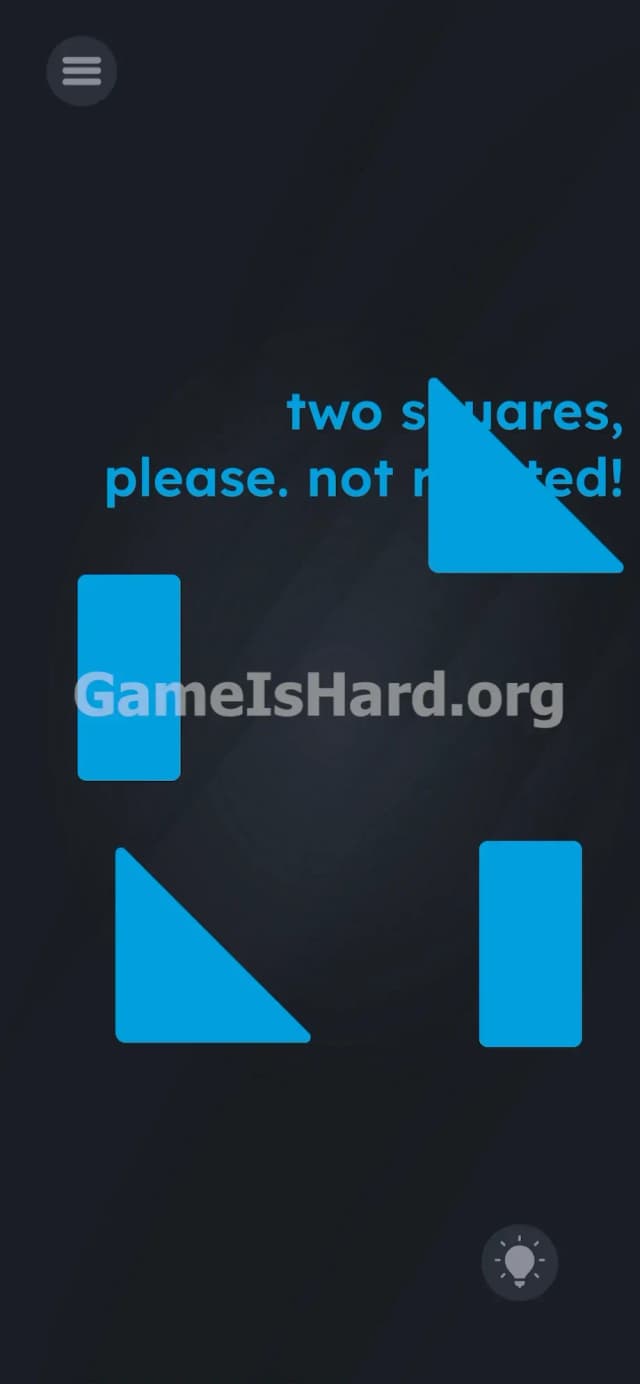
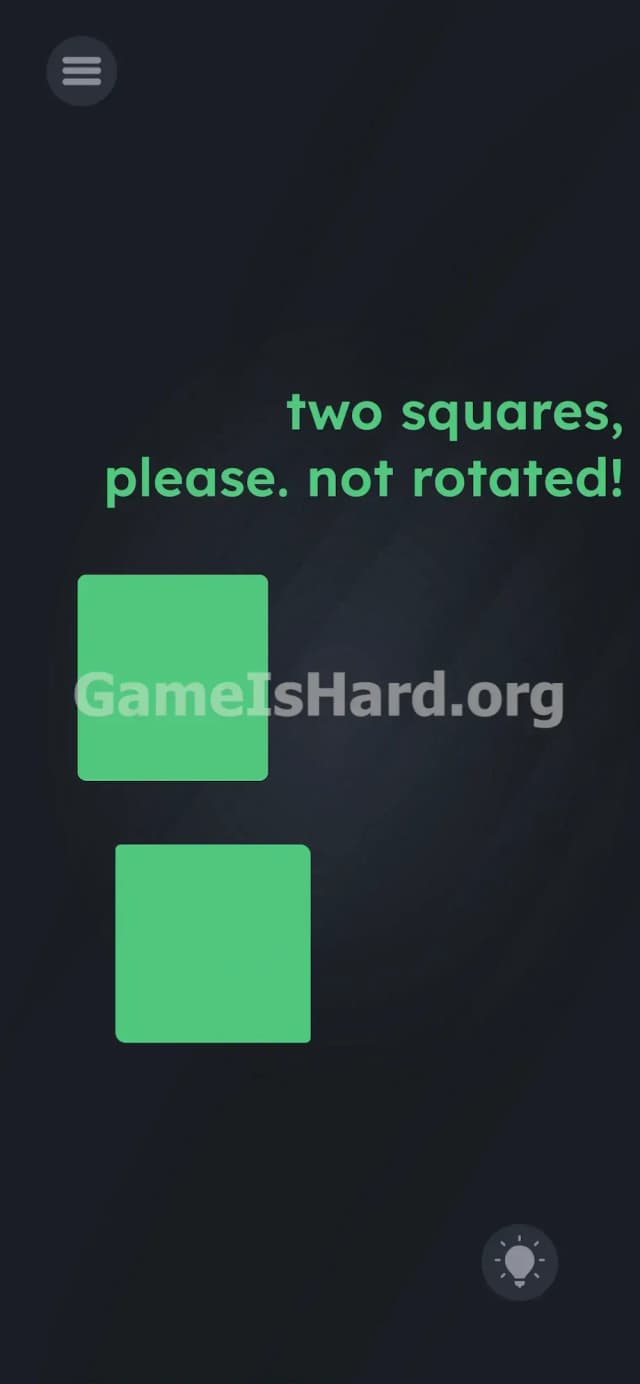
Solution: Drag one of the blue triangles over the word rotated in the instruction text to physically spin it, then snap it together with the other triangle to form a square, and combine the remaining two rectangles to form the second square.
The game lies about the text being just instructions; use the actual word on the screen as a mechanical tool to bend the shapes to your will.
Game is Hard Level 228 Overview
The Hook
You stare at the screen. You need two squares. You only have pieces that make one square and a weird, disjointed rectangle. The math isn’t mathing. Game is hard Level 228 straight-up lies to your face by pretending the rules of geometry apply here. They don’t. The text deliberately mocks you with the phrase "not rotated!", practically begging you to follow a rule that makes the level physically impossible to beat.
The Objective
Your goal is simple in theory: build exactly two squares out of the four blue blocks provided. Because the pieces don't fit perfectly as they currently sit on the board, you have to break the fourth wall to change their orientation.
- Text drag / UI drag: The text isn't a suggestion. It is a physical object on the board.
- Hidden object: The rotation tool is disguised as a word.
- Multi-touch: Dragging and snapping shapes together to trigger a win state.
It’s not a typo. It’s ammo.
What You See on Screen in Game is hard Level 228
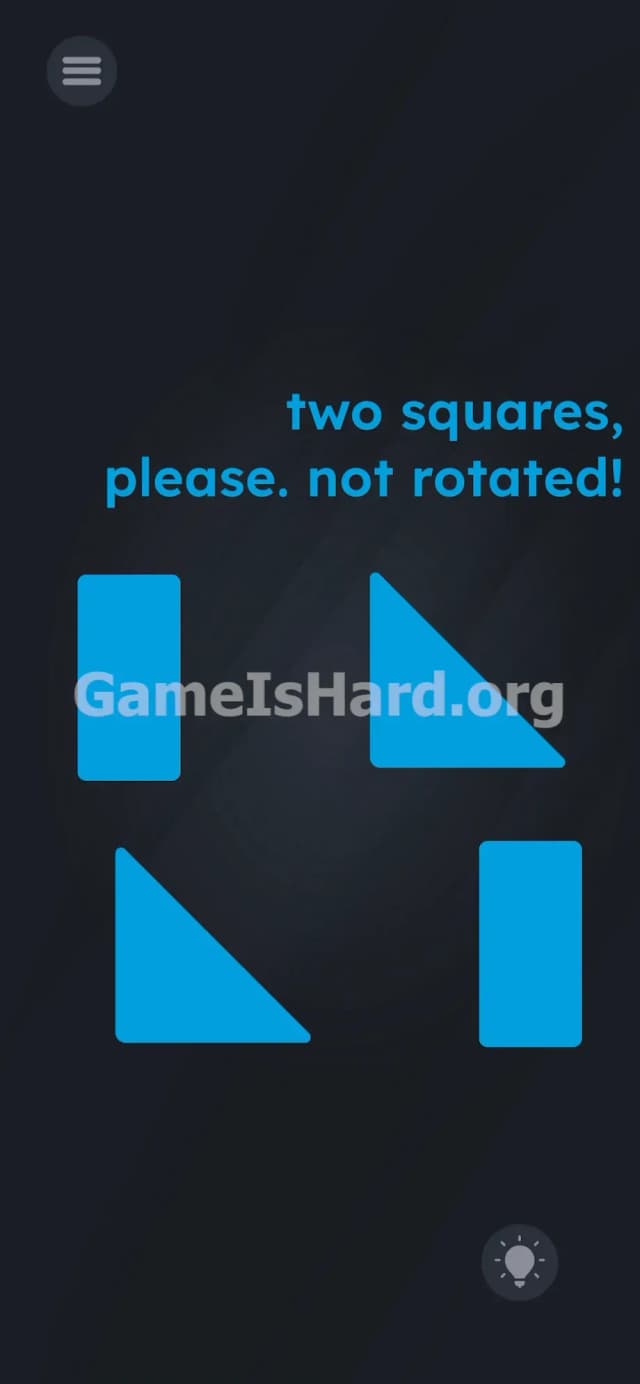
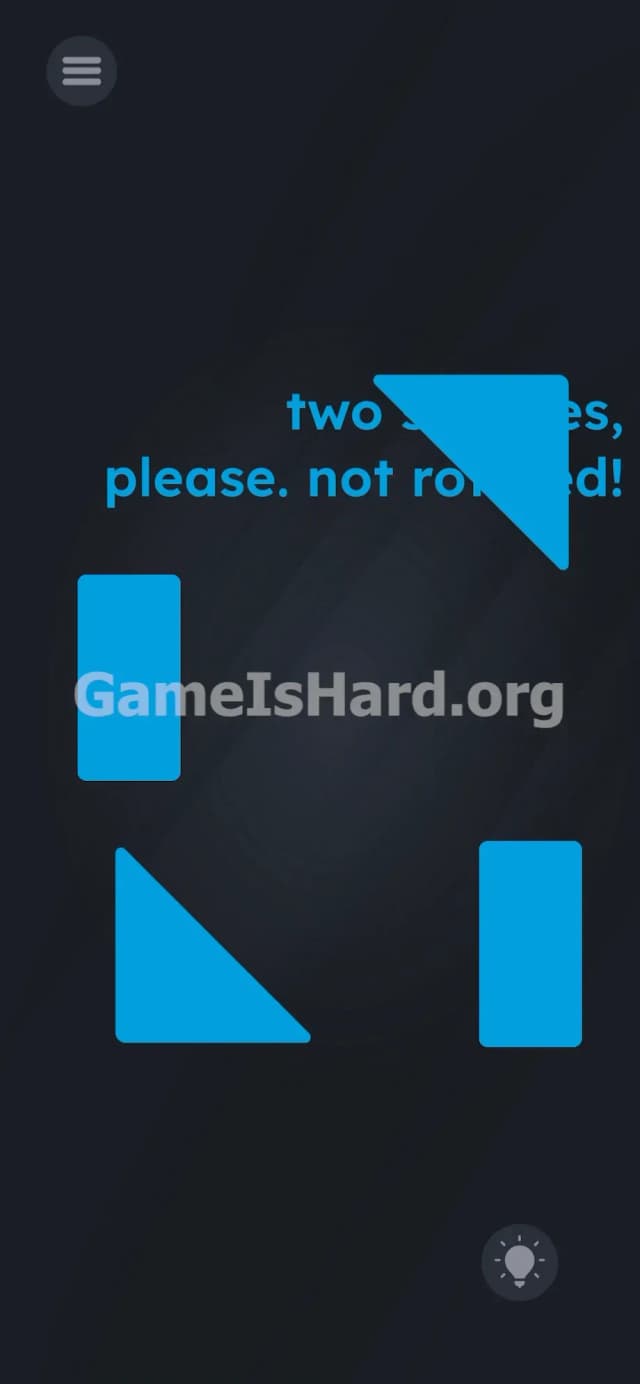
Let’s break down the board. The background is a dark, standard slate color. In the top right quadrant, you have the prompt text reading: two squares, please. not rotated!
Below the text, four bright blue geometric shapes sit in a rough, loose square formation. Specifically, you see two upright rectangles (one on the left, one on the right) and two right-angle triangles (one top right, one bottom left). Up in the top left corner, the standard menu button sits waiting. Down in the bottom right corner, a greyed-out hint bulb is locked in place.
That is the entire board. There are no obvious rotation buttons. No sliders. No hidden toggles. Just rigid shapes that completely refuse to turn and text that actively mocks your lack of options.
What’s Tricking People in Game is hard Level 228
The Trap
UI Blindness strikes again. We are trained by decades of mobile gaming to read text and manipulate shapes. Never the other way around. You assume the text not rotated! is a strict, unbreakable rule programmed into the level. It's actually a physical station. The game hides the rotation mechanic inside the letters themselves. Game is hard Level 228 weaponizes your own reading comprehension against you.
The Wrong Instincts
You probably tried the standard two-finger twist gesture on your touchscreen. Nothing. You tried double-tapping the shapes to see if they spin. Nope. You tried holding down one finger while swiping with the other. Total failure. Most players end up aggressively jamming the rectangles and triangles together into some cursed, jagged parallelogram before rage-quitting. Some players even try shaking their phone, hoping the gyroscope will knock the pieces into place.
My Reaction
I spent a solid five minutes doing pinch-to-rotate gestures like a total idiot. I genuinely thought my phone's touchscreen was broken. The realization that the text was a physical mechanic hit me like a truck.
Game is hard Level 228 Step-by-Step Walkthrough
The Setup
Stop trying to force the shapes together as they are. They will never fit. Look closely at the prompt text at the top right of the screen. The word rotated is your actual target. Ignore the word "not." The game is baiting you.
The Action
- Tap and hold the top-right blue triangle with your finger. Do not let go.
- Drag that triangle directly over the letters of the word rotated in the text prompt at the top of the screen.
- Watch the triangle physically spin and change its orientation as soon as it touches the word.
- Drag this newly rotated triangle down the screen and snap it directly into the bottom-left triangle. They will fuse to form a perfect square.
- Tap and drag the two remaining blue rectangles together. Push them side-by-side until they snap into the second square.
Troubleshooting
- Make sure you drag the shape exactly over the letters of the word rotated. Missing the hitbox by a few pixels will just leave the shape hovering uselessly.
- If the shapes do not fuse into a square, adjust their alignment. They need to be flush against each other to trigger the game's snapping mechanic.
- Do not drag the rectangles to the text. They do not need rotating. Two upright rectangles already form a square. Just focus your efforts on the triangles.
- If the UI bugs out and the shape gets stuck behind the text, force close the app and restart Game is hard Level 228.
The Logic Behind Game is Hard Level 228
This level heavily relies on Linguistic Deconstruction. The instructions are bait; the UI is the real puzzle.
Game is hard consistently turns abstract concepts—like a written rule—into tangible, interactive objects. The word rotated isn't an adjective here. It is a functional script trigger that applies a rotation status to whatever asset touches its hitbox. This shatters your brain's expectation of how a user interface is supposed to work. Words are objects. Treat them like tools. The developers deliberately used reverse psychology with the phrase "not rotated!" to make you look away from the exact tool you needed to solve the puzzle.
Pro Tip for Game is Hard Level 228
If you are speedrunning or just want to get past this roadblock instantly, memorize this sequence. Do not waste time experimenting with touchscreen gestures.
- Ignore the word "not" entirely.
- Drag the right triangle to the word rotated.
- Slam the two triangles together.
- Slam the two rectangles together.
Do exactly that, and you beat the level in under four seconds.
FAQ (Short, Useful)
Why won't my shapes rotate when I twist my fingers? The game completely disabled multi-touch rotation for this specific puzzle. You must use the text on the screen to trigger the rotation script. No amount of screen-pinching will work.
I made two squares but the level won't end? Your shapes are probably not perfectly aligned. Drag them slightly closer together until they officially "snap" into a single, unified square asset. The game requires precision to trigger the victory screen.
Can I rotate the rectangles too? You can drag them to the text, but there is absolutely zero reason to do so. Two upright rectangles already form a square when pushed side-by-side.
What if the word "rotated" isn't working? Keep your finger pressed down firmly on the triangle while hovering directly over the text. Drop it directly on the letters. If you drop it on the blank space next to the word, the mechanic will fail.
Get more level walkthrough on Gameishard.org
We hate fluff. Our guides are built to get you past the stupidly hard logic traps so you can keep playing without losing your mind. Share this guide with your friends if they get stuck swiping their screens in total frustration. Check back on Gameishard.org for the next impossible puzzle. You are definitely going to need it.