Game Is Hard Level 75 Solution Walkthrough & Answer
How to solve Game Is Hard level 75? Get instant solution & answer for Game Is Hard level 75: "red-blue-red-green."
Doesn't look like your level?
App updates can sometimes shuffle the order of puzzles. If this level 75 walkthrough doesn't match your screen, don't worry! You can browse our All Levels guide to find your exact puzzle by its picture.
Quick Answer for Game is hard Level 75 (Do This)
Solution: Tap the red ball, tilt your phone right until it turns blue and tap it, tilt down for red and tap, then tilt left for green and tap.
You must follow the order shown in the text (red-blue-red-green) precisely, waiting for the ball to change color before each tap.
Game is Hard Level 75 Overview
The Hook of Game is hard Level 75
You open the level and see a ball sitting there. It’s red. The instructions at the bottom say red-blue-red-green. Simple enough, right? You tap the ball. It works. Then you wait. And wait. Nothing happens. The ball doesn't change color on its own. You tap it again. Failure. This is one of those levels where doing the same thing twice yields different results, but only if you physically change the environment.
The Objective in Game is hard Level 75
The goal is to input a specific color code: Red, Blue, Red, Green. However, there are no paint buckets, no color sliders, and no obvious buttons to change the ball's color. You have to use your phone's gyroscope to manipulate the ball's state.
Key mechanics involved in Game is hard Level 75:
- Tilt Control: Your phone's physical orientation determines the ball's color.
- Sequence Input: You must tap in a specific order.
- Color Matching: The visual state of the ball must match the text prompt.
- Physics: The ball reacts to "gravity."
It's not a puzzle about finding hidden objects. It's a puzzle about how your phone sits in your hand.
What You See on Screen in Game is hard Level 75
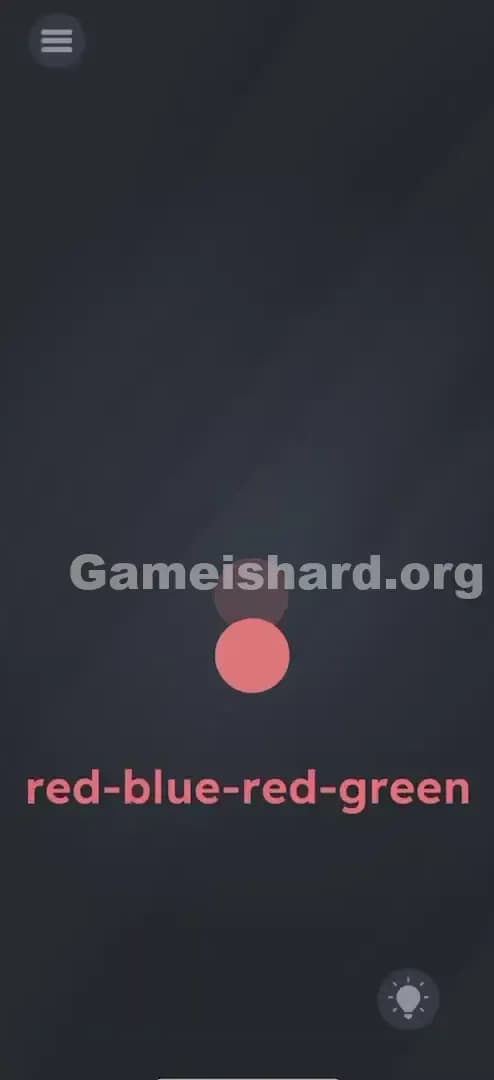
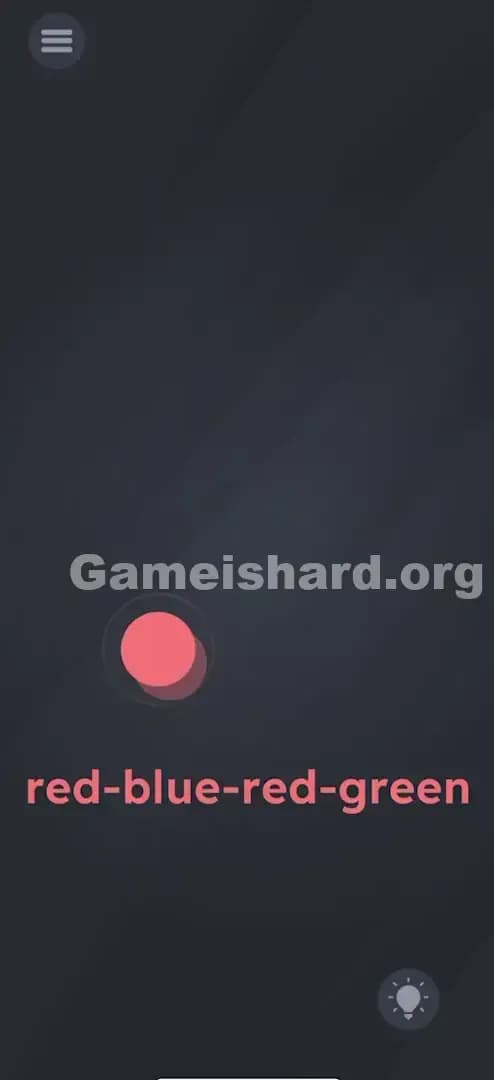
The screen is minimalist and dark. In the center, there is a single, circular object—a ball. Initially, this ball is a soft red or pinkish color. Beneath the ball, near the bottom third of the screen, is the text sequence: red-blue-red-green.
There are no other interactable elements. No inventory. No "next" button. Just the ball and the code. If you shake the phone, nothing happens. If you drag the ball, it stays put. The interface looks broken or overly simple, which is usually the first sign that you need to stop touching the screen and start moving the device itself.
What’s Tricking People in Game is hard Level 75
The Trap of Game is hard Level 75
The biggest trap here is passivity. Most mobile games teach us that if we wait, an animation will cycle. We expect the ball to flash red, then blue, then green like a traffic light. In Game is hard Level 75, the ball is static. It only changes if you make it change. The game relies on you realizing that the edges of your screen are "triggers."
The Wrong Instincts in Game is hard Level 75
- Spam Tapping: You see "Red" in the code and the ball is red, so you tap it. Then you keep tapping, hoping it cycles through colors. It doesn't.
- Dragging the Text: In previous levels, you might have dragged the word "Blue" onto the ball to dye it. Here, the text is just a label. It's not movable paint.
- Shaking: Often, shaking resets or changes things. Here, aggressive shaking just makes the gyroscope noisy and might mess up your inputs.
My Reaction to Game is hard Level 75
I spent a solid two minutes trying to drag the word "blue" onto the ball. I felt incredibly smart for about five seconds, thinking I'd cracked the code. When the text wouldn't budge, I felt like an idiot. It wasn't until I set my phone down on the desk and picked it back up that I saw the color shift slightly. That accidental tilt gave it away.
Game is hard Level 75 Step-by-Step Walkthrough
The Setup of Game is hard Level 75
Hold your phone firmly in portrait mode. Ensure auto-rotate is arguably irrelevant, but keeping the phone upright is your starting position. Look at the text sequence: red-blue-red-green. That is your roadmap.
The Action in Game is hard Level 75
- First Tap (Red): Hold the phone upright (normal position). The ball should be Red. Tap the ball once.
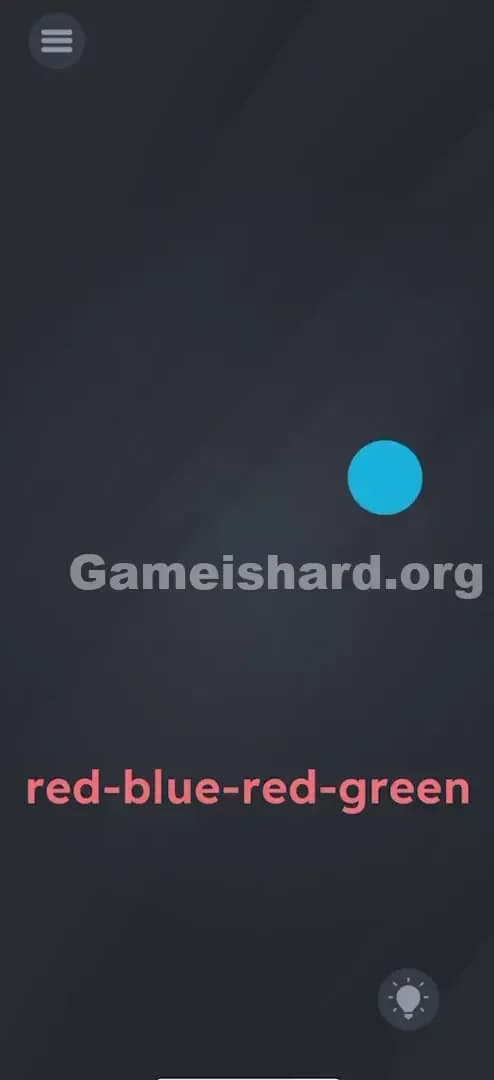
- Second Tap (Blue): Tilt your phone 90 degrees to the Right (so the right edge creates the "floor"). The ball will roll slightly or just change color to Blue. Once it is unmistakably blue, tap it.
- Third Tap (Red): Tilt your phone so the Bottom edge is down again (back to upright portrait mode). Wait for the ball to turn back to Red. Tap it.
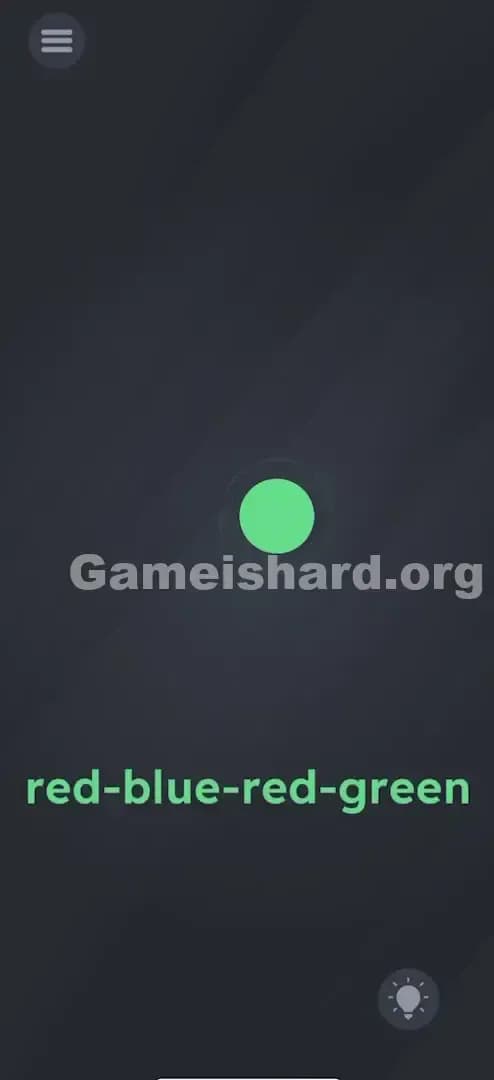
- Fourth Tap (Green): Tilt your phone 90 degrees to the Left (so the left edge is the "floor"). The ball will turn Green. Tap it.
Troubleshooting in Game is hard Level 75
- The color isn't changing: You need to tilt it significantly. Think of it like pouring water out of the side of the phone. A slight list to the side won't trigger the sensor. Go full 90 degrees.
- I tapped too early: If you tap while the ball is transitioning colors or before it settles, it counts as a mistake. Be patient.
- My rotation is locked: This game uses internal gyroscope data, not your screen rotation lock settings, but if you are struggling, try ensuring your phone allows movement.
Micro-Details That Make the Move Register in Game is hard Level 75
Precision matters here, but it's not pixel-perfect tapping—it's timing. The ball has a slight delay when changing states.
- Wait for the settle: When you tilt right for Blue, wait half a second. Don't tap the millisecond you start tilting. Let the color latch in.
- The "Bottom" is Red: The default state (holding the phone normally) is the "Red" state. This confuses people on the third step. You just have to return the phone to the start position.
- Gravity Logic: Imagine the different colors are pools of paint sitting on the four distinct edges of your phone.
- Bottom Edge = Red Paint
- Right Edge = Blue Paint
- Left Edge = Green Paint
I fixed my run by stopping, taking a breath, and treating my phone like a steering wheel. Hard right. Tap. Center. Tap. Hard left. Tap.
The Logic Behind Game is Hard Level 75
This level is a classic implementation of Sensor-Based UI. The game is checking the DeviceMotion or Accelerometer data. It maps specific axes (X and Y coordinates of gravity) to specific graphical assets (the ball colors).
The logic trap is "Input Blindness." We are so used to the touch screen being the only input method that we forget the phone itself is a controller. Game is hard loves to remind you that hardware buttons, microphones, charging cables, and gyroscopes are all fair game for puzzle solutions. The text red-blue-red-green is simply the combination lock code; the phone tilt is the dial you have to turn.
Pro Tip for Game is Hard Level 75
If you are speed-running or replaying:
- Tap (Start position).
- Rotate phone 90° clockwise -> Tap.
- Rotate phone 90° counter-clockwise (back to start) -> Tap.
- Rotate phone 90° counter-clockwise (left side down) -> Tap.
- Don't rush the rotation animations.
Alternative Attempts of Game is hard Level 75 (What Doesn’t Work, and Why)
- Mixing colors: Tapping rapidly to "mix" red and blue into purple. (The game logic isn't that complex; it's discrete states).
- Volume Buttons: Pressing Volume Up/Down to change colors. (Valid guess for other levels, but here the sensor is the tilt).
- Touching the text: Tapping the word "Blue" to make the ball blue. (Text is non-interactive here).
- Turning the phone upside down: Tilting the top edge down. (There is no color assigned to the top edge for this puzzle, usually).
- Brightness settings: Changing screen brightness to change the "shade" of the ball. (Overthinking it).
- Voice Commands: Shouting "Blue!" (The microphone is not active for Level 75).
Common Mistakes for Game is Hard Level 75
- Tapping before the color swap: The most common error. You tilt and tap simultaneously. The code reads the tap on the previous color before the switch registers.
- Confusing Left and Right: Since you are likely looking at the screen upside-down or sideways, it's easy to mix up which edge triggers Blue vs Green.
- Right Edge = Blue.
- Left Edge = Green.
- Not tilting enough: A 45-degree angle might not trigger the threshold. Go for a full vertical edge.
- Forgetting the middle step: The sequence is four steps, not three. People often forget to go back to Red (upright) before going to Green.
- Closing the app: Thinking the game froze because the ball didn't change automatically.
Pattern Recognition: How to Spot This Trick in Future Game is Hard Levels
The tell
If a level has a very sparse interface, a single central object, and nothing happens when you tap or drag, check your sensors. Usually, a static object that refuses to interact with touch is a signal that the environment needs to change.
The habit
Whenever you are stuck on a screen with no buttons:
- Shake the phone.
- Tilt the phone left/right/upside down.
- Flip the phone over (face down). These three physical moves solve about 20% of the "impossible" levels in this genre.
Game is hard Level 75 FAQ (Short, Useful)
Q: My ball won't turn green in Game is hard Level 75? A: Make sure you are tilting the phone so the Left edge is facing the floor. If it still doesn't work, try recalibrating your hand position or closing/reopening the app to reset the sensors.
Q: Do I need to be fast in Game is hard Level 75? A: No. There is no timer. Accuracy is more important than speed. Wait for the color to fully change.
Q: Can I use screen rotation lock in Game is hard Level 75? A: You should be able to, as the game reads raw accelerometer data, not the UI orientation, but if you're having trouble, turn rotation lock off just to be safe.
Q: Is there a hidden color in Game is hard Level 75? A: No, just Red, Blue, and Green. The top edge usually doesn't trigger a fourth color in this specific level.
Get more level walkthrough on Gameishard.org
If you’re stuck on the next puzzle, don’t smash your phone. We’ve got fast, frustration-free guides for every single level. No essays, just answers. Check the index for Level 41—it gets weirder from here!