Game Is Hard Level 71 Solution Walkthrough & Answer
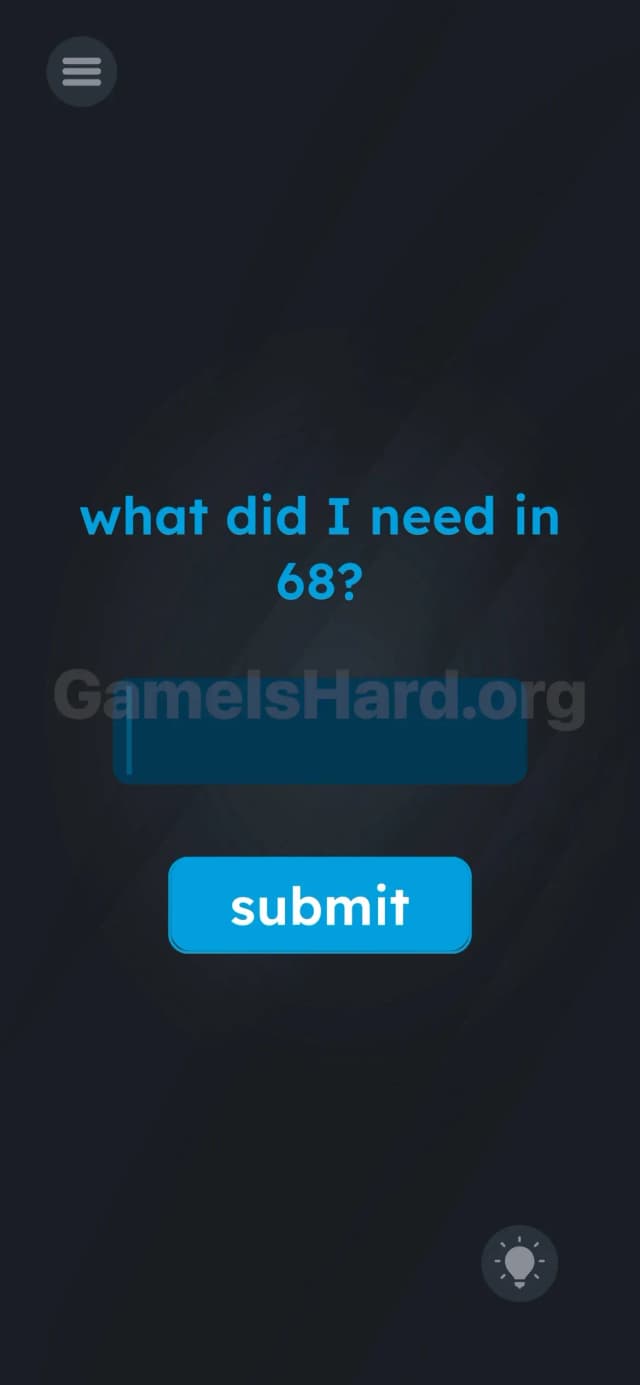
How to solve Game Is Hard level 71? Get instant solution & answer for Game Is Hard level 71: "what did I need in 68?"
Doesn't look like your level?
App updates can sometimes shuffle the order of puzzles. If this level 71 walkthrough doesn't match your screen, don't worry! You can browse our All Levels guide to find your exact puzzle by its picture.

Quick Answer for Game is hard Level 71 (Do This)
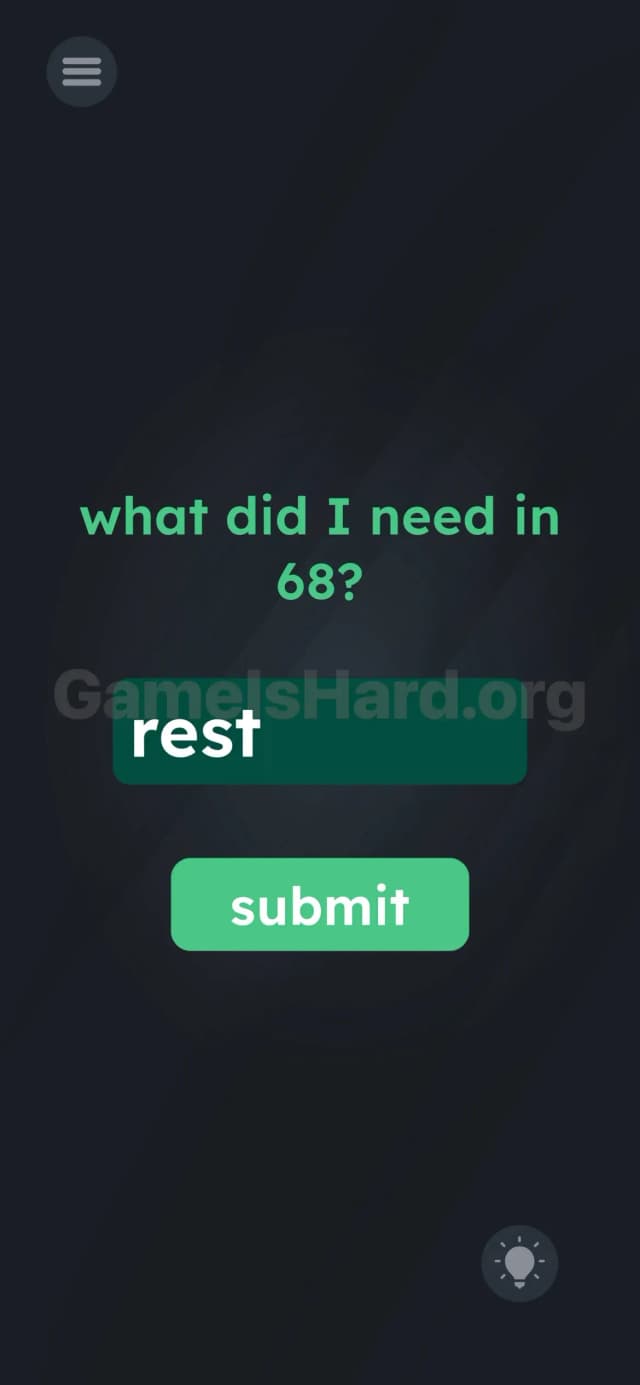
Solution: Type the word rest into the text box and tap submit. (This answer comes from the hint text hidden back in Level 68).
Game is Hard Level 71 Overview
The Hook in Game is hard Level 71
You open the level and it feels like a pop quiz you didn't study for. The screen is almost completely empty except for a very specific, slightly threatening question: "what did I need in 68?". If you have a bad memory, you're immediately stuck. The game assumes you've been taking notes. You haven't.
The Objective of Game is hard Level 71
This isn't a puzzle where you drag things around or shake your phone. It's a memory check. The game wants you to recall a specific phrase from a previous level, or physically go back and find it. You are acting as a detective digging through cold case files.
Key Mechanics of Game is hard Level 71
- Memory / Backtracking: The answer isn't on this screen. It exists in the past.
- Text Input: You have to type the exact keyword.
- Meta-Puzzle: The game connects levels together rather than treating them as isolated islands.
It’s not a riddle. It’s a reference check.
What You See on Screen in Game is hard Level 71
The layout is stark and minimalist.
- The Prompt: At the top, in standard blue text: what did I need in 68?
- The Input: A dark blue text field with a blinking cursor (or placeholder text) in the center.
- The Trigger: A bright blue submit button directly below the input field.
- The Tools: A menu icon in the top left and a hint bulb in the bottom right.
There are no hidden objects here. No draggable text. What you see is exactly what you get, which is rare for this game.
What’s Tricking People in Game is hard Level 71
The Trap of Game is hard Level 71
The trap is laziness. Most players (myself included) just spam random words related to the game. "Hint?" "Key?" "Answer?" "Money?" We try to brute force the logic without actually doing the legwork. We assume the answer is hidden under the text or behind the button. It isn't.
The Wrong Instincts in Game is hard Level 71
- Dragging the text: Players often try to drag the "68" from the question into the box. Doesn't work.
- Typing "68": It seems logical. It is incorrect.
- Shaking the phone: Usually a good backup plan. Useless here.
My Reaction to Game is hard Level 71
I stared at this for a solid two minutes. I honestly didn't remember Level 68. I tried typing "help" and "nothing." Eventually, I sighed, hit the menu button, and scrolled back. It felt like defeat, but it was actually the solution.
Game is hard Level 71 Step-by-Step Walkthrough
The Setup of Game is hard Level 71
You need to know what happened in Level 68. If you remember it, great. If not, you literally have to leave the level.
The Action of Game is hard Level 71
- Option A (The Hard Way): Tap the Menu icon (top left), scroll back to Level 68, and look at the text. It says "i need some rest."
- Option B (The Fast Way): Just stay on Level 71.
- Tap the text box in the center of the screen to open your keyboard.
- Type the word rest.
- Tap the submit button.
Troubleshooting at Game is hard Level 71
- Capitalization? Usually, the game is forgiving, but stick to lowercase "rest" just to be safe since the original text was lowercase.
- Nothing happens? Ensure you hit submit and didn't just hit "enter" on your keyboard. You must tap the in-game button.
The Logic Behind Game is Hard Level 71
This level breaks the "fourth wall" of level progression. In most mobile puzzle games, once you beat a level, you discard it. It's trash. Game is hard wants you to treat the entire game as a single, cohesive document.
By forcing you to backtrack, the developer is proving that previous levels contain clues for future ones. It's a classic "Meta" puzzle trope found in games like The Impossible Quiz. The answer key isn't hidden in the pixels; it's hidden in your short-term memory.
Pro Tip for Game is Hard Level 71
If you are speedrunning or just want to get through this fast:
- Don't go back to the menu.
- Don't waste hints.
- Type rest.
- Move on.
FAQ of Game is hard Level 71
Q: Do I really have to go back to Level 68? A: No. You just need the knowledge from Level 68. If you read this guide, you have the knowledge. Just type rest.
Q: What if I type "sleep" or "break" in Game is hard Level 71? A: It won't work. The game code is looking for the exact string "rest" because that matches the specific text from the previous level. Synonyms don't count.
Q: Is there anything hidden in the background at Game is hard Level 71? A: Nope. This is purely a text input challenge. Stop scratching your screen.
Q: Does capitalization matter? A: Generally no, but if it fails, try all lowercase.
Get more level walkthrough on Gameishard.org
We keep these guides tight because we know you just want to clear the level and keep your streak alive. If this helped you skip the headache of scrolling back through the menu, send this link to your friend who is currently stuck typing "money" into the box. Good luck with the next one.