Game Is Hard Level 65 Solution Walkthrough & Answer
How to solve Game Is Hard level 65? Get instant solution & answer for Game Is Hard level 65: "raise it up the wall."
Doesn't look like your level?
App updates can sometimes shuffle the order of puzzles. If this level 65 walkthrough doesn't match your screen, don't worry! You can browse our All Levels guide to find your exact puzzle by its picture.
Quick Answer for Game is hard Level 65 (Do This)
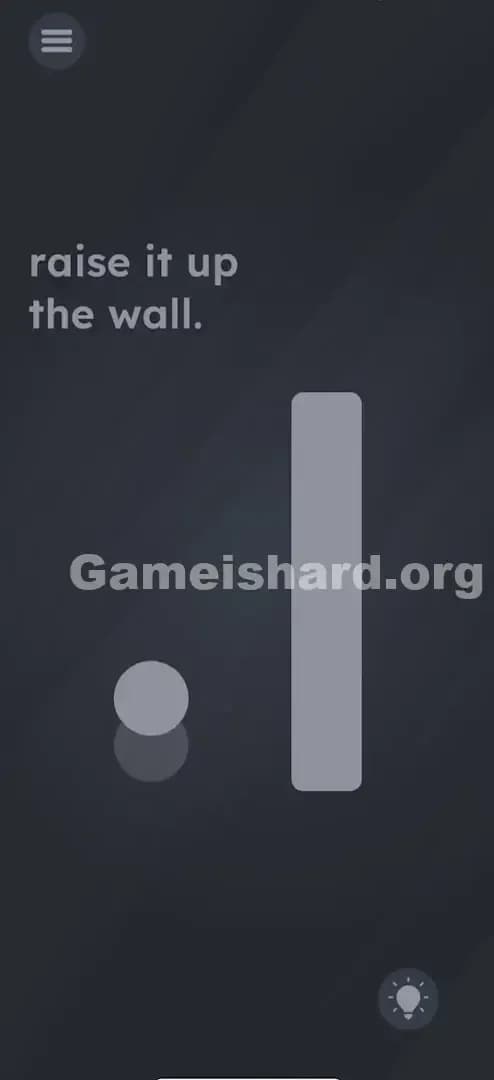
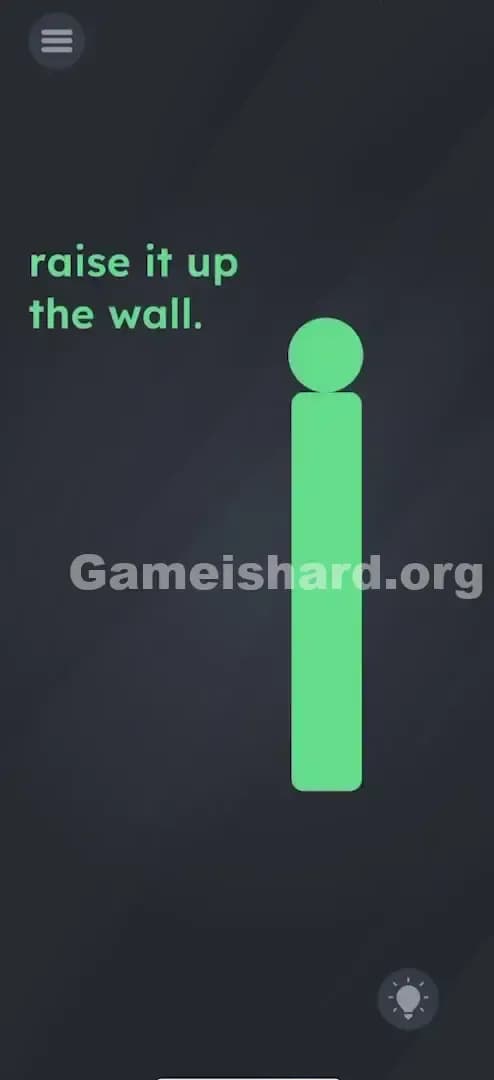
Solution: Physically lift your phone high above your head (as if raising it up a real wall) until the grey bar on the screen moves upward. Keep lifting until the bar clears the screen completely; you might need to stand up.
Game is Hard Level 65 Overview
The Hook of Game is Hard Level 65
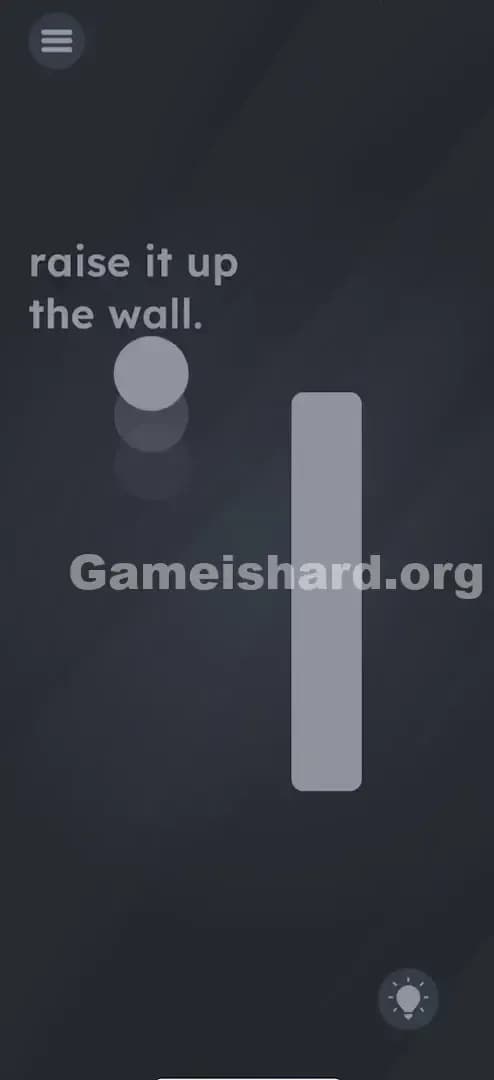
You are staring at a grey dot and a grey rectangle, and the text just says "raise it up the wall." So naturally, you try to drag the wall up with your finger. It doesn't budge. You try to drag the dot over the wall. It bounces off. This is one of those classic "Game is hard" moments where the controls aren't on the glass—they are in the accelerometer.
The Objective in Game is Hard Level 65
The goal is to move the large vertical grey bar (the "wall") upwards so the path is clear. However, dragging it via touch input is disabled. You have to use the physical movement of your device to simulate the action described in the text.
Key Mechanics in Game is Hard Level 65
- Gyroscope / Accelerometer: The game is reading the vertical movement of your phone.
- Physical Action: This isn't a thumb puzzle; it involves your whole arm.
- Literal Interpretation: "Raise it up" refers to the device itself, not the pixels on the screen.
It’s not a typo. It’s a workout.
What You See on Screen in Game is hard Level 65
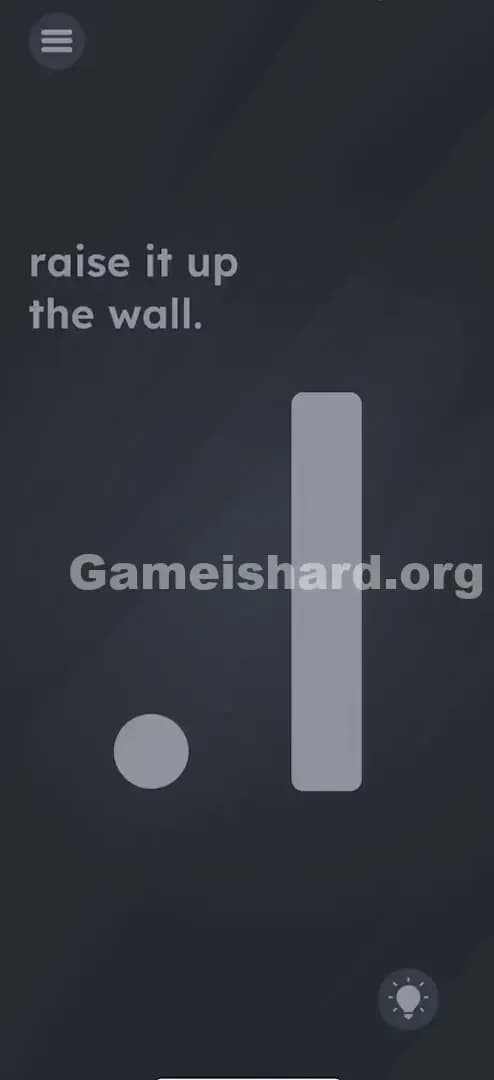
When you load up Game is hard Level 65, the screen is deceptively simple. The background is the standard dark grey slate.
- The Text: In the upper left quadrant, you see the instruction: "raise it up the wall." Note the lack of capitalization. It feels casual.
- The Objects:
- A small, light grey Circle (looks like a ball or a dot) sits near the bottom left.
- A tall, vertical light grey Rectangle (the "wall") stands to the right of the circle. It blocks the path to the right side of the screen.
- The UI: Standard menu button (top left) and hint bulb (bottom right).
There are no arrows, no sliders, and no obvious buttons. Just static shapes that refuse to move when you poke them.
What’s Tricking People in Game is hard Level 65
The Trap of Game is Hard Level 65
The trap here is "Screen Fixation." We play mobile games curled up on the couch or hunching over our phones on the bus. We assume the game happens strictly within the boundaries of the bezel. When the text says "raise it up," our brain translates that to "swipe up on the screen."
The Wrong Instincts in Game is Hard Level 65
- Swiping the bar: You probably tried to fling that rectangle upwards a dozen times.
- Dragging the ball: You might try to jump the ball over the wall.
- Tilting: Many players tilt the phone left or right, expecting gravity to slide the wall away.
- Shaking: The universal "I'm stuck" move. Shaking does nothing here because the sensor is looking for a smooth vertical ascent, not chaotic vibration.
My Reaction to Game is Hard Level 65
I sat there swiping up until my thumb got a friction burn. I even tried dragging the word "it" from the sentence "raise it up." I felt incredibly silly when I realized I just had to lift my arm like I was asking a question in class.
Game is hard Level 65 Step-by-Step Walkthrough
The Setup of Game is Hard Level 65
Clear the air above you. Seriously. If you are lying in bed, sit up. If you are under a low shelf, move. You need about two to three feet of vertical clearance.
The Action in Game is Hard Level 65
- Hold your phone flat or upright: The orientation doesn't matter as much as the movement, but keep a firm grip.
- Lift the device physically: Move your phone from chest height straight up above your head. Do it smoothly, not too fast, not too slow.
- Watch the bar: As you physically lift the phone, the grey bar on the screen will slide upward in sync with your movement.
- Hold it there: Keep lifting until the bar goes completely off the top edge of the screen.
- Success: Once the wall is gone, the level will clear automatically (or the ball will roll through).
Troubleshooting at Game is Hard Level 65
- It’s not moving: If the bar stutters or doesn't move, bring the phone back down to your lap and try lifting it again with a more deliberate motion.
- I’m laying down: This sensor trick often fails if the accelerometer is confused by a horizontal starting position. Sit up straight.
- Calibration issues: If your phone's sensors are wonky, try force-closing the app and reopening it to reset the gyroscope baseline.
Micro-Details That Make the Move Register on Game is Hard Level 65
The game code is looking for a specific value change in the Y-axis acceleration or altitude estimation. Here is how to nail it:
- Speed matters: If you lift too slowly, the game thinks it's just natural hand drift. If you jerk it upward too fast (like a throw), the accelerometer gets noisy data. Think of it like an elevator: smooth, constant upward speed.
- Range of Motion: You usually need to lift it about 0.5 to 1 meter (1.5 to 3 feet). A tiny 6-inch lift won't trigger the threshold.
- Resetting: If you lift it halfway and stop, the bar might slide back down. You have to commit to the full extension of your arm.
I fixed it by standing up. Sitting in my chair wasn't giving me enough height to trigger the "pass" state.
The Logic Behind Game is Hard Level 65
This level is a textbook example of breaking the "fourth wall" of hardware. Most levels in Game is hard challenge your logic or your linguistic interpretation. Level 65 challenges your physical presence.
- The Metaphor: The "wall" isn't just the grey rectangle; it's the barrier between the digital world and the physical world.
- The Command: "Raise it up" is a command to you, the human, not an instruction for the touch interface.
- Sensor Integration: This is similar to levels requiring you to plug in a charger or cover the microphone. It forces the phone to act as an object, not a console.
Pro Tip for Game is Hard Level 65
If you are stuck and look weird waving your phone around in public:
- Start with the phone low (near your knees).
- Lift straight up in one smooth arc.
- Do not tilt the screen while lifting; keep the screen facing your eyes.
Don't waste time tapping the text. The text is completely static in this level.
Alternative Attempts on Game is Hard Level 65 (What Doesn’t Work, and Why)
Here is a list of things I tried so you don't have to:
- Dragging the word "wall" upwards: Usually, text is interactive in this game, but here, the text is just a hint. It isn't a movable object.
- Swiping with two fingers: Multi-touch doesn't override the physics engine here. The wall is locked to the sensor, not the screen digitizer.
- Turning the phone upside down: Gravity logic doesn't apply. Flipping the phone won't make the wall "fall" up.
- Throwing the phone (gently) in the air: Dangerous and unnecessary. The sensor needs a steady lift, not freefall.
- Yelling "Up" at the microphone: Voice commands are for other levels. The mic is inactive here.
Common Mistakes for Game is Hard Level 65
- Trying to cheat the height: Lifting the phone 6 inches isn't enough. You really have to reach.
- Tilting instead of lifting: A lot of players tilt the phone back (pitch), thinking that simulates looking up. You need actual vertical translation.
- Holding the screen flat: While it sometimes works, holding the phone vertical (portrait mode, facing you) usually registers the "lift" better than holding it flat like a tray.
- Giving up too soon: The bar moves slowly. Keep lifting until your arm is fully extended.
Pattern Recognition: How to Spot This Trick in Future Game is Hard Levels
The Tell
Next time you see an object that refuses to respond to touch, drag, or tap, stop touching the screen immediately. Look at the verb in the prompt.
The Habit
If the prompt implies movement ("shake," "turn," "raise," "drop"), assume it is a hardware puzzle. First, shake the phone. Second, tilt the phone. Third, move the phone through space. The answer is usually in your wrist, not your fingertip.
Game is Hard Level 65 FAQ (Short, Useful)
Q: Does screen rotation need to be on in Game is Hard Level 65? A: No. The game uses raw sensor data, so your system's "Auto-Rotate" setting shouldn't matter, but keeping the phone in portrait orientation helps.
Q: Can I skip the lifting part in Game is Hard Level 65? A: No. There is no alternative solution unless you use a "Skip Level" currency. The trigger is strictly tied to the accelerometer.
Q: Why does the bar fall back down in Game is Hard Level 65? A: You likely stopped lifting or lowered your arm before the bar cleared the screen. You must maintain the height until the level completely finishes.
Q: Is it safe to play this level on a bus? A: Probably not, unless you want to hit the ceiling or elbow a stranger. Save Game is hard Level 65 for when you have some personal space.
Get more level walkthrough on Gameishard.org
Game is hard Level 65 is just one of hundreds of trick questions designed to mess with your head. If you are stuck on the next puzzle, check out the rest of our guides. We cut the fluff and get you straight to the solution so you can keep your win streak alive. Share this with your friends if they are still furiously swiping at a wall that won't move!
Good luck, and keep lifting!