Game Is Hard Level 23 Solution Walkthrough & Answer
How to solve Game Is Hard level 23? Get instant solution & answer for Game Is Hard level 23: "come to x."
Doesn't look like your level?
App updates can sometimes shuffle the order of puzzles. If this level 23 walkthrough doesn't match your screen, don't worry! You can browse our All Levels guide to find your exact puzzle by its picture.

Quick Answer for Game is hard Level 23 (Do This)
Solution: Tap the arrow buttons in this exact sequence: Up, Up, Up, Right, Up, Up, Left, Left, Up, Up, Right, Right, Up to guide the invisible ball to the X.
(Ignore that the ball disappears; just trust the button inputs.)
Game is Hard Level 23 Overview
The Hook of Game is hard Level 23
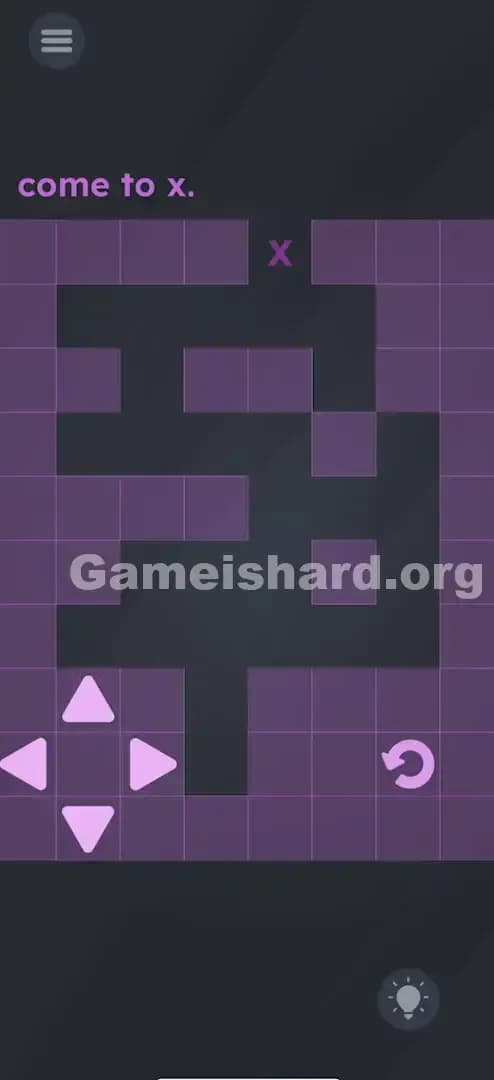
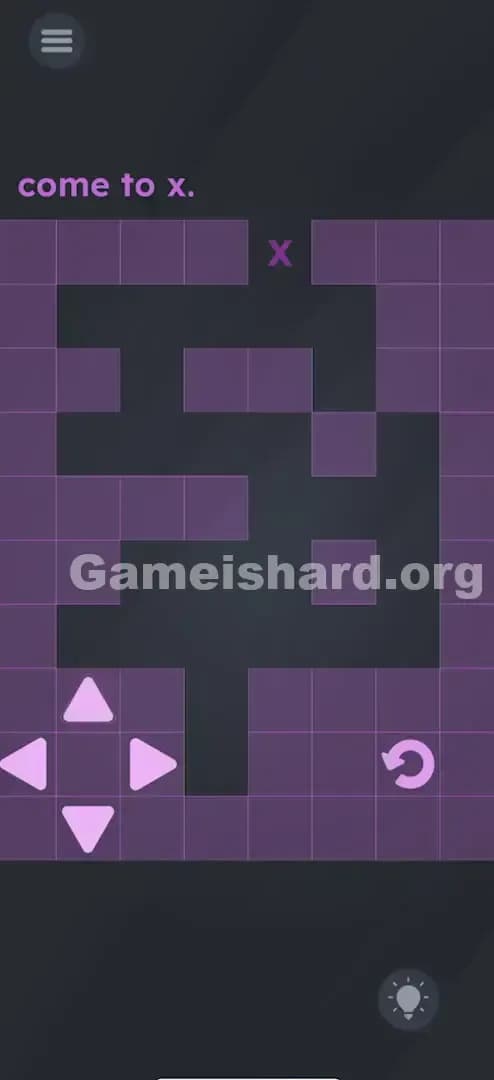
You see a maze. You see a ball. You tap "Up" once, and everything seems fine. You tap "Up" again, and suddenly—poof. The ball is gone. Panic sets in. Did the game crash? Is this a glitch? No, the game just decided to turn off the lights. You are now playing blind, and every wrong move sends you back to the start. It’s infuriating because you can see the maze walls perfectly fine, but you have no idea where your character is.
The Objective of Game is hard Level 23
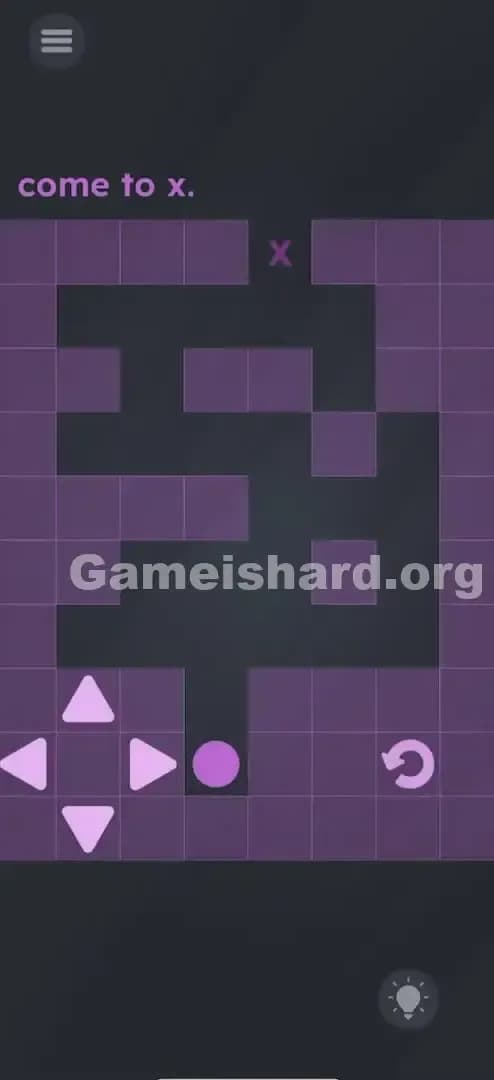
Your goal is simple: Get the Purple Ball from the bottom entrance to the Purple X at the top exit. The catch is that the ball turns completely invisible after the very first step. You have to memorize the path or trace it with your finger on the screen while inputting the commands blind.
Mechanics Involved in Game is hard Level 23
- Memory / Pattern Recognition: You have to memorize the turns before you start moving.
- Blind Navigation: Moving an object you cannot see.
- Grid Movement: Each tap moves the ball exactly one square.
- Trial and Error: Hitting a wall usually resets you or forces a manual restart.
It’s not a typo or a bug. It’s a memory test disguised as a maze.
What You See on Screen in Game is hard Level 23
If you’re looking at your phone wondering what to do, here is the breakdown of the layout:
- Top Center: The text instructions simply say "come to x."
- The Maze: A dark path carved out of a purple grid. It twists and turns. It starts at the bottom center and exits at the top center.
- The Target: A small purple "x" sitting at the end of the maze path.
- The Player: A Purple Circle at the bottom entrance.
- Controls: A directional pad (D-Pad) on the bottom left with Up, Down, Left, Right arrows.
- Reset Button: A curved arrow icon on the bottom right (you will likely use this a lot if you don't follow the cheat sheet).
The UI looks like a standard retro RPG or maze game, which lulls you into a false sense of security before the invisibility mechanic kicks in.
What’s Tricking People in Game is hard Level 23
The Trap of Game is hard Level 23
The primary trap is visual feedback—or the lack of it. Humans rely on seeing movement to confirm action. When the ball vanishes, your brain creates "input doubt." You wonder, "Did that tap register? Did I hit the wall? Am I still moving?" This doubt makes players spam buttons or lose count of their steps.
The Wrong Instincts in Game is hard Level 23
Most players try to "feel" their way through. They tap Up, pause, wait to see if anything happens, then tap again. But because there is zero visual feedback, this hesitation kills your rhythm. Another common instinct is to assume the ball is moving continuously like a racing game. It isn't. It moves grid-by-grid.
My Reaction of Game is hard Level 23
I honestly thought my screen was dirty or the brightness was too low. I tapped the screen five times, realized nothing was moving, hit reset, and watched it disappear again. I shouted, "Are you kidding me?" at my phone. It’s a classic Game is hard troll move.
Game is hard Level 23 Step-by-Step Walkthrough
The Setup of Game is hard Level 23
Stop looking at the ball. Look at the D-Pad controls. The ball will disappear, so staring at the maze won't help you verify your position. You need to trust the button presses.
The Action in Game is hard Level 23
You are going to input the directions like a cheat code. Do not rush, but do not hesitate. One tap equals one square.
- Step 1: Tap Up three times. (The ball travels straight up the first corridor).
- Step 2: Tap Right once. (You are now in the first horizontal gap).
- Step 3: Tap Up twice. (You are moving vertically again).
- Step 4: Tap Left twice. (This crosses the long horizontal middle section).
- Step 5: Tap Up twice. (Heading toward the top section).
- Step 6: Tap Right twice. (Aligning with the exit).
- Step 7: Tap Up once. (This lands you on the X).
Verification
If you did it right, the level instantly clears as soon as you hit that final "Up." If nothing happens, press the restart arrow (bottom right) and try the sequence again slowly.
Troubleshooting at Game is hard Level 23
- Lost count? Hit the reset button immediately. There is no way to recover if you don't know where you are.
- Buttons not registering? Tap firmly. Sometimes light taps on the edge of the D-Pad hitboxes don't register, throwing off your count.
Micro-Details That Make the Move Register
Here is the thing about grid-based movement in these puzzle games: Input Buffering.
- Do not spam the buttons fast.
- Wait about half a second between taps.
- The game needs a micro-moment to "move" the invisible ball to the next square logic-wise.
- If you tap "Up-Up-Up" rapidly in 0.1 seconds, the game might only register two steps, leaving you crashing into a wall on your next turn.
I fixed it by counting out loud. I literally said "One, two, three, turn..." as I tapped. It sounds stupid, but it kept my thumb from speeding ahead of the game engine.
The Logic Behind Game is Hard Level 23
This level is testing your Short-Term Memory and Spatial Visualization.
Most levels in Game is hard trick you by making the text interactive or hiding a button. Level 23 is strictly a logic puzzle. It removes the visual interface to force you to construct a mental map. It simulates "blind navigation."
The logic here is: Trust the input, not the output. Usually, games give you output (graphics) for every input (button press). This level breaks that contract to see if you panic.
Pro Tip for Game is Hard Level 23
If you are struggling to memorize the "Up, Up, Up..." sequence, try this physical hack:
- Put your finger on the screen where the ball starts.
- Physically trace the path slowly with your finger.
- With your other hand, tap the arrow key corresponding to the direction your finger is moving.
- Move your finger one grid square for every tap.
- This syncs your brain's spatial awareness with your thumb's inputs.
Alternative Attempts on Game is hard Level 23 (What Doesn’t Work, and Why)
- Dragging the ball: You cannot drag the ball with your finger. It is locked to D-Pad controls.
- Tilting the phone: The accelerometer is disabled for this level. Gravity won't help you here.
- Waiting for the ball to reappear: It won't. It stays invisible until the level resets or you win.
- Brightening the screen: It’s not a darkness filter; the asset is literally turned off (opacity 0%).
- Tapping the X: Tapping the destination does not auto-path the ball. You must drive it there manually.
- Shaking the phone: Shaking does nothing but make you look silly on the bus.
Common Mistakes for Game is Hard Level 23
- Double Tapping: Accidentally hitting an arrow twice because you didn't see the ball move. This crashes you into a wall immediately.
- The "Right" Turn Early: Many players try to turn right after only two "Up" presses. You must go up three times first.
- The "Left" Turn Late: Overshooting the left turn in the middle section sends you into a dead end.
- Rage Quitting: Restarting the app because you think it's bugged. (It's not bugged, it's just mean).
- Forgetting to Reset: Trying to "fix" your position after a mistake. Just reset. It’s faster.
Pattern Recognition: How to Spot This Trick in Future Game is Hard Levels
The Tell
Watch out for grid-based puzzles or mazes where the obstacles look too simple. If a maze looks suspiciously easy to solve, the game is likely about to take away your vision or reverse your controls.
The Habit
Whenever a game element disappears but the controls remain active, assume the object is still there, just invisible. Do not stop playing. Switch to "mental mapping" mode. Test the controls to see if inputs still register sounds or haptic feedback, even if you can't see the result.
Game is hard Level 23 FAQ (Short, Useful)
Q: Is the ball supposed to disappear in Game is hard Level 23? A: Yes. That is the main mechanic of the level. You have to guide it blindly.
Q: How many steps is the solution in Game is hard Level 23? A: The solution requires exactly 13 taps. If you tap more or less, you will likely fail.
Q: Can I skip this level in Game is hard Level 23? A: You can usually watch an ad to skip, but this one is easy once you have the cheat code sequence (Up x3, R, Up x2, L x2, Up x2, R x2, Up).
Q: Why does the restart button not work sometimes in Game is hard Level 23? A: It always works, but if you are mid-animation or spamming it, it might lag. Give it a firm press and wait for the ball to reappear at the bottom.
Get more level walkthrough on Gameishard.org
If this guide stopped you from throwing your phone across the room, we have plenty more. We write these guides to be fast, searchable, and fluff-free because we know you just want to beat the level and move on. Share this with your friends if they are stuck, and keep checking back for the next batch of brain-teasers. Good luck with Game is hard Level 69!