Game Is Hard Level 66 Solution Walkthrough & Answer
How to solve Game Is Hard level 66? Get instant solution & answer for Game Is Hard level 66: "remove them all."
Doesn't look like your level?
App updates can sometimes shuffle the order of puzzles. If this level 66 walkthrough doesn't match your screen, don't worry! You can browse our All Levels guide to find your exact puzzle by its picture.
Quick Answer for Game is hard Level 66 (Do This)
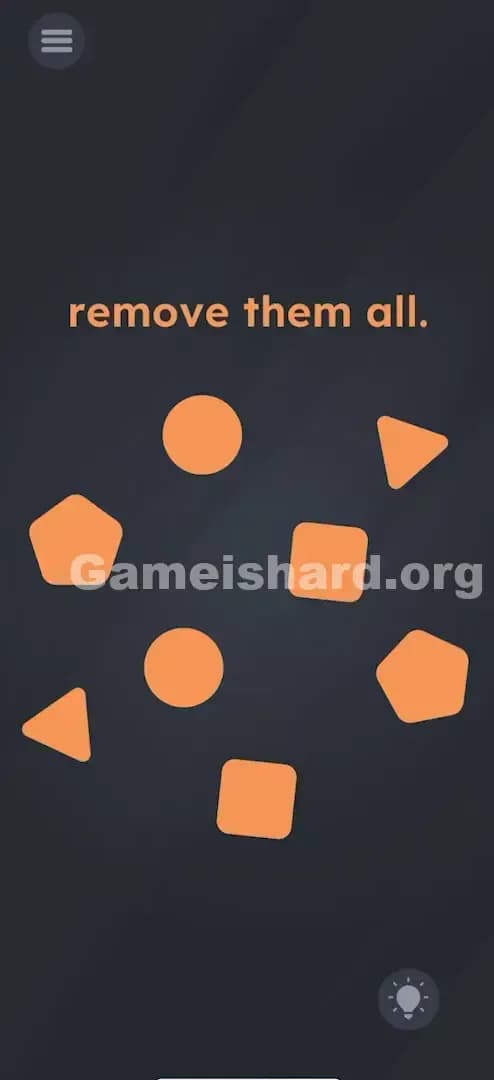
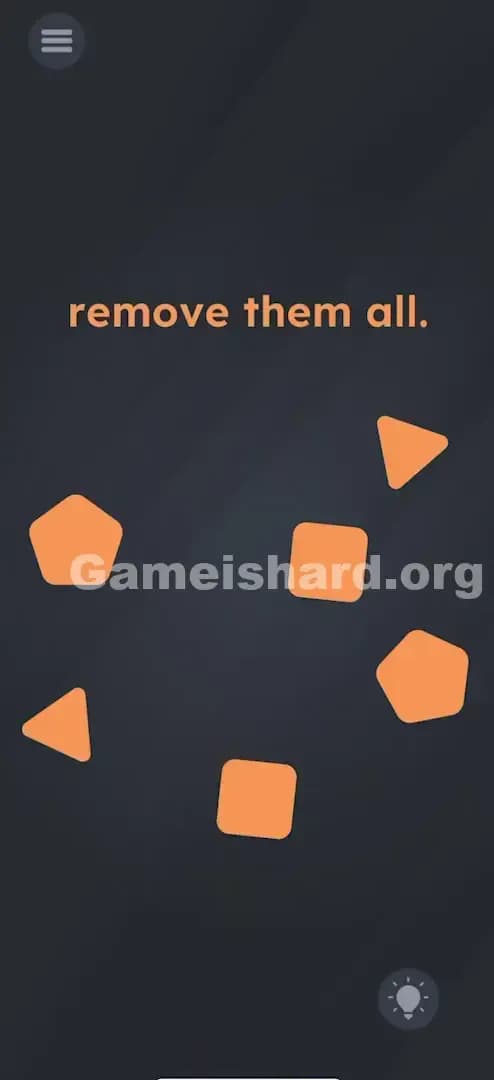
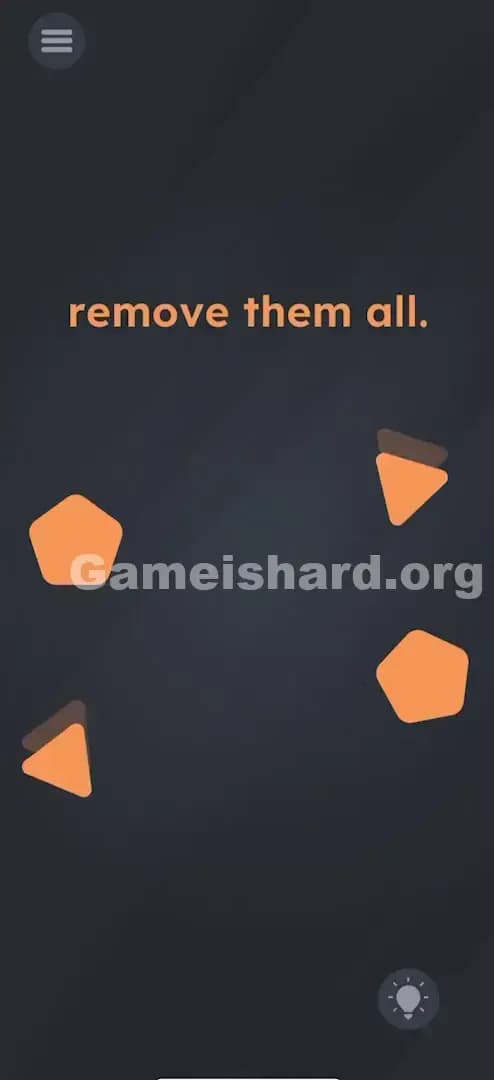
Solution: Use two fingers to tap two identical shapes at the exact same time (like the two circles) to make them disappear, and repeat for all matching pairs. You must sync your taps perfectly on the matching pairs (circles, squares, triangles, pentagons) until the screen is empty.
Game is Hard Level 66 Overview
The Hook of Game is hard Level 66
You see a bunch of random orange shapes scattered around the screen and the vague instruction: "remove them all." If you're like me, your first instinct is to tap them one by one. You tap a circle. Nothing happens. You drag the circle. It just slides around aimlessly. You try to fling them off the screen. They bounce off the walls. It feels broken. The game is sitting there, mocking your frantic tapping.
The Objective in Game is hard Level 66
The goal is simple: clear the screen. But this isn't a physics puzzle where you throw things away, and it's not a standard "tap to destroy" mechanic. The objective is to realize that these shapes have relationships. You aren't just cleaning up; you are matching.
Mechanics Involved in Game is hard Level 66
This level tests your dexterity and your ability to think outside the "one-finger" box.
- Multi-touch: The game engine is waiting for two input points simultaneously.
- Pattern Recognition: You need to identify pairs, not just single objects.
- Synchronization: Timing matters more than position.
It’s not a glitch. It’s a coordination test.
What You See on Screen in Game is hard Level 66
The layout is deceptively simple, almost minimalist.
- Top Center: The instruction text simply reads "remove them all." in the standard orange font.
- The Field: Below the text, scattered across the dark background, are eight orange geometric shapes.
- The Shapes: Specifically, you will see pairs of identical items:
- Two Circles
- Two Triangles
- Two Squares
- Two Pentagons
- The Interface: There are no trash cans, no "X" buttons, and no obvious exit zones. Just the shapes floating in the void.
What’s Tricking People in Game is hard Level 66
The Trap of Game is hard Level 66
We are conditioned by mobile games to play with one thumb. Whether we are scrolling Instagram or playing Candy Crush, the primary input is usually a single tap or a single swipe. Game is hard Level 66 exploits this "Single-Input Bias." When you see objects to remove, you assume you tap them individually to delete them. The game gives zero feedback when you tap just one shape, which makes you think you're doing the wrong action entirely, rather than just doing half of the right action.
The Wrong Instincts
I tried dragging the shapes into each other to "merge" them. Nope. I tried dragging them off the screen edges. They hit an invisible wall. I even tried shaking my phone violently, hoping gravity would do the work. Nothing. The silence from the game is the trickiest part—it refuses to tell you why your single tap failed.
My Reaction to Game is hard Level 66
I spent a solid minute trying to drag the square onto the circle to see if it would cut a hole in it or something complex. Then I accidentally rested another finger on the screen while frustrated, tapped two shapes, and saw them poof. I felt like an idiot. The solution was literally at my fingertips the whole time.
Game is hard Level 66 Step-by-Step Walkthrough
The Setup of Game is hard Level 66
Place your phone on a flat surface or hold it securely with both hands. You need two free fingers (thumbs work, but index fingers are more precise). Look at the board and mentally group the shapes into pairs. Spot the two circles first.
The Action in Game is hard Level 66
- Identify a Pair: Locate the two circles.
- The Double Tap: Hover one finger over the first circle and a second finger over the second circle. Tap both screen points simultaneously.
- Verification: If you timed it right, both circles will vanish instantly.
- Repeat: Do the exact same thing for the two squares, the two triangles, and the two pentagons.
Troubleshooting at Game is hard Level 66
- "They aren't disappearing!" You are likely tapping them one after the other, even if it's very fast. It must be at the exact same moment.
- "I tried to drag them together." Do not drag. This is a tap mechanic, not a merge mechanic.
- "The last pair won't go." Sometimes the game gets finicky with hitboxes. Lift your hands completely off the screen and try a distinct, deliberate double-tap.
Micro-Details That Make the Move Register on Game is hard Level 66
Getting the multi-touch to register can be annoying if your phone screen is dirty or if you have a thick screen protector. Here is how to ensure it works every time:
- Snap tapping: Don't press and hold. Do a quick, sharp tap with both fingers. Think of it like playing a chord on a piano.
- Distance: It doesn't matter how far apart the shapes are. You can tap a square in the top right and a square in the bottom left. The only variable the game checks is the timestamp of the touch input.
- Finger placement: Hitting the center of the shape is safer. If you clip the edge, the game might register it as a background tap.
- I fixed it by... putting the phone down on the table. Using my index fingers instead of thumbs gave me much better synchronization control than trying to awkwardly stretch my thumbs across the screen.
The Logic Behind Game is Hard Level 66
This level is teaching you that Game is hard supports multi-touch inputs. Most puzzles in this genre are strictly sequential (Step A, then Step B). This level breaks that rule by requiring parallel inputs.
It treats the shapes as "linked" entities. The code likely runs a check: If (InputA == ShapeTypeX) AND (InputB == ShapeTypeX) AND (TimeDiff < 0.1s) THEN Delete. It’s a logic gate that only opens when two keys turn at once. This is a classic "UI Blindness" trick—you see eight separate objects, but the logic sees four pairs.
Pro Tip for Game is Hard Level 66
If you are speedrunning or replaying:
- Use four fingers if you can. You can technically tap two pairs (4 shapes) at once if you are wild enough, though it's risky.
- Start with the shapes furthest apart. It prevents accidental mis-taps on nearby shapes.
- Do not wait for the animation to finish. As soon as one pair disappears, go for the next.
- Ignore the text. The text "remove them all" is not interactive in this level.
Alternative Attempts on Game is hard Level 66 (What Doesn’t Work, and Why)
- Dragging shapes off-screen: They act like they are trapped in a box.
- Rubbing the screen (Eraser style): This isn't a scratch-card level.
- Shaking the device: Gravity is not enabled for these specific assets.
- Tapping them rapidly in sequence: Even if you are lightning fast, 0.1 seconds delay is too long. It must be simultaneous.
- Pinching them: This isn't a zoom mechanic; pinch-to-zoom logic doesn't apply here.
- Tapping the text "remove them all": The text is static. It’s just instructions.
- Wait and do nothing: Nothing changes. There is no timer based solution.
Common Mistakes for Game is Hard Level 66
- Mixing shapes: Trying to tap a circle and a square at the same time. This does nothing.
- The "Rolling" Tap: Hitting one finger slightly before the other (like drumming your fingers on a table). This fails the simultaneity check.
- Holding down: Pressing and holding one shape while tapping the other. Both inputs need to be fresh taps.
- Focusing on one shape: Staring at one shape and blindly tapping for the other creates aiming errors. Look at the whole board.
- Giving up after one try: The sync window is tight. Try at least 3 times before assuming your strategy is wrong.
Pattern Recognition: How to Spot This Trick in Future Game is Hard Levels
The Tell
Whenever you see multiple identical items and single interactions (tapping, dragging) aren't working, immediately suspect a multi-touch solution. If the game gives you pairs, it usually wants you to treat them as pairs.
The Habit
When stuck on a screen with multiple objects:
- Try to move them.
- If they don't move or delete individually, try tapping two at once.
- Always check for symmetry or duplication in the assets. If there are exactly two of everything, "twinning" is almost certainly the mechanic.
Game is hard Level 66 FAQ (Short, Useful)
Q: Do I have to clear them in a specific order in Game is hard Level 66? A: No. You can clear the squares, then circles, or any order you like. The game only checks for pairs.
Q: Can I use two hands in Game is hard Level 66? A: Yes, and it is actually recommended. Holding the phone with one hand and tapping with the other is harder. Put the phone down and use two index fingers.
Q: What if I tap three shapes at once in Game is hard Level 66? A: The game usually gets confused. Stick to pairs to be safe.
Q: My screen is cracked/unresponsive in spots, can I still beat Game is hard Level 66? A: Since the shapes don't move on their own, but you can't drag them... this is tricky. Try rotating your phone (if auto-rotate is on) or try to hit the very edge of the shape that is on the working part of your screen.
Get more level walkthrough on Gameishard.org
Stuck on another puzzle? We have guides for every single level that cut straight to the chase. We don't waste your time with fluff because we know you just want to beat the level and move on. Share this with your friends if they are stuck tapping circles like a maniac. Good luck on Game is hard Level 67!