Game Is Hard Level 213 Solution Walkthrough & Answer
How to solve Game Is Hard level 213? Get instant solution & answer for Game Is Hard level 213: "Fix this"
Doesn't look like your level?
App updates can sometimes shuffle the order of puzzles. If this level 213 walkthrough doesn't match your screen, don't worry! You can browse our All Levels guide to find your exact puzzle by its picture.
Quick Answer for Game is hard Level 213 (Do This)
Solution: Press and drag your finger from the center intersection of the crosshairs to pull out a hidden + symbol, then drop it over the specific - symbols to correct the math chart.
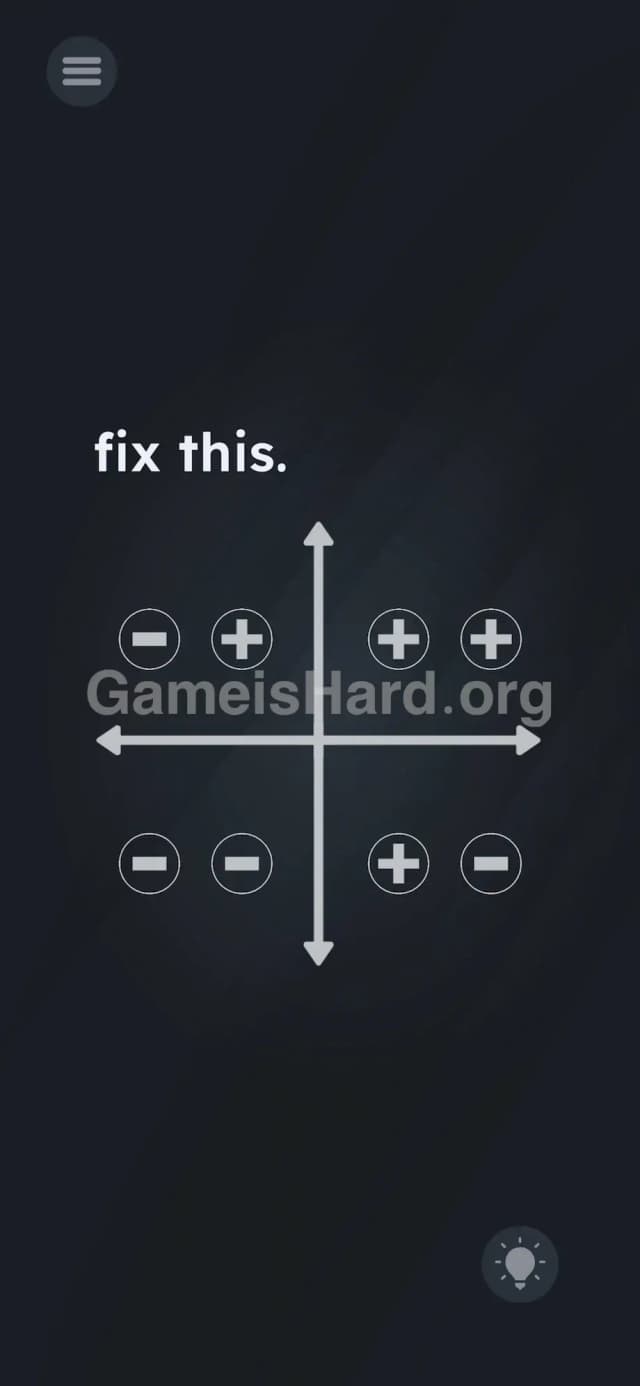
You need to pull out four separate plus signs from the center to fix the graph. Match the standard Cartesian rules: Top Right gets two pluses (+ +), Top Left gets one on the right (- +), Bottom Right gets one on the left (+ -), and Bottom Left stays untouched (- -).
Game is Hard Level 213 Overview
The Hook of Game is hard Level 213
Flashbacks to middle school algebra usually induce panic. This level drops a broken coordinate graph on your screen and demands you fix it. No tools. No obvious buttons. The keyboard is missing. You just stare at a grid of minus signs while the game mocks your confusion. The game is absolutely lying to you about how the interface works.
The Objective in Game is hard Level 213
Your goal is to build the correct mathematical answers using the structure of the level itself. You have to make the coordinate plane mathematically accurate by converting the incorrect minus signs into plus signs. You are not answering a trivia question. You are physically dismantling the UI to fix a problem.
Here is the exact mechanic breakdown you need to know:
- UI drag / Text drag
- Hidden object
- Logic puzzle (Basic Math)
It’s not a typo. It’s ammo.
What You See on Screen in Game is hard Level 213
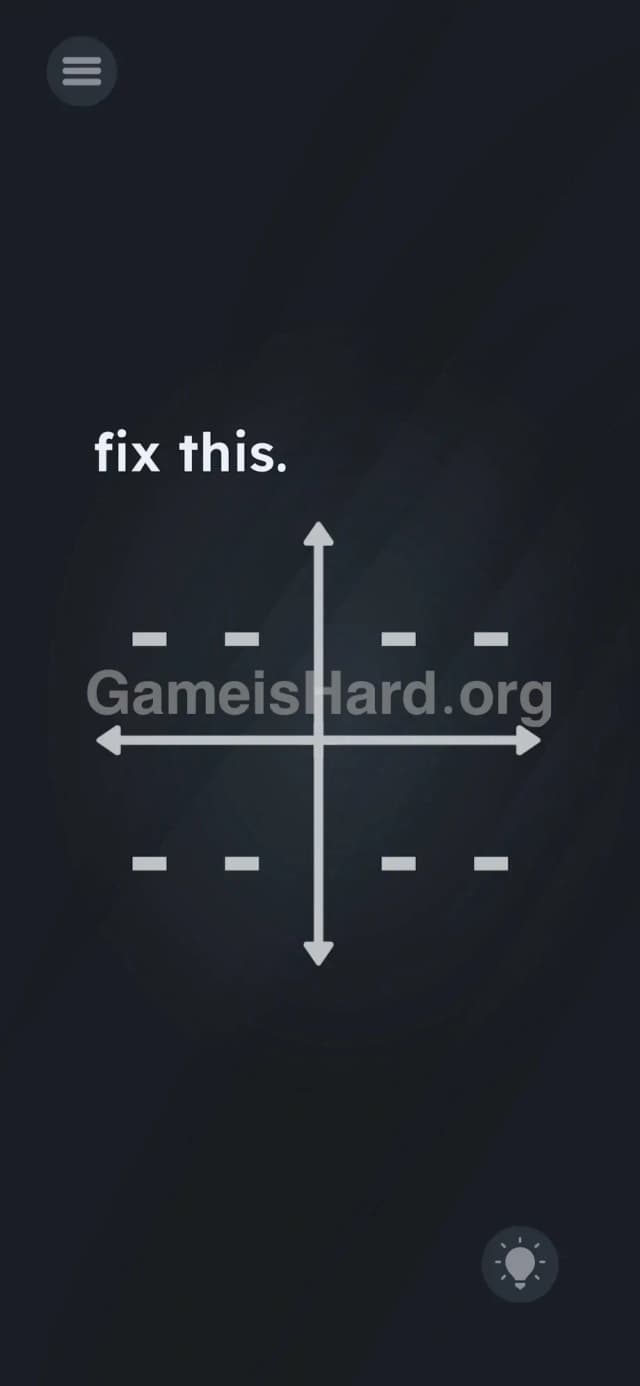
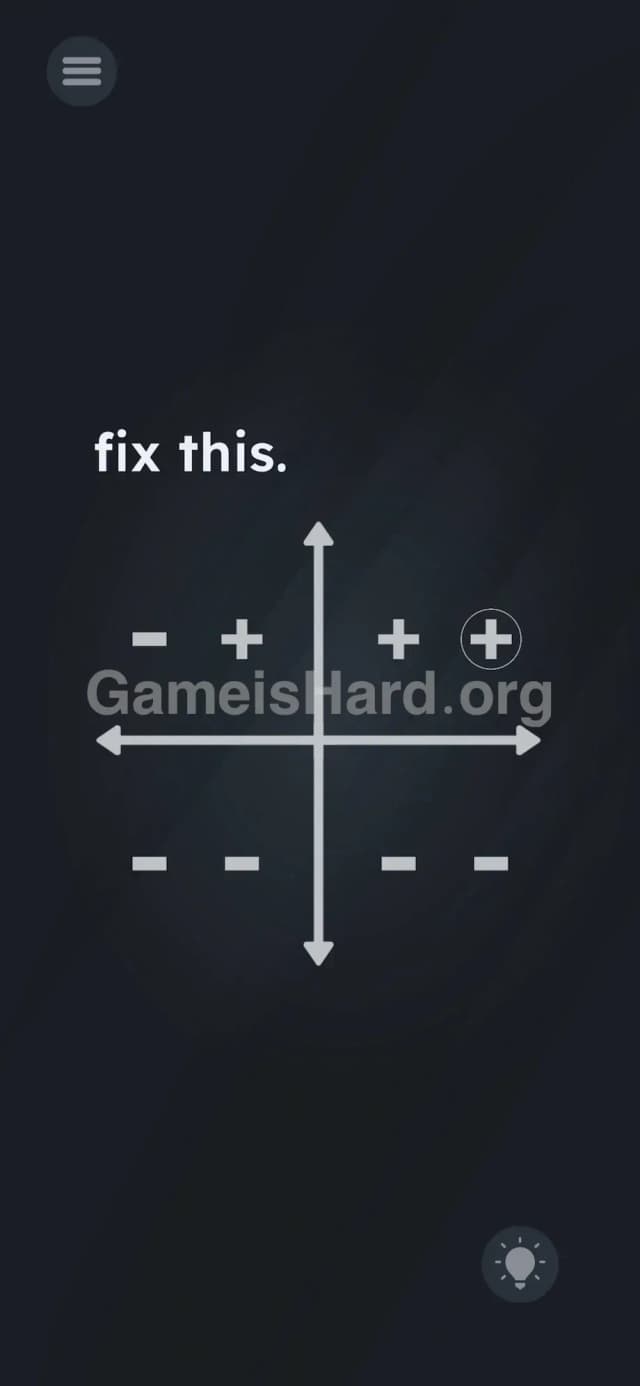
The screen is extremely barren. The dark background makes the stark white elements pop. At the top left, the prompt flatly says fix this. in lowercase letters.
Taking up the center of your screen is a large coordinate crosshair. A vertical y-axis and a horizontal x-axis intersecting perfectly in the middle. Arrows cap the ends of the lines.
Divided by these lines are four empty quadrants. Every single quadrant contains two horizontal dashes next to each other, looking like minus signs: - -.
Down in the bottom right corner, there is a standard hint lightbulb icon. Nothing else is visible. No drag-and-drop menus. No sliders. Just lines and dashes.
What’s Tricking People in Game is hard Level 213
The Trap of Game is hard Level 213
The core trap here is "UI Blindness." Gamers are heavily trained to look for obvious interactable items. A shiny button. A movable box. A text field. When we see structural lines like a graph, our brains categorize them as background art. We read the text, we look at the lines, and we wait for the game to give us the pieces. The developers know this. They exploit your brain's filtering system by hiding the solution inside the structural lines.
The Wrong Instincts in Game is hard Level 213
Players immediately try tapping the - - symbols hoping they will flip into plus signs like a toggle switch. They don't. Then people try dragging the letters from the fix this. prompt. Nothing happens. Some try tracing lines on the screen or pinching to zoom. I tried holding down both sides of the screen simultaneously thinking it was a multi-touch trick.
My Reaction to Game is hard Level 213
Total facepalm moment. I stared at the minus signs for three minutes wondering if I needed to use my phone's volume buttons to add positive values. Then I accidentally swiped my thumb across the middle of the screen and a piece of the graph just peeled off. The puzzle pieces were hiding in plain sight the entire time.
Game is hard Level 213 Step-by-Step Walkthrough
The Setup of Game is hard Level 213
Stop looking at the text. Stop looking at the dashes. Focus your attention entirely on the dead center of the screen. Look exactly at the point where the vertical line and horizontal line cross. That intersection forms a perfect + shape. That is not just background art. It is a physical object you can grab. You will need to memorize your basic Cartesian coordinate rules or just follow the steps below exactly.
The Action in Game is hard Level 213
- Tap and hold the dead center of the graph where the lines intersect.
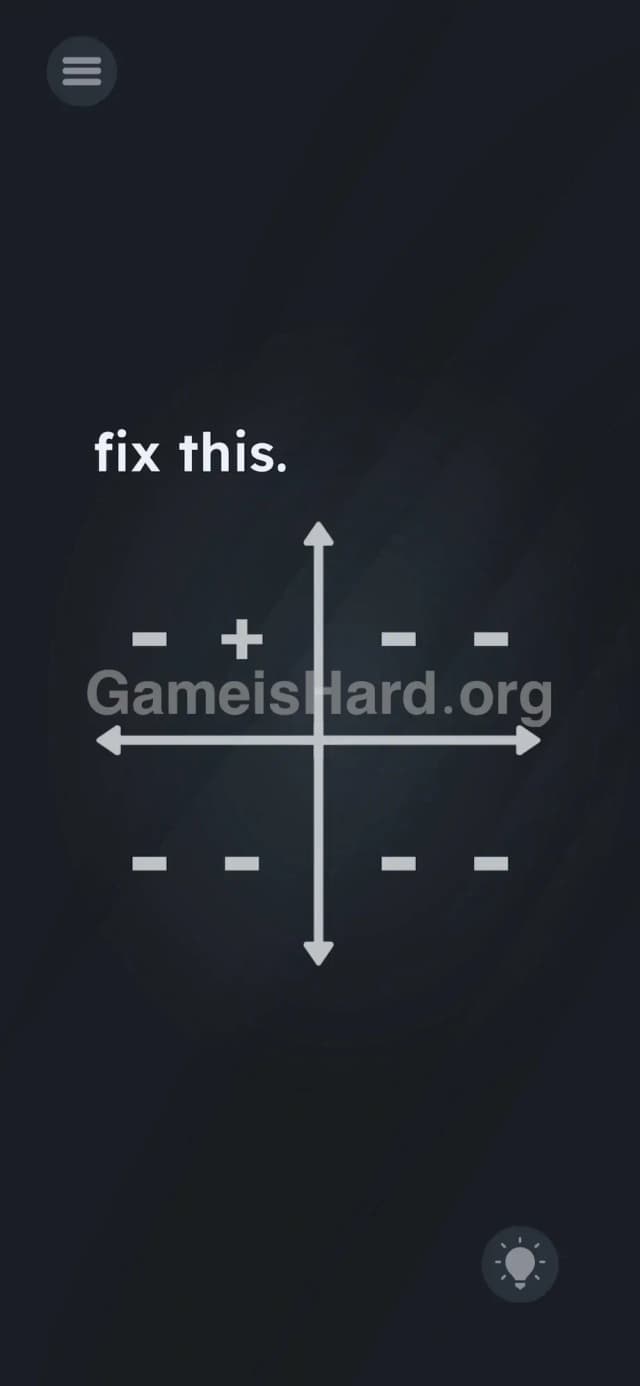
- Drag your finger away from the center. You will see a + symbol peel off the intersection and follow your finger.
- Drag this + to the Top Left quadrant (Quadrant II). Drop it directly over the right-side - symbol. It should now read - +.
- Go back to the center. Tap and drag a second + symbol.
- Drag it to the Top Right quadrant (Quadrant I). Drop it on the left - symbol.
- Grab a third + symbol from the center. Drop it on the remaining right - symbol in the Top Right quadrant. It should now read + +.
- Leave the Bottom Left quadrant (Quadrant III) entirely alone. It is already correct as - -.
- Grab a fourth and final + symbol from the center. Drag it to the Bottom Right quadrant (Quadrant IV). Drop it over the left - symbol. It should now read + -.
Troubleshooting at Game is hard Level 213
- The plus sign isn't dropping: Accuracy matters. You have to drop the + directly on top of the existing - symbol for it to snap into place. If you drop it in the empty space, it will snap back to the center.
- I put it in the wrong spot: Usually, grabbing the placed + and dragging it away resets it, or you can just overwrite the correct spots. If the UI completely bugs out and won't let you move a misplaced plus sign, force close the app and restart the level.
- The level isn't completing: Double-check your math. Top right must be two positive signs. Bottom left must be two negative signs. Even one mistake keeps the level from clearing.
The Logic Behind Game is Hard Level 213
This level perfectly demonstrates the "Linguistic Deconstruction" mechanic these developers love. The game treats every visual element on the screen as a literal, physical object. The lines on the graph aren't just lines; they are intersecting segments that happen to form the shape of a plus sign.
The logic test is twofold. First, it tests your ability to break out of UI blindness and interact with the environment creatively. Second, it tests basic middle school math. A standard Cartesian coordinate system works like this:
- Quadrant I (Top Right): x is positive, y is positive (+, +)
- Quadrant II (Top Left): x is negative, y is positive (-, +)
- Quadrant III (Bottom Left): x is negative, y is negative (-, -)
- Quadrant IV (Bottom Right): x is positive, y is negative (+, -)
The instructions are bait; the UI is the real puzzle. The game gives you a grid of negative numbers and asks you to fix it. You literally have to pull the positive out of the environment.
Pro Tip for Game is Hard Level 213
If you are speedrunning or just want the fastest way through without thinking about math, follow this exact sequence:
- Yank a + from the center and drop it on the right dash of the top-left area.
- Yank two + signs from the center and cover both dashes in the top-right area.
- Ignore the bottom-left area entirely.
- Yank one last + from the center and drop it on the left dash of the bottom-right area.
Do not waste time trying to move the minus signs. They are glued down. Only the center intersection moves.
FAQ of Game is hard Level 213
Where do I get the plus signs? They are hiding in plain sight at the exact center of the screen. Tap the intersection where the x and y axes meet and drag your finger outward. A + will follow your finger.
Do I need to change every minus sign? No. The Bottom Left quadrant (Quadrant III) represents negative x and negative y values. It is already mathematically correct as - -. Leave it alone.
Why does the plus sign snap back to the middle? You are dropping it too far away from the target. You must hover the + directly over the specific - dash you want to replace before lifting your finger. If your aim is sloppy, the game rejects the placement.
What is the final layout supposed to look like? Top Left: - + Top Right: + + Bottom Left: - - Bottom Right: + -
Can I reset the puzzle without restarting the app? Usually, you can drag a misplaced + off the board to reset it. If you have completely filled the screen with incorrect symbols and the game freezes, hit the pause/menu button and restart the specific level.
Get more level walkthrough on Gameishard.org
Our guides strip out the filler so you can grab the solution and get right back to playing. We know exactly how frustrating these UI logic traps can be.
Stuck on the next puzzle? Keep Gameishard.org bookmarked. Share this guide with your friends on Discord who are raging at the coordinate graph. Keep dragging the unexpected, and good luck on the next level.