Game Is Hard Level 111 Solution Walkthrough & Answer
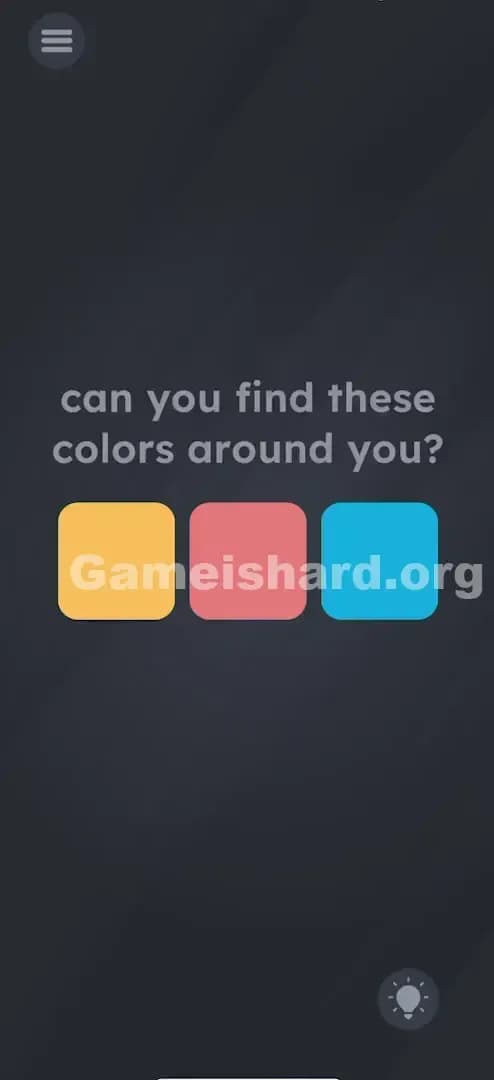
How to solve Game Is Hard level 111? Get instant solution & answer for Game Is Hard level 111: "can you find these colors around you?"
Doesn't look like your level?
App updates can sometimes shuffle the order of puzzles. If this level 111 walkthrough doesn't match your screen, don't worry! You can browse our All Levels guide to find your exact puzzle by its picture.
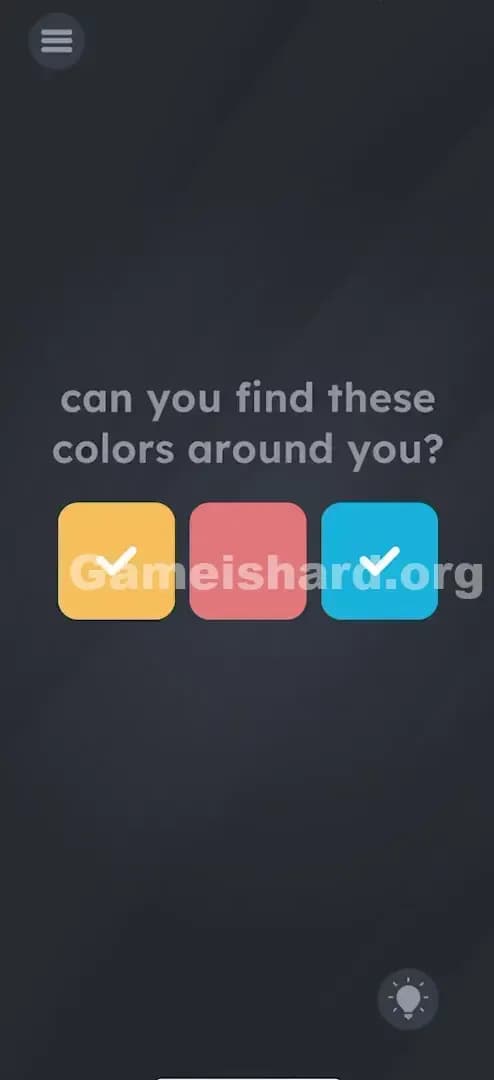
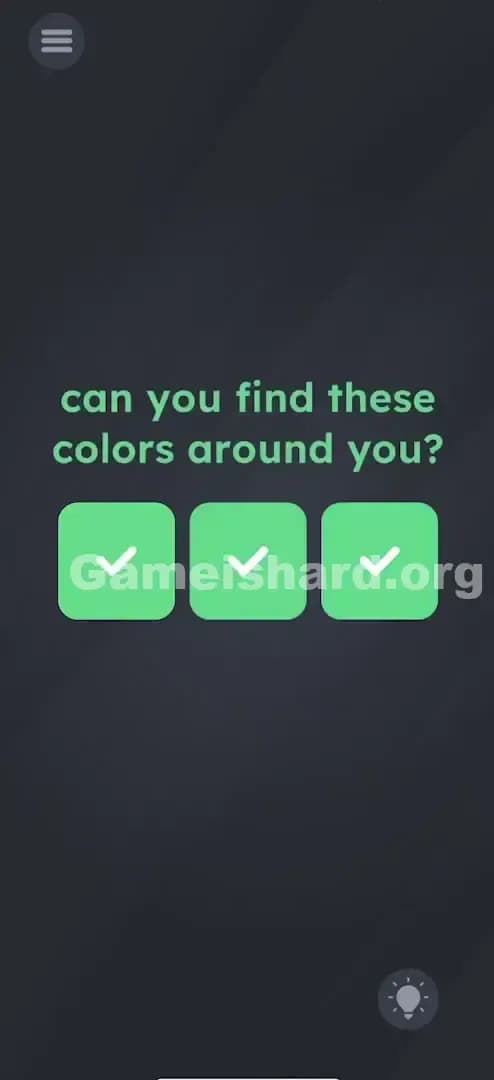
Quick Answer for Game is hard Level 111 (Do This)
Solution: Search for images of orange, red, and blue on another screen (like a laptop or tablet), then point your phone's rear camera at those colors one by one until each square on the screen gets checked off.
You actually have to physically move your phone to look at real-world colors matching the boxes.
Game is Hard Level 111 Overview
The Hook of Game is hard Level 111
Wait, what? The game is asking you to look "around you." Most of us play these puzzle games curled up on a couch or lying in bed in the dark. Suddenly, you're expected to be an active participant in the physical world. It feels invasive. It breaks the "magic circle" where everything you need is usually inside the tiny glass rectangle in your hand. This level refuses to let you stay lazy.
The Objective in Game is hard Level 111
Your goal is to fill the three colored squares—Orange, Red, and Blue—with checkmarks. The game is essentially running a color-matching algorithm using your phone's camera feed, even though you can't see the camera feed on the screen. You have to feed the sensor the correct data.
Mechanics at Play of Game is hard Level 111
- Camera Sensor: The game is silently accessing your rear camera.
- Real-World Interaction: You must find physical objects or digital images that match the hex codes of the boxes.
- Augmented Reality (Lite): It's not full AR, but it's using the environment as an input method.
- Permissions: If you haven't granted camera permissions, this level is literally impossible.
This isn't a puzzle you solve with your brain. It's a scavenger hunt.
What You See on Screen in Game is hard Level 111
The layout is deceptively simple, almost boring. You're staring at a dark grey background, standard for this game.
- The Prompt: At the top center, in that familiar sans-serif font, it reads: "can you find these colors around you?"
- The Targets: Below the text, there are three rounded squares lined up horizontally.
- Left: A soft Orange/Yellow color.
- Middle: A muted Red/Pink color.
- Right: A bright Cyan/Blue color.
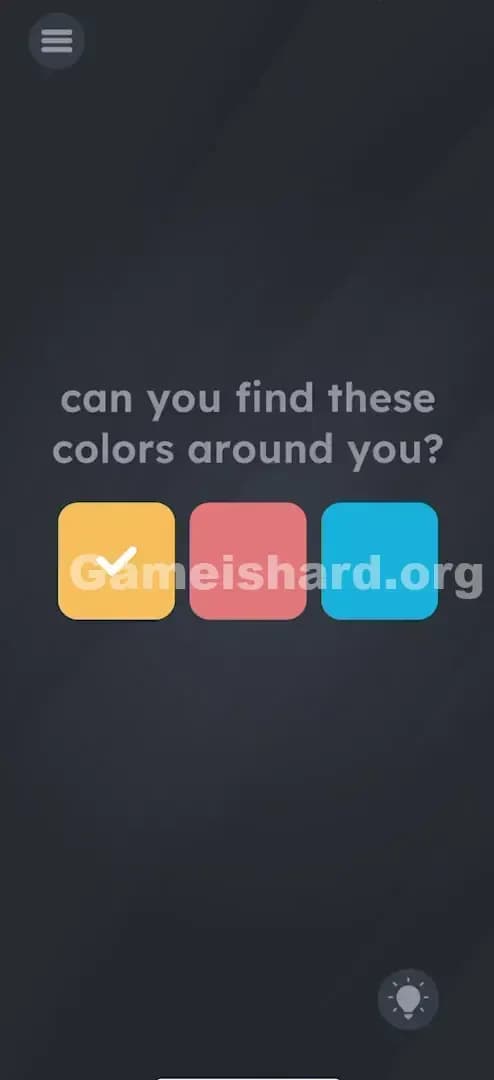
- The Feedback: Initially, the boxes are plain. As you "hit" the right color, a green checkmark appears inside the corresponding box.
That's it. No buttons. No sliders. No hidden text to drag. Just three silent squares waiting for input.
What’s Tricking People in Game is hard Level 111
The Trap of Game is hard Level 111
The trap is assuming the "game" is contained within the app. Players tap the squares. They drag the squares onto each other to mix colors. They shake the phone hoping the colors will fall out. We are trained to think that the solution is always a touch gesture away. We forget that our smartphones are packed with sensors—accelerometers, gyroscopes, microphones, and cameras.
The Wrong Instincts in Game is hard Level 111
I spent a good two minutes trying to find something orange in the game. I dragged the word "colors" onto the orange box. Nothing. I tried to change the background color by tilting my phone. Nada. The instinct is to manipulate the UI, but the UI here is just a scoreboard. The controller is the world around you.
My Reaction to Game is hard Level 111
When I finally realized what it wanted, I felt silly. I was sitting in a room with beige walls and grey furniture. I had to get up and walk to the kitchen to find a box of cereal just to pass a level. It was annoying, but clever.
Game is hard Level 111 Step-by-Step Walkthrough
The Setup of Game is hard Level 111
First, ensure the game has permission to use your camera. If you denied it earlier, you'll need to go into your phone settings and enable it for this app. Without eyes, the app is blind. Next, you need sources of color.
The Action in Game is hard Level 111
- Prepare your palette: You don't actually need to run around your house. Open a browser on a secondary device (laptop, iPad, TV, or even a friend's phone).
- Search for "Orange Color": Go to Google Images and search for a solid block of orange.
- Scan it: Point the back of your phone (the main camera) directly at the orange screen. Get close so the color fills the frame. Hold it steady for a second. You should hear a ding or see a checkmark appear in the Orange box on your screen.
- Repeat for Red and Blue: Do the exact same thing. Search "Red color" -> Point camera -> Wait for checkmark. Search "Blue color" -> Point camera -> Wait for checkmark.
Troubleshooting at Game is hard Level 111
- Lighting matters: If you are pointing at a real object (like an orange) in a dark room, the camera sensor might read it as "brown" or "grey." Turn on the lights.
- Screen glare: If scanning a monitor, avoid glare. Glare reads as "white" to the sensor.
- Permissions: If nothing is happening no matter what you point at, the app likely doesn't have camera access. Check your OS settings.
Micro-Details That Make the Move Register on Game is hard Level 111
Getting the camera to trigger the "success" state can be finicky. Here is how to force it:
- Fill the Frame: The game's algorithm is looking for a dominant color. If you point at a red cup on a white table, the camera sees mostly white. Move your phone closer until the red cup is the only thing the lens sees.
- Be Patient: The polling rate (how often the game checks the camera) might be slow to save battery. Hold the position for 2 full seconds.
- Color Tone: The "Blue" box is actually quite light, almost Cyan. If a dark Navy Blue isn't working, try a lighter sky blue. The "Red" is slightly pinkish—a pure crimson red usually works, but a lighter red is safer.
- I fixed it by... holding my phone up to my own t-shirt for the blue one. Sometimes the answer is literally on you.
The Logic Behind Game is Hard Level 111
This level tests your understanding of the device's hardware capabilities. It breaks the fourth wall.
- Hardware access: Most levels use the touchscreen. Some use the gyroscope (shake/tilt). This one unlocks the Camera.
- External dependencies: The puzzle cannot be solved in a vacuum. It forces an interaction between the digital game logic and physical reality.
- Game is hard pattern: The game constantly shifts the definition of "input." Input isn't just tapping; input is data. In this case, visual data from the real world.
Pro Tip for Game is Hard Level 111
If you are stuck on a bus or in the dark and literally cannot find colored objects:
- Use your own clothes: Jeans work great for blue. Skin usually registers as orange/beige if the lighting is warm.
- Use app icons: Close the game (background it), find an app on your home screen with the right color icon (like Reddit for orange/red, Twitter/X for blue), zoom in or just remember where it is.
- Cheater method: If you have absolutely no other screens, find a magazine or a colorful ad on a billboard. Anything works.
Don't waste time trying to mix colors by dragging the boxes. They are locked in place.
Alternative Attempts on Game is hard Level 111 (What Doesn’t Work, and Why)
- Tapping the boxes relentlessly: The boxes are output indicators, not buttons. Tapping does nothing.
- Dragging the words "Orange", "Red", "Blue" (if they existed): There are no color words here, just the prompt text.
- Shaking the phone: This usually resets or rearranges items, but here it just makes you look silly. The camera needs a steady shot.
- Covering the camera: This registers as "Black." Unless one of the boxes is black (it isn't), this won't help.
- Using the selfie camera: The game defaults to the rear camera. Staring at the screen intently won't work unless you flip the phone around (which makes it hard to see if you succeeded).
Common Mistakes for Game is Hard Level 111
- Thinking the game is bugged: "I'm tapping but nothing happens!" (It's not a tapping level).
- Poor Lighting: Trying to scan a red object in a dim room. The camera sensor needs photons to identify color.
- Wrong Camera: Pointing the front (selfie) camera at the object instead of the back camera.
- Distance: Holding the phone too far away from the object so the color doesn't fill the sensor's view.
- Color Mismatch: Trying to use a dark purple for the "Blue" square. The hex codes need to be relatively close.
Pattern Recognition: How to Spot This Trick in Future Game is Hard Levels
The Tell
If you see a prompt that asks about "finding" something or mentions "around you," "darkness," or "light," the game is likely accessing a hardware sensor (Camera or Light Sensor).
The Habit
When the touchscreen stops responding to logic, start thinking about the phone itself.
- Is it looking for sound? (Mic)
- Is it looking for movement? (Gyro)
- Is it looking for light/images? (Camera)
- Is it looking for location? (GPS - rare but possible).
Always check for that little green/orange dot in the corner of your screen that indicates a camera or mic is active on modern smartphones. That's your cheat sheet.
Game is hard Level 111 FAQ (Short, Useful)
Q: Do I really need to get up on Game is hard Level 111? A: Unless you have a colorful shirt or a second screen nearby, yes. You need physical colors.
Q: Why isn't the blue box checking off on Game is hard Level 111? A: The game is picky. Try a lighter blue (Cyan) rather than dark blue. Use a Google Image search for "Cyan color" for best results.
Q: Does this work on tablets without rear cameras on Game is hard Level 111? A: It might default to the front camera, but most modern devices have rear cameras. If you have no camera at all, you cannot beat this level.
Q: Is the game recording me on Game is hard Level 111? A: Technically yes, it's processing the video feed, but it's just looking for color values. It's not saving video of your messy room.
Get more level walkthrough on Gameishard.org
Stuck on the next puzzle? We break down every trick Game is hard throws at you so you don't have to rage quit. Check our index for the next level; these guides are built to get you back in the game fast. Good luck with the scavenger hunt!