Game Is Hard Level 110 Solution Walkthrough & Answer
How to solve Game Is Hard level 110? Get instant solution & answer for Game Is Hard level 110: "set it free"
Doesn't look like your level?
App updates can sometimes shuffle the order of puzzles. If this level 110 walkthrough doesn't match your screen, don't worry! You can browse our All Levels guide to find your exact puzzle by its picture.
Quick Answer for Game is hard Level 110 (Do This)
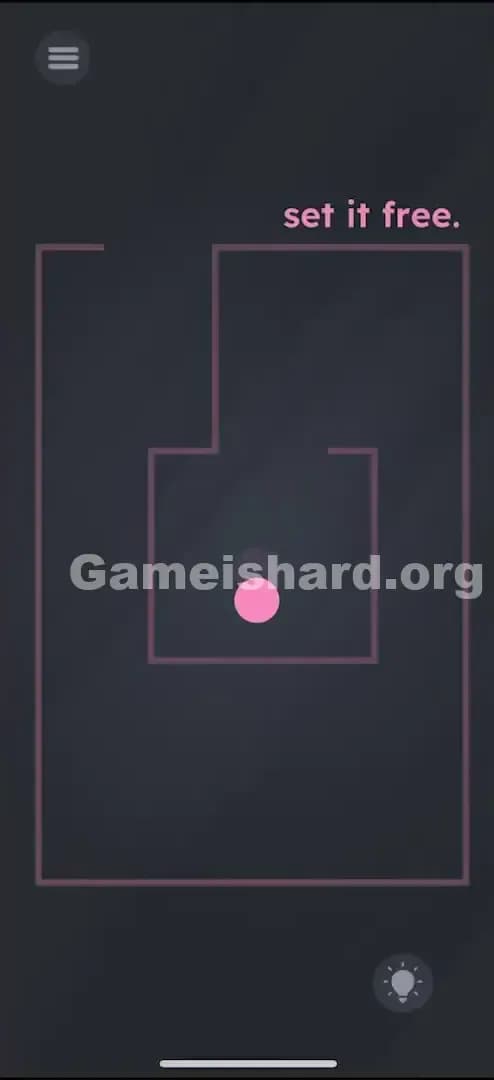
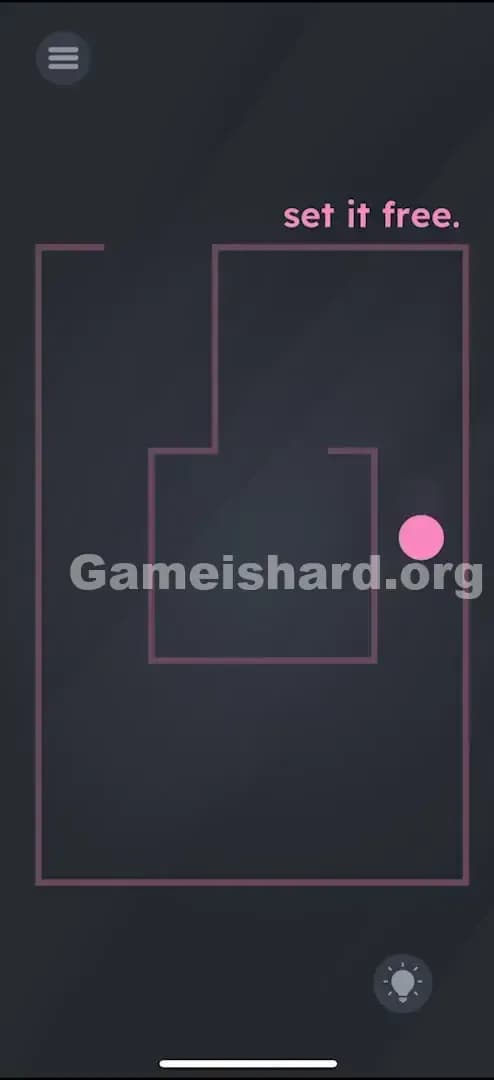
Solution: Tilt your actual phone physically to roll the pink ball out of the maze through the gap on the top-left side.
Don't drag the ball with your finger; it only responds to gravity from your device's gyroscope.
Game is Hard Level 110 Overview
The Hook of Game is hard Level 110
You're stuck in a box. Literally. The moment level 110 loads, you see a ball trapped inside a maze. Your first instinct is to swipe it, tap it, or drag it. But the screen feels dead. The ball ignores your finger completely. It’s frustrating because the solution is staring you in the face—"set it free"—but the controls seem broken.
The Objective in Game is hard Level 110
The goal is simple: escape the maze. But this isn't a touch-screen puzzle. It's a physics puzzle. You need to guide the ball from the inner chamber to the outer void, effectively removing it from the maze entirely.
Key Mechanics
- Tilt Control / Gyroscope: The game uses your phone's sensors, not the touchscreen.
- Physics Simulation: The ball has weight and momentum.
- Maze Navigation: You have to respect the walls; you can't phase through them.
It’s not a glitch. It’s gravity.
What You See on Screen in Game is hard Level 110
The screen is mostly dark grey, minimalist and clean.
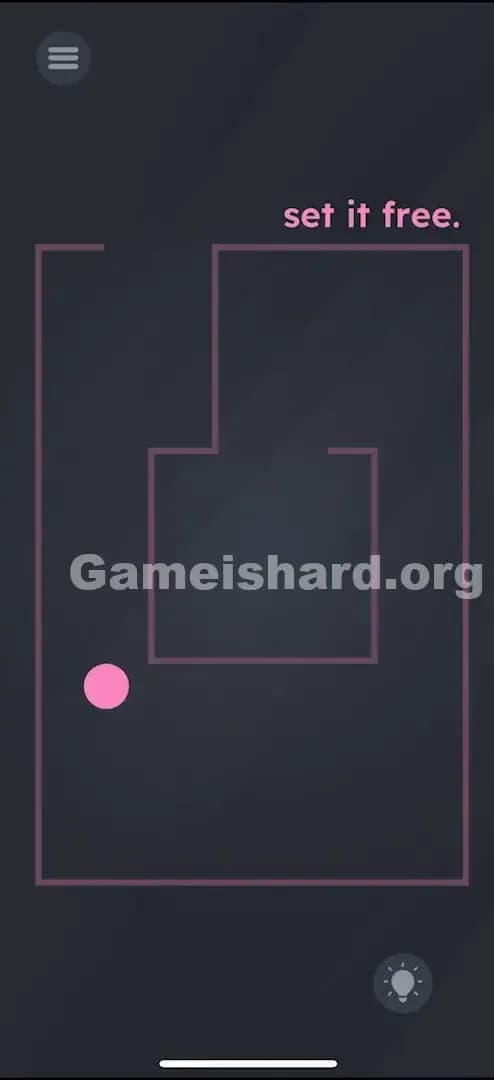
- The Prompt: In the top right corner, in pink text, it simply says "set it free."
- The Maze: There are pink lines forming a simple, boxy maze structure. It has an inner square where the ball starts, and an outer corridor.
- The Ball: A bright pink ball sits in the center.
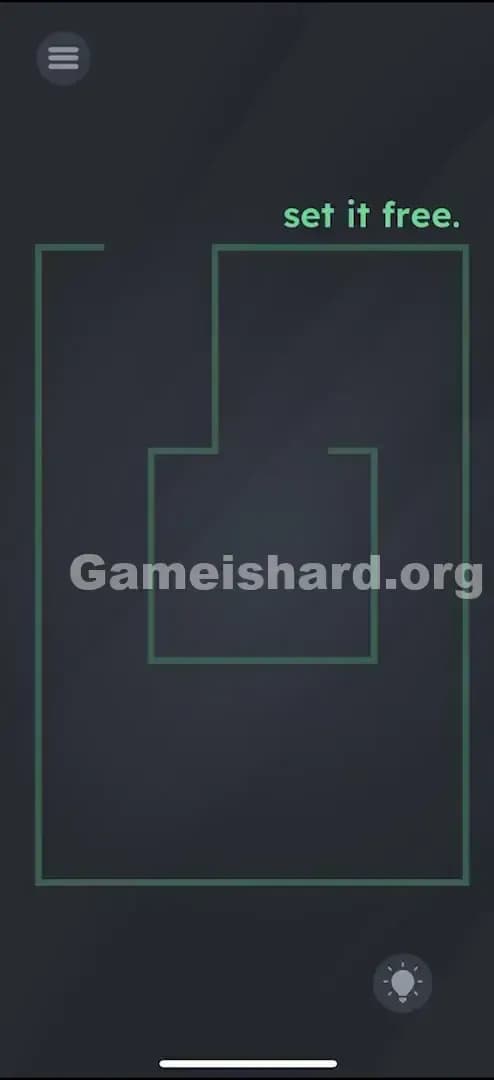
- The Exit: Notice the gap in the walls. The inner box has an opening at the top. The outer wall has an opening at the very top-left corner. That is your exit route.
What’s Tricking People in Game is hard Level 110
The Trap of Game is hard Level 110
The biggest trap here is "Touchscreen Bias." We are so used to interacting with mobile games by tapping and swiping that we forget the device itself is a controller. Players will scrub their thumbs raw trying to drag that pink ball, assuming the game is lagging or the hitbox is tiny.
The Wrong Instincts in Game is hard Level 110
- Dragging the ball: It won't budge.
- ** Tapping the exit:** The gap isn't a button.
- Swiping the text: Moving the words "set it free" does nothing here.
- Shaking the phone: While this uses sensors, violent shaking usually just bounces the ball off the walls rather than guiding it out.
My Reaction to Game is hard Level 110
I spent a solid minute trying to drag the walls themselves, thinking maybe I had to break the maze open. Then I accidentally shifted in my chair, saw the ball roll slightly to the left, and felt like an idiot. The game didn't tell me the rules changed; it just waited for me to figure it out.
Game is hard Level 110 Step-by-Step Walkthrough
The Setup of Game is hard Level 110
Hold your phone flat or upright in a comfortable position. Make sure screen rotation isn't locked (though usually, games override this, it helps to be sure your sensors are active). Locate the pink ball in the center.
The Action in Game is hard Level 110
- Tilt your phone forward (or up) to make the ball roll upward out of the small inner box.
- Tilt your phone to the left to guide the ball into the left corridor.
- Tilt your phone up again to roll the ball toward the top-left corner gap.
- Tilt left/up aggressively to force the ball completely off the maze lines and into the dark void.
Verification
Once the ball passes the threshold of the outer wall gap, the level will instantly complete. If the ball gets stuck on a corner, just tilt the opposite way briefly to "unstuck" it, then try again.
Troubleshooting
- Ball not moving? Your phone's gyroscope might be calibrated incorrectly or the app might not have permission (rare for this game type). Try lying the phone flat on a table and then picking it up again.
- Ball moving too fast? The physics can be slippery. Use small, gentle tilts. Pretend it's a real marble on a wooden board.
The Logic Behind Game is Hard Level 110
This level is a classic "Break the Fourth Wall" puzzle. The game stops treating the screen as a 2D surface for input and starts treating the phone as a 3D object in the real world.
It forces you to switch mental gears from "Software User" (tapping buttons) to "Hardware Operator" (manipulating the device). Game is hard loves to remind you that the hardware sensors are just as much a part of the puzzle as the pixels on the screen.
Pro Tip for Game is Hard Level 110
- Put your phone flat on a table if you are struggling.
- Lift only the bottom edge to make it go up.
- Lift only the right edge to make it go left.
- This isolates the axis movements and prevents diagonal sliding, making the maze easier to navigate.
FAQ of Game is hard Level 110
Q: Why isn't the ball moving when I touch it in Game is hard Level 110? A: This level disables touch controls for the ball. You must tilt your physical device to move it using gravity.
Q: Does screen rotation lock affect this level? A: Generally no, games access the raw accelerometer data regardless of your UI rotation lock.
Q: Can I skip the maze walls? A: No, the pink lines act as solid barriers. You have to navigate through the openings.
Q: My ball is stuck in a corner! A: Tilt your phone in the complete opposite direction to center the ball, then try the path again slowly.
Get more level walkthrough on Gameishard.org
If you found this guide helpful, check out our other walkthroughs for Game is hard. We skip the fluff and get straight to the solution so you can keep playing. Share this with your friends if they are stuck tilting their heads instead of their phones!