Game Is Hard Level 61 Solution Walkthrough & Answer
How to solve Game Is Hard level 61? Get instant solution & answer for Game Is Hard level 61: "it is so lonely for the blue ball."
Doesn't look like your level?
App updates can sometimes shuffle the order of puzzles. If this level 61 walkthrough doesn't match your screen, don't worry! You can browse our All Levels guide to find your exact puzzle by its picture.
Quick Answer for Game is hard Level 61 (Do This)
Solution: Hold your finger on any purple ball to keep it still, then use another finger to drag the blue ball directly onto it until they stick together. Make sure you don't let go of the purple ball until the blue one connects.
Game is Hard Level 61 Overview
The Hook of Game is hard Level 61
You stare at the screen. "It is so lonely for the blue ball," the text cries out. Naturally, you try to introduce the blue ball to its purple neighbors. You drag the blue ball toward a purple one, and—zoom—the purple ball runs away like a terrified squirrel. It feels like trying to push two magnets together with the same polarity. The game is actively trolling you by coding repulsion physics into the objects you need to connect.
The Objective in Game is hard Level 61
Your goal is simple but annoying: make the blue ball touch a purple ball. The problem isn't finding the solution; it's physically executing it against a mechanic designed to push you away. You are fighting the game's physics engine, not a logic puzzle.
Key Mechanics Involved in Game is hard Level 61:
- Multi-touch: You need two fingers on the screen simultaneously.
- Physics/Repulsion: Objects are programmed to flee from the player's primary touch.
- Hold to Lock: Interacting with an object "grounds" it so physics can't move it.
It’s not a glitch. It’s a test of dexterity.
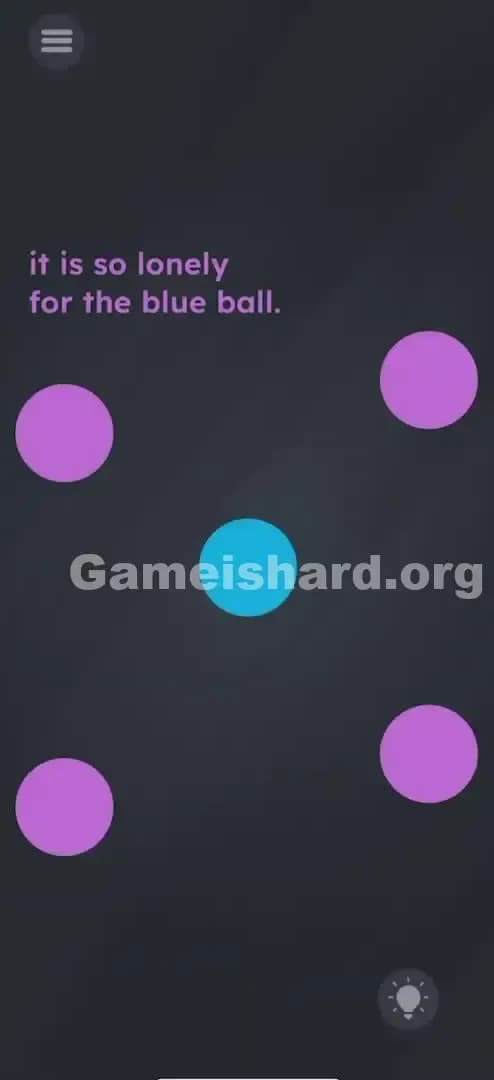
What You See on Screen in Game is hard Level 61
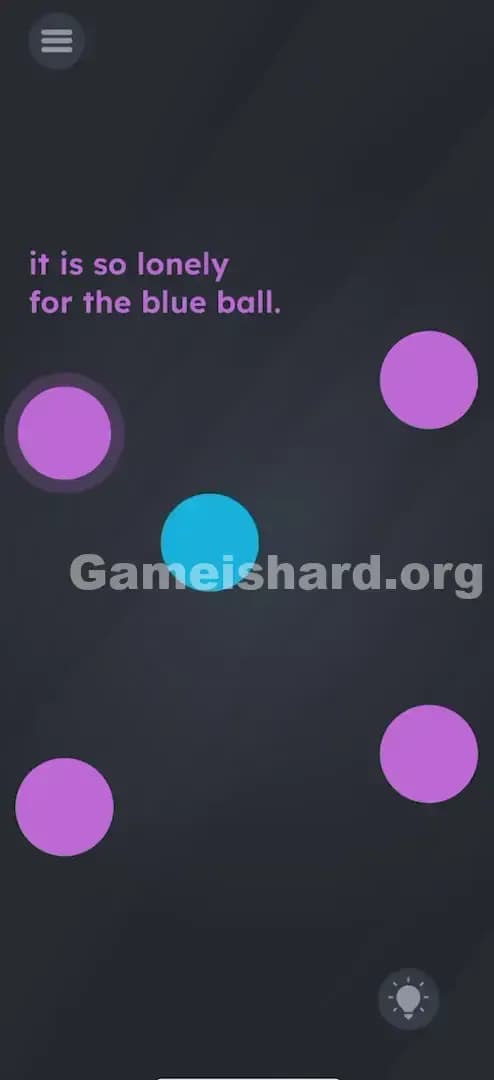
Imagine looking at a pool table from above, but the lighting is moody and dark grey.
- Top Left: The instruction text, written in purple font: "it is so lonely for the blue ball."
- Center: A single, sad Blue Ball. It’s the protagonist of this tiny tragedy.
- Perimeter: Four Purple Balls arranged roughly in a square around the blue one. They look stationary, but they are skittish.
- Bottom Right: The hint lightbulb icon (ignore it, you have me).
- Top Left Corner: The menu icon.
The scene looks static until you touch the screen. That’s when the chaos starts.
What’s Tricking People in Game is hard Level 61
The Trap of Game is hard Level 61
The primary trap here is relying on a single finger. Most mobile games are "single-input" experiences. You tap a button. You swipe a candy. You drag a card. Game is hard Level 61 punishes single-finger players by making the target object (the purple ball) run away faster than you can drag the blue ball. If you chase a purple ball, it will just circle the screen endlessly, staying just out of reach.
The Wrong Instincts in Game is hard Level 61
- Speed: Players often try to "flick" the blue ball quickly, hoping to catch the purple ball off guard. Doesn't work. The repulsion is instant.
- Cornering: You might try to pin a purple ball against the edge of the screen. While technically possible with extreme patience, the physics usually cause the ball to slide along the wall and escape.
- Shaking the Phone: A common sensor trick in this game, but shaking does nothing here except maybe make you look silly on the bus.
My Reaction to Game is hard Level 61
I spent a good two minutes chasing the top-right purple ball in circles. I thought maybe I had to hit them in a specific order, or maybe drag the word "blue" onto the balls. Then I realized my finger was the repelling force. If I could stop the purple ball from moving, I win. And how do you stop things in a touch interface? You hold them down. Facepalm.
Game is hard Level 61 Step-by-Step Walkthrough
The Setup of Game is hard Level 61
Place your phone on a flat surface or hold it steadily with one hand. You need two free fingers (thumbs work, but index fingers are more precise). Locate the Blue Ball in the center and pick any one of the Purple Balls.
The Action in Game is hard Level 61
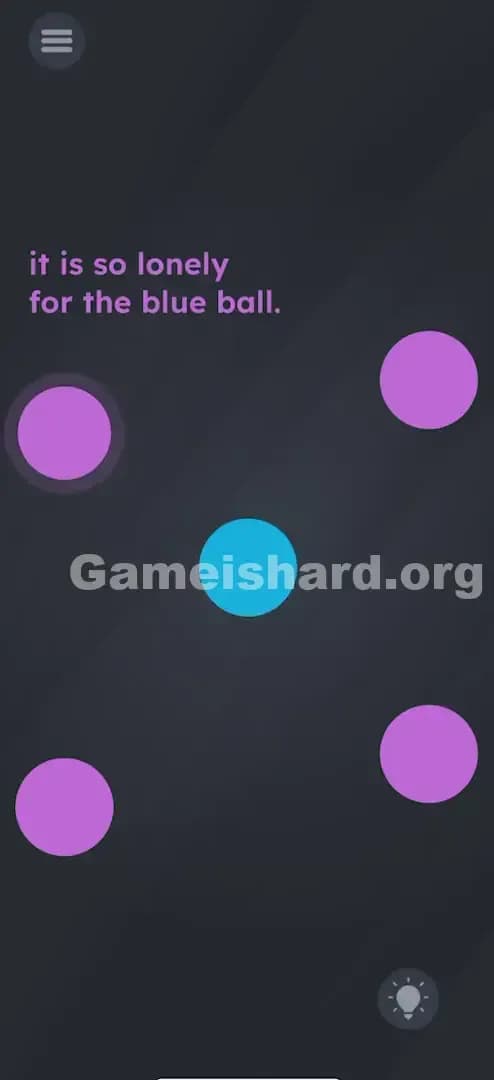
- Pin the Target: Take one finger and press and hold firmly on a purple ball. Do not let go. This "locks" the ball in place so it cannot run away from you.
- Drag the Hero: With your second finger (or other hand), grab the blue ball.
- Make the Connection: Drag the blue ball directly onto the purple ball you are holding down.
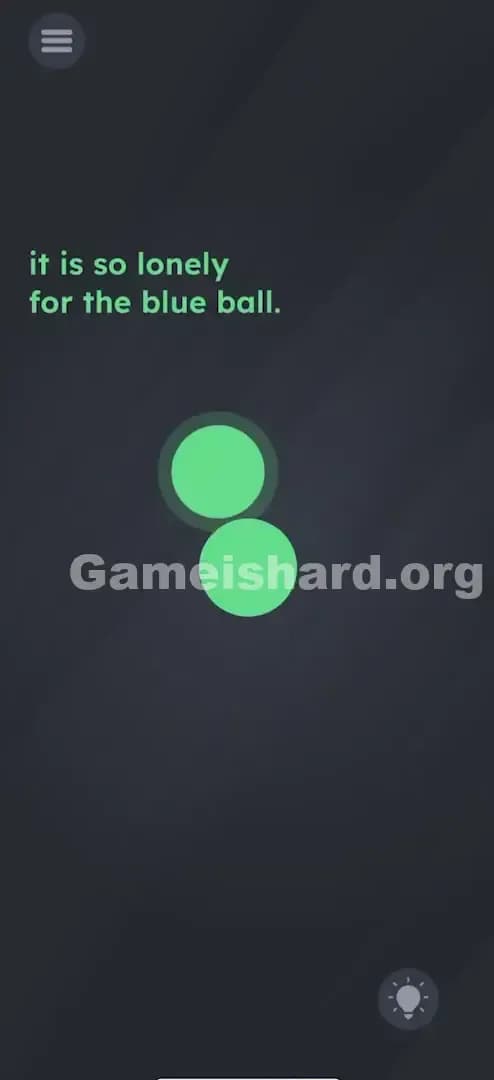
- Verification: The two balls will "stick" or merge, and the level will clear immediately.
Troubleshooting at Game is hard Level 61
- "The purple ball still moves!" You probably lifted your finger for a split second or your touch wasn't registered firmly. Press harder and don't slide that finger.
- "Nothing happens when they touch." Ensure the blue ball overlaps the purple ball significantly. A glancing blow might not trigger the win state. Hold them together for a second.
- "My fingers are in the way." If you have large fingers, try using the purple ball in the bottom right corner so your hand doesn't block your view of the blue ball.
Micro-Details That Make the Move Register on Game is hard Level 61
This level relies on the game detecting two distinct touch points.
- Touch Priority: The game prioritizes the "hold" command over the "repel" command. If a purple ball is being touched, its movement logic is disabled.
- Overlap Zone: You don't need a pixel-perfect overlap. Getting the blue ball to cover about 50% of the purple ball is usually enough to trigger the "connected" state.
- I fixed it by... cleaning my screen. Seriously. I had a smudge that was causing "ghost touches," making the blue ball jittery. Once I wiped the screen, the drag-and-drop was smooth.
The Logic Behind Game is Hard Level 61
This level is a classic lesson in "Constraint Satisfaction." The constraint is the repulsion physics. The solution is finding the override command.
Game is hard often teaches you that the rules of the game world (physics) are mutable if you interact with them directly. By holding the object, you are effectively telling the game code, "Pause the AI for this specific object." It transforms a reflex-based chase sequence into a static logic puzzle. It’s also testing your ability to think outside the "one finger" box that standard UX design has trapped us in.
Pro Tip for Game is Hard Level 61
If you are speed-running or replaying:
- Use two hands.
- Left thumb holds the bottom-left purple ball.
- Right thumb drags the blue ball down.
- Don't chase. Chasing is the failure state.
Do not waste time trying to "trick" the balls into a corner. The physics engine is faster than your swipe.
Alternative Attempts on Game is hard Level 61 (What Doesn’t Work, and Why)
Here are the things I tried so you don't have to waste your battery life on them:
- Dragging "Blue" text to "Purple" text: The text is just a label here, not an interactive object.
- Pinching the screen: Zooming in or out doesn't change the ball distance.
- Tilting the device: Gravity is not enabled for these balls; they float in zero-G.
- Wait and See: Doing nothing just leaves the blue ball lonely forever. Sad.
- Tapping rapidly: Spamming tap on the purple ball doesn't lock it; it just makes it stutter-step away from you.
- Dragging Purple to Blue: Technically this can work if you hold the Blue ball with one finger and drag the Purple with another, but the repulsion logic usually makes the Purple ball harder to grab initially. It's easier to move the non-repelling object (Blue).
Common Mistakes for Game is Hard Level 61
- The "Claw" Grip: Trying to do this with one hand using a thumb and index finger often leads to dropping the phone. Use two hands.
- Letting Go Too Soon: Releasing the hold on the purple ball just as the blue ball arrives. The purple ball will immediately shoot away before the "win" registers.
- Ignoring the other balls: Sometimes players focus so hard on one purple ball that they accidentally bump the blue ball into the repulsion field of another purple ball, sending it flying off course.
- Screen Protectors: Thick glass protectors can sometimes drop a multi-touch input. If it fails, press harder.
- Sweaty Hands: Moisture can mess up the multi-touch registration. Dry your thumbs!
Pattern Recognition: How to Spot This Trick in Future Game is Hard Levels
The Tell
Whenever you see objects that run away from your finger or move erratically when approached, assume the solution involves immobilizing them.
The Habit
In any puzzle game involving physics or movement:
- Touch everything to see how it reacts.
- If it moves, try holding it.
- If holding it stops the movement, look for what needs to be brought to that stationary object. The game wants you to be the anchor.
Game is hard Level 61 FAQ (Short, Useful)
Q: Can I connect the blue ball to ANY purple ball on Game is hard Level 61? A: Yes. All four purple balls work exactly the same way. Pick the one easiest to reach.
Q: Why does the purple ball keep running away on Game is hard Level 61? A: The level is programmed with "repulsion physics." The purple balls are coded to move in the opposite direction of the blue ball/your finger unless pinned down.
Q: Does it matter which finger I use in Game is hard Level 61? A: No, but thumbs are usually strongest for the "hold" action so you don't slip.
Q: I'm holding the ball but the level won't end in Game is hard Level 61? A: Make sure you are dragging the blue ball all the way on top of the purple one. They need to look like they have merged into one shape.
Get more level walkthrough on Gameishard.org
That’s how you solve Game is hard Level 61 without losing your mind chasing dots. We keep our guides direct and fluff-free because we know you just want to get back to the game. If this helped you stop the chase, share the link with your friends! Good luck on the next one.