Game Is Hard Level 68 Solution Walkthrough & Answer
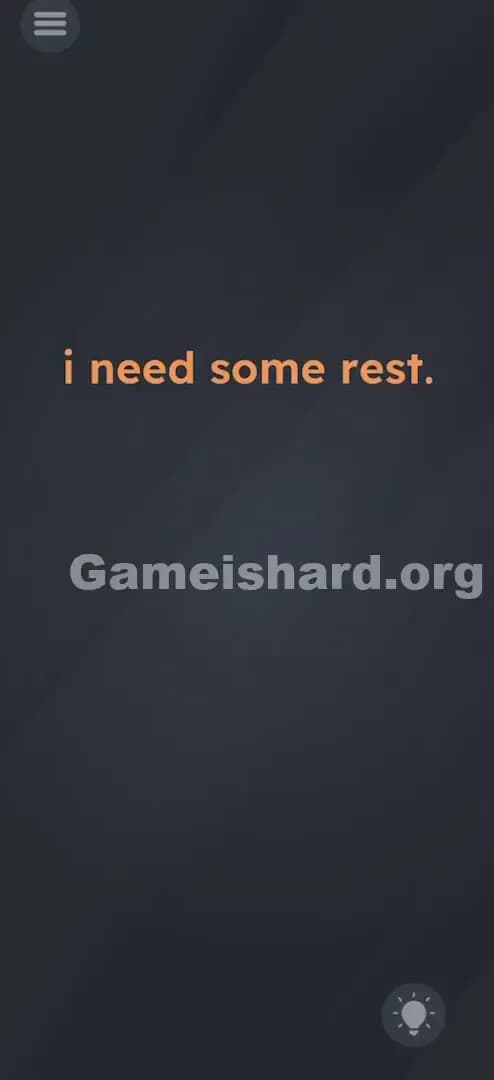
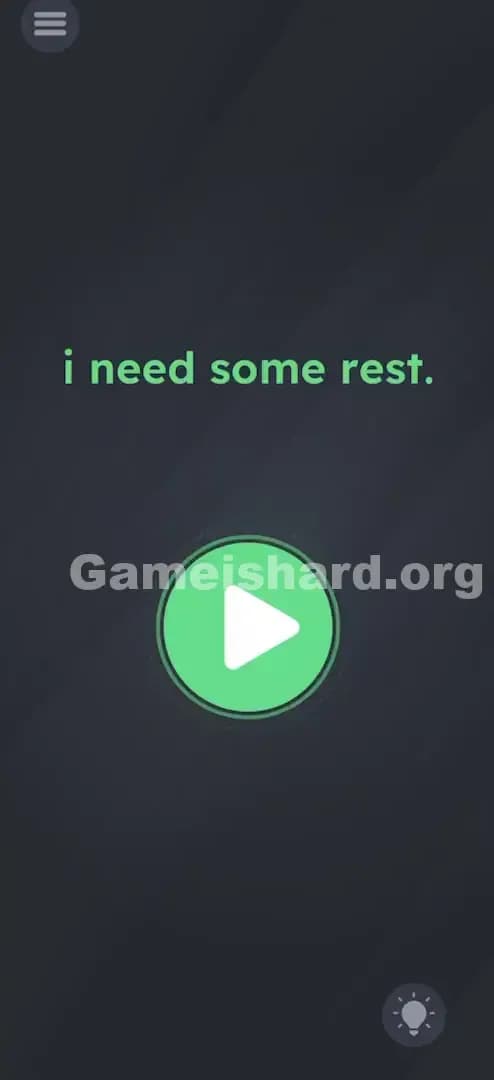
How to solve Game Is Hard level 68? Get instant solution & answer for Game Is Hard level 68: "I need some rest."
Doesn't look like your level?
App updates can sometimes shuffle the order of puzzles. If this level 68 walkthrough doesn't match your screen, don't worry! You can browse our All Levels guide to find your exact puzzle by its picture.

Quick Answer for Game is hard Level 68 (Do This)
Solution: Lay your phone completely flat on a table (screen facing up) until the text turns green, then tap the green Play button that appears.
(Make sure your device is on a stable, flat surface; holding it steady in your hand usually isn't enough.)
Game is Hard Level 68 Overview
The Hook of Game is hard Level 68
You load up Game is hard Level 68, and it feels like the game is mocking you. The screen is dark, minimalist, and just says "i need some rest." There are no buttons. No puzzles to solve. No enemies to fight. Just a complaint from the game itself. Usually, when a game says it needs rest, you close the app. But here? Closing the app is quitting. You have to figure out how to give a digital object a nap. It’s annoying because your first instinct—tapping the screen to wake it up—is exactly the wrong move.
The Objective of Game is hard Level 68
The goal here isn't to solve a riddle or drag an object. The goal is to simulate a physical state using your phone's hardware sensors. The game wants you to treat the device itself as the character. If the text says "i need some rest," you need to create a restful environment for the phone. This isn't about logic; it's about acting.
Key Mechanics involved in Game is hard Level 68
- Gyroscope / Accelerometer: The game is reading the precise angle of your phone.
- Timing / Waiting: This isn't instant; you have to prove you are resting.
- State Change: The game waits for a specific condition (flatness) before unlocking the next UI element.
- Hidden UI: The "Play" button doesn't exist until you solve the riddle.
It’s not a typo. It’s a sensor check.
What You See on Screen in Game is hard Level 68
The screen for Game is hard Level 68 is exceptionally sparse, which usually sets off alarm bells for veteran puzzle gamers.
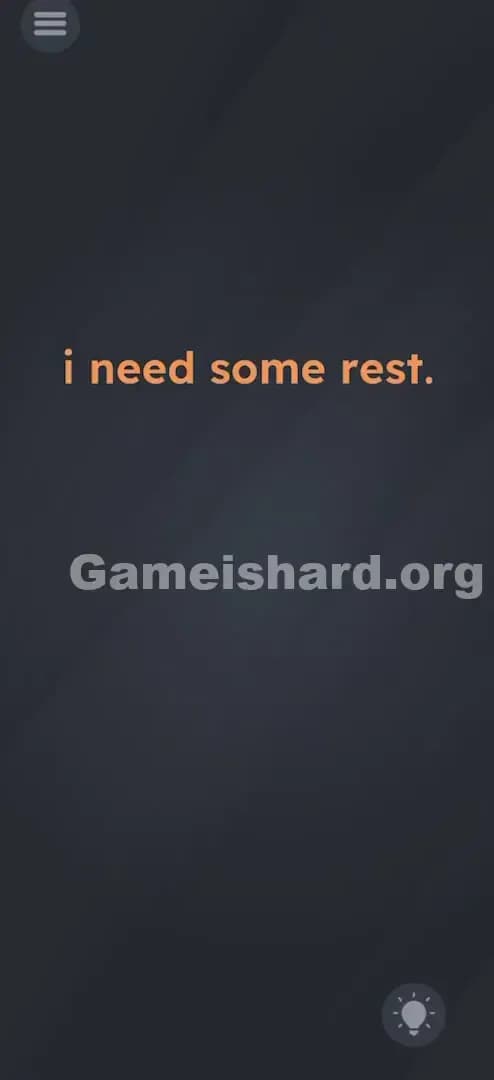
- Center Text: In the middle of a dark gray background, you see the sentence "i need some rest." written in a bold, orange font.
- Top Left: The standard hamburger menu icon (three lines).
- Bottom Right: The lightbulb icon for hints.
- The Void: That's it. There is literally nothing else. No "Next" button, no shapes, no hidden white text on a white background. Just that one sentence.
It looks like a loading screen that got stuck, or a developer error message. The font color (orange) is the only real visual clue that something is "active" or waiting to change state.
What’s Tricking People in Game is hard Level 68
The Trap of Game is hard Level 68
The trap here is "over-activity." As gamers, we are trained to do things. We tap. We swipe. We shake. We yell. Game is hard Level 68 punishes you for doing anything active. The text "i need some rest" implies passivity, but our brains translate "gameplay" into "action." We try to drag the words "rest" into a bed that doesn't exist. We try to swipe the text away. The trap is your own desire to interact with the screen.
The Wrong Instincts in Game is hard Level 68
I've seen players try everything:
- Turning the volume down (quiet = rest, right?).
- Turning the screen brightness down.
- Putting the phone in sleep mode (pressing the power button just locks the phone, it doesn't solve the level).
- Shaking the phone to "wake it up."
None of these work because they are inputs into the phone, rather than changing the state of the phone.
My Reaction to Game is hard Level 68
When I first hit this, I held the phone still in my hand like a statue. I stopped breathing. I stared at it for thirty seconds. Nothing happened. I felt like an idiot. Why? Because no matter how still you think you are holding your hand, your micro-movements trigger the accelerometer. The game demands perfect flatness, not just "mostly still." I eventually tossed it on the couch in frustration, and ding—it worked. I facepalmed so hard.
Game is hard Level 68 Step-by-Step Walkthrough
The Setup of Game is hard Level 68
Find a flat surface. A table, a desk, or the floor. A soft bed might work, but sometimes mattresses are too uneven. You need a hard, horizontal plane.
The Action in Game is hard Level 68
- Place the Device: Set your phone down on the table, screen facing up.
- Hands Off: Remove your hands entirely. Do not touch the screen. Do not nudge the phone.
- Wait: Watch the text "i need some rest."
- The Trigger: After about 2–3 seconds of perfect stillness, the orange text will turn Green.
- The Finish: Immediately after the text turns green, a Green Play Button (triangle icon) will pop up below the text. Tap that button to clear Game is hard Level 68.
Troubleshooting
- It won't turn green: Your surface might not be level. Try a different table or the floor.
- It flickers green then orange: You bumped the table or your phone case is wobbly (like a PopSocket on the back). Remove the case if needed so it lies flat.
- I'm holding it perfectly still: No, you aren't. Your heartbeat moves your hands. Put it down.
The Logic Behind Game is Hard Level 68
This level is a classic example of Hardware Deconstruction. The puzzle isn't in the software or the pixels; the puzzle is the physical device in your hand.
The game is asking: "Can you interpret a metaphor literally?"
- Metaphor: "I need rest."
- Literal Translation: "Set the accelerometer values to 0,0,0."
This fits the recurring pattern in Game is hard where the solution requires you to stop playing the game and start manipulating the hardware. It breaks the "fourth wall" by acknowledging the phone exists as an object, not just a window into a game world. It subverts the expectation that games require constant input. Here, the input is the absence of input.
Pro Tip for Game is Hard Level 68
If you are speed-running or replaying this level, memorize this flow:
- Identify the "Rest" text immediately.
- Do not attempt to tap or drag anything.
- Place phone on table instantly.
- Hover your finger over the spot where the Play button will appear (center-bottom) so you can tap it the millisecond it spawns.
Do not waste time trying to dim the screen or turn off sound. Those are red herrings.
Game is hard Level 68 FAQ (Short, Useful)
Q: I put my phone on the table but the text stays orange in Game is hard Level 68. Why? A: Your table might not be perfectly level, or your phone case is bumpy. Try taking the case off or putting the phone on the floor.
Q: Does the sound need to be on for Game is hard Level 68? A: No. Sound and volume settings have no impact on this level. It is purely based on the gyroscope/accelerometer.
Q: Can I solve this by holding the phone against a wall in Game is hard Level 68? A: Usually, no. The game checks for the phone being flat (screen pointing to the ceiling), not just stable against a vertical surface.
Q: The button appeared but I missed it and picked up the phone. Do I have to restart? A: No, just put the phone back down. The text will turn green again, and the button will reappear.
Get more level walkthrough on Gameishard.org
If you’re stuck on another puzzle, don't bang your head against the wall. We have built fast, no-fluff guides for every single level of this game. We cut the intro chatter and get straight to the solution so you can keep your win streak alive. Share this guide with your friends if they keep raging at the "Rest" level!
Good luck, and stay flat!