Game Is Hard Level 125 Solution Walkthrough & Answer
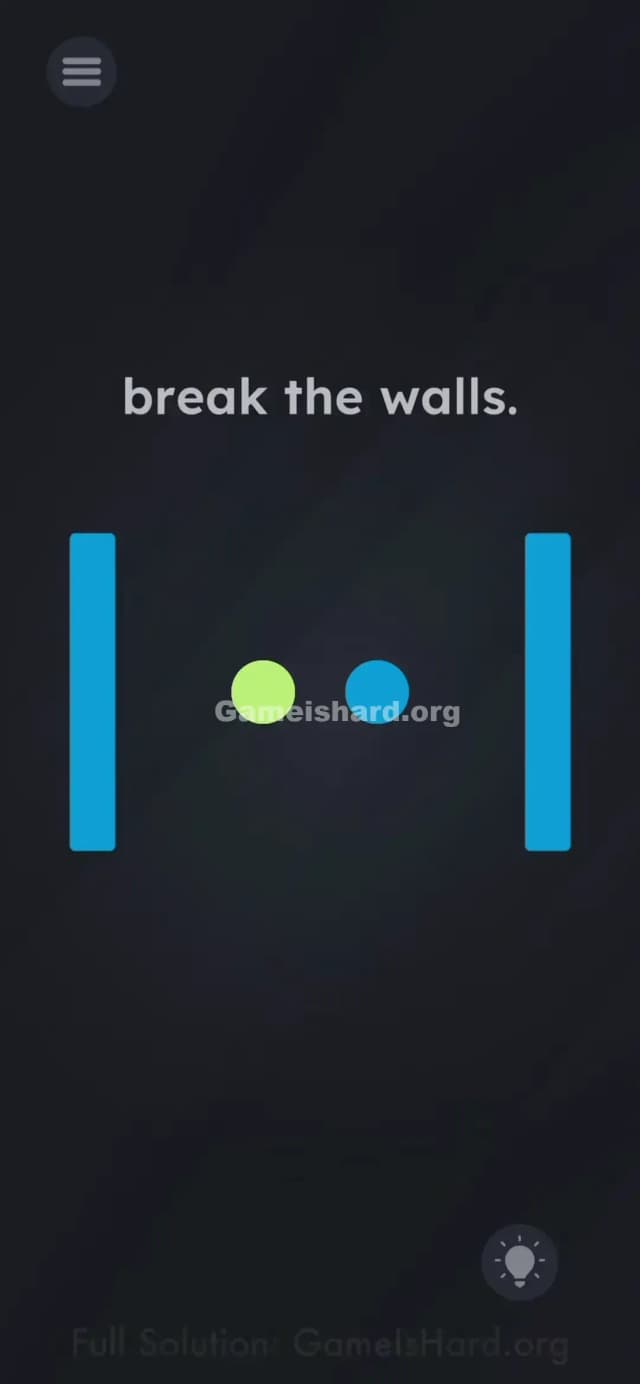
How to solve Game Is Hard level 125? Get instant solution & answer for Game Is Hard level 125: "break the walls."
Doesn't look like your level?
App updates can sometimes shuffle the order of puzzles. If this level 125 walkthrough doesn't match your screen, don't worry! You can browse our All Levels guide to find your exact puzzle by its picture.

Quick Answer for Game is hard Level 125 (Do This)
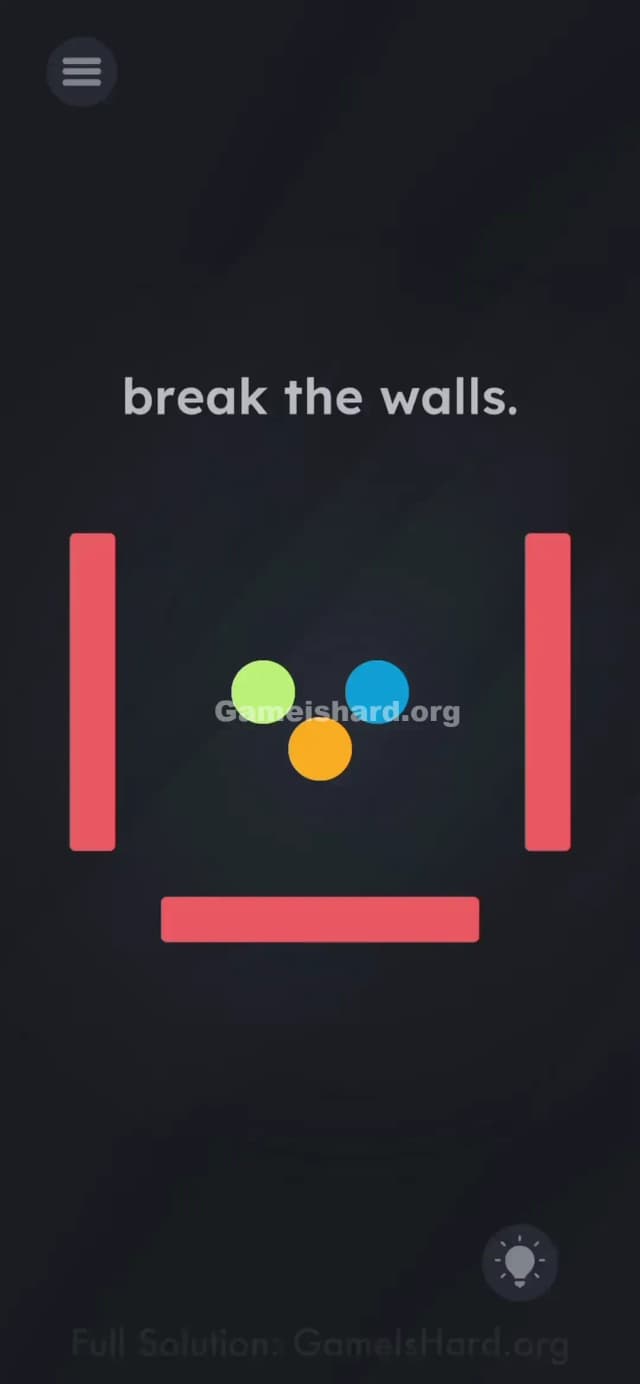
Solution: Tilt your phone to change the color of the gray walls, then drag the matching-colored ball into that wall to break it.
You need to repeat this rotation and dragging process four times—once for each colored ball and wall pair.
Game is Hard Level 125 Overview
The Hook of Game is hard Level 125
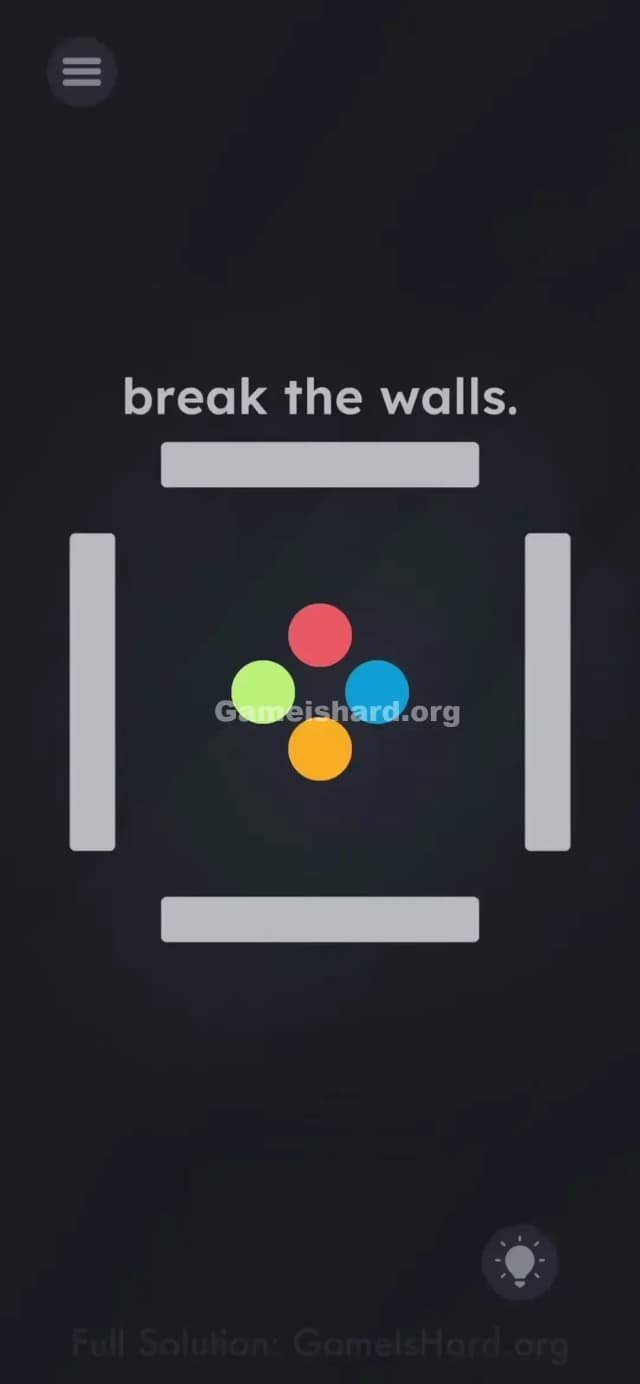
You are stuck inside a box. Literally. The screen shows four colored balls trapped inside four thick gray walls. You try dragging the balls into the walls to smash them, but they just bounce off harmlessly. It feels like physics is broken, but actually, the rules just haven't been explained to you yet.
The Objective of Game is hard Level 125
Your goal is to break the walls. All four of them. You need to clear the screen of the gray barriers so the balls are "free." Simple concept, tricky execution.
Key Mechanics at Game is hard Level 125
- Tilt / Rotation Sensors: The game is reading your gyroscope data.
- Color Matching: Objects only interact if they share a property (color).
- Drag & Drop: You still need to manually throw the balls; gravity won't do it for you.
It’s not just about force. It’s about matching the frequency.
What You See on Screen in Game is hard Level 125
The layout is claustrophobic but simple.
- Center Stage: A tight cluster of four colored circles: Red (top), Green (left), Blue (right), and Orange (bottom).
- The Cage: Surrounding these circles are four solid gray rectangular bars acting as walls.
- The Text: At the top, it simply commands: "break the walls."
- The Background: Dark and minimal, so the bright colors pop.
Everything looks static, but the moment you move your phone, you'll notice the lighting or colors on the walls shifting slightly. That is your clue.
What’s Tricking People in Game is hard Level 125
The Trap of Game is hard Level 125
Most players assume the walls are permanent obstacles or that they need to drag the balls really hard to smash through. You might also try pinching the walls to break them or shaking the phone violently. The trap is assuming the walls are just inert gray blocks. They aren't. They are chameleons.
The Wrong Instincts in Game is hard Level 125
- Smashing blindly: Dragging the red ball into the gray wall over and over does nothing.
- Shaking the device: This usually resets physics puzzles, but here it just jiggles the balls without solving the wall issue.
- Waiting: This isn't a timing puzzle. If you don't move the phone physically, nothing happens.
My Reaction to Game is hard Level 125
I spent a good two minutes flinging the green ball at the left wall, thinking maybe it had a "hit point" counter I needed to deplete. Then I sat back in my chair to think, tilting my phone sideways in the process, and suddenly the wall turned green. Facepalm. The answer was in my wrist the whole time.
Game is hard Level 125 Step-by-Step Walkthrough
The Setup of Game is hard Level 125
Hold your phone flat or upright initially. Locate the four colored balls in the center. Pick one color to start with (let's say Red).
The Action in Game is hard Level 125
- Rotate/Tilt your phone physically. You need to tilt it so that gravity or orientation shifts. Watch the gray walls closely. As you tilt, the walls will cycle through colors or change based on the phone's angle.
- Match the Color. Keep tilting until the wall nearest the Red ball (or any wall) turns Red.
- Smash it. While holding that angle (so the wall stays Red), quickly drag the Red ball into that Red wall. It will shatter.
- Repeat. Now pick the next color (e.g., Blue). Tilt the phone again until a remaining wall turns Blue. Drag the Blue ball into it.
- Do this for the remaining Green and Orange balls until all four walls are destroyed.
Troubleshooting
- The wall color keeps switching back: You might be tilting too erratically. Once you find the "sweet spot" angle where the wall changes color, hold your hand steady while you drag with your other hand.
- Ball bounces off: This means the wall wasn't the exact right color when the ball hit it. Ensure the wall is fully colored (not gray) before impact.
- Can't find the color: Try rotating the phone 90 degrees or flipping it landscape. Different orientations trigger different colors.
The Logic Behind Game is Hard Level 125
This level uses a classic "Simon Says" mechanic hidden behind a physics engine.
The game logic dictates that Collision = True only when Object.Color == Wall.Color. By default, the walls are #Gray, so nothing can break them. The game forces you to use the accelerometer (your phone's tilt sensor) as a color selector. It teaches you that in this game, the environment is reactive to real-world movement, not just on-screen touches.
Pro Tip for Game is Hard Level 125
If you are struggling to hold the phone and drag at the same time:
- Place the phone flat on a table.
- Spin the phone slowly like a lazy Susan.
- This is often more stable than tilting it in the air, making it easier to spot when the wall changes color.
- Don't rush. The walls won't time out.
FAQ of Game is hard Level 125
Why won't the walls break when I hit them? The walls are invulnerable while they are gray. They only become breakable when they turn the same color as the ball you are throwing.
Do I have to break them in a specific order? No. You can break the walls in any order (Red, Blue, Green, Orange) as long as you match the colors correctly.
Does this work with screen rotation locked? Yes. The game uses the internal gyroscope/accelerometer sensors, which work independently of your phone's system-wide "Portrait Orientation Lock."
My gyroscope seems broken, the colors won't change? If tilting does absolutely nothing, try closing the app completely and reopening it to recalibrate the sensors. Also, ensure you are granting the app permission to access motion sensors if prompted.
Get more level walkthrough on Gameishard.org
Stuck on another brain-bender? We have fast, no-fluff guides for every single level of Game is hard. Don't let a tricky puzzle ruin your streak—check out our other walkthroughs and share this one with your friends if they're stuck banging their heads against the gray walls!