Game Is Hard Level 40 Solution Walkthrough & Answer
How to solve Game Is Hard level 40? Get instant solution & answer for Game Is Hard level 40: "break down the wall!"
Doesn't look like your level?
App updates can sometimes shuffle the order of puzzles. If this level 40 walkthrough doesn't match your screen, don't worry! You can browse our All Levels guide to find your exact puzzle by its picture.
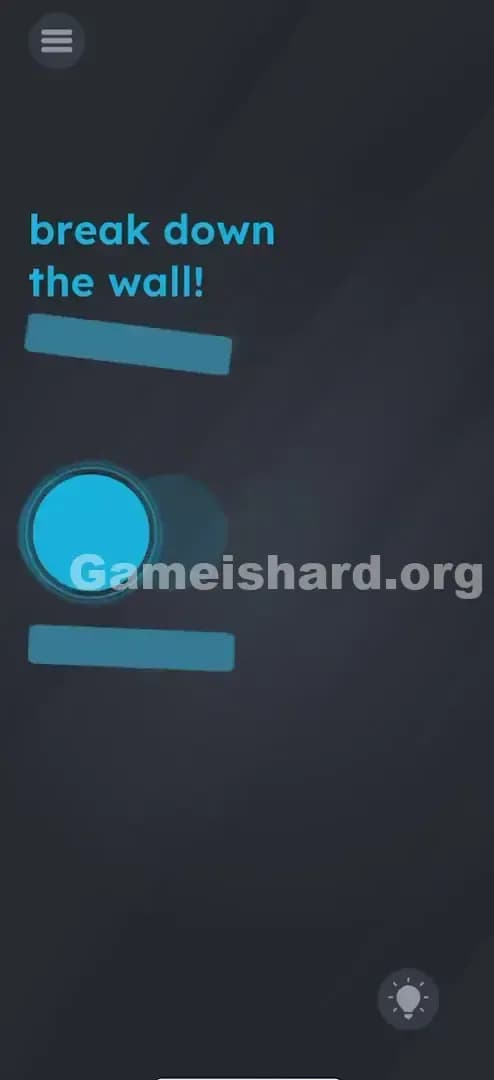
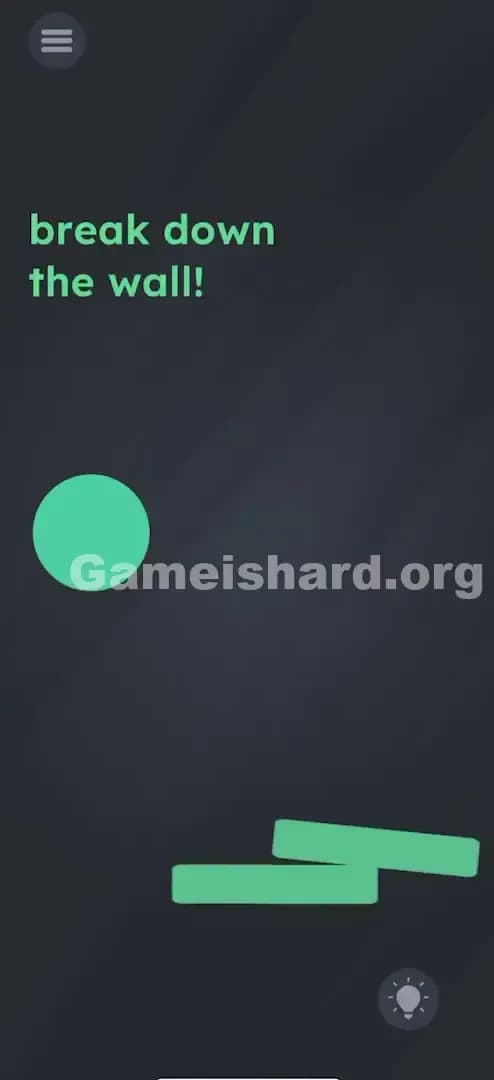
Quick Answer for Game is hard Level 40 (Do This)
Solution: Physically tilt your phone quickly to the left so the blue ball slams into the vertical blue bar repeatedly until it breaks. (You need momentum; don't just drag it.)
Game is Hard Level 40 Overview
The Hook of Game is hard Level 40
You’re staring at a blue ball and a blue bar. Your finger is hovering over the screen. Naturally, the first thing you try is dragging the ball. It moves sluggishly. It feels heavy. You drag it into the wall, and... thud. Nothing happens. It just sits there against the barrier like a lazy cat. The frustration sets in immediately because the game gives you a physics object but doesn't tell you the rules of that physics engine.
The Objective in Game is hard Level 40
The goal is explicitly stated in the text: break down the wall! However, this isn't a puzzle where you find a hidden hammer or drag the word "break" onto the wall. This is a pure physics challenge. You need to generate force.
Key Mechanics in Game is hard Level 40
- Accelerometer (Tilt Control): The ball reacts to gravity, which is controlled by how you hold your phone.
- Momentum/Physics: Gentle touches won't work. The game calculates speed and impact force.
- Repetition: One hit rarely does the job unless you are incredibly aggressive.
- Screen Orientation: You are essentially playing a tiny game of demolition derby inside your phone.
It’s not a riddle. It’s a wrecking ball simulator.
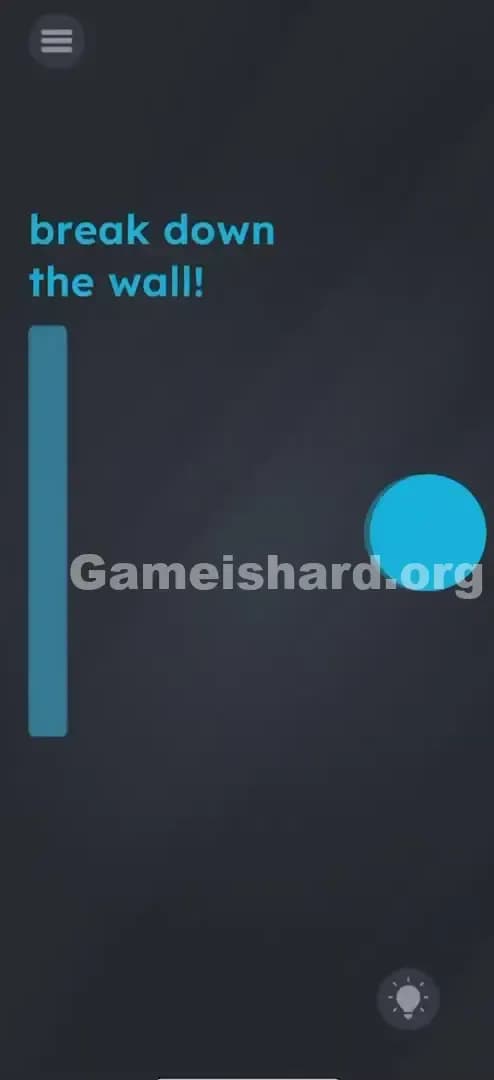
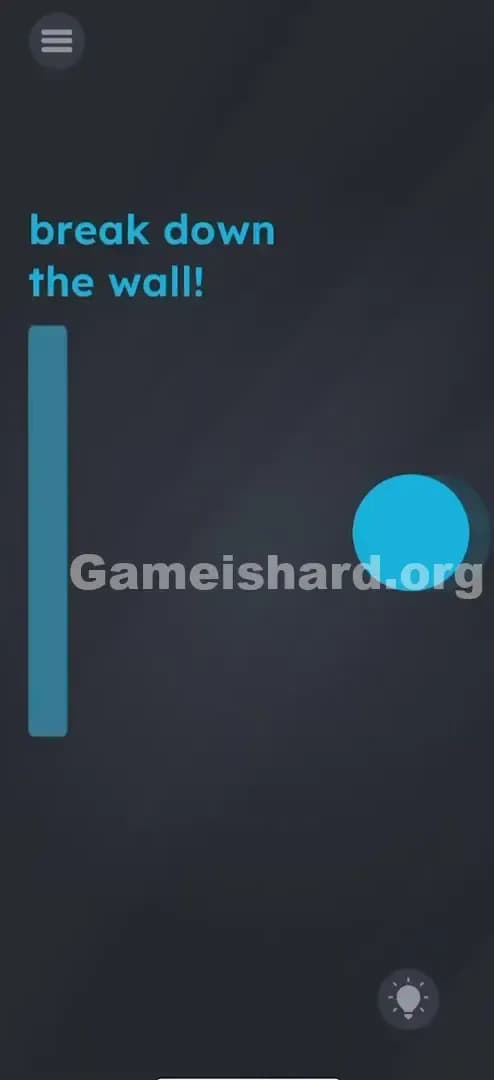
What You See on Screen in Game is hard Level 40
Let’s break down the visual layout so you know we are looking at the same frustrating puzzle.
- Top Left: The standard Menu icon. Ignore it.
- Top Center: Bright blue text reading "break down the wall!"
- Left Side: A tall, vertical blue rectangle. This is the "wall." It looks solid and immovable.
- Right Side: A large, round blue circle. This is your "ball" or battering ram.
- Background: The usual dark grey void of Game is hard.
- Bottom Right: The hint bulb. Don't click it; I'm your hint bulb today.
The screen is sparse. There are no hidden tools, no extra buttons, and no confusing clutter. Just a ball and a wall.
What’s Tricking People in Game is hard Level 40
The Trap of Game is hard Level 40
The biggest trap here is "Touchscreen Conditioning." We are so used to playing games with our thumbs that we forget the phone itself is a controller. You probably tried swiping the ball really fast with your finger. That logic is sound in most games—swiping faster equals throwing harder. But in Game is hard Level 40, touch input is actually weaker than tilt input. Your finger can drag the ball, but it can't give it the mass and velocity that a gravity-based tilt can.
The Wrong Instincts in Game is hard Level 40
- Dragging the wall: The wall is static. It won't move.
- Tapping the wall: Tapping doesn't register as an "attack."
- Shaking the phone: Random shaking just rattles the ball around without direction. It needs directed force.
- Using the text: In previous levels, you might have dragged the word "break" onto the object. Here, the text is just instructions. It has no physical properties.
My Reaction of Game is hard Level 40
I spent a solid two minutes trying to fling the ball with my index finger like I was playing Angry Birds. I was swiping so hard I thought I’d burn a hole in my screen protector. The ball would hit the wall, make a pathetic dull noise, and bounce back. I felt like I was trying to break down a steel door with a marshmallow. When I finally tilted the phone and saw the ball actually pick up speed, I realized the game wanted me to be the gravity.
Game is hard Level 40 Step-by-Step Walkthrough
The Setup of Game is hard Level 40
Hold your phone firmly with two hands. You need a good grip because you are going to make a sudden, sharp movement. Ensure screen rotation is unlocked (though usually the game overrides this, it helps to be sure).
The Action in Game is hard Level 40
- Center the ball: Tilt your phone slightly to the right to move the blue ball as far away from the wall as possible. You want maximum distance to build up speed.
- The Strike: Swiftly and violently (but safely!) tilt your phone to the left.
- The Impact: The ball should roll rapidly across the screen and smack into the blue wall.
- Repeat: If the wall cracks but doesn't break, tilt back to the right to "reload," then tilt hard to the left again. It might take 2 or 3 solid whacks.
Troubleshooting at Game is hard Level 40
- The ball is moving too slow: You aren't tilting sharply enough. Don't just "lean" the phone. Snap your wrist.
- The ball gets stuck: If the ball gets stuck on the top or bottom edge, shake the phone gently to reset its position to the center, then try the horizontal tilt again.
- Nothing happens: Check if your phone's gyroscope/accelerometer is working. If your screen doesn't rotate in other apps (like YouTube), your sensors might be locked or glitchy.
Micro-Details That Make the Move Register on Game is hard Level 40
Precision matters less than velocity here. However, the angle of impact can help.
- Direct Hit: Try to hit the center of the wall. Hitting the very top or bottom edge sometimes glances off without registering full damage.
- The "Snap": The motion is similar to a tennis backhand. You wind up (tilt right) and then snap through (tilt left).
- Don't Touch: I fixed my struggle by taking my fingers off the screen entirely. If you are touching the screen while tilting, the game sometimes prioritizes the touch input (which holds the ball in place) over the tilt input (which moves it). Hands off the glass!
The Logic Behind Game is Hard Level 40
This level is a test of hardware utilization. Game is hard loves to remind you that you are holding a sophisticated piece of technology, not just a touch surface.
The logic follows a recurring theme in the game: "The Solution is Outside the Box." Quite literally, the solution is in your wrists, outside the digital box of the screen. It forces you to stop interacting with the software and start interacting with the hardware. It breaks the "fourth wall" by making your real-world physical exertion translate into in-game force.
Pro Tip for Game is Hard Level 40
If you are replaying this or speed-running:
- Start tilting right immediately as the level loads.
- Don't wait for the ball to stop moving; use its bounce.
- Keep your thumbs off the screen.
- One massive, sharp tilt is better than ten weak ones.
Alternative Attempts on Game is hard Level 40 (What Doesn’t Work, and Why)
Here is a graveyard of ideas that failed so you don’t have to try them:
- Pinching the wall: The wall does not shrink.
- Swiping the wall right: The wall is fixed to the background coordinates.
- Dragging "break" onto the wall: The text layer is non-interactive for physics in this specific level.
- Tapping the ball repeatedly: This just stops the ball's momentum.
- Screaming "Open Sesame": The microphone is not active for this level (though it is for others!).
- Turning the phone upside down: Gravity works, but the wall is on the side, not the ceiling.
Common Mistakes for Game is Hard Level 40
- Touching while tilting: This is the #1 error. Touching the screen creates friction. Let gravity do the work.
- Tilting too gently: A slow roll will not generate enough "Newtonian force" to trigger the break state.
- Giving up after one hit: The wall has "HP" (hit points). It often cracks first. Keep hitting it.
- Holding the phone flat: You can't generate horizontal velocity if the phone is parallel to the floor. You need to tilt it like a steering wheel.
- Confusing left/right: Remember, the wall is on the LEFT. Tilt Left.
Pattern Recognition: How to Spot This Trick in Future Game is Hard Levels
The tell
Whenever you see a loose object (ball, stone, liquid) that moves slightly when you adjust your grip on the phone, the game is signalling Accelerometer Control. If an object has "weight" but no obvious buttons attached to it, tilt is your primary weapon.
The habit
In future levels, if dragging an object feels "heavy" or slow, stop dragging. Immediately lift your thumbs and try rotating your phone. Test the gravity. If the object slides on its own, put your fingers away and drive with your wrists.
FAQ of Game is hard Level 40 (Short, Useful)
Q: Why won't the ball move when I tilt on Game is hard Level 40? A: You might have your screen rotation locked in your phone settings, or your case is interfering. Also, ensure you aren't touching the screen, as touch overrides tilt.
Q: Can I just drag the ball really fast on Game is hard Level 40? A: Technically, yes, but it is much harder. The game's physics engine dampens touch velocity. Tilt velocity is uncapped.
Q: The wall cracked but didn't break. Is it bugged in Game is hard Level 40? A: No, it just means you are halfway there. Hit it again with the same force. It usually takes 2-3 hard hits.
Q: Does the ball have to be blue in Game is hard Level 40? A: No, the color is irrelevant to the physics. It's just the art style. Focus on the motion.
Get more level walkthrough on Gameishard.org
Stuck on the next puzzle? We’ve got fast, fluff-free guides for every single level of Game is hard. Don't let a tricky physics engine ruin your streak. Bookmark our page and tell your friends where you found the answer when they get stuck on Game is hard Level 61! Game on.