Game Is Hard Level 200 Solution Walkthrough & Answer
How to solve Game Is Hard level 200? Get instant solution & answer for Game Is Hard level 200: "Bring light to both sides. Front goes first."
Doesn't look like your level?
App updates can sometimes shuffle the order of puzzles. If this level 200 walkthrough doesn't match your screen, don't worry! You can browse our All Levels guide to find your exact puzzle by its picture.
Quick Answer for Game is hard Level 200 (Do This)
Solution: Grab a secondary light source (like a lamp or another phone) and hold it directly against your front camera for 5 seconds, then switch to the rear camera. You are physically shining light into the actual camera sensors of your device, not touching the screen.
Game is Hard Level 200 Overview
The Hook of Game is hard Level 200
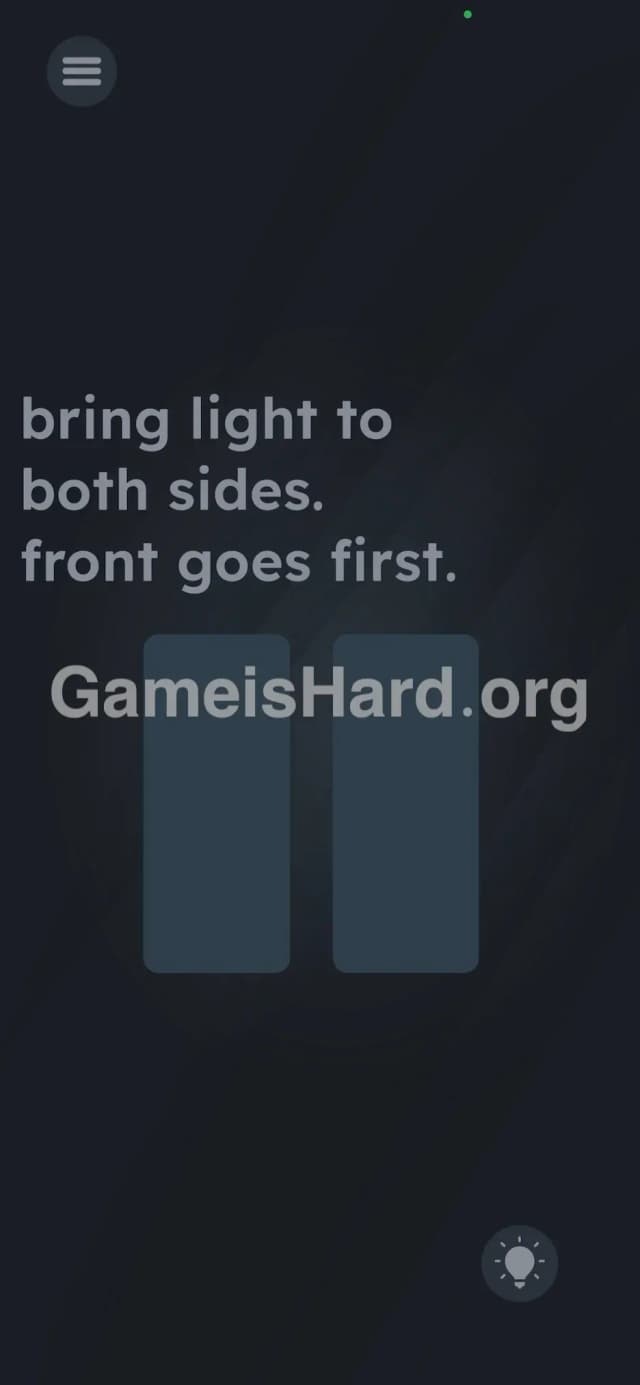
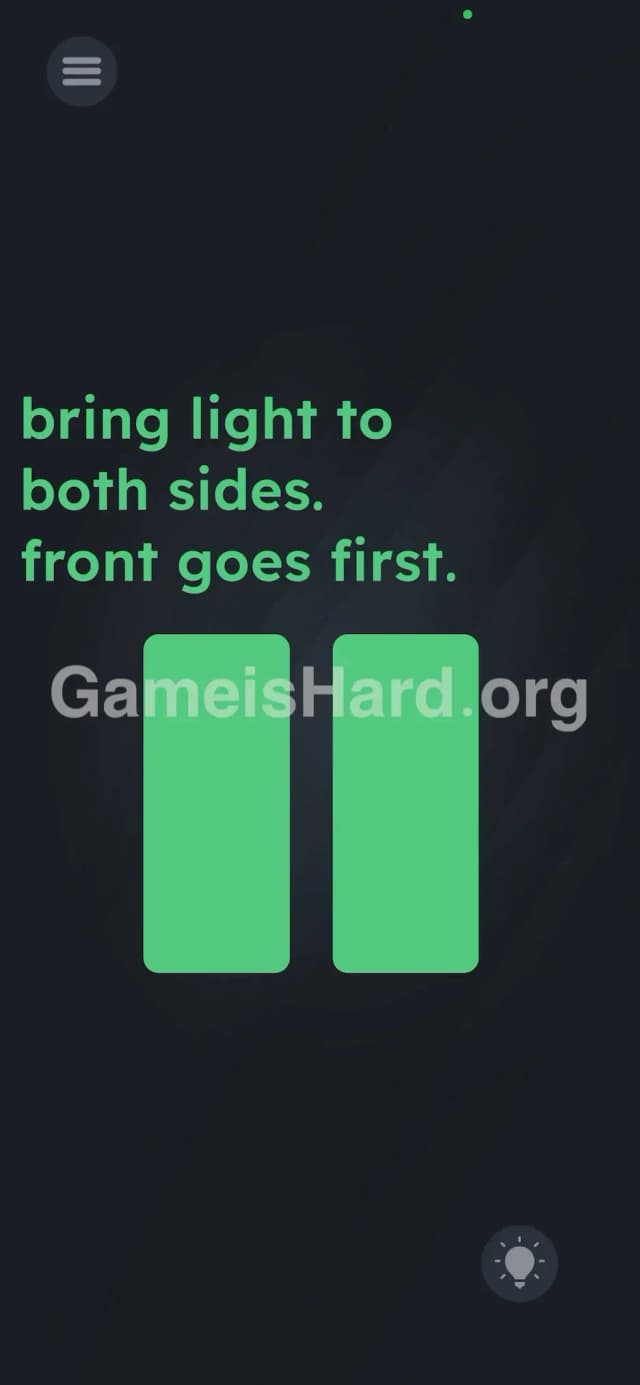
You are staring at two dark, empty rectangles. The text says "bring light to both sides," but there is no sun icon to drag, no flashlight button that works, and cranking your screen brightness does absolutely nothing. The game isn't asking for virtual light. It wants photons. Real ones.
The Objective of Game is hard Level 200
You need to activate the light sensors on your physical device in a specific order. The two dark rectangles on the screen are actually progress bars that fill up when they detect bright light through your cameras.
Key Mechanics:
- Hardware Sensors: This level uses the camera/light sensor, not the touchscreen.
- Timing: You have to hold the condition for a few seconds.
- Sequential Logic: Order matters (front first, back second).
It’s not a riddle. It’s a hardware test.
What You See on Screen in Game is hard Level 200
The screen is dark grey and minimalist.
- Top: The text instruction reads: "bring light to both sides. front goes first."
- Center: Two large, vertical rectangular boxes. They are currently dark grey/empty.
- Bottom Right: A small Lightbulb Icon (usually for hints).
- Background: Nothing else interactive. No hidden items.
The layout is deliberately sparse to make you focus on the rectangles. If you tap them, nothing happens. If you drag them, they don't move. They are waiting for input from the outside world.
What’s Tricking People in Game is hard Level 200
The Trap of Game is hard Level 200
Most players assume "bring light" means dragging an object on the screen—like the hint lightbulb or the word "light." You might try dragging the word "light" into the boxes. That is the classic Game is Hard misdirection. You are trained to think inside the bezel, but the answer is outside of it.
The Wrong Instincts
- Dragging the text: Dragging "light" or "bright" into the boxes does nothing.
- Tapping the bulb: This just opens the ad-based hint menu. It’s not a game piece.
- Screen Brightness: Turning your brightness slider up changes nothing because the game code checks the camera input, not the screen output.
My Reaction
I spent a solid two minutes trying to drag the "dot" from the 'i' in "light" because I thought it looked like a tiny sun. Then I realized the permission popup I ignored earlier was asking for camera access. Facepalm.
Game is hard Level 200 Step-by-Step Walkthrough
The Setup of Game is hard Level 200
You need an external light source. A desk lamp, a flashlight, or the flashlight from a friend's phone works best. You cannot do this in a pitch-black room effectively unless you have a separate light.
The Action in Game is hard Level 200
- Front Camera: Hold your phone's Front Camera (the selfie cam) directly up to your light source. Hold it steady.
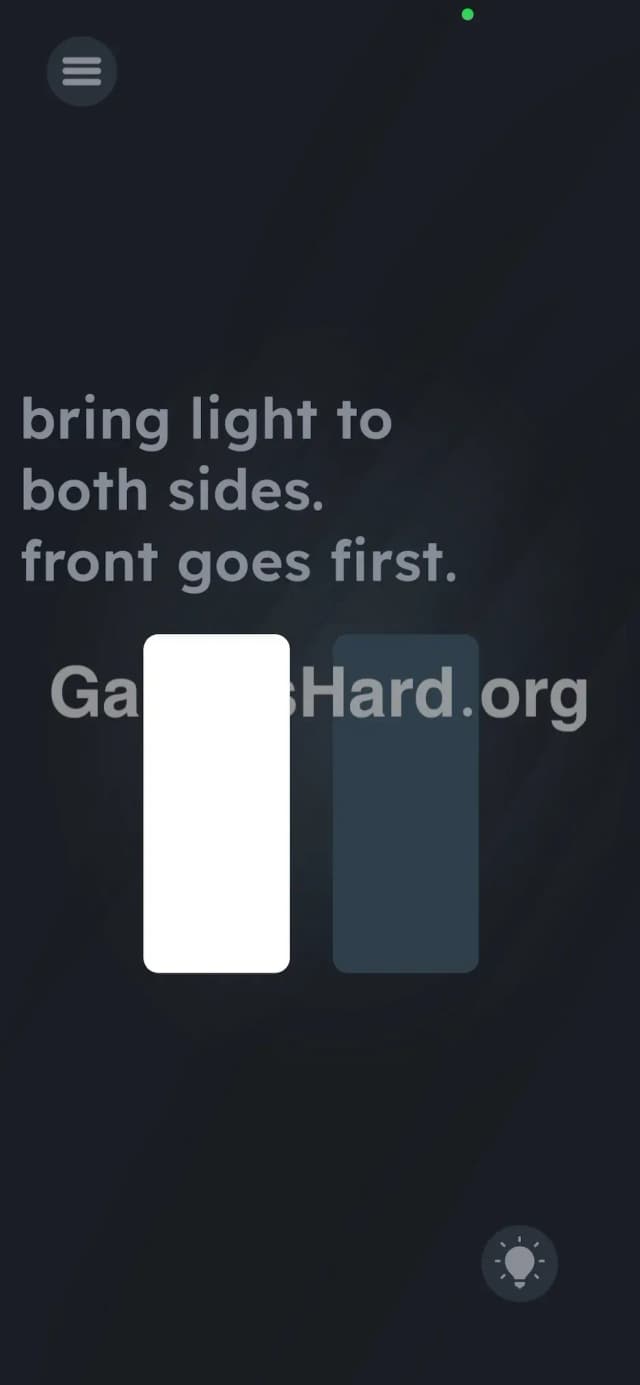
- Wait: Watch the Left Rectangle on the screen. It should turn white. Keep holding until it is fully lit (about 5 seconds).
- Rear Camera: Once the first box is white, flip your phone over. Point the Rear Camera (the main one on the back) directly at the light source.
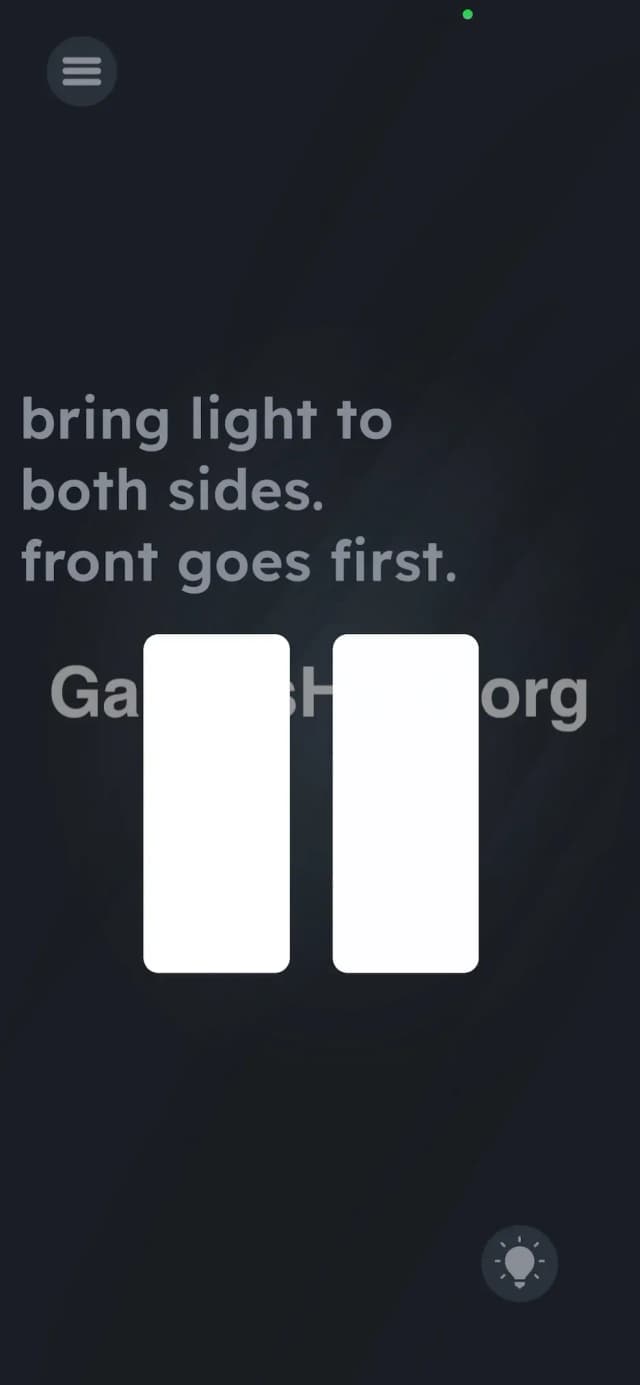
- Verification: The Right Rectangle will turn white. Once both are lit, the level completes.
Troubleshooting at Game is hard Level 200
- Permissions: If this isn't working, check your phone settings. The game must have permission to access the Camera. If you denied it earlier, the sensors won't trigger.
- Light Intensity: A dim room light might not be enough. Put the phone right up to the bulb (careful with heat).
- Case obstruction: If you have a thick rugged case covering the sensors near the selfie cam, take it off.
The Logic Behind Game is Hard Level 200
This level breaks the "fourth wall" of gaming. Usually, games exist only as pixels. Game is hard frequently uses "Hardware puzzles" where the device itself is the controller.
The logic here is simple:
- Input = Lux (Light Intensity).
- Variable 1 = Front Sensor > Threshold.
- Variable 2 = Rear Sensor > Threshold.
It forces you to stop treating the phone like a window into a world and start treating it like a physical tool with sensors. It’s a harsh reminder that your phone is watching you.
Pro Tip for Game is Hard Level 200
If you are struggling to get the sensors to register:
- Use the flashlight on another phone. It is intense and concentrated.
- Do not cover the screen with your hand while holding it to the light; you need to see when the box turns white so you know when to switch.
- Do not just wave it around. Hold it still.
FAQ of Game is hard Level 200
Q: Do I really need a lamp? A: Yes, or bright daylight. The sensors need a significant spike in brightness to trigger the "lit" state. A dark room won't work.
Q: The left box lit up but then turned off. Why? A: You likely moved the light away too fast or switched to the rear camera before the first step was "locked in." Keep the light steady until the box stays white.
Q: Why does the game need my camera? A: Strictly for this puzzle. It is detecting light levels, not taking photos of you. You can revoke the permission immediately after beating Level 200.
Q: Can I use a mirror? A: Technically yes, if you reflect a strong light into the sensors, but that sounds harder than just finding a lamp.
Get more level walkthrough on Gameishard.org
Level 200 is a major milestone, but the hardware tricks only get weirder from here. If you get stuck on the next batch of puzzles, check our index. We keep these guides fast, accurate, and free of fluff so you can get back to winning.