Game Is Hard Level 70 Solution Walkthrough & Answer
How to solve Game Is Hard level 70? Get instant solution & answer for Game Is Hard level 70: "keep it long."
Doesn't look like your level?
App updates can sometimes shuffle the order of puzzles. If this level 70 walkthrough doesn't match your screen, don't worry! You can browse our All Levels guide to find your exact puzzle by its picture.
Quick Answer for Game is hard Level 70 (Do This)
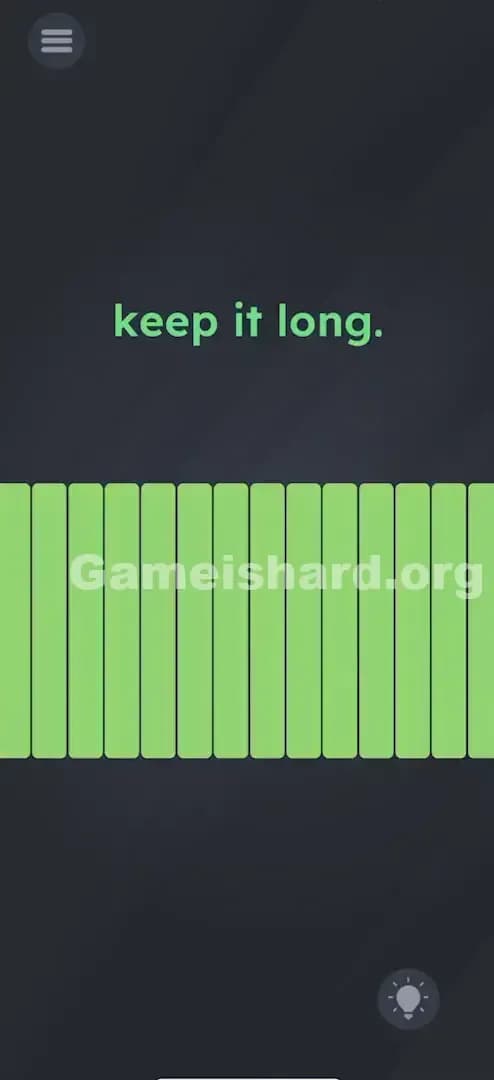
Solution: Blow continuously into your device's microphone (or hum a steady note) to keep the sound level high until the yellow meter fills up completely and turns green.
Target the microphone hole on your device; short bursts won't work, you need one long, sustained breath.
Game is Hard Level 70 Overview
The Hook of Game is hard Level 70
You load into Level 70 and all you see is the cryptic text "keep it long." sitting above a row of yellow blocks. No buttons. No obvious draggable items. The blocks jump a little if you make noise, but then they immediately drop back down. It feels like the game is mocking your lung capacity. You tap the screen, nothing happens. You drag the text, nothing happens. This level isn't about logic or dexterity; it's a physical endurance test for your breath.
The Objective of Game is hard Level 70
The goal here isn't to solve a riddle or move an object. The objective is to fill the gauge. That row of yellow blocks at the bottom acts like a volume meter or a pressure gauge. To pass, you have to maximize that gauge and hold it there until the game registers success. It’s a stamina check.
Key Mechanics involved in Game is hard Level 70
- Microphone Input: The game is listening to ambient noise.
- Sustained Action: Unlike tapping, which is instant, this requires holding a state (sound) for several seconds.
- Visual Feedback: The yellow bar reacts in real-time to input intensity.
- Threshold Trigger: You must hit max volume and keep it there.
It’s not a typo. It’s a breathalyzer test for your phone.
What You See on Screen in Game is hard Level 70
The screen is stark and simple, designed to focus your attention on the wrong things initially.
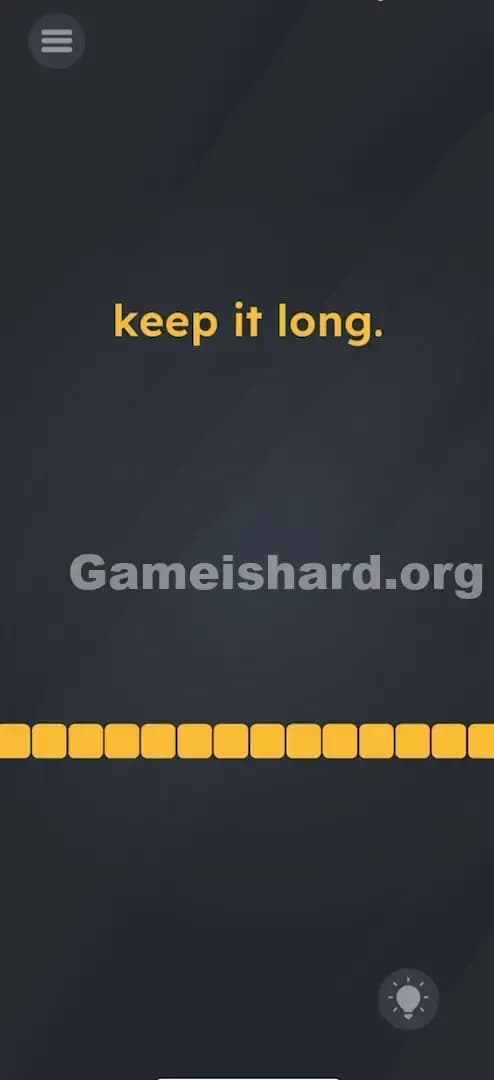
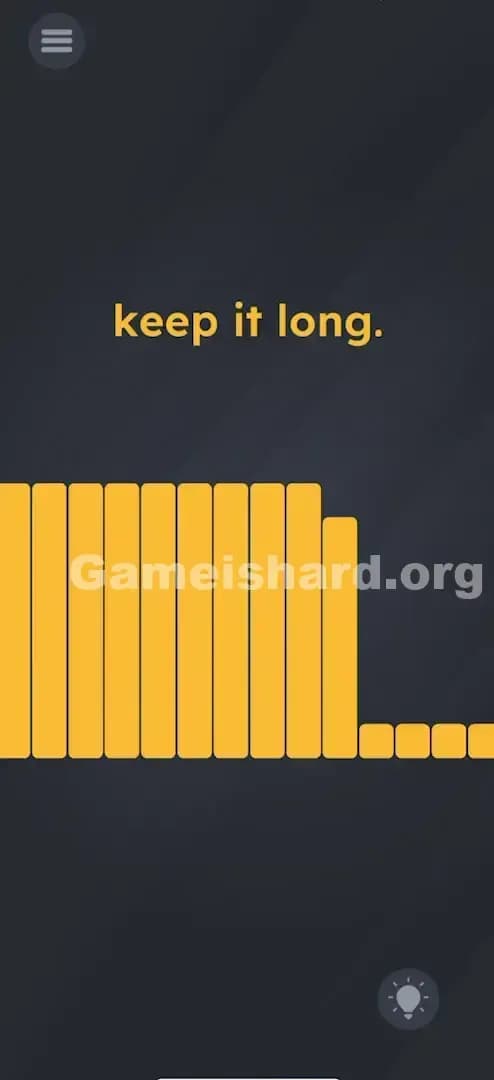
- Top Center: The instruction text simply says "keep it long." in a bold, yellow font.
- Bottom Quarter: There is a horizontal row of yellow squares. They look like individual blocks but function as a single meter.
- Background: The standard dark grey gradient.
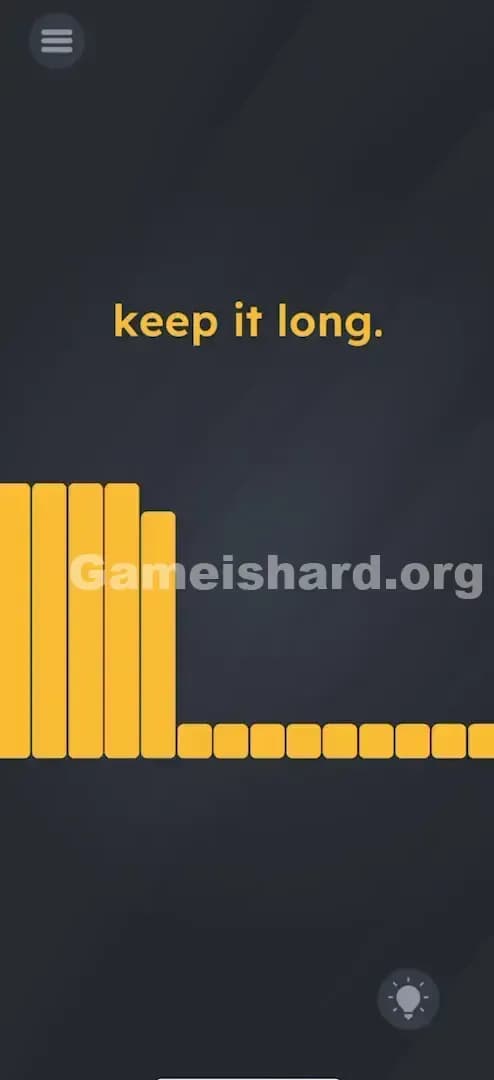
- Interactivity: If you tap the blocks, they might flicker, but they don't move. If you shake the phone, nothing changes. However, if you cough or speak, you'll see the yellow blocks light up or jump from left to right.
What’s Tricking People in Game is hard Level 70
The Trap of Game is hard Level 70
The main trap is the interpretation of "long." Gamers usually associate length with distance or time, not sound duration. You might try dragging the word "long" to stretch it out physically (a common trick in previous levels). You might try dragging the yellow bar to make it longer. But "long" here refers to the duration of a sound. The UI blindness kicks in because we forget our phone has ears.
The Wrong Instincts
- Dragging: Frantically swiping the text "keep it long." across the screen.
- Tapping: Rapidly tapping the yellow blocks hoping they will fill up.
- Shouting: Yelling a quick "HELLO!" works for a split second, but the bar drops immediately. Short, loud noises fail.
- Tilting: Turning the phone sideways to make the bar "slide" to the end.
My Reaction to Game is hard Level 70
I spent a good two minutes dragging the period at the end of the sentence, thinking I needed to elongate the punctuation. When I finally sighed in frustration, I saw the bar jump. That was the "Aha!" moment—and also the moment I realized I looked ridiculous blowing into my phone on the bus.
Game is hard Level 70 Step-by-Step Walkthrough
The Setup of Game is hard Level 70
Locate your device's microphone. On most phones, it's at the very bottom edge, near the charging port. Get ready to make some noise. You need to be in a place where you can make a sustained sound without stopping.
The Action in Game is hard Level 70
- Prepare: Take a deep breath. You need enough air for about 3-5 seconds of continuous output.
- The Input: Blow steadily and directly into the microphone. Don't blow too hard (distortion isn't necessary), but blow consistently. Think of it like you are trying to keep a feather in the air. Alternatively, hum a low, constant note like "Hmmmmmmmm."
- The Visual: Watch the yellow blocks. As you blow, they will light up from left to right.
- The Sustain: Do not stop when they hit the right side. Keep blowing. You must hold the meter at 100% full for a second or two.
- Verification: The yellow blocks will turn Green. Once they turn green, the level is complete.
Troubleshooting at Game is hard Level 70
- If the bar flickers: You are blowing too erratically. Smooth out your breath.
- If the bar won't fill: You might be covering the mic with your hand, or your phone case is blocking the input. Remove the case if necessary.
- Cheat: If you are out of breath, hold your phone next to a fan, a running faucet, or play a "white noise" video on another device.
Micro-Details That Make the Move Register in Game is hard Level 70
Precision matters, but here, precision is about consistency, not pixel-perfect tapping.
- The Drop-off Rate: The meter decays very quickly. If you stop blowing to inhale, the bar drops to zero instantly. You have to do this in one breath.
- Audio Sensitivity: The game sets a threshold. Background noise usually isn't enough to fill the bar, but it might fill it halfway. You need to exceed the ambient noise floor significantly.
- Distance: Get close. Your mouth should be within 2-3 inches of the mic.
- I fixed it by: Switching from blowing (which sounds windy/scratchy) to humming a steady tone. The phone's mic picks up a constant "Ooooooo" sound much better than the erratic wind noise of blowing.
The Logic Behind Game is Hard Level 70
This level is a classic example of sensor exploitation. The game engine is constantly polling the microphone amplitude (volume). The variable mic_volume is mapped directly to the progress_bar.width.
The logic check is:
IF (volume > 90%) AND (duration > 3 seconds) THEN Level_Complete = TRUE.
The game creates difficulty by being vague. "Keep it long" is a double entendre. It hints at the duration required, but disguises it as a potential spatial puzzle (long object) or linguistic puzzle (long word). It forces the player to remember that the hardware is part of the puzzle, not just the screen.
Pro Tip for Game is Hard Level 70
If you are playing in public and don't want to look weird blowing into your phone:
- Find a YouTube video of "Pink Noise" or "Fan Sound" on a computer or friend's phone.
- Hold your phone's mic directly against the speaker.
- The bar will fill instantly and stay full without you hyperventilating.
- Do not just tap the mic; tapping creates spikes, not sustained length.
Alternative Attempts on Game is hard Level 70 (What Doesn’t Work, and Why)
- Dragging the text "long": The text is static. It is not an object you can stretch.
- Pinching the screen: Zooming out does not affect the bar size.
- Shaking the phone: The accelerometer is not linked to this level; only the mic is active.
- Tapping the yellow blocks: They are a display output, not an input button.
- Holding the volume up button: Hardware buttons do not control the in-game meter.
- Screaming "AHH!": Usually too short. You run out of air before the timer triggers the win state.
- Rubbing the mic: Creates static, which is jumpy. The bar will bounce up and down rather than staying full.
Common Mistakes for Game is Hard Level 70
- Stopping too soon: Players see the bar hit the end and stop blowing immediately. You must hold it at the max for a beat.
- Blowing too softly: If the bar hovers at 80%, you aren't triggering the "full" state. Get closer.
- Covering the Mic: Holding the phone in a way that your palm blocks the microphone hole (common in landscape mode).
- Misinterpreting "Long": Wasting time trying to find a hidden object to drag onto the bar.
- Ignoring the Mic permission: If you denied microphone access when you installed the game, this level is impossible. You must go to Settings > Apps > Game is Hard > Permissions and enable Microphone.
Pattern Recognition: How to Spot This Trick in Future Game is Hard Levels
The tell
Whenever you see a gauge, a meter, or something that looks like it needs to be "filled," suspect the microphone or the gyroscope immediately. If touching the screen does nothing, stop touching it. Start moving the phone or making noise.
The habit
When a level seems completely unresponsive to touch:
- Check for permission prompts (did it ask for mic/camera?).
- Make a noise. Watch for any tiny pixel movement on screen.
- Tilt the phone. Watch for gravity effects.
- Rotate the phone. Check for orientation triggers. Hardware sensors are the "invisible UI."
Game is hard Level 70 FAQ (Short, Useful)
Q: Why isn't the bar moving at all in Game is hard Level 70? A: Check your app permissions. You likely denied microphone access. The game cannot "hear" you without it.
Q: Can I beat this level without making noise in Game is hard Level 70? A: Generally, no. Unless you have an external sound source (like a fan) to hold near the phone, you must provide audio input.
Q: I'm blowing hard but it stops at 90% in Game is hard Level 70. A: Try humming a low-pitched sound instead of blowing air. Sometimes the "wind" sound cuts out, but a voice tone is constant.
Q: Does headphone usage affect this in Game is hard Level 70? A: Yes. If you have headphones plugged in, you must blow into the headphone's microphone, not the phone's.
Get more level walkthrough on Gameishard.org
Stuck on another brain-twister? We’ve got fast, no-nonsense guides for every single level. Don't let the game troll you—check out the full list of solutions at Gameishard.org. Share this with your friends who are still stuck dragging text around the screen!