Game Is Hard Level 90 Solution Walkthrough & Answer
How to solve Game Is Hard level 90? Get instant solution & answer for Game Is Hard level 90: "can you face all directions?"
Doesn't look like your level?
App updates can sometimes shuffle the order of puzzles. If this level 90 walkthrough doesn't match your screen, don't worry! You can browse our All Levels guide to find your exact puzzle by its picture.
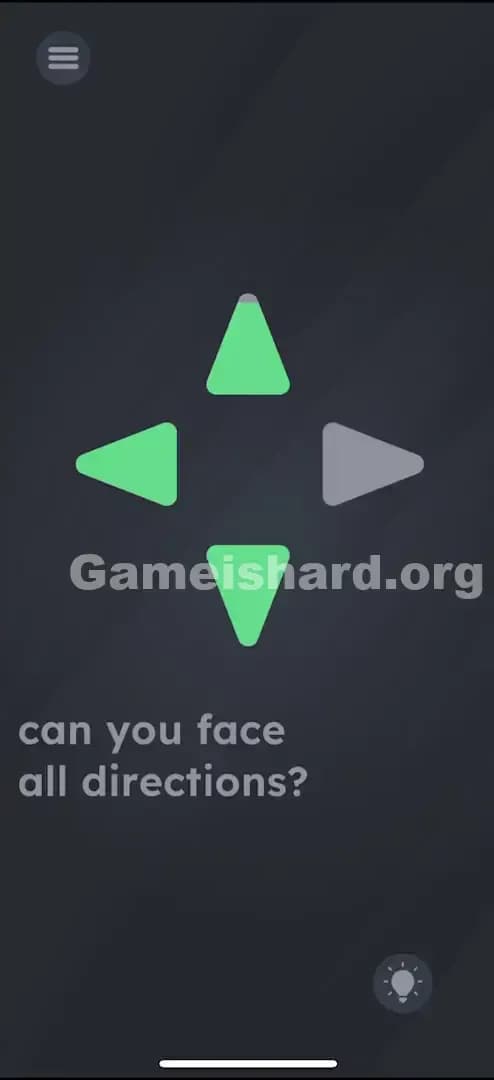
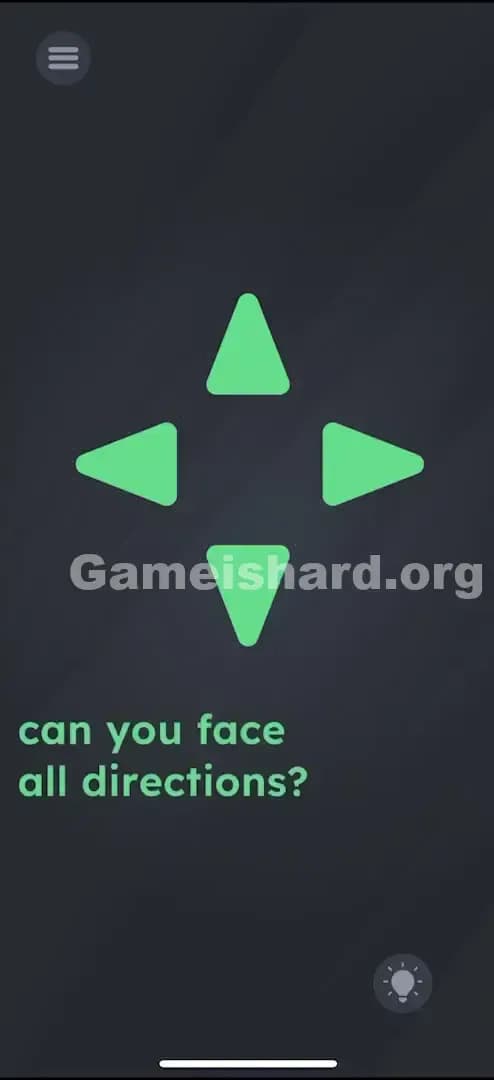
Quick Answer for Game is hard Level 90 (Do This)
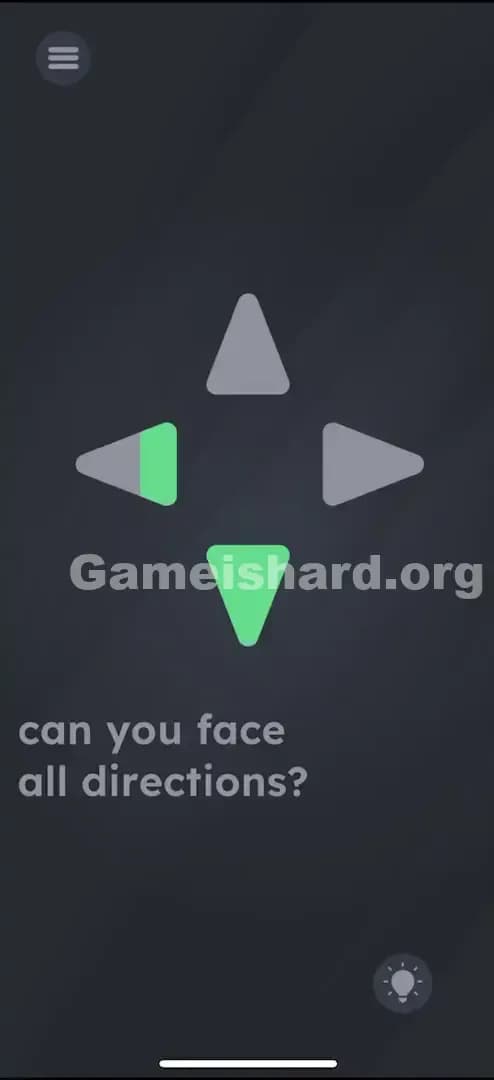
Solution: Hold your device upright and physically rotate your body (or just the phone) to face North, East, South, and West until the corresponding on-screen arrows light up.
You are acting like a human compass; the Up Arrow is North, Right is East, Down is South, and Left is West.
Game is Hard Level 90 Overview
The Hook of Game is hard Level 90
You load into Game is hard Level 90 and you see a classic D-pad configuration. Four arrows. Up, down, left, right. Your brain immediately switches to "controller mode." You tap the Up arrow. Nothing. You smash the Right arrow. Dead silence. You try swiping, thinking maybe it's a gesture puzzle. Still nothing. The game is lying to you about the interface. These aren't buttons. They are indicators.
The Objective in Game is hard Level 90
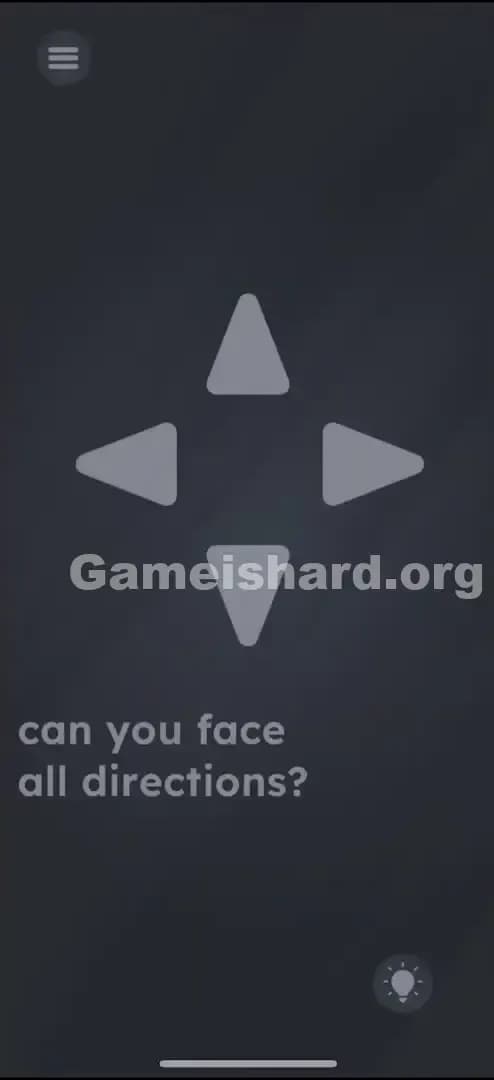
The goal here isn't to input a command. The goal is to align the device with the real world. You need to light up all four grey arrows. The text asks, "can you face all directions?" This is literal. The game wants to know if you, the human holding the slab of glass, can physically orient yourself to the four cardinal points of the compass.
Mechanics Involved in Game is hard Level 90
This level strips away the touchscreen almost entirely. It relies on hardware sensors that most games ignore.
- Compass / Magnetometer: The game is reading your phone's heading relative to the Earth's magnetic pole.
- Gyroscope / Accelerometer: While less critical than the compass, the tilt of your phone matters for the sensor to pick up the rotation accurately.
- Physical Movement: You cannot solve this by sitting still and tapping. You have to move.
- Feedback Loops: The UI (the arrows) only responds when the hardware sensor hits a specific threshold (e.g., 0 degrees North).
It’s not a puzzle logic. It’s a hardware test.
What You See on Screen in Game is hard Level 90
Let's break down the scene. It’s deceptively simple, which is why it causes so much rage.
- The Centerpiece: A large, greyed-out cross of arrows. It looks exactly like a generic D-pad from an emulator or a cheap platformer. The arrows are pointing outward: Up, Down, Left, Right.
- The Prompt: Just below the arrows, in that standard sans-serif font, it reads: can you face all directions?
- The Background: The usual dark, moody grey gradient.
- The UI: Your standard Menu button is in the top left. The lightbulb hint icon is in the bottom right.
There is nothing else. No hidden items to drag. No suspicious periods or commas to tap. Just those four stubborn arrows that refuse to acknowledge your finger.
What’s Tricking People in Game is hard Level 90
The Trap of Game is hard Level 90
The trap here is UI Blindness combined with Gamer Muscle Memory. We are trained from birth (or at least since the NES era) that arrows are for directional input. If you see an arrow, you push it to move something. Game is hard Level 90 flips this. The arrow isn't the controller; you are the controller. The arrow is just the display. Players fail because they spend five minutes tapping the screen instead of turning their chair.
The Wrong Instincts in Game is hard Level 90
I’ve seen people try everything before standing up:
- Swiping aggressively in all directions.
- Tilting the phone like a steering wheel (accelerometer logic).
- Shaking the phone violently (the universal "fix it" move).
- Dragging the text "all directions" onto the arrows.
- Waiting for something to happen (timing logic).
None of these work because the game isn't looking for touch input. It's looking for a magnetic heading.
My Reaction to Game is hard Level 90
I stared at this for a solid two minutes. I tapped the Up arrow probably fifty times. I thought maybe my screen was dirty. Then I got annoyed, stood up to go get a drink while holding the phone, and suddenly the Left Arrow lit up green. I froze. I turned back. It went grey. I turned left again. Green. I felt incredibly stupid. I wasn't playing a game; I was holding a compass.
Game is hard Level 90 Step-by-Step Walkthrough
The Setup of Game is hard Level 90
Stop tapping. Stand up. If you are in a spinning office chair, that works too, but standing is more reliable. Hold your phone flat (parallel to the ground) or upright (vertical). The sensor works best when the phone isn't tilted at a weird diagonal angle. Make sure you have some room to spin 360 degrees.
The Action in Game is hard Level 90
- Find North: Hold the phone steady and slowly turn your body until the Up Arrow lights up. This indicates you are facing North. (If it flickers, hold steady for a second).
- Find East: Rotate your body 90 degrees to your right. Watch the Right Arrow. Keep turning until it glows bright.
- Find South: Rotate another 90 degrees to the right. You should be facing the opposite direction from where you started. The Down Arrow will light up.
- Find West: Rotate 90 degrees right again. The Left Arrow should light up.
- Verify: Once all four directions have been triggered (they usually stay lit once hit, or the level ends immediately upon hitting the last one), the level clears.
Troubleshooting at Game is hard Level 90
If you are spinning like a ballerina and nothing is happening, your phone’s compass might be uncalibrated.
- The Figure-8: Wave your phone in a figure-8 motion in the air a few times. This forces the magnetometer to reset.
- The Case: If you have a phone case with a magnetic clasp or a credit card holder, take it off. Magnets kill the compass sensor.
- The Angle: Try switching from holding it vertical to holding it flat like a plate. Some phones have quirky sensors.
Micro-Details That Make the Move Register in Game is hard Level 90
Precision matters here, but not pixel precision—sensor precision.
- The Snap Zone: You don't need to be perfectly at 0° North. The game usually gives you a generous "cone" of acceptance, probably around ±15 degrees. If you are facing North-North-East, it might not trigger. You need to be squarely in the zone.
- The Lag: Compass sensors on phones are often laggy. If you spin too fast, the arrow won't have time to register the "hit." Turn slowly. Give the sensor a half-second to catch up to your movement.
- The Z-Axis: Keep the phone level. If you tilt the top of the phone away from you while turning, the sensor math gets complicated and might fail. Keep it perpendicular to the floor (if vertical) or parallel (if flat).
I fixed it by: Taking my phone out of its case. I had a heavy-duty case with a metal kickstand. It was interfering with the compass. As soon as I stripped the case, the arrows lit up instantly.
The Logic Behind Game is Hard Level 90
This level is testing your ability to think outside the digital box. Most levels in Game is hard force you to deconstruct the sentence on the screen. Level 90 forces you to deconstruct the device itself.
The logic is strictly hardware-based. The code for this level looks something like this:
If CompassHeading == 0, LightUp(UpArrow).
If CompassHeading == 90, LightUp(RightArrow).
The game is teaching you that the "rules" of the game include the physical space you are occupying. The "directions" mentioned in the prompt are not screen directions (up/down on pixels); they are cardinal directions (North/South on Earth). It's a clever breakage of the magic circle. You aren't just a brain floating in a void tapping glass; you are a body standing in a room.
Pro Tip for Game is Hard Level 90
If you are speedrunning or just want this over with, don't guess.
- Check a Real Compass App: If you are stuck, open Google Maps or your phone’s native Compass app. See where North is.
- Match the Phone: Switch back to Game is hard Level 90 and point the phone exactly that way.
- Commit: Don't just wave the phone. Turn your whole torso. It keeps the device stable and improves sensor accuracy.
Do not waste time tapping the arrows. I cannot stress this enough. You could tap them for a thousand years and nothing will happen.
Alternative Attempts on Game is hard Level 90 (What Doesn’t Work, and Why)
Here is a graveyard of bad ideas I tried so you don't have to:
- Tapping the arrows in a Konami Code sequence (Up, Up, Down, Down...).
- Why it fails: The arrows are not buttons. They have no touch listeners attached to them.
- Tilting the phone left/right (Accelerometer).
- Why it fails: This measures gravity/tilt, not heading. The game wants direction, not angle.
- Dragging the word "face" to the arrows.
- Why it fails: While linguistic drag-and-drop is common in this game, this specific level is a sensor check, not a word puzzle.
- Shouting "North" into the microphone.
- Why it fails: A valid strategy for other levels, but the mic is inactive here.
- Putting the phone face down.
- Why it fails: Facing "down" towards the floor is not a cardinal direction.
Common Mistakes for Game is Hard Level 90
- Spinning too fast. The sensor misses the "trigger" zone because you whizzed past it.
- Holding the phone upside down. This inverts the axis and confuses the code. Keep the charging port down.
- Ignoring magnetic interference. Standing next to a large speaker, a microwave, or another electronic device can scramble the magnetometer.
- Sitting in a weird position. If you are slouching on a couch, you might not be able to physically turn 360 degrees without tangling your arms.
- Assuming the arrows represent specific objects. They are purely abstract compass needles.
- Giving up on a specific arrow. Sometimes "East" is finicky. Wiggle the phone left and right slowly around the East area until it clicks.
Pattern Recognition: How to Spot This Trick in Future Game is Hard Levels
The Tell
Watch out for words that imply physical orientation or location. Words like:
- "Face"
- "Turn"
- "Spin"
- "Where"
- "Orient"
Also, look for D-pads that don't click. If you tap a button and it doesn't give a visual "press" animation (getting smaller or darker), it’s likely not a button at all. It’s a sensor indicator or a draggable object.
The Habit
Whenever you see a directional puzzle that ignores your touch, move the phone. First tilt it. If that fails, rotate it. If that fails, rotate yourself. The game has a hierarchy of sensors it wants you to use. Compass is usually the last resort because it's the most annoying to code, but Game is hard loves being annoying.
Game is hard Level 90 FAQ (Short, Useful)
Q: I'm turning but nothing is lighting up in Game is hard Level 90! A: Your compass is likely uncalibrated. Open your map app, do the figure-8 wave with your phone, then try the level again. Also, remove magnetic cases.
Q: Do I have to do them in a specific order in Game is hard Level 90? A: No. You can light them up in any order (North, West, South, East), but going in a circle is usually the most efficient way to hit all four without missing one.
Q: Can I just spin the phone on a table in Game is hard Level 90? A: Yes, placing the phone flat on a table and spinning it like a classic "spin the bottle" game works perfectly and is often more stable than holding it.
Q: Is there a trick with the text in Game is hard Level 90? A: No. In this specific level, the text is just a hint. It is not an interactive object. Focus entirely on the arrows.
Get more level walkthrough on Gameishard.org
That’s how you navigate the compass chaos of Level 90. If you found this helpful, we’ve got straight-to-the-point guides for every other headache-inducing level in the game. We cut the fluff so you can clear the stage. Check out the rest of the guides on Gameishard.org and keep your streak alive. Good luck, and stop getting dizzy!