Game Is Hard Level 300 Solution Walkthrough & Answer
How to solve Game Is Hard level 300? Get instant solution & answer for Game Is Hard level 300: "Capture the moment of great alignment."
Doesn't look like your level?
App updates can sometimes shuffle the order of puzzles. If this level 300 walkthrough doesn't match your screen, don't worry! You can browse our All Levels guide to find your exact puzzle by its picture.
Quick Answer for Game is hard Level 300 (Do This)
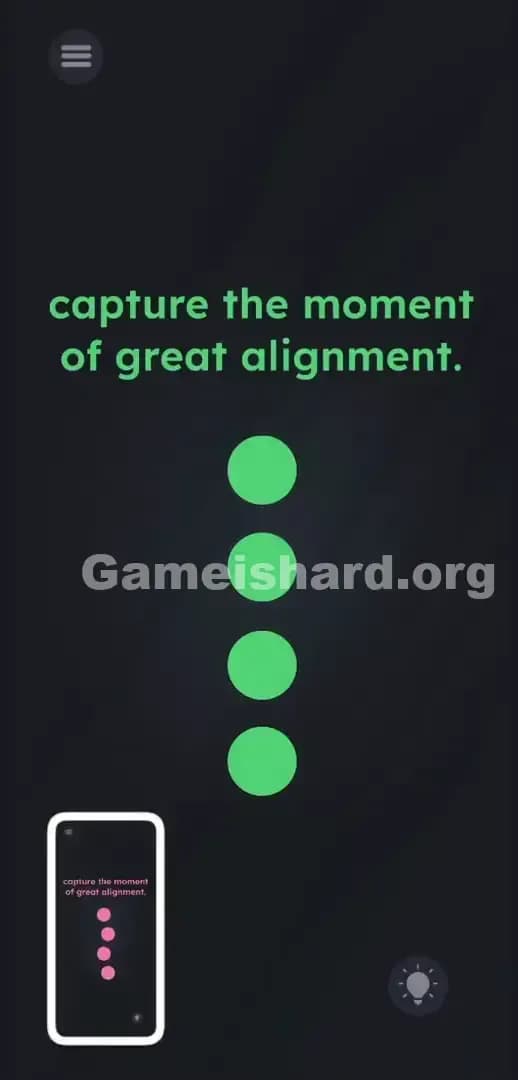
Solution: Wait for the four pink balls to drift into a perfect vertical line, then instantly take a screenshot using your device's physical hardware buttons (usually Power Button + Volume Up).
You must trigger your phone's actual system screenshot feature the exact second the shapes stack perfectly in the center of your screen.
Game is Hard Level 300 Overview
The Hook
You stare at the screen. You tap the pink circles. Nothing happens. You drag them around, but they refuse to follow your finger. The prompt text gives you a vague clue about taking a picture, but there is no camera button. There is no shutter icon. You swipe every edge of your phone looking for a hidden interface. Complete dead end. Game is hard Level 300 totally lies to you about where the game ends and your phone begins. It wants you frustrated. It wants you tapping aimlessly.
The Objective
The goal here is absolutely not about arranging objects. Your job is to act as a photographer. You have to wait for the game to complete its own internal animation loop. Once the visual conditions are met, you bypass the app entirely and use your phone’s operating system to freeze the frame.
- Timing / waiting
- Button trick (volume/mute/power)
- No-touch logic
It’s not a typo. It’s ammo.
What You See on Screen in Game is hard Level 300
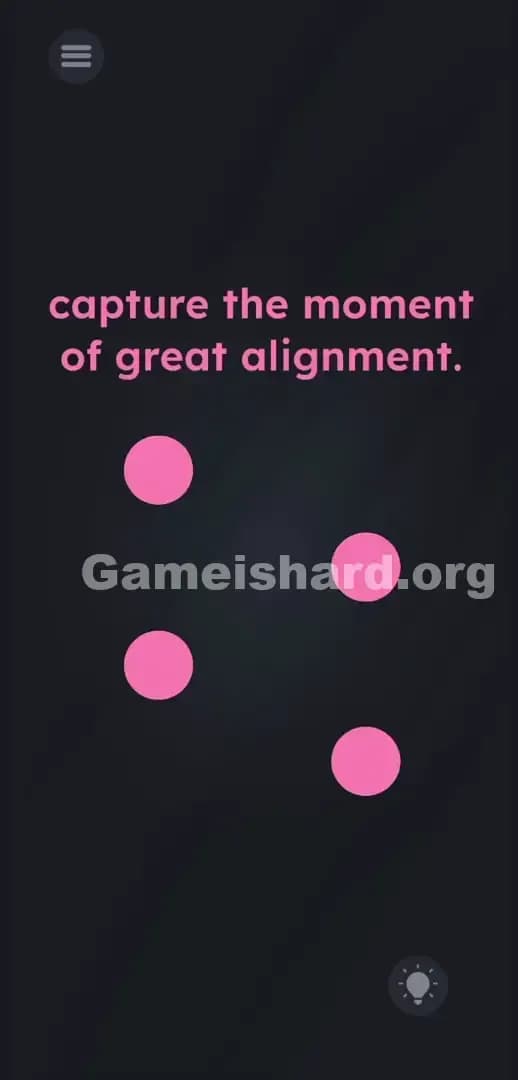
The layout is aggressively minimal. This emptiness is highly intentional. At the very top, two lines of plain text spell out the instruction: capture the moment of great alignment.
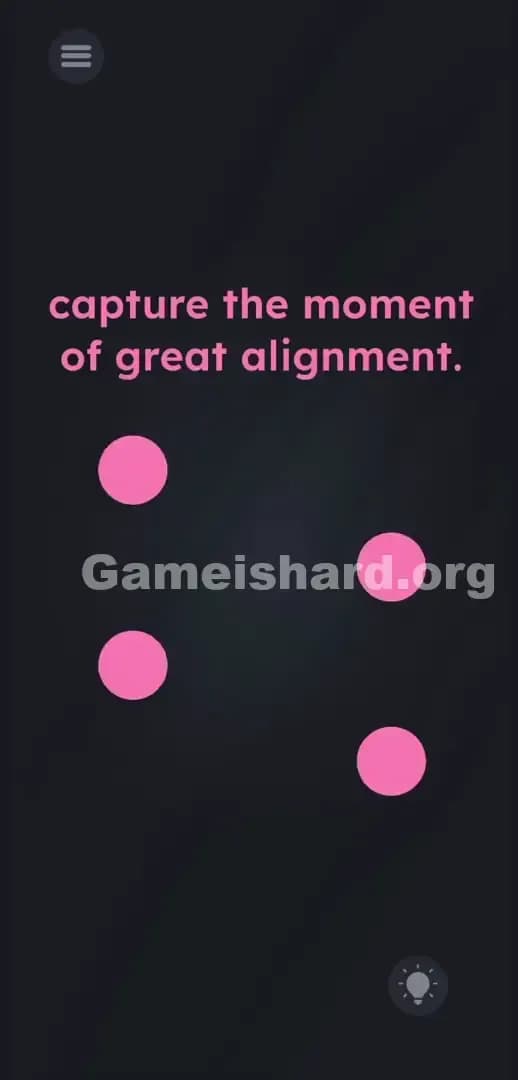
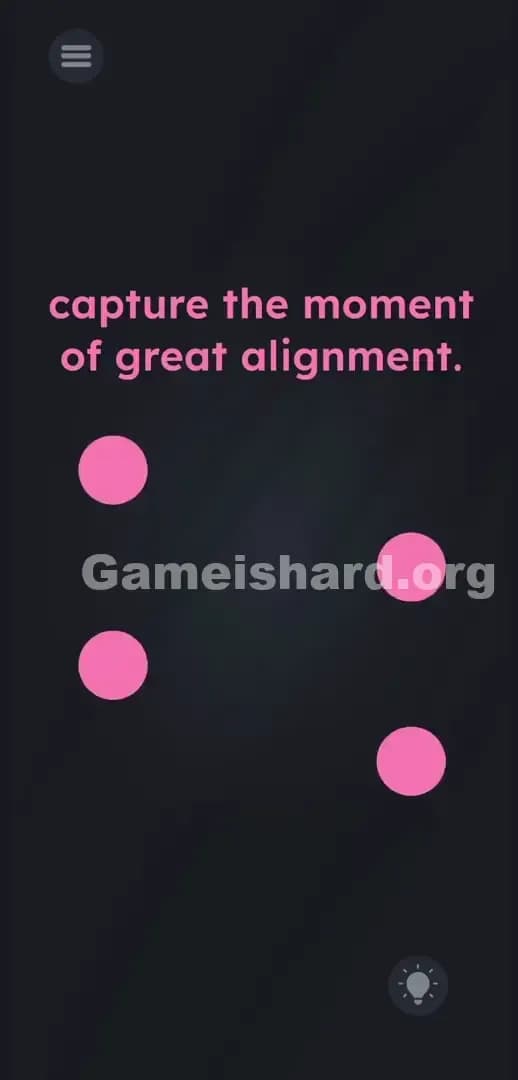
Below the text, four pink balls float freely over a dark, charcoal-grey background. They wander. They cross paths. They do not snap to a grid.
Up in the top left corner, you have the standard hamburger menu button represented by three horizontal lines. Tucked away in the bottom right corner is a circular lightbulb icon used for buying hints. There are no invisible sliders hiding in the dark space. There are no interactive text blocks you can rip apart. The screen looks practically dead. Just four drifting shapes openly refusing to obey your touch inputs.
What’s Tricking People in Game is hard Level 300
The Trap
Players fail this stage because of severe UI Blindness. We are conditioned by thousands of apps to expect the solution to exist inside the digital boundaries of the software. If a game says "capture," our brains automatically hunt for a digital shutter button drawn on the screen. We refuse to accept that a mobile puzzle game has the ability to listen for a hardware-level command. We think the solution requires finger gymnastics. It doesn't.
The Wrong Instincts
I tried doing exactly what the game expected me to do. I dragged the pink balls hoping to force them into a straight line. They completely ignored me. I tried dragging the specific word capture from the prompt text down onto the shapes. Dead end. I even tried pinching the screen to zoom out, thinking there was a hidden camera lens UI hiding off-screen. Nothing worked.
My Reaction
I spent an embarrassing amount of time holding down the menu button hoping it would transform into a camera. Huge facepalm when I finally read the clue literally and realized what "capture" actually meant in this context.
Game is hard Level 300 Step-by-Step Walkthrough
The Setup
Pull your fingers away from the glass. Stop tapping the pink balls. Get your hands ready on the physical plastic or metal buttons running along the outer frame of your phone. You need to prepare your grip for a system-level screenshot.
The Action
- Watch the four pink balls closely as they drift across the dark background. Notice their specific speed and trajectory.
- Wait patiently. Do not touch the screen. Let the shapes cross over each other naturally.
- Anticipate the exact second they merge to form a perfectly straight vertical line down the middle of your screen.
- The instant they stack into that line, physically press your device's Power Button and Volume Up (or Volume Down) simultaneously. Take a real screenshot.
- The screen will flash white. The game detects the screenshot event and immediately triggers the "level cleared" graphic.
Troubleshooting
- Missed the timing? Relax. The shapes run on an endless repeating loop. Just wait for the next rotation.
- If taking a screenshot forcefully minimizes the app on your specific OS, try using a secondary shortcut. Many phones allow a three-finger swipe down to snap the screen. The app just needs the system to register the capture command.
- Keep your fingers off the display while you wait. If you accidentally tap the menu button or lightbulb icon, the pop-up will obscure the pink balls and ruin your timing.
The Logic Behind Game is Hard Level 300
This level heavily tests your ability to break the fourth wall. The game treats your physical mobile device as an active piece of the puzzle hardware. The word "capture" is literal. You are capturing an image of your screen.
The instructions are bait; the UI is the real puzzle. Game is hard constantly blurs the line between the artificial app environment and the real-world operating system. The app is quietly running a background listener script, waiting for your phone to broadcast the "screenshot saved" signal. If a level forces you to watch an animation with zero on-screen controls, the answer usually involves your phone's physical sensors or buttons.
Pro Tip for Game is Hard Level 300
Stop swiping the prompt text and prepare your hardware early. The window for success is tight.
- Hover your fingers directly over your physical Power and Volume keys before the shapes even get close.
- Track the slowest-moving pink shape. It acts as the anchor point for the stack.
- Press the buttons a millisecond early. Most phones have a slight input delay on hardware buttons. Squeeze the physical buttons right before perfect center.
FAQ
Why won't the balls move when I try to drag them? Game is hard Level 300 is fundamentally an observation test, not an interaction puzzle. You cannot manipulate the objects. You simply have to wait for the physics engine to push them into the correct formation.
What if my phone uses a totally different screenshot method? Use whatever native shortcut your OS demands. If you normally double-tap the back of your phone case to snap the screen, use that exact method. The game does not care how you trigger it, as long as the OS logs a successful capture event.
I pressed the buttons but the level didn't clear. Why? Your timing was slightly off. The four pink balls must create a flawless, straight, vertical line. If one shape hangs slightly to the left or right, the game registers it as a fail. You have to be precise. Wait for the loop to reset.
Does tapping the lightbulb icon actually help here? No. It drains your hard-earned hint currency just to spit out the exact same hardware trick I just explained. Save your points for the massive logic traps in the later stages. Ignore the bulb. Take the screenshot.
Get more level walkthrough on Gameishard.org
We hate bloated, rambling guides just as much as you do. Our walkthroughs are built to be fast, accurate, and completely free of fluff. Share this Game is hard Level 300 guide with your friends currently stuck on Discord. Keep pushing through the campaign. You got this.