Game Is Hard Level 280 Solution Walkthrough & Answer
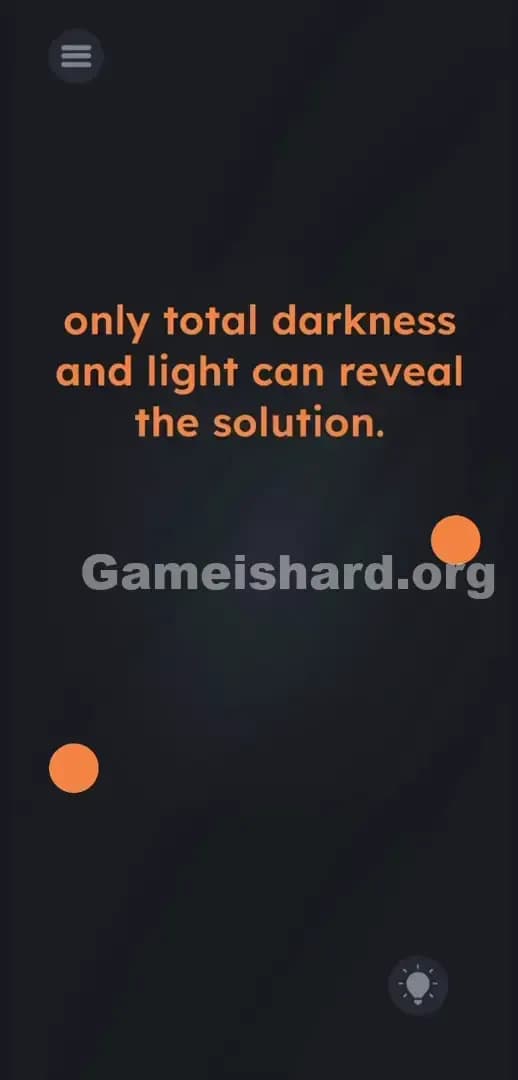
How to solve Game Is Hard level 280? Get instant solution & answer for Game Is Hard level 280: "Only total darkness and light can reveal the solution."
Doesn't look like your level?
App updates can sometimes shuffle the order of puzzles. If this level 280 walkthrough doesn't match your screen, don't worry! You can browse our All Levels guide to find your exact puzzle by its picture.
Quick Answer for Game is hard Level 280 (Do This)
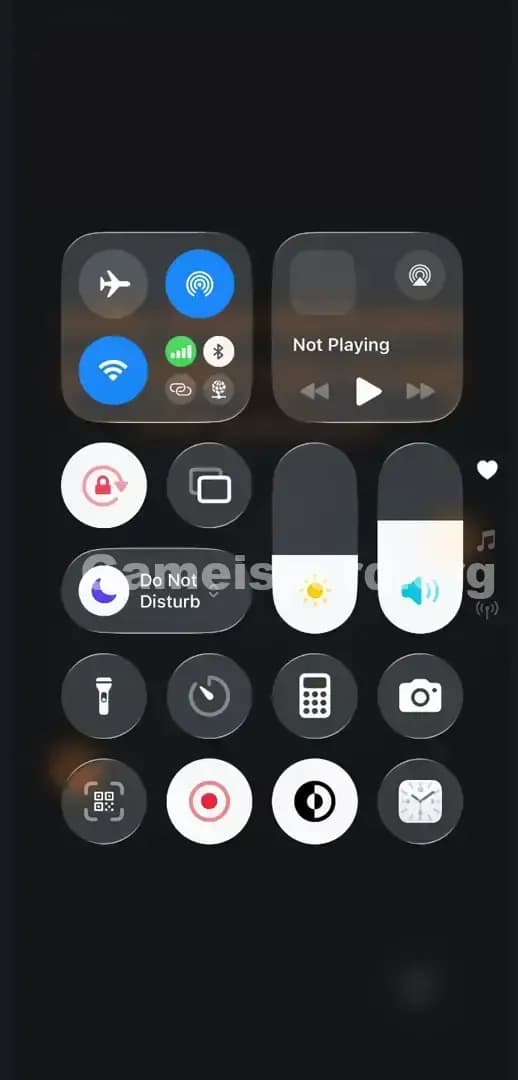
Solution: Pull down your device's control panel to set your physical screen brightness to 0% and then to 100% to force two hidden boxes to appear, then drag the orange balls onto them.
You have to manipulate your actual phone hardware settings outside the app for this to work.
Game is Hard Level 280 Overview
The Hook
You stare at the screen. The text gives you a cryptic clue about darkness and light. You drag the words. Nothing happens. You tap the screen randomly. Total silence. The game is straight-up lying to you about where the interface begins and ends. You are stuck trying to solve a software puzzle when the answer requires a hardware override.
The Objective
Your goal is to figure out where to place the two floating orange objects. The drop zones do not exist in the current game state. You must alter the physical light output of your actual mobile device to force the game code to render the missing puzzle pieces.
Here are the core mechanics you are dealing with to beat Game is hard Level 280:
- Button trick (volume/mute/brightness)
- Hidden object
- UI drag
- System-level sensor checks
It’s not a typo. It’s ammo.
What You See on Screen in Game is hard Level 280
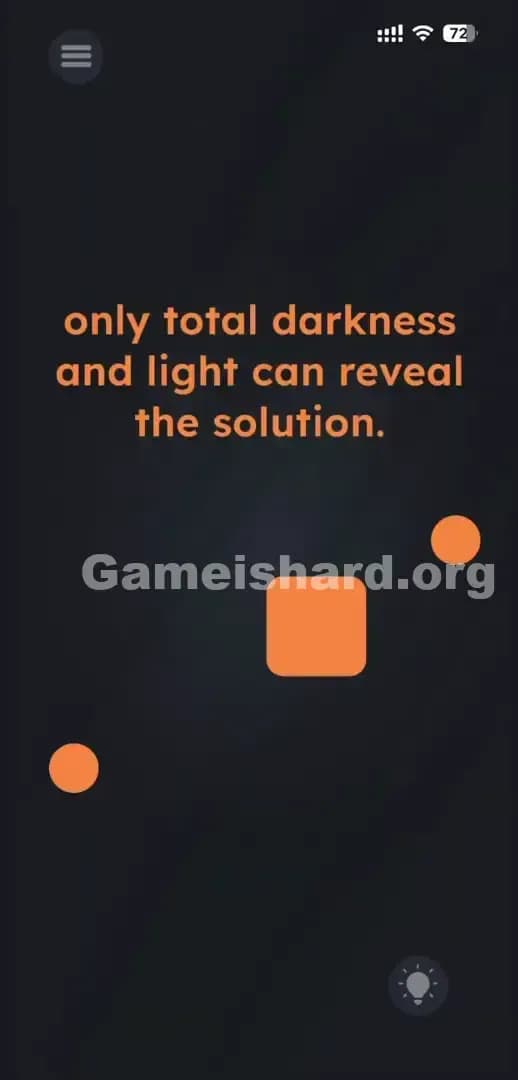
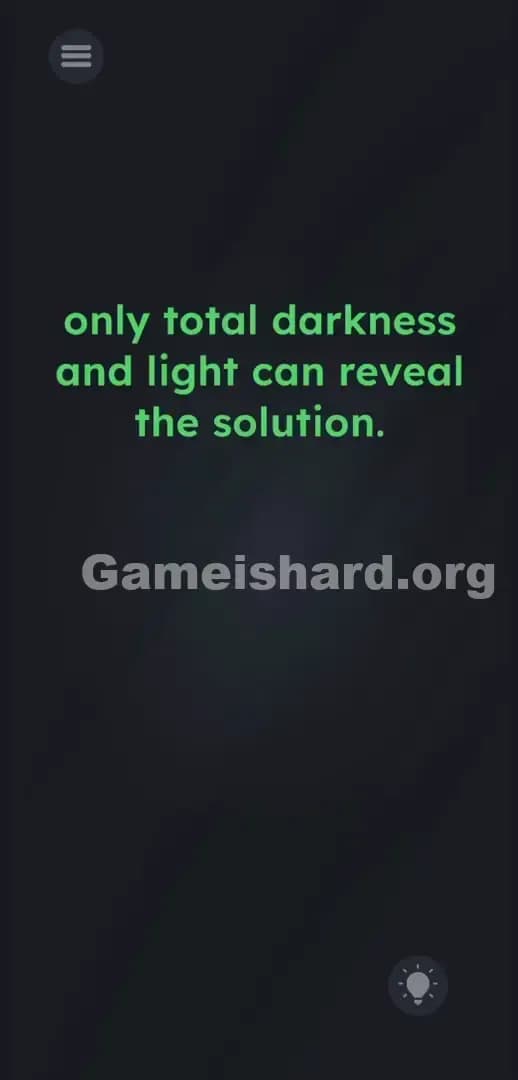
The layout is brutally simple. The background is a dark, murky gradient. Dead center, you see a sentence written in lower-case orange text: only total darkness and light can reveal the solution.
Floating near the middle-left and middle-right of the screen are two featureless orange balls. Tucked away in the bottom right corner is a translucent, faint icon of a lightbulb inside a circle. The vast majority of your screen is just empty negative space. There are no clear outlines, no visible drop zones, and no buttons to press inside the game window itself.
What’s Tricking People in Game is hard Level 280
The Trap
"UI Blindness" strikes hard here. We are conditioned by thousands of apps to believe that everything we need to solve a digital problem exists inside the borders of the app window. When a game tells us about light and darkness, our brains immediately look for an in-game toggle. We assume the faint lightbulb icon at the bottom is the key. It isn't. The developers put that icon there specifically to waste your time.
The Wrong Instincts
Players try everything to alter the light without touching their settings. I see people physically covering the ambient light sensors at the top of their iPhones. Others walk into a pitch-black bathroom, hoping the camera detects the lack of light. Some try dragging the word darkness and the word light onto the orange balls. None of this triggers the solution. The game does not care about your room; it cares about your operating system.
My Reaction
I spent three minutes aggressively rubbing my thumb over my phone's front-facing camera. I even tried shouting "light!" into the microphone. Total facepalm. Once I accidentally swiped down my control center and saw the game react, the actual trick clicked. It is a brilliant, annoying fourth-wall break.
Game is hard Level 280 Step-by-Step Walkthrough
The Setup
Stop touching the game app entirely. Leave the game open and running on your screen, but shift your attention to your phone's operating system UI. You need to access your main device control panel where your network, Bluetooth, and brightness sliders live.
The Action
- Swipe down from the top right of your screen (iOS) or swipe down twice from the top (Android) to open your system's Control Center.
- Locate your system's Brightness Slider (usually indicated by a sun icon).
- Drag the slider completely to the bottom to hit 0% brightness.
- Swipe the Control Center away to look at the game. A solid orange box will have materialized in the middle of the screen.
- Open your Control Center again.
- Drag the Brightness Slider all the way to the top to hit 100% brightness.
- Return to the game. A second orange box is now visible next to the first one.
- Touch and hold the two orange balls and drag them directly onto the newly revealed boxes.
Troubleshooting
- Auto-Brightness is fighting you: If your phone immediately corrects the brightness the second you change it, the game won't register the 0% or 100% state. Go into your main phone settings, disable Auto-Brightness or True Tone temporarily, and try the slider again.
- Third-party dimmer apps: If you use an Android app that applies a dark overlay to your screen to reduce glare, turn it off. The game code reads the system-level brightness variable, not the screen overlay opacity.
- You didn't hit the extremes: The game demands exact values. 1% brightness will not work. 99% brightness will not work. You must hit the absolute minimum and the absolute maximum on your slider.
The Logic Behind Game is Hard Level 280
This stage forces you to break the sandbox. The game asks you to stop treating it like a self-contained software program and start treating it as an extension of your physical hardware.
The text on the screen, only total darkness and light can reveal the solution., is entirely literal. But it refers to the phone's hardware state, not an in-game mechanic. The game constantly polls your operating system's API to check the current screen brightness value. Once that value hits a specific integer (0 or 100), the game executes a script to change the opacity of the hidden boxes from 0 to 100. The instructions are bait; the UI outside the game is the real puzzle.
Pro Tip for Game is Hard Level 280
Do not overcomplicate the sensory puzzles in this game. If an in-game interaction feels dead, the answer is always in your hardware.
- Ignore the lightbulb icon entirely.
- Yank your system brightness down to zero.
- Check the screen.
- Blast your system brightness to max.
- Drag the balls into the boxes.
FAQ
Why didn't covering my phone's camera work? Game is hard Level 280 does not ask for microphone or camera permissions. It cannot see how dark your room is. It can only read internal system states like volume, battery level, and screen brightness.
I dragged the brightness down but only one box appeared. Is my game bugged? No. The puzzle requires both extremes to reveal both drop zones. 0% brightness reveals the first box representing "darkness." 100% brightness reveals the second box representing "light." You must do both actions sequentially.
Can I just drag the balls to the middle without changing the brightness? No. The hitboxes for the drop zones are disabled until the brightness check is cleared. The game code requires the visual reveal before it allows the collision detection between the balls and the boxes to function.
Does it matter which ball goes into which box? Not at all. The objects are identical. Just get both balls onto the visible boxes to clear the stage.
Get more level walkthrough on Gameishard.org
Stuck on the next puzzle? We skip the fluff and give you the exact inputs needed to beat every stage. Search Gameishard.org for the next level to keep your streak alive. Share this guide with your friends on Discord if they are stuck trying to yell at their screen. Keep pushing forward.