Game Is Hard Level 10 Solution Walkthrough & Answer
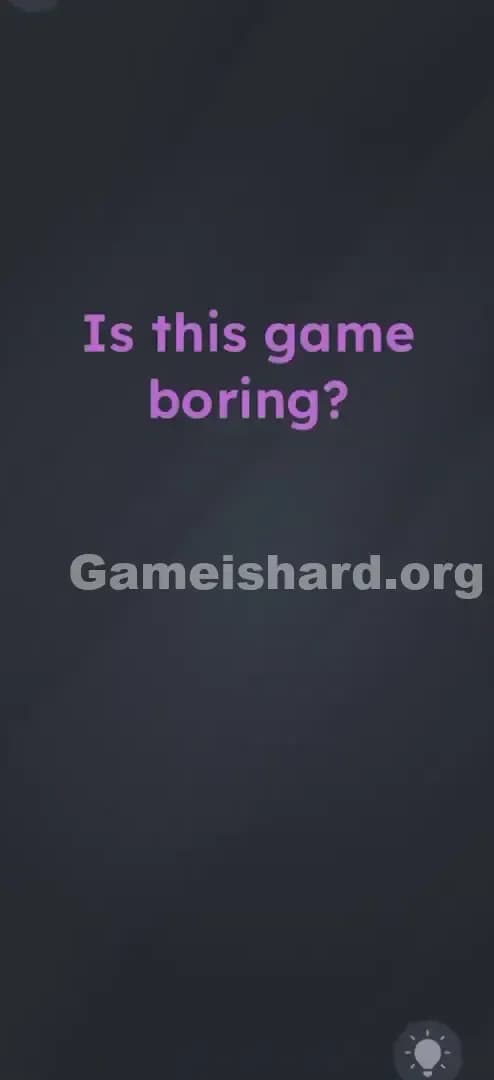
How to solve Game Is Hard level 10? Get instant solution & answer for Game Is Hard level 10: "Is this game boring?"
Doesn't look like your level?
App updates can sometimes shuffle the order of puzzles. If this level 10 walkthrough doesn't match your screen, don't worry! You can browse our All Levels guide to find your exact puzzle by its picture.
Quick Answer for Game is hard Level 10 (Do This)
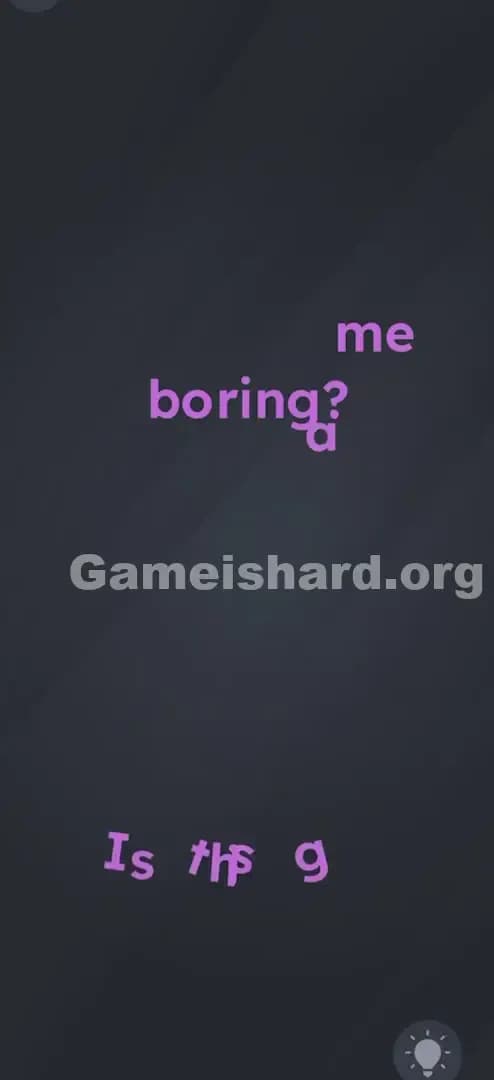
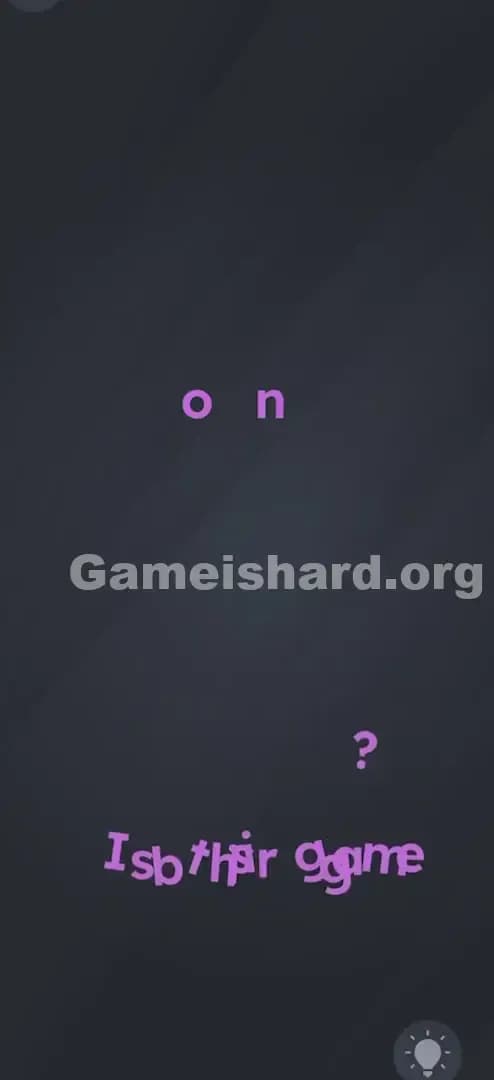
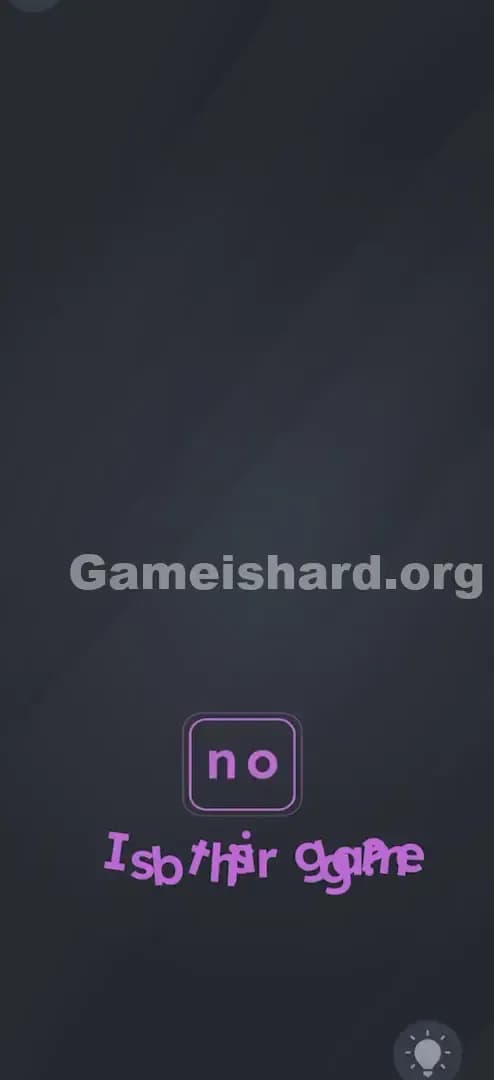
Solution: Shake your device vigorously until most of the letters fall off the screen, leaving only the word no, then tap it.
The letters in the question "Is this game boring?" are loose objects, not fixed text; shake until you reveal the hidden answer.
Game is Hard Level 10 Overview
The Hook of Game is hard Level 10
You stare at the screen. A single, slightly insulting question sits there in bright purple: "Is this game boring?" There are no buttons. No "Yes." No "No." Just the question. You tap the screen. Nothing happens. You try to drag the words around. Nothing moves. It feels broken, or maybe it’s a trick question where doing nothing is the answer? Nope. The game is just waiting for you to stop treating your phone like a book and start treating it like a physical box full of loose parts.
The Objective of Game is hard Level 10
Your goal here isn't to answer the question logically or find a hidden "No" button tucked in a corner. The goal is to physically deconstruct the question itself. You need to break the sentence "Is this game boring?" apart to isolate the answer hidden within the letters. It’s a classic lateral thinking puzzle where the text is the environment, not just instructions.
Mechanics Involved in Game is hard Level 10
- Motion Sensors (Accelerometer): The game is reading physical movement.
- Physics Engine: The text has gravity and collision physics enabled, but only when triggered by shaking.
- Hidden Object: The answer is inside the question.
- Touch Input: Once the answer is revealed, you must tap it.
It’s not a typo. It’s a construction project.
What You See on Screen in Game is hard Level 10
When Level 10 loads, the interface is incredibly sparse. It’s almost suspiciously empty.
- The Background: A dark, moody grey. Nothing to interact with here.
- The Text: Centered in the top third of the screen is the purple text: "Is this game boring?"
- The Font: It’s large, bold, and distinct.
- The Absence of UI: There is no submit button. No keyboard pops up. There are no draggable shapes or inventory items. It’s just you and that rude question.
This stark layout is designed to focus your attention entirely on the text. Because there is nothing else on the screen, the text must be the puzzle. The game is betting that you won't realize the letters are dynamic objects until you get frustrated and jostle your device.
What’s Tricking People in Game is hard Level 10
The Trap of Game is hard Level 10
The primary trap here is "Passive User Syndrome." We are trained by thousands of apps to hold our phones steady and tap gently. Shaking your phone is usually something you do to undo text or when you're angry at a loading screen. Game is hard Level 10 exploits this politeness. The text looks fixed. It looks like a label. It doesn't look like a pile of Scrabble tiles waiting to be knocked over.
The Wrong Instincts in Game is hard Level 10
- The Waiting Game: Many players stare at the screen, thinking, "Maybe if I don't answer, that means it's not boring?"
- The Tap Spam: Tapping every inch of the screen hoping to hit an invisible button.
- The "Not" Logic: Trying to find a way to drag the word "boring" off-screen to make the sentence say "Is this game?" (which makes no sense).
My Reaction of Game is hard Level 10
I spent a solid two minutes trying to swipe the words left and right. I thought maybe I had to "swipe away" the boredom. Then I got annoyed, put my phone down a bit too hard on the desk, and saw the letter "g" wiggle. That was the "aha!" moment. It wasn't a static image; it was a simulation.
Game is hard Level 10 Step-by-Step Walkthrough
The Setup of Game is hard Level 10
Hold your device firmly. You need a good grip because this solution requires actual physical motion, not just a screen gesture. Look at the sentence "Is this game boring?".
The Action in Game is hard Level 10
- Shake It: Shake your phone or tablet. Don't be shy. A gentle wobble might not trigger the physics engine fully. Give it a sharp, deliberate shake.
- Watch thefall: As you shake, you will see the individual letters detach from the sentence. They will tumble down to the bottom of the screen like loose change.
- Spot the Remainder: Most letters will fall, but two specific letters will remain stuck in place or fall in a way that isolates them. You are looking for the letters that form the word no.
- Sometimes the letters rearrange themselves.
- Sometimes specifically the letters from "boring" fall away, leaving fragments that spell no.
- Correction/Clarification based on mechanics: In this specific level iteration, shaking usually causes all extraneous letters to drop, leaving just the letters n and o (often derived from the existing text or revealing a hidden layer).
- The Final Tap: Once the word no is clearly visible and the chaos has settled, tap the word no.
Troubleshooting in Game is hard Level 10
- Nothing is moving? You might have "Shake to Undo" disabled in your phone's accessibility settings, or your accelerometer is stuck. Try a sharper, snapping motion with your wrist rather than a wide arm wave.
- Letters fell but didn't spell anything? Keep shaking. Sometimes a letter gets stuck on the edge of the screen. Shake until the screen is clear of debris except for the answer.
Micro-Details That Make the Move Register in Game is hard Level 10
The physics in Game is hard can be a bit finicky. Here is exactly how to make it work every time.
- The Snap: The accelerometer looks for a spike in G-force. A slow wave won't cut it. Imagine you are trying to shake the last drop of ketchup out of a bottle. That is the motion.
- Orientation: Keep the phone portrait. If you tilt it too far flat, the "gravity" in the game might pull the letters sideways instead of down, making them clutter the screen rather than falling off nicely.
- The "No" Hitbox: The target no can sometimes be small. If tapping it once doesn't work, try tapping slightly around it. The hitbox might be offset if the letters are still settling from the physics simulation.
I fixed it by... purely by accident. I dropped my phone on the couch. The impact jarred the sensor enough to send the letter "b" plummeting. That's when I realized violence was the answer.
The Logic Behind Game is Hard Level 10
This level is a masterclass in Deconstruction Puzzles. The logic rule here is: Text is Physical.
Usually, text in a UI is informative. It tells you the score, the level number, or the instructions. In Game is hard Level 10, the text is a physical entity within the game world. It is subject to gravity. By shaking the device, you are breaking the "fourth wall" of the user interface.
The game is testing your ability to move past the screen's visual information and interact with the hardware itself (the gyroscope/accelerometer). It forces you to ask, "Is the answer something I see, or something I make?"
Pro Tip for Game is Hard Level 10
If you are speed-running or replaying, don't wait for the text to settle.
- Start Shaking Immediately: As soon as the level number "10" fades, start shaking.
- Watch the bottom: Don't look at the top where the sentence was; look where the pieces fall.
- Tap the Survivor: The moment you see no, tap it. You don't need to wait for the other letters to disappear completely off-screen.
Don't waste time: Trying to drag the letters with your finger. They are shake-responsive, not touch-drag responsive in this specific phase.
Alternative Attempts of Game is hard Level 10 (What Doesn’t Work, and Why)
- Tapping the word "boring": You might think the answer is "Yes," but tapping "boring" just highlights it or does nothing. The game wants a specific answer: no.
- Waiting for 60 seconds: Some levels are patience tests. This is not one of them. You can wait all day, and nothing will happen.
- Shouting "No" at the mic: A valid strategy in some brain teasers, but strictly a motion-sensor puzzle here.
- Turning the phone upside down: This might move the letters if physics are active, but usually, the trigger event is the shake, not just the orientation change. Gravity often isn't enabled until the shake event occurs.
- Swiping the text: As mentioned, swipes are interpreted as standard scrolling gestures, which this static screen ignores.
Common Mistakes for Game is Hard Level 10
- Gentle Shaking: Treating the phone like a fragile egg. You need to rattle it.
- Stopping too soon: Shaking once and waiting. You often need continuous movement to dislodge all the letters.
- Ignoring the "No": Players often see the letters fall and think they "broke" the level, so they restart. The broken text is the solution.
- Tapping the wrong debris: In the pile of fallen letters, it's easy to miss the no if you aren't looking for it specifically.
- Case Sensitivity: You are looking for the word formed by the letters, usually lowercase or however they appeared in the sentence.
- Thinking it's a bug: When letters start falling, it looks like a glitch. Trust the glitch.
Pattern Recognition: How to Spot This Trick in Future Game is Hard Levels
The Tell
Whenever you see a level with no obvious input mechanism (no buttons, no sliders, no draggable items) and a short, centered sentence, suspect the Gyroscope/Accelerometer.
The Habit
When stuck on a static screen:
- Shake it.
- Tilt it.
- Flip it. Before you try complex logic, try physical agitation. If the UI moves, you know you're dealing with a physics puzzle.
FAQ of Game is hard Level 10 (Short, Useful)
Q: I'm shaking my phone but nothing is happening in Game is hard Level 10? A: Ensure your phone case isn't too bulky (damping the shock) and that you haven't locked screen rotation (though usually accelerometers work regardless). Try a sharp "whip" motion with your wrist.
Q: Do I need to spell "no" myself in Game is hard Level 10? A: No. The game physics will isolate the word for you, or the letters will fall away leaving the answer revealed. You just need to tap the result.
Q: Can I skip this level in Game is hard Level 10? A: Usually, you can watch an ad to skip, but this is one of the easiest levels once you know the trick. Save your skips for the math puzzles later.
Q: Is the answer always "no" in Game is hard Level 10? A: For this specific question "Is this game boring?", yes. The developers are cheeky; they won't let you say yes.
Get more level walkthrough on Gameishard.org
That’s the quick fix for Game is hard Level 10. We write these guides to get you unstuck in seconds, not minutes, because we know you just want to get back to the puzzles. If this helped you stop shaking your phone in frustration (and start shaking it for the win), share this guide with your friends. Good luck on Game is hard Level 11!