Game Is Hard Level 7 Solution Walkthrough & Answer
How to solve Game Is Hard level 7? Get instant solution & answer for Game Is Hard level 7: "I love the color purple."
Doesn't look like your level?
App updates can sometimes shuffle the order of puzzles. If this level 7 walkthrough doesn't match your screen, don't worry! You can browse our All Levels guide to find your exact puzzle by its picture.
Quick Answer for Game is hard Level 7 (Do This)
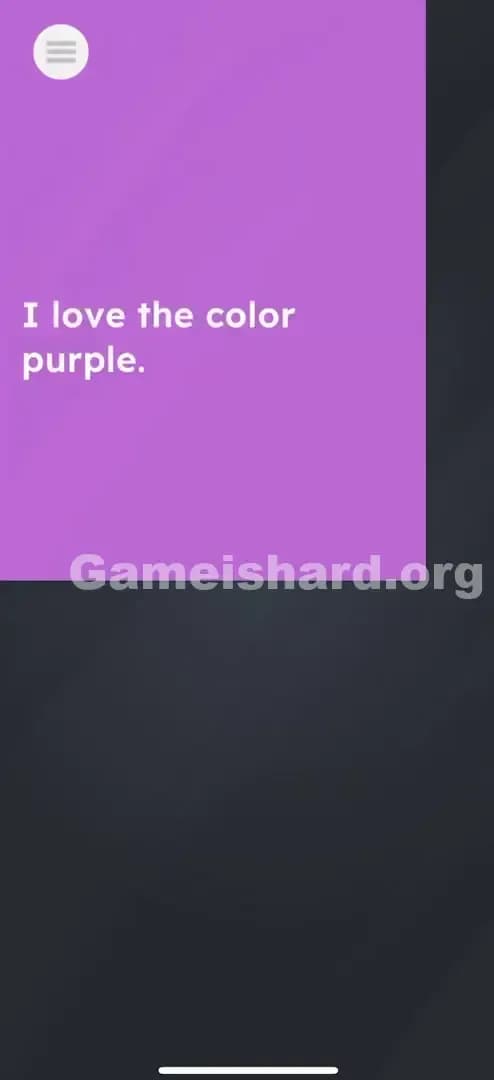
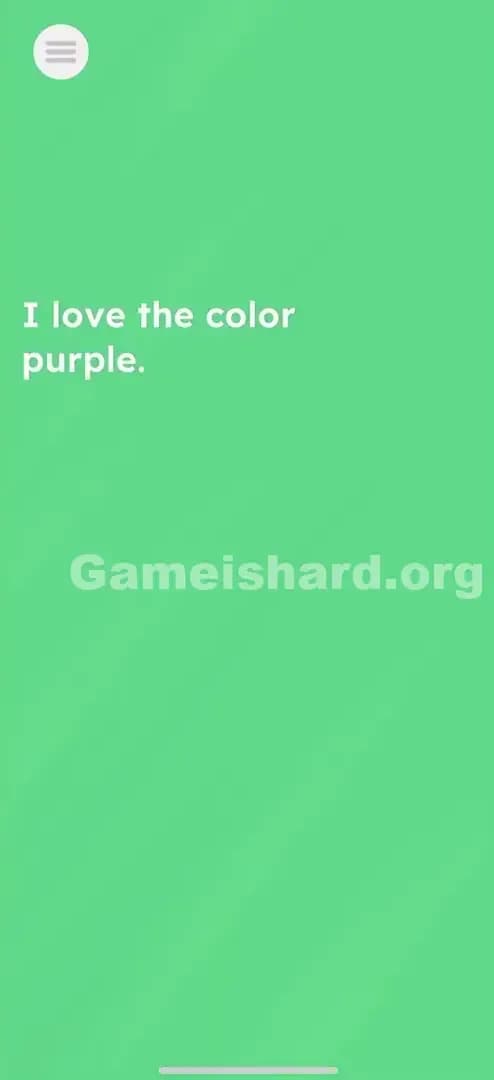
Solution: Pinch outwards on the purple rectangle at the top of the screen (pull the corners down and right) to expand it over everything. Drag it until the entire screen turns purple.
Game is Hard Level 7 Overview
The Hook in Game is hard Level 7
Wait, why is only part of the screen colored? You load into Game is hard Level 7 and see a header that looks broken. Most players immediately start tapping the text that says “I love the color purple.” It feels like a statement you need to agree with, or perhaps a hint to find a purple object. But nothing happens. Tapping the letters does zero.
The Objective of Game is hard Level 7
The game is giving you a literal command. It wants the entire screen to be purple. But you don't have a paint bucket tool or a color slider. You have to physically manipulate the interface itself to "paint" the void.
Mechanics Involved in Game is hard Level 7
- Touch & Drag (Resizing)
- UI Deconstruction: The header bar isn't fixed; it's a movable object.
- Hidden Mechanics: The game doesn't show "resize handles" like Photoshop, but they are there invisibly.
It’s not a glitch. It’s a construction project.
What You See on Screen in Game is hard Level 7
When you first land here, the layout looks intentionally unfinished.
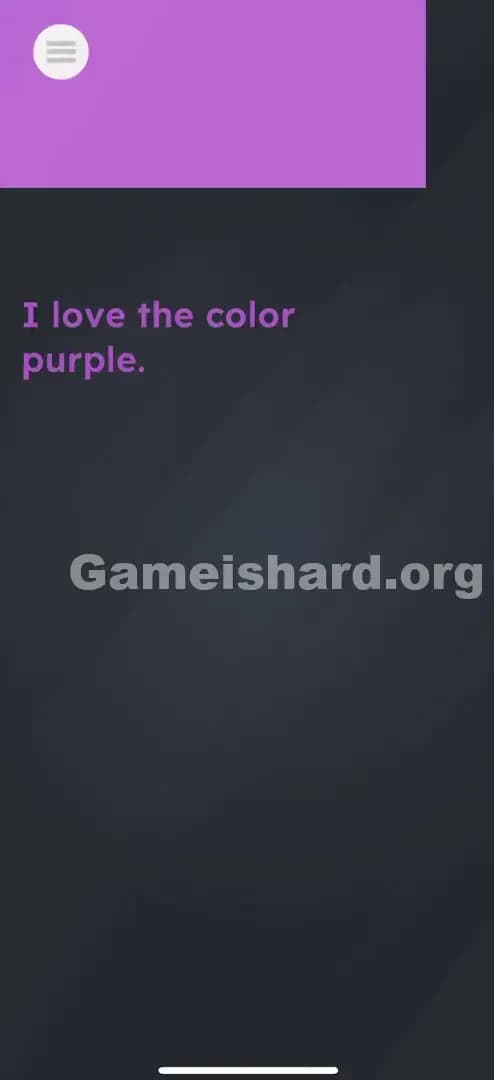
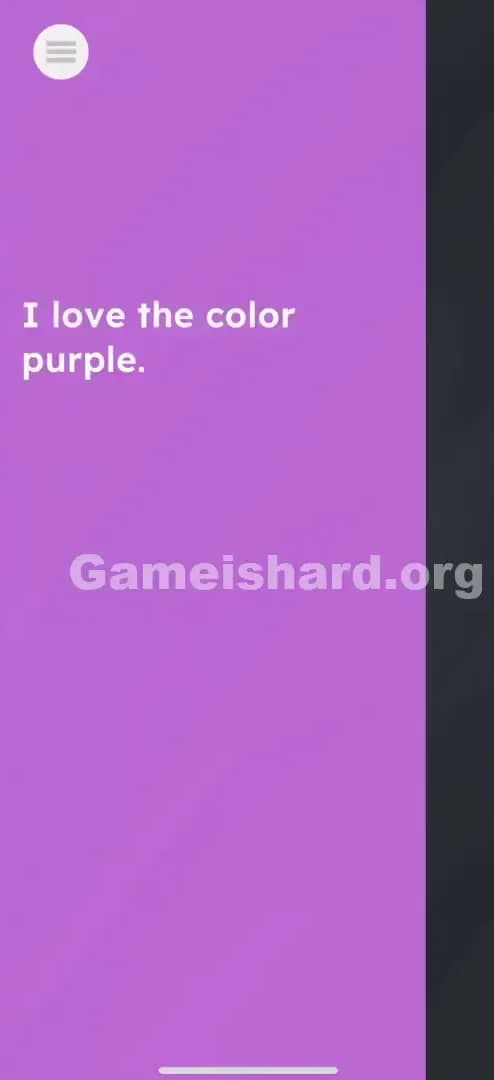
- Top Left: There is a solid purple rectangular block. Inside it, there is a generic "Hamburger Menu" icon (three horizontal lines). It looks like a standard app header that got cut off.
- The Text: Below the header, centered in the dark void, is the phrase: “I love the color purple.”
- The Background: The majority of the screen is a dark, dull grey/black color. It looks empty.
- The Trap: Everything looks static. The text looks like instructions, and the purple box looks like a locked UI element. Neither appears interactive at first glance.
What’s Tricking People in Game is hard Level 7
The Trap in Game is hard Level 7
This level relies heavily on "UI Constancy." In 99% of apps you use, the header bar at the top is locked. You can't drag the Facebook header down to cover your feed. You can't resize the Google search bar. Game is hard exploits this habit. You assume the purple box is just "where the menu lives." You ignore it because your brain filters it out as "non-gameplay" space.
The Wrong Instincts in Game is hard Level 7
- Clicking the Text: Because the text mentions "purple," players tap the word "purple" repeatedly. Nothing.
- Looking for Objects: Players often look for a hidden purple item in the dark background, turning up their brightness to see if something is hiding in the shadows.
- Shaking the Device: A classic desperation move. Maybe shaking it mixes the paint? Nope.
My Reaction to Game is hard Level 7
I stared at this for a solid minute trying to find a hidden "Yes" button. I thought it was a question: "I love the color purple... [True/False]?" When I accidentally swiped the header and saw it wiggle, I felt ridiculous. It was right there the whole time.
Game is hard Level 7 Step-by-Step Walkthrough
The Setup of Game is hard Level 7
Ignore the text completely. It is useless flavor text meant to distract you. Focus entirely on the purple block at the top left of the screen.
The Action in Game is hard Level 7
- Place your finger on the bottom-right corner (or just the edge) of the purple header box.
- Drag firmly down and to the right.
- Imagine you are resizing a window on a computer desktop. You want to pull that purple shape so it stretches.
- Cover the screen. Keep dragging until the purple color covers the text and reaches the bottom right corner of your phone display.
Troubleshooting in Game is hard Level 7
- It snaps back: If you don't drag it far enough, the box might snap back to its original position. You need to be aggressive. Cover the whole screen.
- Menu opens: If you tap precisely on the "three lines" menu icon, you might open the game's actual pause menu. Tap slightly away from the white icon, on the purple space itself.
- Corner glitch: Sometimes grabbing the exact corner is finicky. Try grabbing the bottom edge to pull it down first, then grab the right edge to pull it across. You can do it in two steps.
Micro-Details That Make the Move Register in Game is hard Level 7
The physics in Game is hard Level 7 can be a bit sticky. The game is checking for a specific "fill percentage."
- The Threshold: You can't just cover the text. You usually need to cover about 90-95% of the visible canvas for the win trigger to activate.
- Speed: Speed doesn't matter. You can drag slowly.
- Finger Placement: Don't use your thumb if you are playing one-handed; you won't reach the bottom corner. Use your index finger so you can drag all the way to the bottom right of the digitizer.
I fixed it by... switching to two fingers. I pulled the right edge with one finger and the bottom edge with another simultaneously to stretch it faster. It felt like stretching pizza dough.
The Logic Behind Game is Hard Level 7
This level teaches you that the UI is plastic.
In standard game design, the HUD (Heads Up Display) is a layer that sits above the game. In Game is hard, the HUD is the game. The purple rectangle isn't a container for the menu; it is an object in the physics engine that just happens to have a menu icon drawn on it.
This breaks the "Fourth Wall" of app design. The text says "I love the color purple," implying a desire. The logic is: "If you love it so much, why isn't everything purple?" You are fulfilling the text's statement by literally painting the world with the only purple object available.
Pro Tip for Game is Hard Level 7
If you are speed-running or replaying, here is the fastest method:
- Put your thumb in the middle of the screen.
- Put your index finger on the purple box.
- Pinch outward immediately.
- The level ends in under 0.5 seconds.
Do not waste time: Reading the text. It creates a 2-second delay in your brain processing. See purple box -> make big.
Alternative Attempts of Game is hard Level 7 (What Doesn’t Work, and Why)
Here are the things I tried that failed miserably, so you don't have to:
- Highlighting the text: I tried to drag my finger over "I love the color purple" to highlight it, thinking maybe the highlight color would be purple. (Result: Nothing, text is static).
- Tapping the word "Purple": I thought maybe tapping it would change the background color instantly. (Result: Zero interaction).
- Shaking the phone: I thought I needed to mix the grey background and the purple header. (Result: Just a tired wrist).
- Dragging the text into the box: I tried to move the sentence into the purple header. (Result: Text is nailed down).
- Volume Keys: Sometimes these games use volume up/down to change colors. (Result: Just changed my music volume).
Common Mistakes for Game is Hard Level 7
- Opening the Menu: Hitting the white "hamburger" icon instead of the purple space.
- Giving Up Too Soon: Dragging the box halfway down, seeing it doesn't cover everything, and letting go. You have to commit to the full screen.
- Thinking it's a bug: Many players restart the app because they think the header didn't load correctly.
- Assuming the text is the puzzle: Spending minutes analyzing the sentence for clues or puns.
- Trying to "Throw" the box: You can't flick it. You must hold and drag until the level clears.
Pattern Recognition: How to Spot This Trick in Future Game is Hard Levels
The Tell
Whenever you see a UI element (a bar, a button, a life counter) that looks oddly placed or cropped, suspect that it is movable. If a colored object exists on a monochrome screen, that object is almost always your tool.
The Habit
Touch everything. When you start a new level, don't just read. Tap the background. Drag the headers. Swipe the footer. Assume nothing is bolted down until you prove otherwise. If a shape has a straight edge, try to pull that edge.
FAQ of Game is hard Level 7 (Short, Useful)
Q: Why does the purple box snap back when I let go in Game is hard Level 7? A: You didn't drag it far enough. It has an elastic property. You must hold it covering the full screen for a split second for the "Win" state to trigger.
Q: Can I change the color of the text in Game is hard Level 7? A: No. The text color is fixed. The goal is to change the environment, not the font.
Q: Is there a hidden paint bucket in Game is hard Level 7? A: No. The header bar is the paint. The object itself is the solution.
Q: My touch isn't registering on the box in Game is hard Level 7. A: Your finger might be too close to the edge of your physical phone screen. Try grabbing the purple box slightly more towards its center, then dragging outward.
Get more level walkthrough on Gameishard.org
If you found this guide helpful, we have the solutions for the rest of the levels ready to go. Our guides cut out the fluff and tell you exactly where to put your finger to win. Don't let the game outsmart you. Check out the Game is hard Level 8 and keep your streak alive!