Game Is Hard Level 95 Solution Walkthrough & Answer
How to solve Game Is Hard level 95? Get instant solution & answer for Game Is Hard level 95: "fill them."
Doesn't look like your level?
App updates can sometimes shuffle the order of puzzles. If this level 95 walkthrough doesn't match your screen, don't worry! You can browse our All Levels guide to find your exact puzzle by its picture.
Quick Answer for Game is hard Level 95 (Do This)
Solution: Shake your device to break the big square into two rectangles, then hold one rectangle with your finger while you shake again to break it into two small squares; finally, drag the shapes into their matching outlines. Target the big cyan square first—shaking without holding anything breaks it in half, but you need to isolate one piece to break it further.
Game is Hard Level 95 Overview
The Hook of Game is hard Level 95
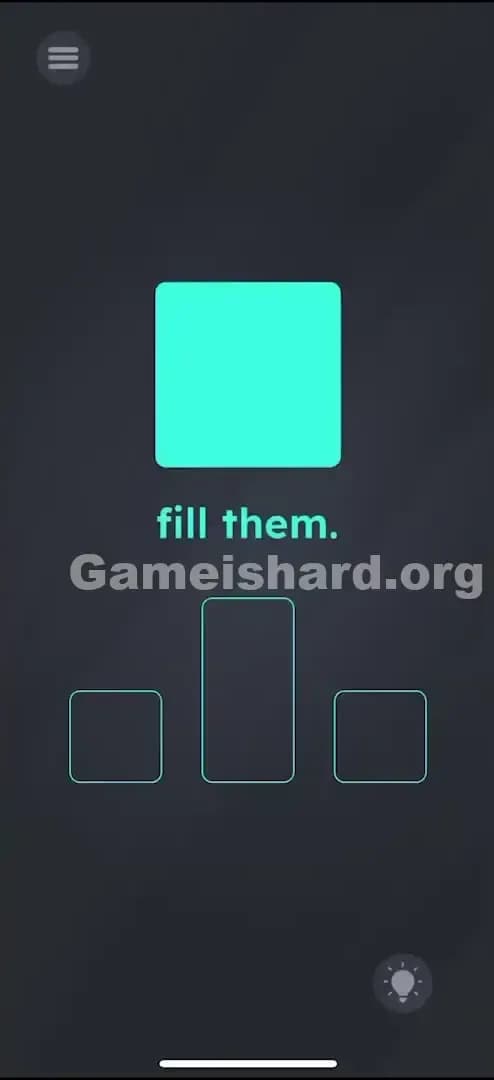
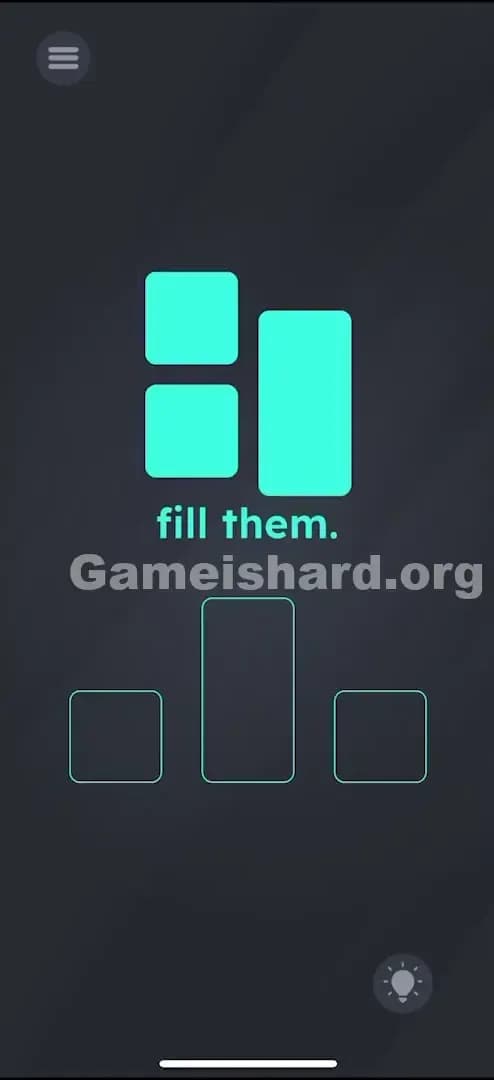
You’re staring at a big cyan square and three empty slots below it. The instruction just says "fill them." It’s maddening because you clearly don't have enough pieces. You try dragging the big square, and it just doesn't fit anywhere. It’s too fat for the middle slot and too tall for the side slots. The game is mocking your lack of geometry skills. It’s a classic "Game is hard" moment where the inventory you start with is a lie.
The Objective in Game is hard Level 95
Your goal is to fill three specific outlines: a small square on the left, a tall rectangle in the middle, and a small square on the right. You start with only one giant square. You need to physically manufacture the other pieces using your device's sensors. This isn't a placement puzzle; it's a deconstruction puzzle.
Mechanics Involved in Game is hard Level 95
- Shake Sensor (Accelerometer): The primary way to interact with the main object.
- Multi-touch / Holding: You must anchor an object to modify it specifically.
- Drag and Drop: The final step involves placing the newly created pieces.
- Physics simulation: The objects react to movement, hinting they can be broken.
It’s not a geometry test. It’s a demolition job.
What You See on Screen in Game is hard Level 95
Let's break down the scene so we are on the same page.
- Top Center: A large, solid cyan square. It looks heavy.
- Middle Text: The command "fill them." in simple green text.
- Bottom Area: Three outlines waiting to be filled.
- Left: A small square outline.
- Center: A tall, vertical rectangle outline.
- Right: A another small square outline.
- Background: The standard dark grey "Game is hard" void.
There are no tools, no scissors, and no other buttons. Just one big block and three holes that don't match it.
What’s Tricking People in Game is hard Level 95
The Trap of Game is hard Level 95
The trap here is the assumption of solidity. In most games, a square is a square. It doesn't break. Players spend ages trying to drag the big square over the outlines, hoping the game will auto-resize it or snap it into place. It won't. The UI blindness here is failing to realize that the object is brittle.
The Wrong Instincts in Game is hard Level 95
- Pinching the square: We are used to pinching to zoom or shrink. You might try to pinch the big square to make it fit the small slots. No dice.
- Tapping furiously: Tapping the square doesn't crack it.
- Tilting: Tilting the phone might make the square slide, but it doesn't change its shape.
My Reaction to Game is hard Level 95
I spent a good two minutes trying to drag the text "fill them" into the boxes. I thought maybe the letters "i" and "l" would fit the rectangle slot. When that failed, I shook my phone out of frustration—not strategy—and suddenly saw the square crack. Pure accidental genius.
Game is hard Level 95 Step-by-Step Walkthrough
The Setup of Game is hard Level 95
Place your phone on a flat surface or hold it firmly. You need access to the screen with one hand while being able to shake the device with the other (or both). Look at the big cyan square.
The Action of Game is hard Level 95
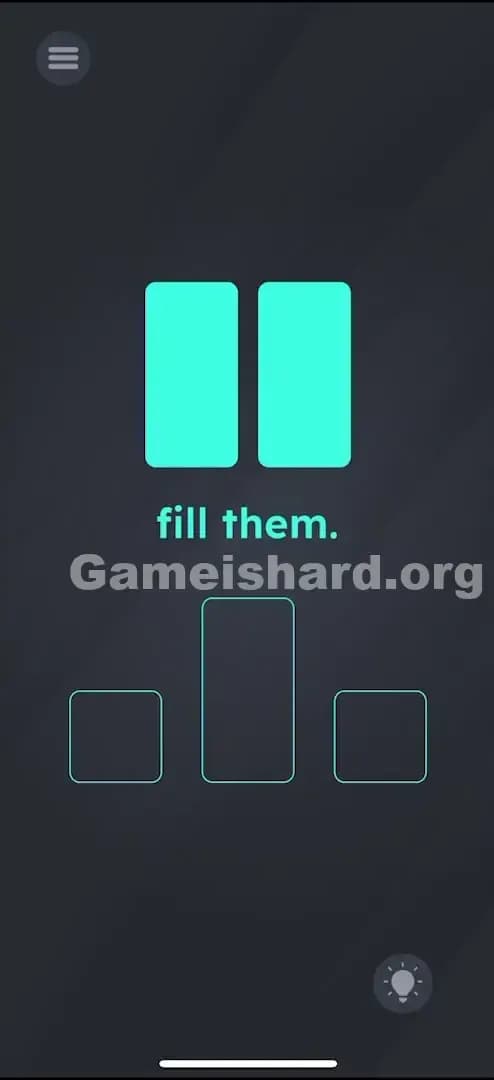
- First Break: Shake your phone vigorously. Do not hold the screen. Just shake the device. The big square will split vertically into two tall rectangles.
- Second Break (The Tricky Part): Now you have two rectangles. You need small squares for the side slots. Press and hold your finger on one of the rectangles to keep it safe.
- Shake Again: While holding that first rectangle down, shake the phone again. The other rectangle (the one you aren't holding) will break in half, turning into two small squares.
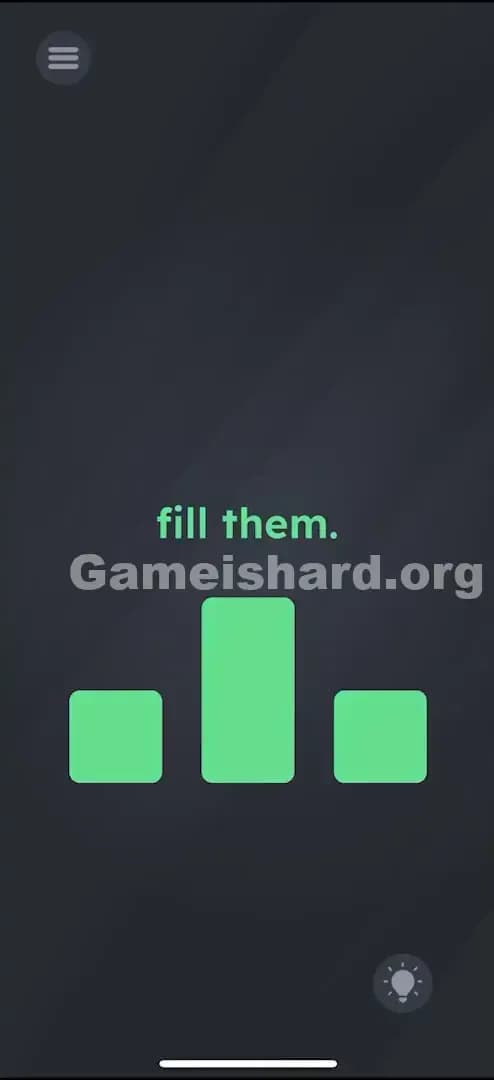
- Placement: Now you have the inventory you need:
- Drag the tall rectangle (the one you held) into the middle slot.
- Drag the two small squares into the left and right slots.
Verification
As soon as a shape is dropped into the correct slot, it will snap into place and likely glow or lock. Once all three are filled, the level ends.
Troubleshooting at Game is hard Level 95
- It won't split: You need a sharp shake, not a gentle wobble. Imagine you are trying to get ketchup out of a bottle.
- Both rectangles broke: If you shake the second time without holding one rectangle, both might break into small squares. Now you have four small squares and no tall rectangle for the middle slot. If this happens, restart the level. You must preserve one rectangle.
- My finger slips: Make sure you have a solid grip on the rectangle before the second shake. If you let go mid-shake, it shatters.
Micro-Details That Make the Move Register in Game is hard Level 95
This level relies on the accelerometer, which can be finicky.
- The "Hold": When holding the rectangle to save it, ensure your finger doesn't slide off. The game logic is: IF object is touched, THEN do not apply shake physics. If you lose contact for a millisecond during the shake, the game applies the break.
- The Shake Threshold: The shake needs a sudden stop. Shake it away from you and snap it back. A continuous vibration might not trigger the "break" event as reliably as a sharp jolt.
- Snap Zones: The outlines are generous. You don't need pixel-perfect placement. As long as the center of your shape is roughly over the center of the outline, it should snap.
I fixed it by placing the phone on my desk, putting my thumb on the left rectangle, and then picking the phone up by the edges to shake it. It looked stupid, but it worked flawlessly.
The Logic Behind Game is Hard Level 95
This level teaches you about state changes via sensors. The objects in Game is hard often have hidden states (whole -> half -> quarter). The developers are testing if you understand that you can manipulate the game world physically, not just digitally.
It also introduces selective interaction. By holding one object, you "protect" it from the global event (the shake). This is a logic rule often used in more complex puzzle games: masking an object to prevent an operation from applying to it. The "fill them" text is a distractor; the puzzle is entirely about managing your inventory of shapes.
Pro Tip for Game is Hard Level 95
If you are speedrunning or just want to be efficient:
- Shake immediately upon level load. Don't wait.
- Pin the left rectangle instantly with your left thumb.
- Shake again immediately.
- Drag-drop-drag-drop in one fluid motion.
Do not waste time trying to combine pieces back together. Once they break, they stay broken. If you mess up the breakage, hit restart immediately.
Alternative Attempts on Game is hard Level 95 (What Doesn’t Work, and Why)
- Cutting with a swipe: Swiping your finger across the square like a knife (Fruit Ninja style) does nothing. It’s a shake trigger, not a gesture trigger.
- Pinching to resize: The shapes have fixed dimensions. They cannot be scaled.
- Dragging text: The words "fill" or "them" cannot be dragged into the boxes.
- Turning the phone upside down: Gravity affects the pieces, but it won't break them.
- Volume buttons: Pressing volume keys generally doesn't affect object geometry in this game.
Common Mistakes for Game is Hard Level 95
- Shaking too gently: The most common failure. Players wave the phone like a fan. You need to shake it like a Polaroid picture.
- Breaking everything: Players get excited by the first break and keep shaking, ending up with "confetti" (too many small squares) and failing the level because the middle slot requires a rectangle.
- Ignoring the "Hold": Failing to realize you can protect one piece while breaking another is the main logic gap here.
- Dragging the wrong shape: Trying to jam the rectangle into the square slot. It won't fit, and it won't break just because you force it.
Pattern Recognition: How to Spot This Trick in Future Game is Hard Levels
The Tell
Whenever you see a single large object and multiple smaller destination slots that clearly represent fractions of that object (e.g., one big circle and two semi-circle holes), the solution is destruction. The game wants you to break the asset.
The Habit
When simple dragging fails, shake the device. It is the universal "reset" or "break" command in mobile puzzle games. If shaking affects everything, try holding one item to see if you can isolate the effect. This "Hold + Action" combo is a staple in later levels of Game is hard.
Game is hard Level 95 FAQ (Short, Useful)
Q: I broke everything into small squares in Game is hard Level 95! How do I fix it? A: You can't combine them back. You must restart the level. You need one rectangle intact for the middle slot.
Q: Does it matter which rectangle I hold in Game is hard Level 95? A: No. Both rectangles are identical. Hold whichever one is easier for your thumb to reach while shaking.
Q: Why won't the big square break in Game is hard Level 95? A: Your shake might be too subtle. Try a sharp, quick snap of your wrist. Also, ensure screen rotation lock isn't somehow interfering (though it usually relies on the accelerometer, not the gyro).
Q: Can I use the "fill them" text for the slots in Game is hard Level 95? A: No. The text is strictly an instruction here. The solution is purely geometric.
Get more level walkthrough on Gameishard.org
That’s how you crush Game is hard Level 95. This game loves to make you feel silly for missing the obvious physical solution. If you’re stuck on the next puzzle (or the previous one), we’ve got straight-to-the-point guides for every single level. No fluff, just answers. Share this with your frustrated friends!