Game Is Hard Level 60 Solution Walkthrough & Answer
How to solve Game Is Hard level 60? Get instant solution & answer for Game Is Hard level 60: "3 laps."
Doesn't look like your level?
App updates can sometimes shuffle the order of puzzles. If this level 60 walkthrough doesn't match your screen, don't worry! You can browse our All Levels guide to find your exact puzzle by its picture.

Quick Answer for Game is hard Level 60 (Do This)
Solution: Spin your actual phone around in a full circle three times to complete the laps. Ignore the touch controls completely; this level relies entirely on your device's motion sensors.
Game is Hard Level 60 Overview
The Hook of Game is hard Level 60
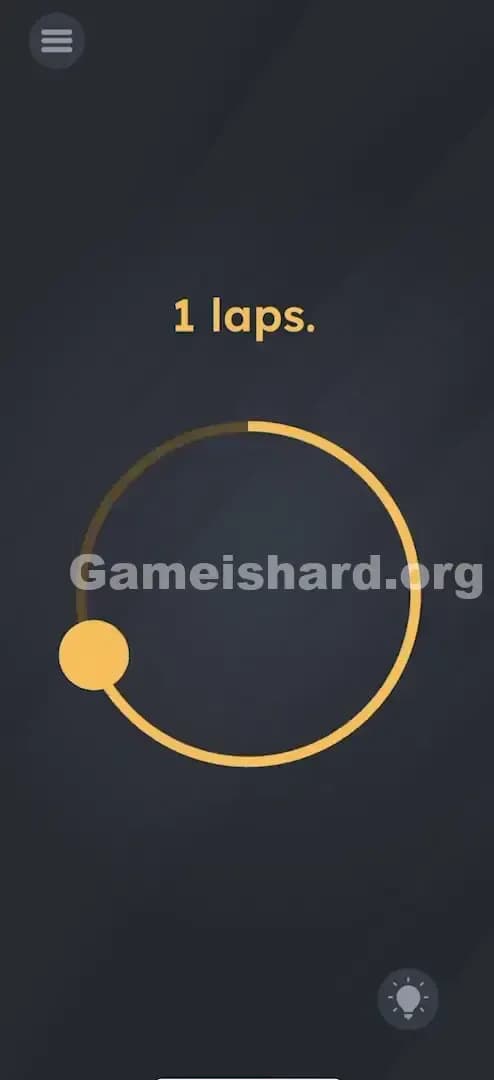
You stare at the screen. You see a circle. You see a dot. You see the text "3 laps." Naturally, you put your finger on the dot and try to drag it around the circle, right? You drag it perfectly. One lap. Two laps. Three laps. Nothing happens. You try again, faster. Slower. Counter-clockwise. Still nothing. The dot follows your finger, but the game acts like it's dead.
The Objective in Game is hard Level 60
The goal is to complete "3 laps." The trick is realizing what is supposed to be doing the laps. The game isn't asking you to move the yellow dot with your finger. It's asking the device itself to take a lap. You are dealing with a sensor puzzle, not a touch puzzle.
Key Mechanics in Game is hard Level 60
- Motion Sensors / Gyroscope: This level reads physical movement in the real world.
- UI Misdirection: The draggable dot is a decoy. It functions just enough to make you think it's the solution, keeping you trapped in a loop of trying to drag it "better."
- Physical Rotation: You need to rotate the phone 360 degrees, three times.
It’s not a typo. It’s a gym workout for your wrist.
What You See on Screen in Game is hard Level 60
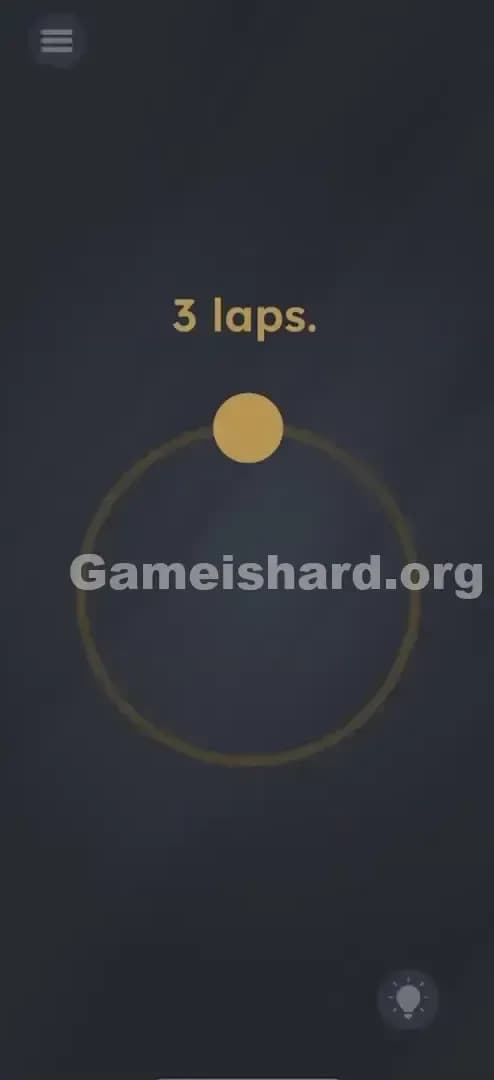
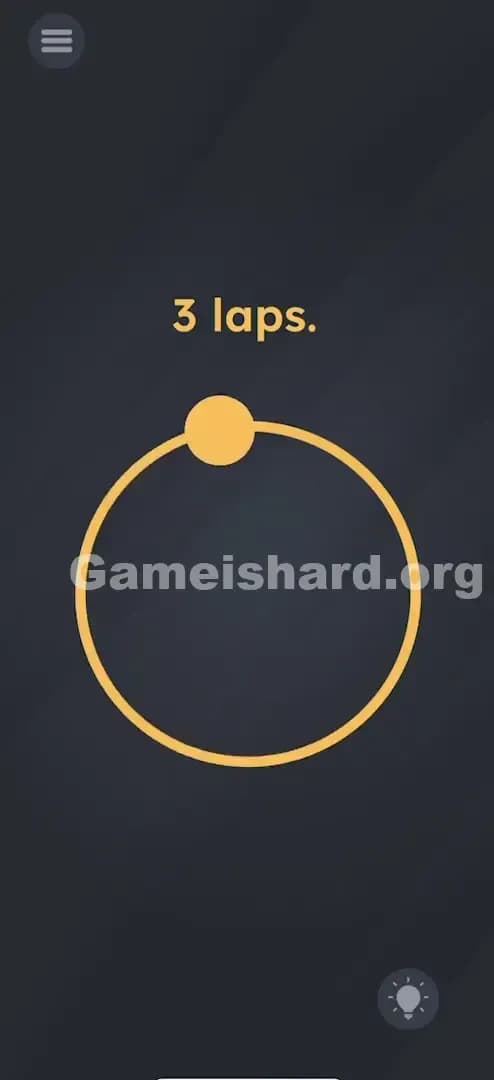
When you load into Game is hard Level 60, the interface is incredibly sparse. It’s almost mocking in its simplicity.
- Top Center: The text "3 laps." sits there in a bold, yellow font.
- Center Screen: There is a large, thin yellow circle outline.
- The Decoy: Perched right at the top of that circle (at the 12 o'clock position) is a solid yellow dot. It looks exactly like a knob or a slider you are supposed to grab.
- Background: The standard dark, dusty chalkboard texture used throughout the game.
There are no arrows indicating direction. No timer. Just that dot sitting there, begging to be touched.
What’s Tricking People in Game is hard Level 60
The Trap of Game is hard Level 60
The trap here is classic "UI Blindness." We are conditioned by thousands of hours of mobile gaming to believe that if something looks like a slider, it is a slider. If there is a track (the circle) and a car (the dot), we drive the car. The game developers know this. They programmed the dot to be draggable specifically to waste your time. You can spin that dot for an hour, and the level won't clear.
The Wrong Instincts in Game is hard Level 60
- Dragging the dot: This is everyone's first, second, and third attempt. You assume you just aren't tracing the circle accurately enough.
- Flicking the dot: Some players try to "throw" the dot to make it spin on its own.
- Shaking the phone: Usually a good backup plan in puzzle games, but shaking is too chaotic here. The game wants a specific circular motion.
My Reaction to Game is hard Level 60
I spent a solid five minutes tracing that circle with my index finger. I tried doing it slowly to be precise. I tried doing it lightning fast. I even cleaned my screen thinking my touch wasn't registering. Then I got frustrated, spun my chair around while holding the phone, and suddenly saw the victory screen. I felt ridiculous.
Game is hard Level 60 Step-by-Step Walkthrough
The Setup
Put your finger away. Do not touch the screen. Grip your phone firmly in your hand. You need clear space around you so you don't smack your phone into a table or a wall.
The Action in Game is hard Level 60
- Hold the phone flat or vertically—the orientation doesn't matter as much as the motion itself.
- Spin the entire device in a full 360-degree circle. Imagine the phone is an airplane doing a loop-de-loop, or you are spinning a pizza dough.
- Repeat 3 times. Do this consecutively. Don't pause too long between spins. One full rotation. Two full rotations. Three full rotations.
- Verification: You don't need to look at the screen while spinning (it’s hard to anyway). After the third spin, stop and look. The level complete animation should trigger immediately.
Troubleshooting at Game is hard Level 60
- If nothing happens: You might be spinning too slowly. The gyroscope needs to register a distinct "lap." Try snapping your wrist faster.
- Axis matters: If spinning it like a pizza doesn't work, try flipping it end-over-end (a somersault motion). Different devices have different sensor sensitivities.
- Case interference: Thick magnetic cases can sometimes mess with internal compasses/sensors, though usually basic gyroscopes are fine. If you are really stuck, take the case off.
Micro-Details That Make the Move Register in Game is hard Level 60
Precision matters here, but it's physical precision, not digital.
- Speed: A lazy, slow rotation might not register as a "lap" in the game's code. It needs to be a deliberate spin. Think "1 second per lap."
- The "Reset": If you do 2 laps and then drop the phone or fumble it, the counter often resets invisibly. You need 3 clean, continuous laps.
- Screen Orientation: Ensure your screen rotation lock isn't fighting you visually, though it shouldn't affect the puzzle logic. The game is reading the raw sensor data.
I fixed it by... standing up. Sitting down, I couldn't rotate my wrist fully without hitting my armrest. Standing up allowed me to do big, exaggerated arm circles with the phone, which the game registered instantly.
The Logic Behind Game is Hard Level 60
This level is a test of "Hardware Awareness."
Most levels in Game is hard test your logic or your reading comprehension. This one tests whether you remember that your phone is a machine full of sensors, not just a glass window you poke. The "3 laps" instruction is literal, but the subject of the sentence is implied. It’s not "Make the dot do 3 laps." It is "You (the device) do 3 laps."
The game treats the device itself as the character. By forcing you to move the hardware, it breaks the fourth wall. The UI (the dot and circle) is just paint. It has no function other than to distract you from the physical reality of the puzzle.
Pro Tip for Game is Hard Level 60
If you are speed-running or replaying:
- Ignore the dot immediately. Don't even tap it.
- Use your wrist. A quick flick of the wrist is faster and safer than swinging your whole arm.
- Count out loud. "One, two, three." It helps ensure you actually complete the full rotations.
Do NOT waste time: Trying to trace the circle "perfectly." Accuracy of the touch input is irrelevant because touch input is disabled for the solution.
Alternative Attempts on Game is hard Level 60 (What Doesn’t Work, and Why)
Here are the things that will make you look silly but won't clear Game is hard Level 60:
- Tracing the circle with two fingers. (Multi-touch won't override the sensor requirement).
- Rubbing the "3 laps" text. (Sometimes text is interactive, but here it's just a label).
- Rotating the phone on a table like a fidget spinner. (This usually works, but sometimes the sensors don't pick up the "lap" if it's perfectly flat; air spins are more reliable).
- Drawing 3 circles anywhere on the screen. (The game isn't looking for gestures; it's looking for gyro data).
- Shaking the phone violently. (Shaking is back-and-forth motion; the code is looking for rotational values specifically).
- Waiting. (There is no timer logic here. You can wait all day, and the dot won't move itself).
Common Mistakes for Game is Hard Level 60
- Assuming the yellow dot is the player. It's not. The phone is the player.
- Stopping after 2.5 laps. You need to complete the full 360 degrees for the third lap. Go a little extra just to be safe.
- Moving the phone in a wide arc instead of rotating it. Moving the phone from left to right in the air is translation, not rotation. The phone needs to flip or spin on its own axis.
- Touching the screen while spinning. You might accidentally pause the game or click an ad if your fingers are all over the glass while you spin. Hold the edges.
- Giving up too soon. Sometimes the sensors are laggy. Do 4 or 5 spins if 3 doesn't trigger it immediately.
Pattern Recognition: How to Spot This Trick in Future Game is Hard Levels
The tell
Whenever you see a UI element that seems to work "too perfectly" but achieves nothing (like a slider that slides but opens nothing, or a button that clicks but triggers no event), stop touching it. The game is likely distracting you.
The habit
When touch controls fail, switch to physical controls.
- Is there a tilt mechanic?
- Is there a shake mechanic?
- Is there a flip/spin mechanic? Check these three physical inputs before you go back to over-analyzing the text. If an object on screen mimics a physical action (like a wheel, a ball, or a pendulum), assume the accelerometer is the key.
Game is hard Level 60 FAQ (Short, Useful)
Q: Does it matter which way I spin the phone in Game is hard Level 60? A: No. Clockwise or counter-clockwise usually works fine. The sensor just checks for a full rotation accumulation.
Q: Can I spin the phone on a flat surface in Game is hard Level 60? A: Yes, spinning it flat on a desk like a bottle often works, provided your phone back isn't too slippery or scratched.
Q: I’m spinning it but nothing is happening in Game is hard Level 60! A: Try flipping the phone end-over-end (forward flips) instead of spinning it like a top. Sometimes the axis detection is picky.
Q: Do I need to hold the dot while I spin in Game is hard Level 60? A: No! Holding the dot is unnecessary and makes it harder to spin the phone safely. Hands off the screen.
Get more level walkthrough on Gameishard.org
If this guide saved your phone from being thrown across the room, we’ve got plenty more for the other 100+ levels. We cut the fluff and get straight to the solution because we know you just want to beat the level and move on. Share this with your friends when they get stuck—don't let them suffer alone!
Good luck with Game is hard Level 76!